
EARTEC ULSR-HD
EARTEC ULSR-HD Ultralite HD Belarri Bakarreko Urrutiko Aurikularrak Erabiltzailearen Eskuliburua
Model: ULSR-HD
Sarrera
The EARTEC ULSR-HD Ultralite HD Single Ear Remote Headset is designed to provide clear, full-duplex wireless communication for professional environments. This headset functions as an add-on or replacement unit for existing UltraLite HD systems, enabling hands-free communication without the need for beltpacks or external transceivers. Its all-in-one design integrates the radio directly into the earcup, offering a compact and efficient solution for team coordination.
Key features include a noise-cancelling microphone with an auto-mute function when pivoted upwards, a long wireless range of up to 1,000 feet line-of-sight, and approximately 6 hours of talk time on a single charge. The pivoting microphone allows for versatile wear on either the left or right ear.
Bateragarritasuna
It is crucial to ensure that this Remote headset is compatible with your existing system. The ULSR-HD headset is designed exclusively for use with the HD bertsioa of UltraLite systems. It is ez bateragarriak with Classic Ultralite models.

This image illustrates the difference between compatible UltraLite HD models (right, with a checkmark) and incompatible Classic UltraLite models (left, with an X). Always verify your system is UltraLite HD.
Each system containing a Main (no HUB) headset can support up to 4 Remote units. Each HUB-based system (no Main headset) can support up to 8 Remote units.
Konfigurazioa
1. Entzungailua kargatzea
Before initial use, fully charge the headset's internal battery. The charging time is approximately 3 hours. A full charge provides up to 6 hours of talk time.
- Connect the charging cable (not included, typically comes with the main system) to the charging port on the headset.
- Connect the other end of the charging cable to a compatible USB power source.
- The LED indicator on the headset will show charging status (refer to the LED indications section for details).
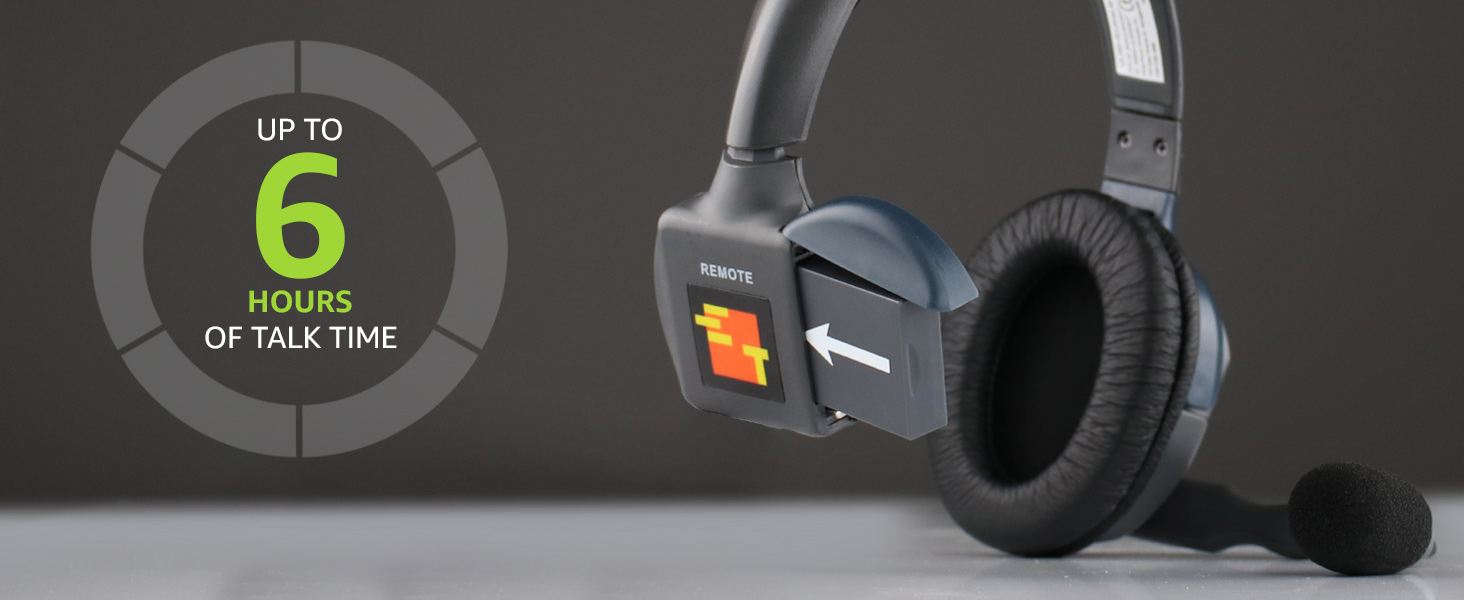
This image highlights the headset's battery life, providing up to 6 hours of talk time on a single charge.
2. Hasierako parekatzea (beharrezkoa bada)
Remote headsets typically pair automatically with a Main headset or HUB within an UltraLite HD system. If the headset does not connect automatically, ensure it is within range and powered on. For specific pairing procedures, consult the manual for your Main headset or HUB unit.

Xehetasun bat view of the EARTEC ULSR-HD Ultralite HD Single Ear Remote Headset, showcasinbere diseinua eta kontrolak.
Funtzionamendu-argibideak
1. Piztu/Itzaltzea
- To power on: Locate the power button (usually integrated with the volume controls or a separate small button) and press and hold until the indicator light illuminates.
- Itzaltzeko: Sakatu eta eutsi pizteko botoia adierazle-argia itzali arte.
2. Entzungailua janztea
The microphone boom is designed to pivot 270 degrees, allowing the headset to be worn comfortably on either the left or right ear. Adjust the headband for a secure and comfortable fit.
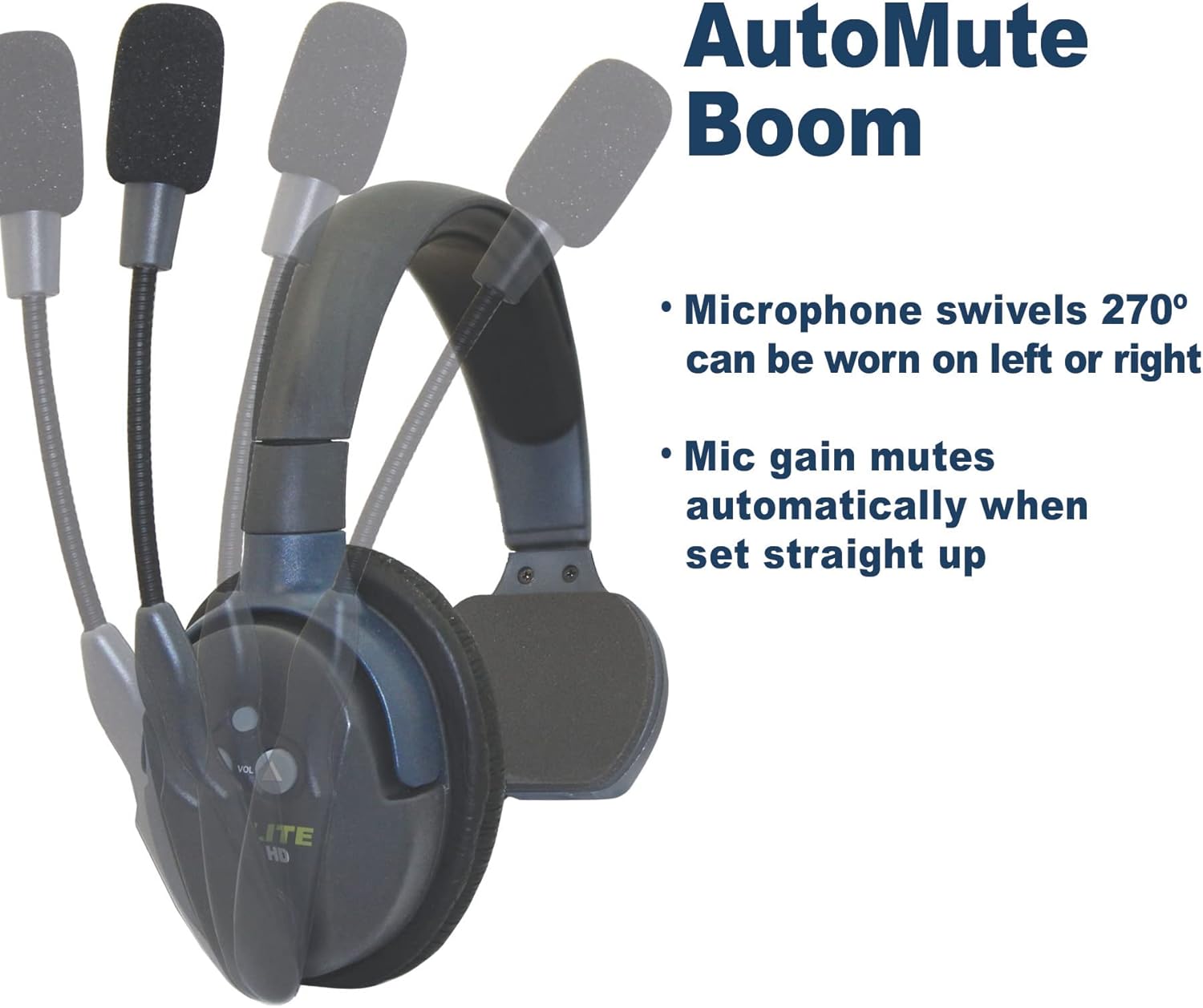
This image illustrates the microphone's 270-degree swivel capability and the automatic mute function when the boom is raised straight up.
3. Microphone Auto-Mute Function
The noise-cancelling microphone features an automatic mute function. When the microphone boom is pivoted upwards (straight up), the microphone gain automatically mutes, preventing unwanted audio transmission. To unmute, simply pivot the microphone boom back down towards your mouth.

A visual representation of the microphone's movement, indicating the active (green microphone icon) and muted (red microphone icon) positions.
4. Bolumenaren kontrola
Use the volume up (▲) and volume down (▼) buttons located on the earcup to adjust the listening volume to a comfortable level.
5. Komunikazio-eremua
The headset provides an effective wireless range of up to 1,000 feet line-of-sight (LOS). Obstructions such as walls, metal structures, and dense foliage can reduce this range. For optimal performance, maintain a clear line of sight between the remote headset and the Main headset or HUB.
Mantentzea
1. Garbiketa
- Garbitu entzungailuen gainazalak zapi leun etaamp oihal.
- Ez erabili produktu kimiko gogorrik, disolbatzailerik edo garbitzaile urratzailerik.
- Ziurtatu kargatzeko ataka hautsik eta hondakinik gabe dagoela.
2. Bateria zaintzea
- Recharge the battery regularly, even if the headset is not in frequent use, to maintain battery health.
- Saihestu bateria denbora luzez guztiz deskargatzea.
- Gorde entzungailua leku fresko eta lehor batean erabiltzen ez duzunean.
3. Biltegiratzea
When storing the headset, especially for long periods, ensure it is powered off and fully charged. Store it in a protective case or a safe environment to prevent physical damage.
Arazoak konpontzea
| Arazoa | Kausa posiblea | Irtenbidea |
|---|---|---|
| No audio or intermittent audio. |
|
|
| Short communication range. |
|
|
| Aurikularrak ez dira kargatzen. |
|
|
Zehaztapenak
| Ezaugarri | Xehetasuna |
|---|---|
| Ereduaren izena | ULSR-HD |
| Marka | EARTEC |
| Konektibitate Teknologia | Haririk gabekoa |
| Haririk gabeko Komunikazio Teknologia | Haririk gabekoa |
| Gailu bateragarriak | HD version of UltraLite systems |
| Maiztasun barrutia | 1.9 GHz |
| Bateriaren iraupena | Gehienez 6 ordu (elkarrizketa denbora) |
| Kargatzeko Denbora | Gutxi gorabehera 3 ordu |
| Mikrofono Mota | Noise-cancelling, Auto-mute pivoting boom |
| Uraren Erresistentzia Maila | Urarekiko erresistentea |
| Materiala | Plastikoa |
| Elementuaren pisua | 6 pounds (Note: This may refer to package weight) |
Bermea eta Laguntza
For detailed warranty information, please refer to the official EARTEC website or the documentation included with your complete UltraLite HD system. Warranty terms and conditions may vary.
Additional support and resources, including a downloadable Instructions for Use (IFU) PDF, may be available from the manufacturer. You can often find these resources on the product support page of the EARTEC webgunea.
For technical assistance or further inquiries, please contact EARTEC customer support directly.
Ask a question about this manual
Ask about setup, troubleshooting, compatibility, parts, safety, or missing instructions. Manuals+ will review the question and use this page’s manual context to help answer it.