
Sarrera
This manual provides essential instructions for the safe and efficient use of your AKG Y100 Wireless Bluetooth Earbuds. Please read this manual thoroughly before using the product and retain it for future reference.
The AKG Y100 earbuds are designed to deliver crisp, clean sound with the convenience of wireless connectivity. They feature a lightweight, ergonomic neckband and multi-point connectivity for seamless switching between devices.
Segurtasun Informazioa
- Do not expose the earbuds to extreme temperatures, humidity, or corrosive environments.
- Saihestu entzungailuak erortzea edo kolpe gogorren eraginpean jartzea.
- Do not disassemble or attempt to repair the earbuds yourself. This may void the warranty and cause damage.
- Keep the earbuds away from children and pets.
- Erabili emandako kargatzeko kablea edo baliokide ziurtatu bat soilik.
- Bolumen altuan denbora luzez entzuteak entzumen-kalteak eragin ditzake. Egokitu bolumena maila seguru batera.
Paketearen edukia
Egiaztatu elementu guztiak zure produktuaren paketean daudela:
- AKG Y100 Wireless Bluetooth Earbuds
- 3 Size ear tips (Small, Medium, Large)
- Mikro USB kargatzeko kablea
- Babes-zorroa
- Hasiera Azkarreko Gida (ez dago eskuliburu digital honetan sartuta)
Produktua amaituview
Familiarize yourself with the components and controls of your AKG Y100 earbuds.
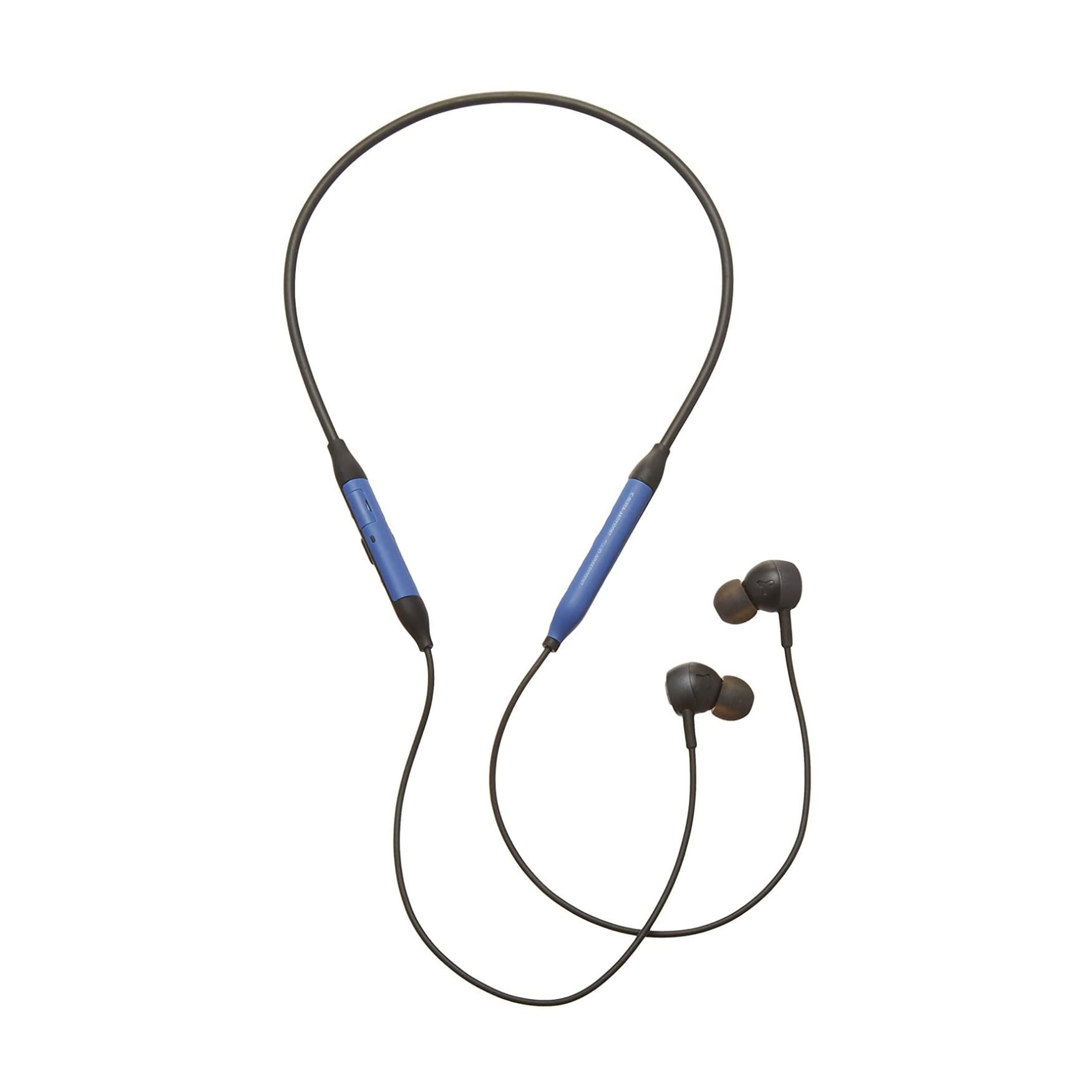
Irudia: Aurrealdea view of the AKG Y100 Wireless Bluetooth Earbuds, highlighting the blue AKG logo on each earbud.

Image: The AKG Y100 Wireless Bluetooth Earbuds showing the inline remote control with buttons for volume and playback.
Kontrolak:
- Pizteko botoia: Located on the inline remote. Used for powering on/off and Bluetooth pairing.
- Bolumena igo / jaitsi botoiak: Doitu audioaren bolumena.
- Funtzio anitzeko botoia: Controls music playback (play/pause, skip tracks) and call management (answer/end calls).
- Mikrofonoa: Integrated for hands-free calling and voice control.
- Kargatzeko ataka: Micro USB port for charging the earbuds.
Konfigurazioa
1. Entzungailuak kargatzea
Before first use, fully charge your AKG Y100 earbuds.
- Connect the Micro USB charging cable to the charging port on the inline remote.
- Konektatu kablearen beste muturra USB elikadura-iturri batera (adibidez, ordenagailura, hormako egokigailua).
- The LED indicator will show charging status. A full charge provides up to 8 hours of playback. A 15-minute speed charge can provide an additional hour of music.
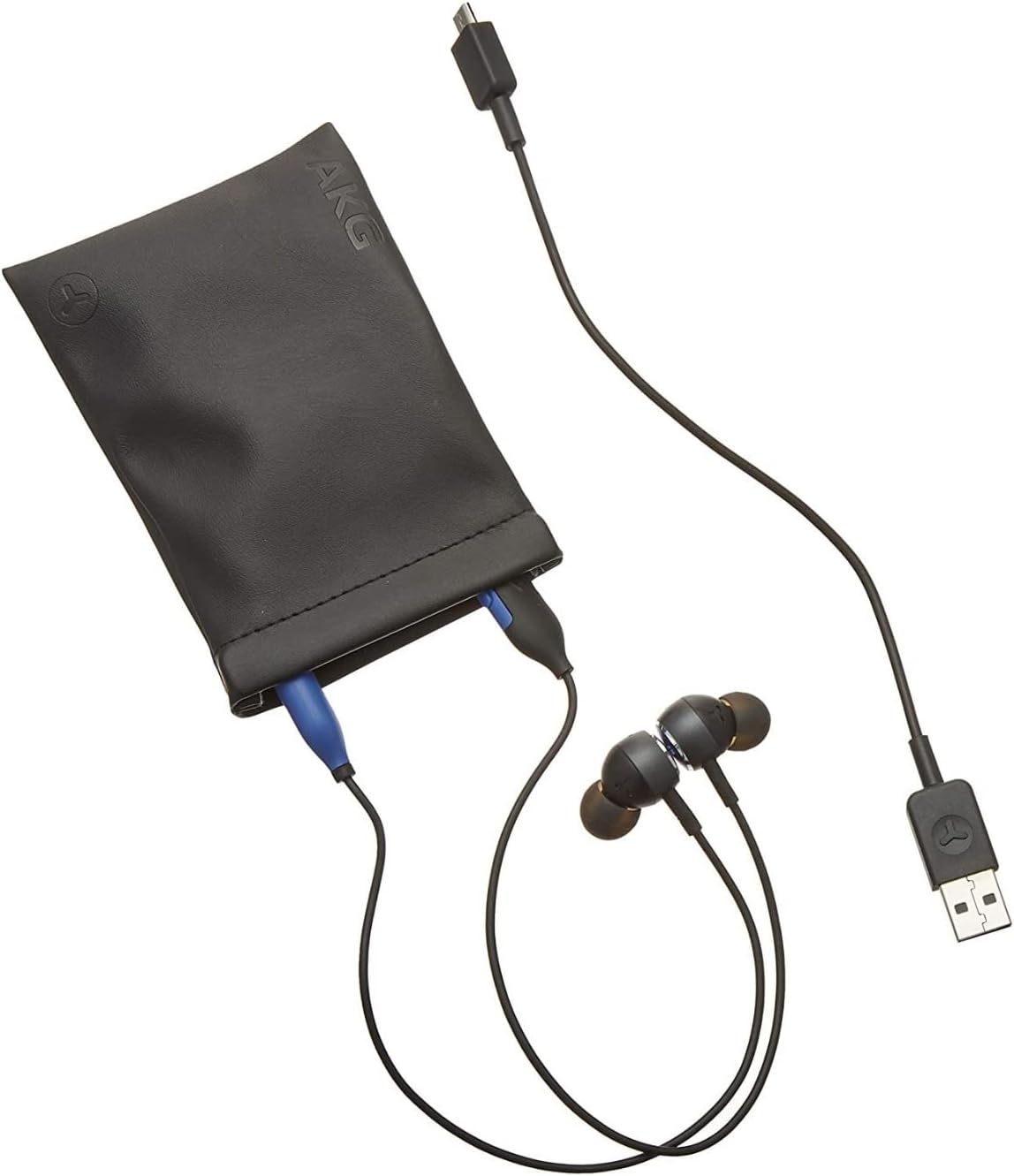
Image: The AKG Y100 Earbuds, protective case, and Micro USB charging cable, illustrating the components included.
2. Bluetooth parekatzea
Aurikularrak gailu batera konektatzeko:
- Ensure the earbuds are charged and powered off.
- Sakatu eta eutsi pizteko botoia LED adierazlea urdin eta gorri keinuka hasi arte, parekatze modua adieraziz.
- Zure gailuan (telefono adimenduna, tableta, ordenagailua), gaitu Bluetooth eta bilatu eskuragarri dauden gailuak.
- Select "AKG Y100" from the list of found devices.
- Behin konektatuta, LED adierazleak argi urdin finko bat erakutsiko du edo urdin keinuka poliki egingo du.
Puntu anitzeko konexioa: The AKG Y100 supports connecting to two Bluetooth devices simultaneously. After pairing with the first device, put the earbuds back into pairing mode and connect to the second device. The earbuds will intelligently switch between the two connected devices for audio and calls.
3. Entzungailuak jartzea
For optimal sound quality and comfort, choose the correct size ear tips.
- Experiment with the three provided ear tip sizes (Small, Medium, Large).
- Gently insert the earbuds into your ears, ensuring a snug fit that seals the ear canal.
- The ergonomic neckband should rest comfortably around your neck.

Image: A person wearing the AKG Y100 Wireless Bluetooth Earbuds, demonstrating the comfortable fit of the neckband and earbuds.
Entzungailuak erabiltzea
Piztu/Itzali
- Piztu: Sakatu eta eutsi pizteko botoia 2 segundo inguru, LED adierazlea urdin keinuka hasi arte.
- Itzali: Sakatu eta eutsi pizteko botoia 3 segundo inguru, LED adierazlea gorri keinuka hasi eta itzali arte.
Musika erreproduzitzea
- Erreproduzitu/Pausatu: Sakatu funtzio anitzeko botoia behin.
- Hurrengo ibilbidea: Sakatu birritan funtzio anitzeko botoia.
- Aurreko pista: Sakatu hiru aldiz funtzio anitzeko botoia.
- Bolumena igo: Sakatu bolumena igotzeko botoia.
- Bolumena jaitsi: Sakatu Bolumena Jaisteko botoia.
Deien Kudeaketa
- Deia erantzun/amaitu: Sakatu funtzio anitzeko botoia behin.
- Deia baztertu: Eduki sakatuta funtzio anitzeko botoia 2 segundoz.
- Aktibatu Ahots Laguntzailea: Press and hold the Multi-function button for 2 seconds when not on a call.
Ambient Aware Mode
The AKG Y100 features an Ambient Aware mode, which allows you to hear your surroundings more clearly without removing your earbuds. This is useful for situations where you need to be aware of your environment, such as during commutes or in an office setting.
- Activate/Deactivate Ambient Aware: Refer to your device's Bluetooth settings or the AKG app (if available) for specific controls, as this feature may be managed through software. On some models, a dedicated button or a specific combination of button presses on the inline remote may control this function.
Mantentzea
- Garbiketa: Wipe the earbuds and neckband with a soft, dry cloth. Do not use harsh chemicals or abrasive materials. Remove ear tips and clean them with mild soap and water, then dry thoroughly before reattaching.
- Biltegiratzea: When not in use, store the earbuds in the provided protective case to prevent damage. Avoid storing in direct sunlight or extreme temperatures.
- Uraren erresistentzia: The earbuds are water resistant. However, they are not waterproof. Avoid submerging them in water or exposing them to heavy rain. Dry thoroughly if they get wet.
Arazoak konpontzea
| Arazoa | Kausa posiblea | Irtenbidea |
|---|---|---|
| Aurikularrak ez dira pizten. | Bateria baxua. | Charge the earbuds fully using the Micro USB cable. |
| Ezin da gailuarekin parekatu. | Entzungailuak ez daude parekatze moduan; gailua Bluetooth itzalita; gailutik urrunegi. | Ensure earbuds are in pairing mode (flashing blue/red LED). Turn on Bluetooth on your device. Move earbuds closer to the device (within 10 meters). |
| Soinurik ez edo soinu kalitate eskasa. | Volume too low; earbuds not properly seated; device not connected. | Increase volume on earbuds and device. Adjust earbud fit. Re-pair the earbuds with your device. |
| Puntu anitzeko konexio arazoak. | Incorrect switching; device compatibility. | Ensure both devices are paired. The earbuds prioritize active audio/calls. If issues persist, disconnect and re-pair one device at a time. |
Zehaztapenak
| Ereduaren izena | Y100 |
| Konektibitate Teknologia | Haririk gabeko (Bluetooth) |
| Bluetooth bertsioa | 4.2 |
| Onartutako Bluetooth Profiles | HFP V1.7, A2DP V1.3, AVRCP V1.5 |
| Bateriaren iraupena | Gehienez 8 ordu |
| Abiadura-karga | 15 minutu ordubeteko erreprodukziorako |
| Kontrol mota | Voice Control, Touch-based controller |
| Elementuaren pisua | 24 gramo (0.847 ontza) |
| Uraren Erresistentzia Maila | Urarekiko erresistentea |
| Fabrikatzailea | Samsung (AKG by Harman) |
| Produktuaren neurriak | 3.86 x 2.01 x 5.91 hazbete |
Bermea eta Laguntza
For warranty information and technical support, please refer to the documentation included with your purchase or visit the official AKG/Samsung support webgunea. Gorde erosketaren egiaztagiria bermearen erreklamazioetarako.
If you encounter issues not covered in this manual, please contact customer service for assistance.