1. Sarrera
Thank you for choosing the Green Extreme Dual Smart Charger. This charger is designed to efficiently and reliably charge two Sony NP-FZ100 batteries simultaneously. Featuring an intuitive LCD screen, it provides real-time charging status, ensuring your camera batteries are always ready for use. Its universal power input allows for flexible charging from various power sources, making it ideal for both studio and on-location photography.
2. Segurtasun informazioa
- Irakurri argibide guztiak erabili aurretik.
- Ez jarri kargagailua euri edo hezetasunera.
- Do not disassemble the charger. Refer servicing to qualified personnel.
- Use only with compatible batteries (Sony NP-FZ100 or other batteries with appropriate plates).
- Avoid charging damaged or leaking batteries.
- Mantendu haurren eskura.
- Deskonektatu kargagailua energia iturritik erabiltzen ez duzunean.
3. Paketearen edukia
- Green Extreme Dual Smart Charger Unit
- AC korronte kablea
- DC Car Charger Adapter
- NP-FZ100 Battery Plates (pre-installed or included separately)
4. Produktua amaitu daview
Familiarize yourself with the components of your Green Extreme Dual Smart Charger.
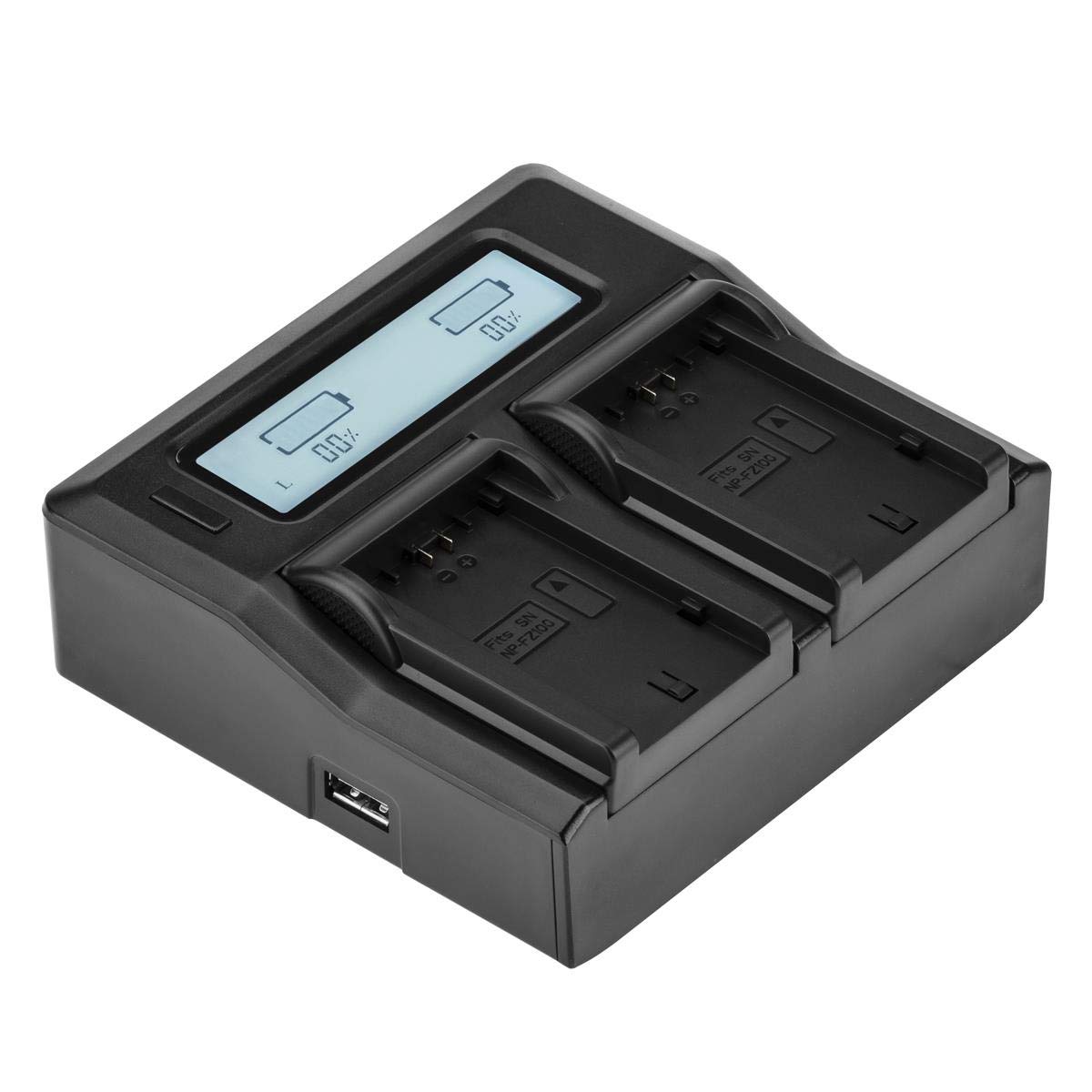
4.1. irudia: Goiena view of the Green Extreme Dual Smart Charger, showing the LCD screen and two charging bays.

4.2. irudia: The charger unit with two NP-FZ100 battery plates installed in the charging bays.

4.3. irudia: Gertu bat view of a single NP-FZ100 battery plate, showing the battery contacts and model designation.

4.4. irudia: Demonstration of how to correctly insert or remove a battery plate from the charger bay.

4.5. irudia: Close-up of the power input ports on the side of the charger, including the AC and DC inputs.
5. Konfigurazioa
- Install Battery Plates: Ensure the correct battery plates for Sony NP-FZ100 are securely installed in both charging bays. If not, align the plate with the bay and slide it into place until it clicks.
- Konektatu energia:
- AC potentzia: Connect the provided AC power cord to the charger's AC input port and then to a standard wall outlet (110-240V).
- DC potentzia: For in-vehicle charging, connect the provided DC car charger adapter to the charger's DC input port and then to your vehicle's 12-24V accessory socket.
- The LCD screen will illuminate, indicating the charger is powered on.
6. Funtzionamendu-argibideak
6.1 Bateriak kargatzea
- With the charger powered on, carefully insert one or two Sony NP-FZ100 batteries into the installed battery plates. Ensure the battery contacts align correctly with the plate contacts.
- Kargagailuak automatikoki detektatuko du bateria eta kargatzeko prozesua hasiko du.
- Monitor the LCD screen for charging status.

6.1. irudia: The charger with two NP-FZ100 batteries inserted, displaying their charge status on the LCD screen.
6.2 LCD pantailaren informazioa
The backlit LCD screen provides clear, real-time information about the charging process:
- Karga ehunekotage: Displays the current charge level of each battery numerically.
- Charge Bar Indicator: A graphical bar fills up as the battery charges, providing a quick visual reference.
- Kargatzeko egoera: The display will indicate when charging is active and when a battery is fully charged.
6.3 Universal Voltage Detekzioa
The charger features intelligent design that automatically detects and adjusts to the voltage of the attached battery. This ensures optimal and safe charging for compatible battery types when using the correct battery plates.
7. Mantentzea
- Garbiketa: Disconnect the charger from power before cleaning. Use a soft, dry cloth to wipe the exterior. Do not use liquid cleaners or solvents.
- Biltegiratzea: Gorde kargagailua leku fresko eta lehor batean, eguzki-argitik eta muturreko tenperaturatik urrun.
- Battery Plates: Ensure battery plates are free from dust and debris to maintain good contact with batteries.
8. Arazoak
- Kargagailua ez da pizten: Ensure the power cord is securely connected to both the charger and the power outlet/vehicle socket. Try a different outlet or power source.
- Bateria ez da kargatzen: Verify that the battery is correctly inserted and making proper contact with the battery plate. Ensure the battery is compatible and not damaged. Check if the battery plate is securely installed.
- LCD pantailak ez du funtzionatzen: If the charger is powered on but the LCD is blank, try disconnecting and reconnecting the power. If the issue persists, contact customer support.
- Karga motela: Ensure you are using a stable power source. Charging speed can vary based on battery condition and ambient temperature.
9. Zehaztapenak
| Modelo zenbakia | NP-FZ100 Charger |
| Sarrera boltage | AC 110-240V, DC 12-24V |
| Irteera boltage | 7.4 Volts (auto-detect) |
| Produktuaren neurriak | 7 x 4.8 x 1.7 hazbete |
| Elementuaren pisua | 14.1 ontza |
| Ziurtagiriak | UL, CE, FCC |
10. Bermea eta Laguntza
Green Extreme products are manufactured to high-quality standards. For warranty information, technical support, or service inquiries, please contact Green Extreme customer support through the retailer where the product was purchased or visit the official Green Extreme webgunea.