Sarrera
Thank you for choosing Groov-e Bluetooth DJ Style Wireless On-Ear Headphones. These headphones are designed for young users, offering wireless freedom, comfortable wear, and an audio-sharing feature. This manual provides essential information for setting up, operating, maintaining, and troubleshooting your new headphones to ensure a safe and enjoyable listening experience.
Paketearen edukia
Mesedez, markatu laukitxoa elementu hauetarako:
- 1 x Groov-e Bluetooth Kids Headphones with Audio Sharing Port
- 1 x 3.5mm Audio Jack Cable
- 1 x Mikro USB kargatzeko kablea
- 1 x Erabiltzailearen eskuliburua (dokumentu hau)
Produktua amaituview
Familiarize yourself with the various parts and controls of your Groov-e headphones.
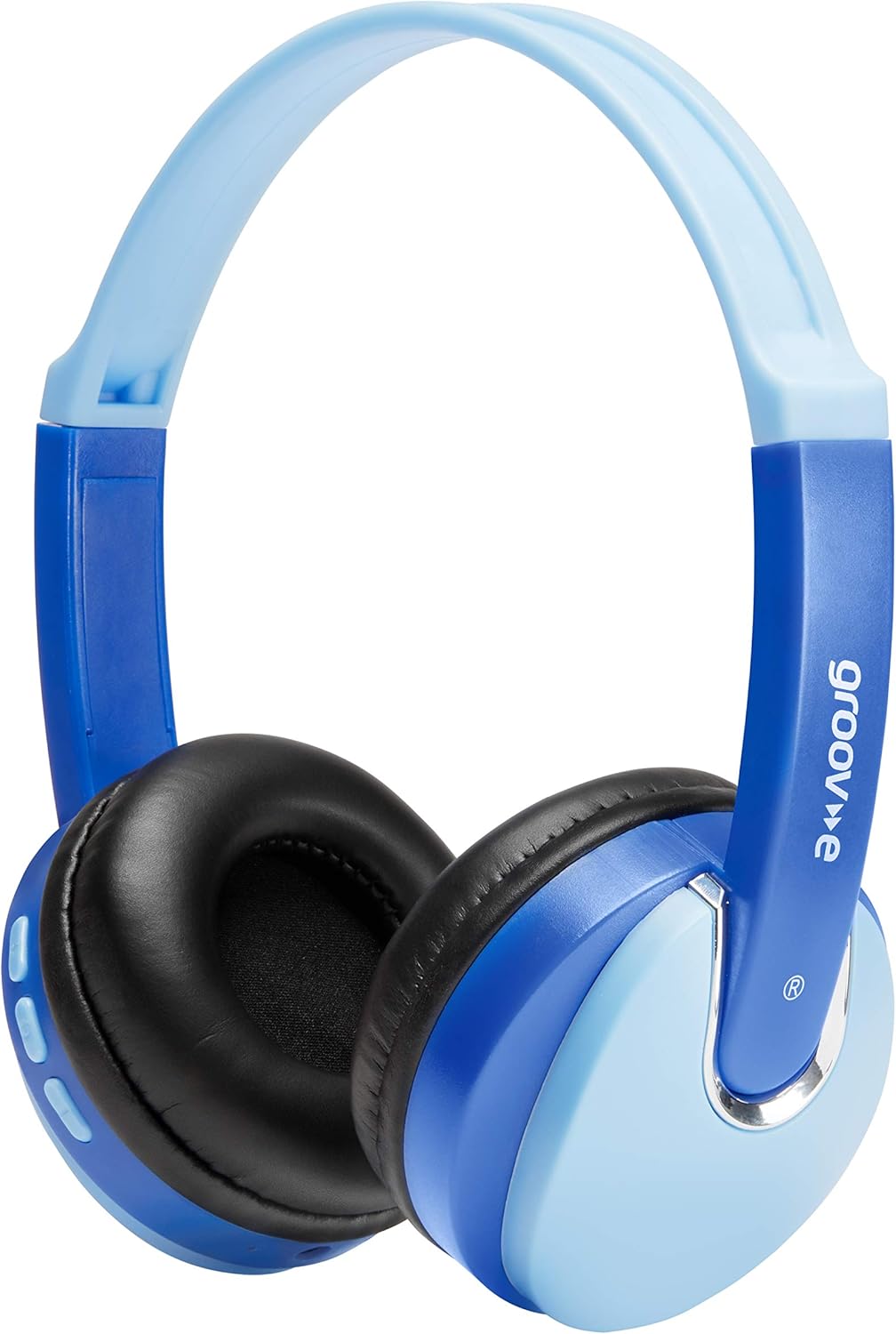
Aurrealdea view of the Groov-e Bluetooth DJ Style Wireless On-Ear Headphones in blue.

Aldea view of the right earcup, displaying the volume and track control buttons.
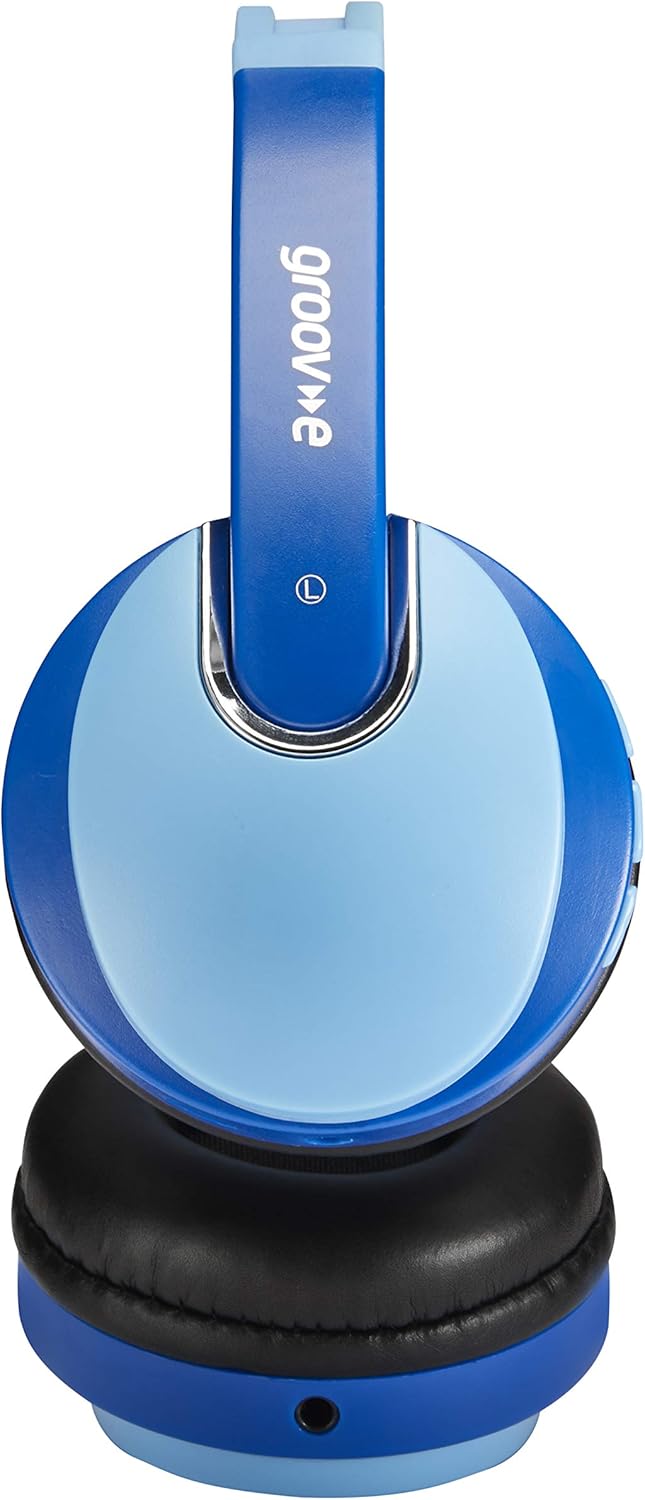
Aldea view of the left earcup, showing the 3.5mm audio input and the audio sharing port.
- Buruko banda erregulagarria: Egokitze eroso eta seguru baterako.
- Soft Earpads: Erosotasun luzeagoa lortzeko diseinatua.
- Kontrol-botoiak: Located on the earcup for power, volume, and track control.
- Mikrofonoa: Esku libreko deiak egiteko integratua.
- 3.5 mm-ko audio-konexioa: Gailuetara kable bidez konektatzeko.
- Mikro USB kargatzeko ataka: Barneko bateria berriro kargatzeko.
- Audio Sharing Port: Allows another pair of headphones to connect and share audio.
Konfigurazioa
Entzungailuak kargatzen
Before first use, fully charge the headphones. Connect the Micro USB charging cable to the charging port on the headphones and the other end to a USB power source (e.g., computer USB port, USB wall adapter). The LED indicator will show charging status (typically red while charging, turning off or blue when fully charged). A full charge provides up to 7.5 hours of wireless playback.
Bluetooth parekatzea
- Ziurtatu entzungailuak itzalita daudela.
- Sakatu eta eutsi pizteko botoia LED adierazlea txandaka urdin eta gorri keinuka hasi arte, parekatze modua adieraziz.
- Zure gailuan (smartphone-a, tableta, ordenagailu eramangarria), gaitu Bluetooth-a eta bilatu gailu berriak.
- Select "Groov-e Kidz DJ" (or similar name) from the list of available devices.
- Behin konektatuta, LED adierazlea normalean urdinez keinuka arituko da poliki edo urdin finko mantenduko da.
Kablezko konexioa
If Bluetooth is not available or the battery is depleted, you can use the included 3.5mm audio cable. Simply plug one end into the 3.5mm audio jack on the headphones and the other end into the audio output of your device.
Funtzionamendu-argibideak
Piztu/Itzali
- Piztu: Sakatu eta eutsi pizteko botoia 3 segundo inguru, LED adierazlea piztu arte.
- Itzali: Sakatu eta eutsi pizteko botoia 3 segundo inguru LED adierazlea itzali arte.
Musika erreproduzitzea
- Erreproduzitu/Pausatu: Sakatu labur Erreproduzitu/Pausatu botoia.
- Bolumena igo: Sakatu labur "+" botoia.
- Bolumena jaitsi: Sakatu labur "-" botoia.
- Hurrengo ibilbidea: Sakatu luze "+" botoia.
- Aurreko pista: Sakatu luze "-" botoia.
Esku libreko deiak
- Deia erantzun/amaitu: Sakatu labur Erreproduzitu/Pausatu botoia.
- Deia baztertu: Luze sakatu Erreproduzitu/Pausatu botoia.
- Berriz markatu azken zenbakia: Sakatu birritan Erreproduzitu/Pausatu botoia.
Audio Sharing (Daisy Chain)
The headphones feature a 'daisy chain' audio-sharing port. To share audio with another pair of headphones:
- Connect your Groov-e headphones to your audio source (via Bluetooth or 3.5mm cable).
- Plug a 3.5mm audio cable into the Audio Sharing Port on your Groov-e headphones.
- Connect the other end of the 3.5mm audio cable to the audio input of a second pair of headphones.
- Both pairs of headphones will now play the same audio.
Mantentzea
Garbiketa
Wipe the headphones with a soft, dry cloth. Do not use abrasive cleaners or solvents. Avoid getting moisture into any openings.
Biltegiratzea
Gorde entzungailuak leku fresko eta lehor batean, eguzki-argitik eta muturreko tenperaturetatik babestuta. Saihestu objektu astunak gainean jartzea.
Bateria zaintzea
To prolong battery life, avoid fully discharging the battery frequently. If storing for a long period, charge the headphones at least once every three months.
Arazoak konpontzea
| Arazoa | Kausa posiblea | Irtenbidea |
|---|---|---|
| Entzungailuak ez dira pizten. | Bateria baxua edo agortuta dago. | Kargatu entzungailuak guztiz. |
| Ezin da Bluetooth bidez parekatu. | Entzungailuak ez daude parekatze moduan; gailua Bluetooth itzalita; gailutik urrunegi. | Ziurtatu entzungailuak parekatze moduan daudela (gorri/urdin keinukari). Aktibatu gailuaren Bluetooth-a. Hurbildu entzungailuak gailura (10 metroko distantzian). |
| Soinurik ez. | Bolumena baxuegia; audio iturri okerra; entzungailuak ez daude konektatuta. | Increase volume on headphones and device. Ensure headphones are properly connected (Bluetooth or wired). Check if the correct audio output is selected on your device. |
| Soinu distortsioa. | Gailutik urrunegi; interferentziak. | Move closer to the Bluetooth device. Avoid strong electromagnetic interference. |
Zehaztapenak
| Ezaugarri | Xehetasuna |
|---|---|
| Ereduaren izena | GV590 KIDS DJ |
| Modelo zenbakia | GVBT590BE |
| Konektibitate Teknologia | Bluetooth, Wired (3.5mm Jack), USB (Charging) |
| Haririk gabeko komunikazioa | Bluetootha |
| Erreprodukzio-denbora | Gehienez 7.5 ordu (haririk gabe) |
| Gidariaren tamaina | 40 mm |
| Adin tartea (Deskribapena) | Kid (Suitable for children aged 3+) |
| Materiala | Plastikoa |
| Gailu bateragarriak | All Bluetooth devices, devices with 3.5mm jacks (MP3, smartphone, tablet, PC, laptop, portable DVD) |
| Elementuaren pisua | 298 gramo (0.3 kilogramo) |
| Produktuaren neurriak | 7.7 x 18.2 x 24 cm |
| Bateria mota | 1 litio ioizko bateria (barne) |
| Kolorea | Bluetooth Urdina |
| Forma-faktorea | Belarrian |
Bermearen informazioa
Groov-e products are manufactured to high standards. For specific warranty details, please refer to the warranty card included with your purchase or visit the official Groov-e webgunea. Gorde erosketaren egiaztagiria berme-erreklamazioetarako.
Bezeroarentzako Arreta
If you encounter any issues not covered in this manual or require further assistance, please contact Groov-e customer support. Contact details can typically be found on the product packaging, the official Groov-e webgunea, edo zure dendariaren bidez.