
SUNITEC BC920
SUNITEC BC920 Bluetooth Car Speaker User Manual
Hands-Free Bluetooth Car Speaker for Cell Phone
1. Produktua amaitu daview
The SUNITEC BC920 is a versatile Bluetooth car speaker designed to provide clear, hands-free communication and audio streaming in your vehicle. It features advanced DSP noise-cancellation technology for crystal-clear calls and supports voice assistants like Siri and Google Assistant for safe driving.

Irudia: Aurrealdea view of the SUNITEC BC920 Bluetooth Car Speaker, showing its compact design and control buttons.
2. Paketearen edukia
Mesedez, markatu laukitxoa elementu hauetarako:
- SUNITEC BC920SA Bluetooth Car Kit
- Kotxe kargagailua
- USB kargatzeko kablea
- Quick user guide / User Manual

Image: Back of the SUNITEC BC920 product box, detailing key features and package contents.
3. Gailuaren diseinua
Familiarize yourself with the buttons and ports on your SUNITEC BC920 speakerphone.
- Deitzeko botoia: Answer/End calls, Redial.
- Bolumena igo (+): Bolumena handitu.
- Bolumena jaitsi (-): Bolumena gutxitu.
- Mututu botoia: Mikrofonoa aktibatu/isilarazi.
- Switch potentziala: Aktibatu/Desaktibatu.
- Mikro USB ataka: Kargatzeko.
- Bisoraren klipa: For attaching to car visor.

Irudia: Gertuko planoa view of the SUNITEC BC920, highlighting the call button, volume controls, and mute button.
4. Konfigurazioa eta kargatzea
4.1 Hasierako karga
Before first use, fully charge the SUNITEC BC920. Connect the provided USB charging cable to the Micro USB port on the device and the other end to the car charger or a standard USB power adapter (not included). The LED indicator will show charging status.
The device features a long-lasting battery, providing up to 22 hours of talk time and 1000 hours of standby time on a full charge.

Image: Illustration showing the SUNITEC BC920 and its impressive battery life, with icons for 22 hours talk time and 1000 hours standby time.
4.2 Piztu/Itzaltzea
- Pizteko: Slide the power switch to the "ON" position. You will hear a voice prompt "Power On".
- Itzaltzeko: Slide the power switch to the "OFF" position. You will hear a voice prompt "Power Off".
The device also features an auto power on/off function. A built-in vibration sensor automatically turns on the car kit when it detects car door opening, allowing it to reconnect with your phone. When the device is not in use for a period, it will turn off automatically to save battery.

Image: Visual representation of the SUNITEC BC920's auto power-on feature, showing the device activating when a car door is opened.
4.3 Bluetooth parekatzea
To connect the SUNITEC BC920 to your mobile phone:
- Ensure the speakerphone is powered on.
- On your phone, go to Bluetooth settings and enable Bluetooth.
- Bilatu available devices. The speakerphone will appear as "BC920".
- Select "BC920" to pair. You will hear a voice prompt "Pairing" and then "Connected" upon successful connection.
The SUNITEC BC920 supports connecting two Bluetooth cell phones simultaneously, allowing for easy switching between music and calls from different devices.

Image: Diagram illustrating the dual connection capability of the SUNITEC BC920, showing two smartphones connected simultaneously.
5. Funtzionamendu-argibideak
5.1 Deiak egitea eta jasotzea
- Dei bati erantzutea: Sakatu Deitzeko botoia behin.
- Dei bat amaitzea: Sakatu Deitzeko botoia behin dei batean zehar.
- Dei bat ukatzea: Eduki sakatuta Deitzeko botoia 2 segundoz.
- Redialing Last Number: Sakatu bi aldiz Deitzeko botoia.
- Bolumena doitzea: Erabili Bolumena igo (+) eta Bolumena jaitsi (-) botoiak.
- Mikrofonoa isilaraztea: Sakatu Isilarazteko botoia during a call. Press again to unmute.
The built-in 2W powerful speaker and DSP noise-cancellation technology ensure clear calls and high-quality audio even in noisy environments.

Image: Graphic highlighting the clear speech and high-quality audio features of the SUNITEC BC920, with sound waves emanating from the speaker.
5.2 Voice Assistant (Siri/Google Assistant)
The SUNITEC BC920 supports voice assistants, allowing you to make calls, send texts, or get driving directions hands-free, enhancing driving safety.
- Ahots Laguntzailea aktibatzea: Eduki sakatuta Deitzeko botoia for 2 seconds to activate Siri (iOS) or Google Assistant (Android).
- Behin aktibatuta, komando hauek eman ditzakezu:
- "Deitu [Kontaktuaren izena]"
- "Text [Contact Name] [Message]"
- "Show me directions to [Destination]"
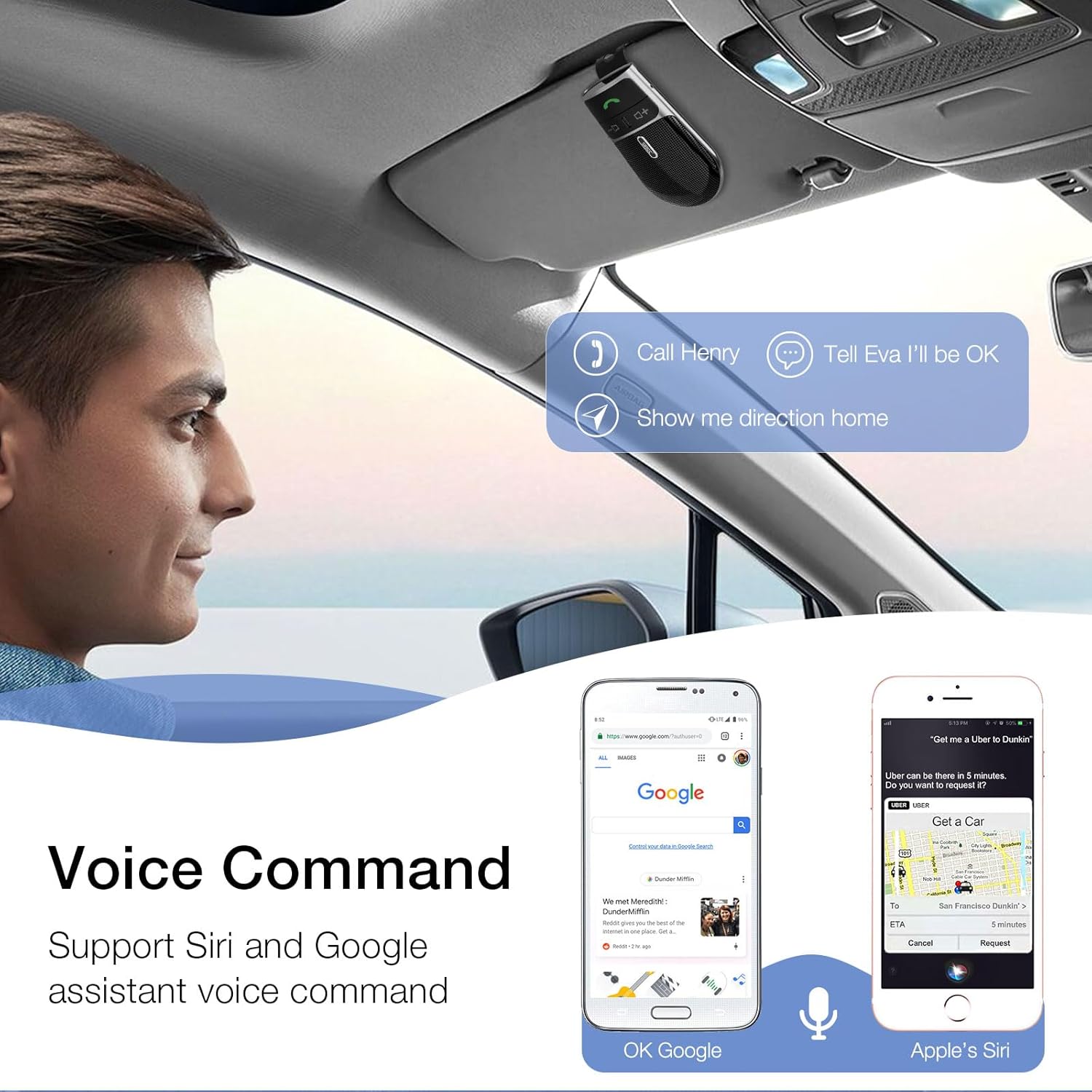
Image: A user in a car interacting with the SUNITEC BC920 to use voice commands for calling, texting, and navigation via Siri or Google Assistant.
5.3 Voice Guidance
The device provides clear voice prompts for various operational statuses, making it easy to use without visual confirmation.
- "Power On"
- "Power Off"
- "Pairing"
- "Connected"
- "Disconnected"
- "Battery Low"
Image: Depiction of the SUNITEC BC920 providing voice guidance, with a list of common voice prompts.
6. Mantentzea
- Garbitu gailua zapi leun eta lehor batekin. Ez erabili garbitzaile edo disolbatzaile urratzailerik.
- Mantendu gailua muturreko tenperatura, hezetasun eta eguzki-argitik urrun.
- Do not disassemble the device. This will void the warranty and may cause damage.
- Gorde leku fresko eta lehor batean denbora luzez erabiltzen ez duzunean.
7. Arazoak
| Arazoa | Kausa posiblea | Irtenbidea |
|---|---|---|
| Gailua ez da pizten. | Bateria agortuta dago. | Kargatu gailua guztiz. |
| Ezin da telefonoarekin parekatu. | Bluetooth is off on phone; device not in pairing mode; too many paired devices. | Ensure phone Bluetooth is on. Restart both devices. Clear previous Bluetooth connections on your phone. |
| Soinu kalitate eskasa deietan zehar. | Low battery; interference; device too far from phone. | Charge the device. Move closer to your phone. Avoid sources of strong electromagnetic interference. |
| Ahots-laguntzaileak ez du erantzuten. | Not activated correctly; phone settings. | Ensure you press and hold the Call Button for 2 seconds. Check voice assistant settings on your phone. |
8. Zehaztapenak
| Ezaugarri | Xehetasuna |
|---|---|
| Modelo zenbakia | BC920 |
| Produktuaren neurriak | 4.5 x 2.6 x 1 hazbete |
| Elementuaren pisua | 2.2 ontza |
| Pilak | 1 litio-polimeroko bateria (barne) |
| Konektibitate Teknologia | Bluetootha |
| Energia iturria | Bateriaren bidez |
| Materiala | Plastikoa |
| Ezaugarri Berezia | DSP Noise Cancellation, Microphone |
| Hitzaldi Denbora | Gehienez 22 ordu |
| Egonean Denbora | Gehienez 1000 ordu |
9. Segurtasun informazioa
Proper usage while driving and battery handling precautions are essential. Always refer to the full user manual for comprehensive safety warnings.
- Ez erabili gailua gidatzeari arreta galarazten dizun moduan. Eman beti lehentasuna errepideko segurtasunari.
- Ez jarri gailua uraren edo gehiegizko hezetasunaren eraginpean.
- Saihestu muturreko tenperaturak.
- Tokiko araudien arabera bota bateriak. Ez erraustu.
10. Bermea eta Laguntza
SUNITEC offers a customer-friendly policy for its products:
- Bermea: 365 Days free return for any problems.
- Bezeroarentzako arreta: Expect a quick response within 24 hours for inquiries.
For further assistance, please contact SUNITEC support:
- Telefonoa: 0755-36863386 / 26863387 / 36863389
- Posta elektronikoa: support@sunitec.net
- Webgunea: www.sunitec.net/en/

Image: Information regarding SUNITEC's customer service, including contact details and warranty period.
Ask a question about this manual
Ask about setup, troubleshooting, compatibility, parts, safety, or missing instructions. Manuals+ will review the question and use this page’s manual context to help answer it.