
Sarrera
The SEAC Driver is a wrist-mounted dive computer designed for both recreational diving and freediving. It provides essential information such as dive depth, time, temperature, and ascent/descent rates. This manual will guide you through the proper setup, operation, and maintenance of your device, ensuring safe and effective use during your underwater activities.
Ezaugarri nagusiak
- Simultaneous display of dive speed, ascent speed, temperature, dive time, surface time, and current depth.
- Adjustable settings for freshwater or saltwater environments.
- MSST (Minimum Surface Recovery Time) function for calculating required surface intervals and rehydration warnings.
- Option to deactivate all light and sound alarms while maintaining continuous dive profile monitoring on the display.
- Comprehensive logbook memory, organized by sessions and individual dives, with data download capability.
Konfigurazioa
Initial Activation and Basic Settings
Upon first use or after a battery change, the device will prompt you to set the basic parameters.
- Eduki sakatuta MODUA botoia ezarpenen menuan sartzeko.
- Erabili ARGIA eta Berrezarri buttons to navigate through options and adjust values.
- Set the current time (12-hour or 24-hour format) and date.
- Select your preferred unit of measurement (metric or imperial).
- Confirm settings by pressing the MODUA botoia.

Irudia: Aurrealdea view of the SEAC Driver Wrist Dive Computer, displaying the digital screen and control buttons. This image shows the general appearance of the device.
Botoiaren funtzioak
The SEAC Driver features four primary buttons for navigation and control.

Irudia: Albokoa view of the SEAC Driver dive computer, highlighting the placement of the control buttons on the left and right sides of the watch face. These buttons are used for menu navigation and setting adjustments.
- ARGIA: Activates backlight; navigates up in menus.
- JARRAIBIDEAK: Changes operating modes; confirms selections.
- MAX: Displays maximum values; navigates down in menus.
- RESET Resets certain functions; navigates right in menus.
Freshwater/Saltwater Setting
The SEAC Driver allows you to select between freshwater and saltwater modes for accurate depth and decompression calculations.
- Navigate to the "Water Type" setting in the menu.
- Choose "Fresh" or "Salt" based on your diving environment.
- Berretsi hautapena.
Funtzionamendu moduak
Urpekaritza modua
The device automatically switches to dive mode when submerged to a certain depth. In this mode, it displays critical dive parameters.
- Uneko sakonera: Indicates your real-time depth.
- Murgiltze denbora: Shows the elapsed time of your current dive.
- Tenperatura: Displays the water temperature.
- Ascent/Descent Rate: Provides visual or audible indicators for safe ascent/descent rates.
Freediving Mode
For freediving, the computer tracks specific metrics relevant to breath-hold diving.
- Gehieneko sakonera: Records the deepest point reached during a freedive.
- Dive Duration: Measures the total time spent underwater for each freedive.
- Surface Interval: Calculates the time spent on the surface between dives, crucial for recovery.
- MSST Function: Utilizes the Minimum Surface Recovery Time calculation to advise on safe surface intervals.

Image: The SEAC Driver dive computer worn on a diver's wrist, visible over a wetsuit and gloves, demonstrating its practical use during water activities.
Logbook Mode
The logbook stores detailed information about your past dives.
- To access the logbook, press the MODUA button from the surface screen.
- Erabili ARGIA eta Berrezarri to scroll through individual dives or dive sessions.
- Each entry typically includes date, time, maximum depth, dive duration, and water temperature.
Alarma kudeaketa
The SEAC Driver features customizable alarms for various dive parameters.
- Alarms can be set for maximum depth, dive time, and ascent rate.
- Light and sound alarms can be individually activated or deactivated through the settings menu.
- Even with alarms deactivated, the display continues to show the dive profile etengabeko monitorizaziorako.
Mantentzea
Garbiketa eta Biltegiratzea
After each use, rinse the dive computer thoroughly with fresh water to remove salt, sand, and chlorine. Allow it to air dry completely before storage.
- Ez erabili garbitzaile kimikorik edo disolbatzailerik.
- Gorde gailua leku fresko eta lehor batean, eguzki-argitik urrun.
Bateria ordezkatzea
The SEAC Driver uses a user-replaceable battery. When the low battery indicator appears, replace the battery promptly to ensure proper function.
- Carefully open the battery compartment cover on the back of the device using the appropriate tool.
- Remove the old battery and insert a new, compatible battery, ensuring correct polarity.
- Securely close the battery compartment, ensuring the O-ring seal is clean and properly seated to maintain water resistance.

Image: Close-up of the back of the SEAC Driver dive computer, showing the stainless steel case back with the SEAC logo, model information, and the battery compartment cover. This area is crucial for battery replacement and maintaining water resistance.
Arazoak konpontzea
If you encounter issues with your SEAC Driver, consider the following common solutions:
- Pantaila ez dabil: Check the battery level. If low, replace the battery. Ensure the battery is inserted with correct polarity.
- Irakurketa okerrak: Verify that the freshwater/saltwater setting is correct for your environment. Ensure the device's sensors are clean and free from obstructions.
- Botoiak ez dute erantzuten: Ensure the device is dry and free of debris around the buttons. If underwater, some buttons may require a firmer press.
- Data Download Issues: Ensure the USB cable is securely connected to both the computer and the device. Check for necessary drivers or software updates for your computer.
For persistent issues, refer to the official SEAC support resources or contact customer service.
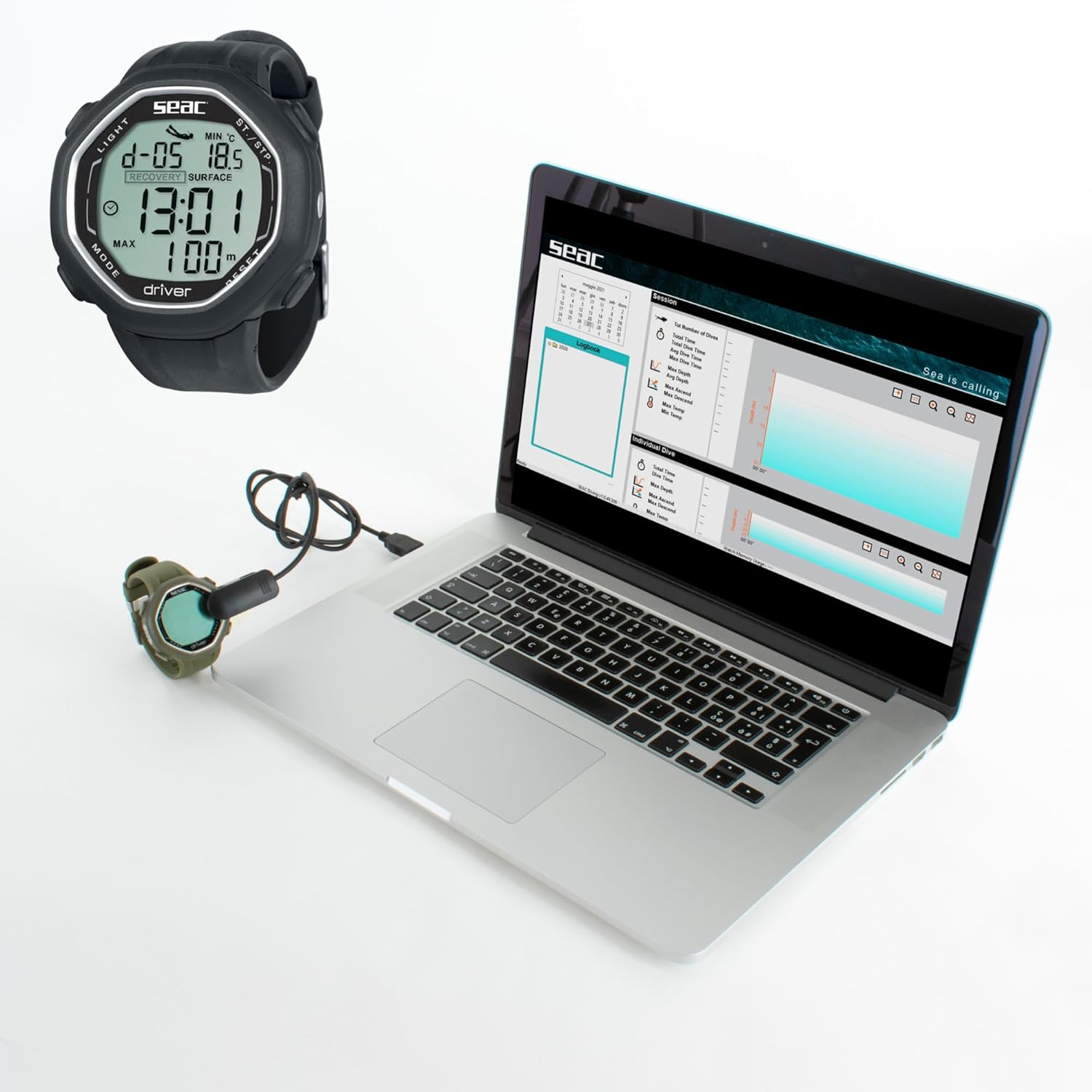
Image: The SEAC Driver dive computer connected via a USB cable to a laptop, illustrating the data download process for logbook analysis. The laptop screen shows a graphical interface for dive data.
Zehaztapenak
| Ezaugarri | Xehetasuna |
|---|---|
| Eredua | 1600003000520A |
| Marka | SEAC |
| Kolorea | Beltza |
| Bistaratzeko tamaina | 3.9 hazbetekoa |
| Bistaratzeko mota | Digitala |
| Materiala | Plastikoa |
| Uraren Erresistentzia | Gehienez 100 metro (328 oin) |
| Energia iturria | Battery (rechargeable, with AC power source for charging/data transfer) |
| Konektibitatea | USB for data download |
| Neurriak (L x W x H) | 16.51 x 13.97 x 13.97 cm (6.5 x 5.5 x 5.5 hazbete) |
| Pisua | 158.76 g |
| UPC | 887728113003 |
Bermea eta Laguntza
For detailed warranty information, please refer to the documentation included with your product or visit the official SEAC webgunea.
For technical support, service, or to purchase accessories, please contact SEAC customer service directly. Contact information can typically be found on the manufacturer's webgunea.
Sareko baliabideak:


