
1. Produktua amaitu daview
The Itek SIISBE 3.0 is a gaming middle tower PC case designed to combine high-level features with a modern aesthetic. It features a fully perforated front panel for optimal airflow and a tempered glass side panel with a convenient hinged closure, allowing for easy access and showcasing your internal components.
The case comes equipped with three 12 cm ARGB fans: two located at the front and one at the rear. These fans can be controlled via a dedicated button on the front panel or through your motherboard's ARGB software, providing customizable lighting effects and efficient cooling.
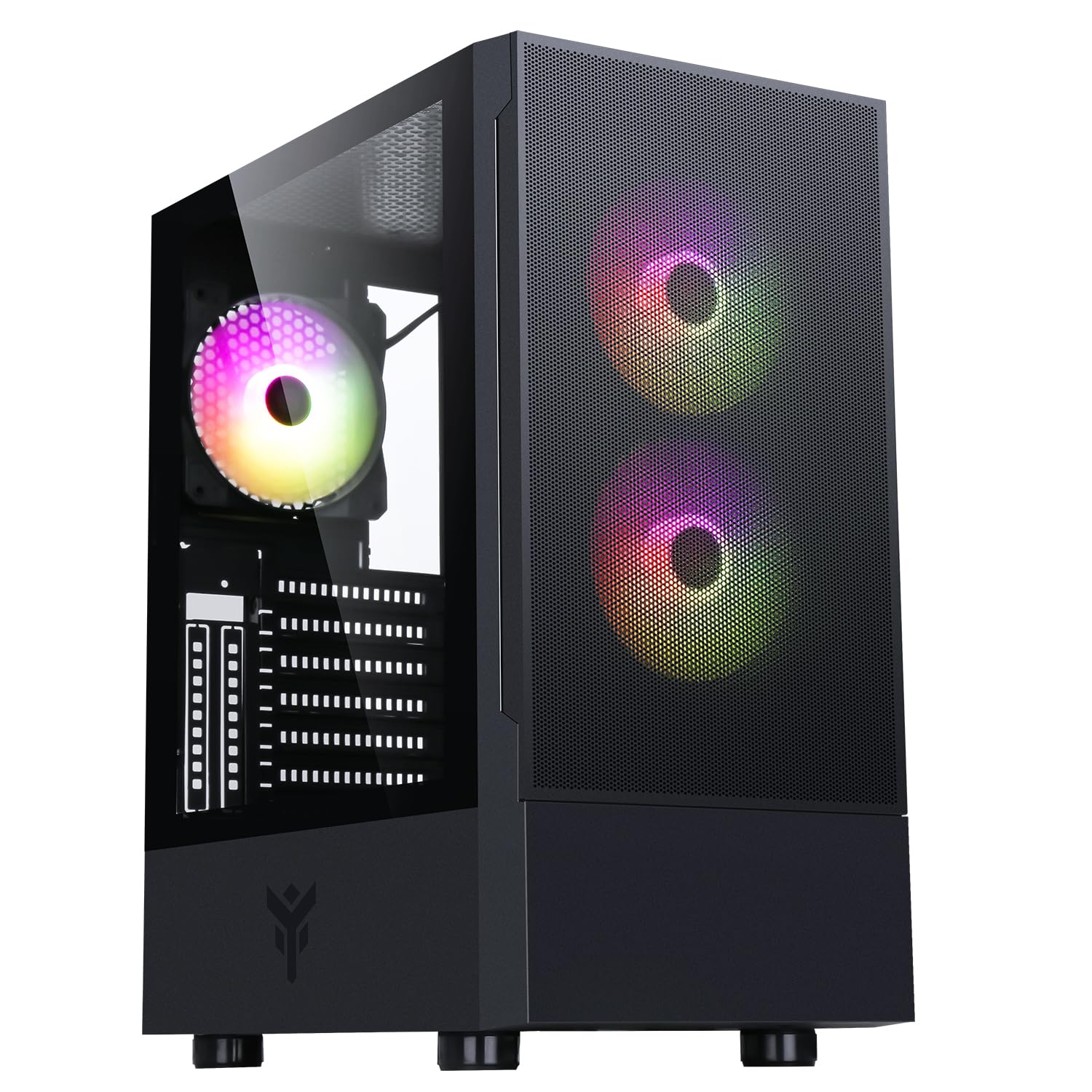
1. irudia: Aurrealdea view of the Itek SIISBE 3.0 Gaming PC Case, showcasing the perforated front panel and tempered glass side panel.
The SIISBE 3.0 supports a wide range of hardware, including ATX, Micro-ATX, and Mini-ITX motherboards. It accommodates graphics cards up to 315 mm in length, CPU coolers up to 160 mm in height, and liquid cooling radiators up to 280 mm. The case also offers 28 mm of space for efficient cable management, ensuring a clean and organized build.
2. Konfigurazioa eta instalazioa
2.1 Kasua prestatzea
- Unpack the case and remove all packaging materials.
- Open the tempered glass side panel by gently pulling it open from the hinge.
- Locate the accessory box inside the case, which contains screws and other mounting hardware.
2.2 Plaka amaierako instalazioa
- Install the necessary standoffs for your motherboard form factor (ATX, Micro-ATX, or Mini-ITX) onto the motherboard tray.
- Kontu handiz jarri plaka basea euskarrien gainean, torloju-zuloak lerrokatuz.
- Lotu plaka nagusia emandako torlojuekin.

2. irudia: Barnekoa view of the Itek SIISBE 3.0, highlighting the motherboard mounting area and cable routing options.
2.3 Energia hornitzeko unitatea (PSU) instalatzea
- Mount the PSU in the dedicated bottom compartment of the case.
- Lotu PSUa kaxaren atzealdeko torlojuekin.
2.4 Biltegiratze unitatearen instalazioa
- Install 2.5-inch SSDs or 3.5-inch HDDs into the designated internal bays. Refer to the case's internal layout for specific mounting points.
- Secure drives with the appropriate screws.

3 irudia: Atzeko barnealdea view of the Itek SIISBE 3.0, showing the motherboard tray, SSD mounting points, and ample space for cable management.
2.5 Graphics Card and Expansion Card Installation
- Kendu beharrezko hedapen-zirrikituen estalkiak kaxaren atzealdetik.
- Sartu zure grafiko-txartela edo beste hedapen-txartelak zure plaka baseko PCIe zirrikituetan.
- Secure the cards with screws. The case supports graphics cards up to 315 mm in length.
2.6 Hozte-sistemaren instalazioa
- The case includes three 12 cm ARGB fans (two front, one rear). Connect their power and ARGB cables to the motherboard or the integrated fan controller.
- For additional cooling, install extra fans or a liquid cooling radiator (up to 280 mm) in the designated mounting points.
- Install your CPU cooler. The case supports CPU coolers up to 160 mm in height.
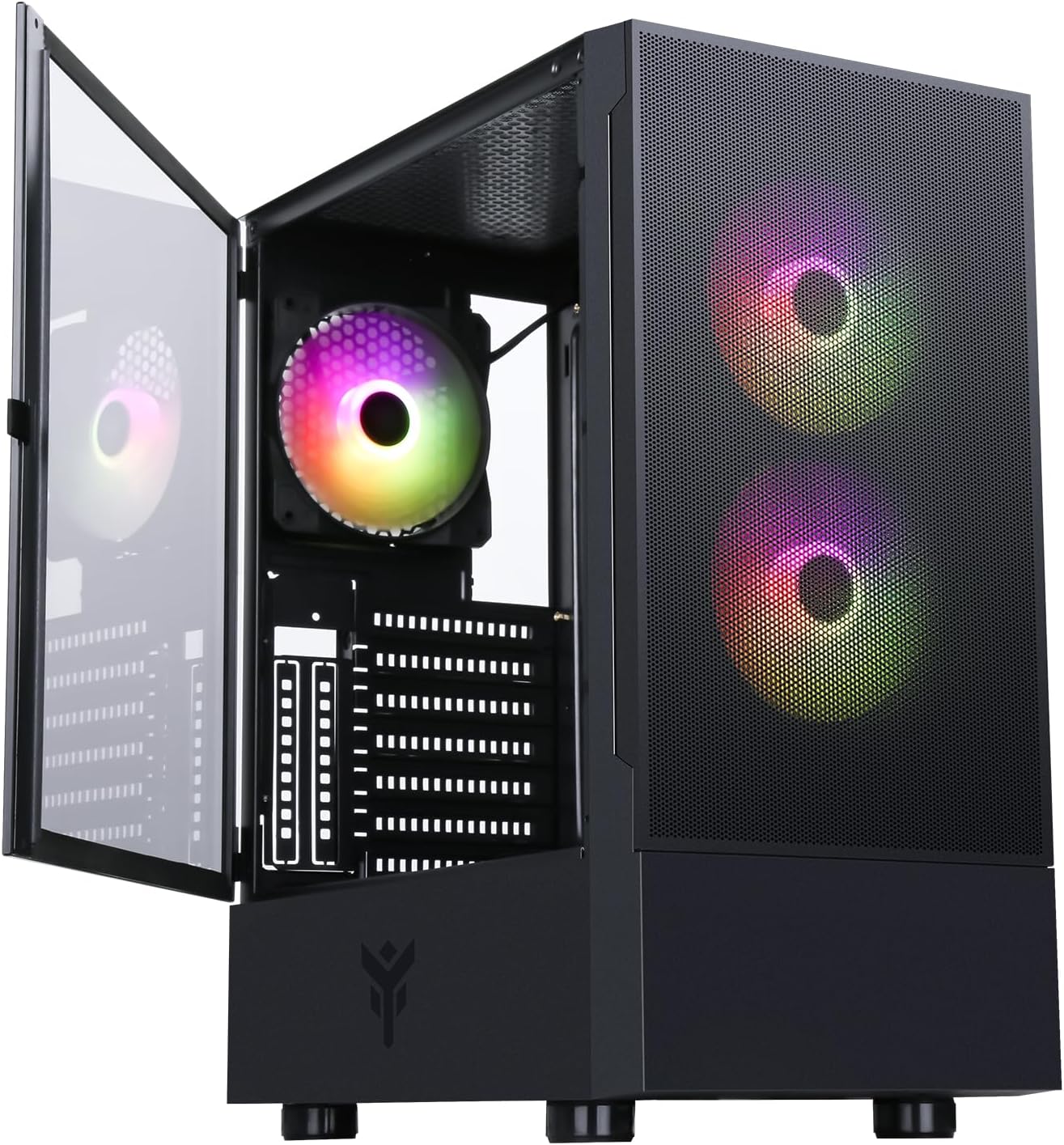
Figure 4: The Itek SIISBE 3.0 with its hinged tempered glass panel open, revealing the pre-installed ARGB fans and internal layout.
2.7 Kableen kudeaketa
- Utilize the 28 mm cable management space behind the motherboard tray to route and organize all power and data cables.
- Use cable ties (not included) to secure cables and maintain optimal airflow.
3. Funtzionamendu-argibideak
3.1 Piztea
- Ensure all components are correctly installed and connected.
- Konektatu elikatze-kablea zure PSUra eta hormako entxufe batera.
- Press the power button located on the top I/O panel of the case to start your system.
3.2 ARGB haizagailuaren kontrola
- The pre-installed ARGB fans can be controlled via the dedicated LED control button on the front panel. Press the button to cycle through various lighting modes and colors.
- Alternatively, if the fans are connected to an ARGB header on your motherboard, you can use the motherboard's proprietary software (e.g., ASUS Aura Sync, MSI Mystic Light, Gigabyte RGB Fusion) to synchronize and customize the lighting effects.
3.3 Aurreko S/I atakak
- The front I/O panel includes USB 3.0 and USB 2.0 ports for connecting peripherals and external storage devices.
- Audio jacks are also available for headphones and microphones.
4. Mantentzea
4.1 Hauts-iragazkiaren garbiketa
- The SIISBE 3.0 case is equipped with dust filters to prevent dust buildup inside. Regularly check and clean these filters.
- Gently remove the dust filters (typically located on the top, front, and/or bottom) and clean them with compressed air or by rinsing them with water. Ensure they are completely dry before re-installing.
4.2 Garbiketa orokorra
- Erabili biguna, damp cloth to wipe down the exterior surfaces of the case, including the tempered glass panel. Avoid abrasive cleaners.
- For internal cleaning, use compressed air to remove dust from fans, heatsinks, and other components. Ensure the system is powered off and unplugged before cleaning.
5. Arazoak
This section provides general troubleshooting tips for common issues. For more specific problems, consult the manuals for your individual PC components (motherboard, PSU, GPU, etc.) or contact Itek support.
5.1 Sistemak ez du pizten
- Egiaztatu energia-konexioak: Ensure the PSU is properly connected to the wall outlet and the power switch on the PSU is in the 'ON' position. Verify all internal power cables (24-pin ATX, 8-pin CPU, PCIe, SATA) are securely connected to the motherboard and components.
- Aurreko paneleko konektoreak: Confirm that the front panel power switch cable is correctly connected to the motherboard's front panel header.
5.2 Fans Not Spinning / ARGB Not Working
- Haizagailuaren konexioak: Verify that the fan power cables are securely connected to the motherboard fan headers or the integrated fan controller.
- ARGB Connections: Ensure ARGB cables are correctly connected to the motherboard's ARGB header or the case's ARGB controller.
- Software/Button Control: If using the case's LED button, try pressing it to cycle modes. If using motherboard software, ensure it is installed and configured correctly.
5.3 Gehiegi berotzearen arazoak
- Aire-fluxua: Ensure fans are installed in the correct orientation for optimal airflow (front fans typically intake, rear/top fans exhaust).
- Hauts-pilaketa: Garbitu hauts-iragazkiak eta barneko osagaiak Mantentze-lanak atalean azaltzen den bezala.
- Kableen kudeaketa: Improve cable routing to reduce obstructions to airflow.
6. Zehaztapenak
| Ezaugarri | Zehaztapena |
|---|---|
| Fabrikatzailea | ITEK |
| Elementuaren eredu-zenbakia | ITGCASIB30 |
| Marka | Itek |
| Plaka amaren bateragarritasuna | ATX, Mikro-ATX, Mini-ITX |
| Kasu mota | Erdiko Dorrea |
| Produktuaren erabilera gomendatuak | Gaming, Professional |
| Kolorea | Beltza |
| Materiala | Beira Tenplatua |
| Elikatze-iturriaren muntaketa mota | Beheko mendia |
| Hozteko metodoa | Airea |
| Ereduaren izena | Case SIISBE 3.0 |
| Fan Tamaina | 120 milimetro |
| Total Expansion Slots | 7 |
| Total USB 2.0 Ports | 2 |
| Total USB 3.0 Ports | 1 |
| USB portuak guztira | 4 |
| Produktuaren Ezaugarriak | LED Control Button, Dust Filter, Integrated Fan |
| CPU hozgailuaren gehienezko altuera | 160 milimetro |
| Number of Internal Bays | 7 |
| Gailu bateragarriak | ATX Motherboards, Full-size Graphics Cards, Standard Cooling Solutions |
| Zale kopurua | 3 |
| Argi Kolorea | RGB |
| Elementuaren neurriak (L x W x H) | 37.6D x 37.6W x 44.6H zentimetro |
7. Bermearen informazioa
Specific warranty details for the Itek SIISBE 3.0 PC Case may vary by region and retailer. Please refer to the warranty card included with your product or visit the official Itek webwebgunea bermeari buruzko informazio zehatzena eta eguneratuena lortzeko.
Gorde erosketaren frogagiria (ordainagiria edo faktura), bermearen erreklamazioetarako beharrezkoa izango baita.
8. Bezeroarentzako arreta
For technical assistance, product inquiries, or support regarding your Itek SIISBE 3.0 PC Case, please contact Itek customer support through their official channels.
- Ofiziala Webgunea: Visit the Itek official weblaguntza baliabideetarako, maiz egiten diren galderetarako eta harremanetarako informaziorako gunea.
- Posta elektronikoko laguntza: Look for a support email address on the Itek webgunea.
- Telefono-laguntza: Check the Itek webeskualdeko telefono-laguntza zenbakien gunea.
When contacting support, please have your product model (SIISBE 3.0) and item model number (ITGCASIB30) ready to help expedite the process.


