
Sarrera
Thank you for choosing the Lamax X9.1 Action Camera. This manual provides essential information for setting up, operating, and maintaining your camera. Please read it thoroughly before use to ensure optimal performance and longevity of your device. The Lamax X9.1 is designed to capture your adventures in stunning 4K Ultra HD video and 12-megapixel photos, featuring Wi-Fi connectivity and a robust design.
Paketearen edukia
Please check the package contents upon unboxing. Typical accessories include:
- Lamax X9.1 Action Camera
- Urruneko Kontrola
- Maleta iragazgaitza
- Muntatzeko Osagarriak
- USB kablea
- Erabiltzailearen eskuliburua
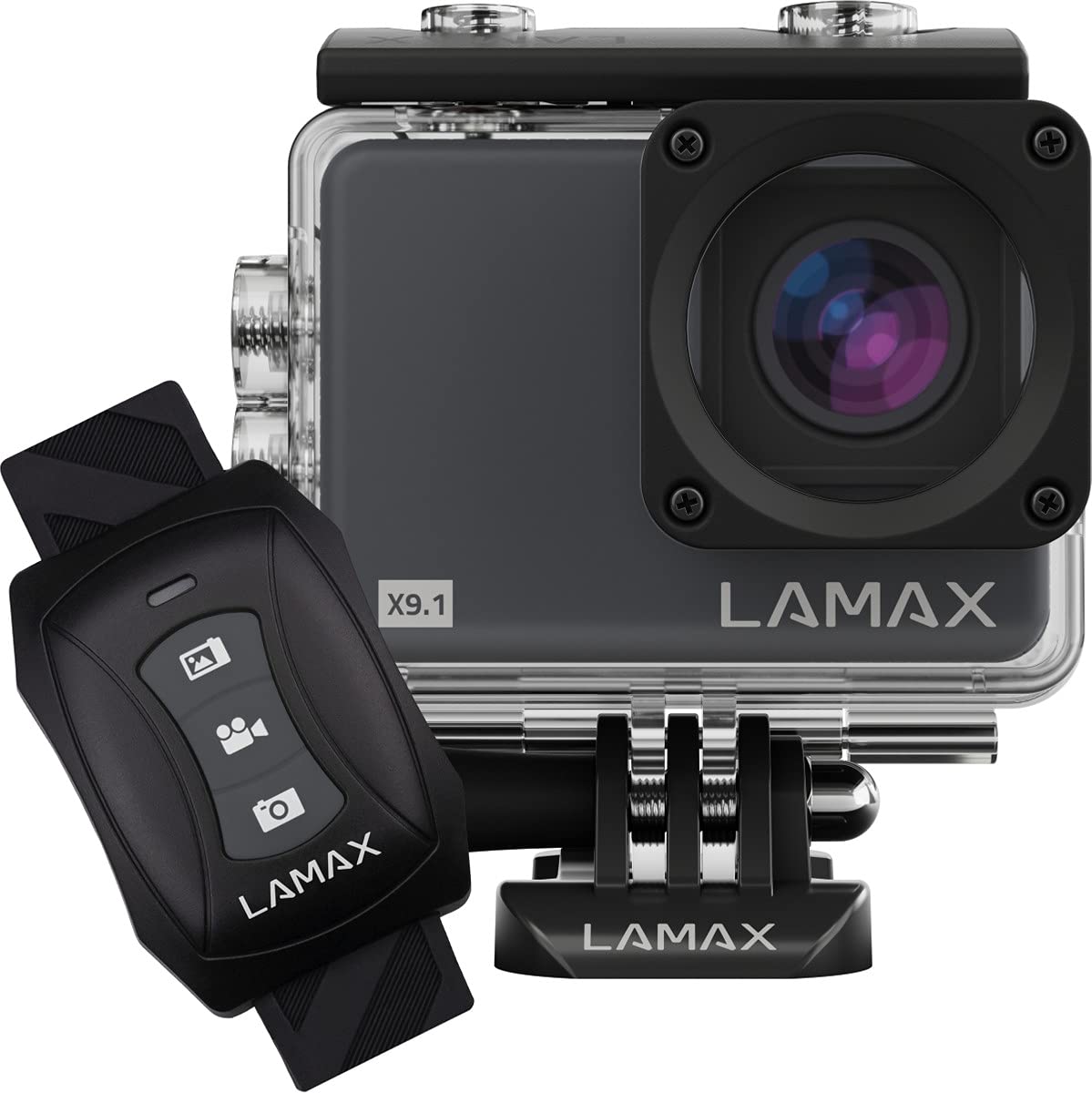
Image: The Lamax X9.1 Action Camera shown alongside its remote control, illustrating the main components.
Kamera amaitu daview
Kameraren osagai fisikoak ezagutu:
- Lentea: Front-facing optical component for capturing images and videos.
- LCD pantaila: 2-inch display on the rear for live view, menu navigation, and playback.
- Pizteko / Modua botoia: Typically located on the front or top, used to power on/off and switch modes.
- Obturagailua/Grabatzeko botoia: Located on the top, used to start/stop recording or take photos.
- Nabigazio botoiak: Used for menu navigation (Up/Down).
- Mikro-USB ataka: Kargatzeko eta datuak transferitzeko.
- HDMI ataka: Kanpoko pantaila batera konektatzeko.
- MicroSD txartelaren zirrikitua: Memoria txartela sartzeko.

Irudia: Aurrealdea view of the Lamax X9.1 Action Camera, clearly showing the lens and model number.

Irudia: Albokoa view of the Lamax X9.1 Action Camera, highlighting the Micro-USB and HDMI ports.

Irudia: Atzealdea view of the Lamax X9.1 Action Camera, displaying the LCD screen and control buttons.
Konfigurazioa
1. Bateria instalatzea eta kargatzea
- Open the battery compartment cover, usually located on the bottom or side of the camera.
- Insert the Lithium-Ion (Li-Ion) battery (1050 mAh) with the contacts facing the correct direction.
- Itxi bateriaren konpartimendua ongi.
- Connect the camera to a power source using the provided Micro-USB cable. The charging indicator will illuminate. A full charge takes approximately 1.84 hours.
2. MicroSD txartelaren instalazioa
- Locate the MicroSD card slot, typically on the side of the camera.
- Insert a compatible MicroSDHC or MicroSDXC card (up to 64 GB, Class 10 or higher recommended) with the contacts facing down. Push until it clicks into place.
- Txartela kentzeko, sakatu berriro barrura, atera arte.
3. Piztu/Itzaltzea
- Pizteko: Press and hold the Power/Mode button for a few seconds until the screen illuminates.
- Itzaltzeko: Sakatu eta eutsi berriro pizteko/modu botoiari pantaila itzali arte.
4. Iragazgaitza den zorroaren erabilera
The Lamax X9.1 is waterproof up to 40 meters when enclosed in its waterproof case. Ensure the case is properly sealed before submerging the camera.
- Open the waterproof case latch.
- Carefully place the camera inside the case, ensuring it fits snugly.
- Close the latch firmly, making sure the rubber seal is clean and free of debris.
- Always test the waterproof case without the camera first to ensure no leaks.

Image: The Lamax X9.1 Action Camera securely placed inside its waterproof housing, shown with the remote control.
Kameraren funtzionamendua
1. Oinarrizko Kontrolak
- Pizteko / Modua botoia: Short press to cycle through video, photo, playback, and settings modes.
- Obturagailua/Grabatzeko botoia: Press to start/stop video recording or take a photo in the respective modes.
- Gora / Behera botoiak: Used to navigate menu options or zoom (if applicable).
2. Bideo Grabaketa
In video mode, press the Shutter/Record button to begin recording. Press again to stop.
- Ebazpenak: Supports 4K Ultra HD (3840 x 2160 pixels), 1080p, 720p.
- Fotograma-tasa: Up to 120 frames per second (fps) for smooth slow-motion capture.
- Formatuak: H.264, H.265, MP4.
3. Argazki-harrapaketa
In photo mode, press the Shutter/Record button to take a picture.
- Ebazpena: 12 Megapixels (3840 x 2160 pixels).
- Formatua: JPG.
4. Modu bereziak
- Time-lapse: Atera argazki-segida bat tarte jakin batzuetan denbora-tarte bateko bideo bat sortzeko.
- Super Slow Motion: Record high frame rate video for dramatic slow-motion effects.
5. Wi-Fi konexioa
The Lamax X9.1 features Wi-Fi for remote control and file telefono adimenduneko aplikazio baten bidez transferitzea.
- Enable Wi-Fi on your camera through the settings menu.
- Download the official Lamax app (check your camera's packaging or the Lamax website for the correct app name) on your smartphone.
- Connect your smartphone to the camera's Wi-Fi network (SSID and password will be displayed on the camera screen).
- Use the app to control the camera, view bizi footage, and download files.
6. Urruneko kontrola
The included remote control allows for convenient operation without directly touching the camera.
- Ensure the remote is paired with the camera (refer to the camera's settings menu for pairing instructions).
- Use the dedicated buttons on the remote to start/stop recording or take photos.
Ezarpenen menua
Access the settings menu by cycling through modes using the Power/Mode button until you reach the settings icon, or by pressing a dedicated menu button if available. Use the navigation buttons to scroll and the Shutter/Record button to select options.
Common settings include:
- Video Resolution and Frame Rate
- Argazki Ebazpena
- Exposure Compensation (EV)
- Zurien balantzea (WB)
- Data eta Ordua
- Loop Grabaketa
- Screen Saver/Auto Power Off
- Wi-Fi ezarpenak
- Formateatu SD txartela
Mantentzea
1. Garbiketa
- Lentea: Use a soft, lint-free cloth specifically designed for optical lenses. Avoid harsh chemicals.
- Pantaila: Wipe gently with a microfiber cloth.
- Kameraren gorputza: Erabili biguna, damp cloth to clean the exterior. Ensure all ports are closed before cleaning with moisture.
- Kutxa iragazgaitza: After use in saltwater, rinse the case with fresh water and let it air dry. Check the rubber seal for any debris or damage.
2. Bateria zaintzea
- Saihestu bateria maiz erabat deskargatzea.
- Store the camera with the battery partially charged (around 50%) if not used for extended periods.
- Ez jarri bateriak tenperatura altuetan.
3. Biltegiratzea
Store the camera in a cool, dry place away from direct sunlight and excessive humidity. Remove the battery if storing for a long time.
Arazoak konpontzea
If you encounter issues with your Lamax X9.1, refer to the following common problems and solutions:
| Arazoa | Balizko Kausa / Irtenbidea |
|---|---|
| Kamera ez da pizten. | Bateria agortuta dago. Kargatu bateria guztiz. Ziurtatu bateria behar bezala sartuta dagoela. |
| SD card error message. | SD card is not inserted correctly, is full, or is corrupted. Reinsert the card, try a different card, or format the card (this will erase all data). Ensure the card is MicroSDHC/XC, up to 64GB, Class 10 or higher. |
| Bateriaren iraupen eskasa. | High-resolution video recording (4K) and Wi-Fi use consume more power. Ensure the battery is fully charged. Consider carrying spare batteries for extended use. |
| Uraren isuria kaxan. | Waterproof case was not sealed properly, or the rubber seal is damaged/dirty. Always check the seal and latch before submerging. |
| Ordenagailuak ez du kamera ezagutzen. | Ensure the USB cable is connected securely. Try a different USB port or cable. The camera might need to be in a specific mode (e.g., Mass Storage) to be recognized. |
| Wi-Fi konexio arazoak. | Ensure Wi-Fi is enabled on the camera and your smartphone. Check the Wi-Fi password. Move closer to the camera to improve signal strength. |
If the problem persists, perform a factory reset (if available in settings) or contact Lamax customer support.
Zehaztapenak
| Ezaugarri | Zehaztapena |
|---|---|
| Modelo zenbakia | X9.1 |
| Bideo Ebazpena | Up to 4K Ultra HD (3840 x 2160 pixels) |
| Gehienezko fotograma-tasa | 120 fps |
| Argazki Ebazpena | 12 Megapixels (3840 x 2160 pixels) |
| Bistaratzea | 2 hazbeteko (5.08 cm) LCD pantaila |
| Biltegiratze euskarria | MicroSDHC, MicroSDXC (up to 64 GB) |
| Bateria mota | Lithium-Ion (Li-Ion), 1050 mAh |
| Kargatzeko Denbora | Gutxi gorabehera. 1.84 ordu |
| Konektibitatea | Wi-Fi, Micro-USB, HDMI |
| Pisua | 72 gramo |
| Neurriak (L x W x H) | 60 x 44 x 33 mm |
| Iragazgaitzaren balorazioa | 40 metro arte (zorro iragazgaitzarekin) |
| Ezaugarri bereziak | Time-lapse, Super Slow Motion, Image Stabilization |
Bermea eta Laguntza
For warranty information and technical support, please refer to the documentation included with your product or visit the official Lamax webgunea. Gorde erosketaren egiaztagiria berme-erreklamazioetarako.


