
LiftMaster 850LM
LiftMaster 850LM Security+ 2.0 Universal Receiver Instruction Manual
Model: 850LM
Sarrera
This manual provides comprehensive instructions for the installation, operation, and maintenance of your LiftMaster 850LM Security+ 2.0 Universal Receiver. This device is designed to provide secure and convenient access control for gated communities and commercial buildings, utilizing Security+ 2.0 technology for enhanced range and security.
The 850LM receiver allows property managers to manage multiple access points, such as main gates, tenant and visitor doors, commercial doors, and parking entrances, using a single remote control solution.
Ezaugarri nagusiak
- Security+ 2.0 technology for encrypted signal and extended range.
- Supports management of multiple access points with a single remote control.
- Three channels for expanded remote control capacity: Channel 1 (50 remotes), Channel 2 (20 remotes), Channel 3 (20 remotes).
- Compatible with 811LM, 813LM, and all MAX remote controls.
- Compact design suitable for most gate and commercial door operators.
- Available in a weather-resistant version (Model 860LM).
Paketearen edukia
Instalazioa hasi aurretik, egiaztatu osagai guztiak daudela.
- LiftMaster 850LM Universal Receiver
- Antena
- Muntatzeko hardwarea (torlojuak, aingurak)
- Argibide eskuliburua
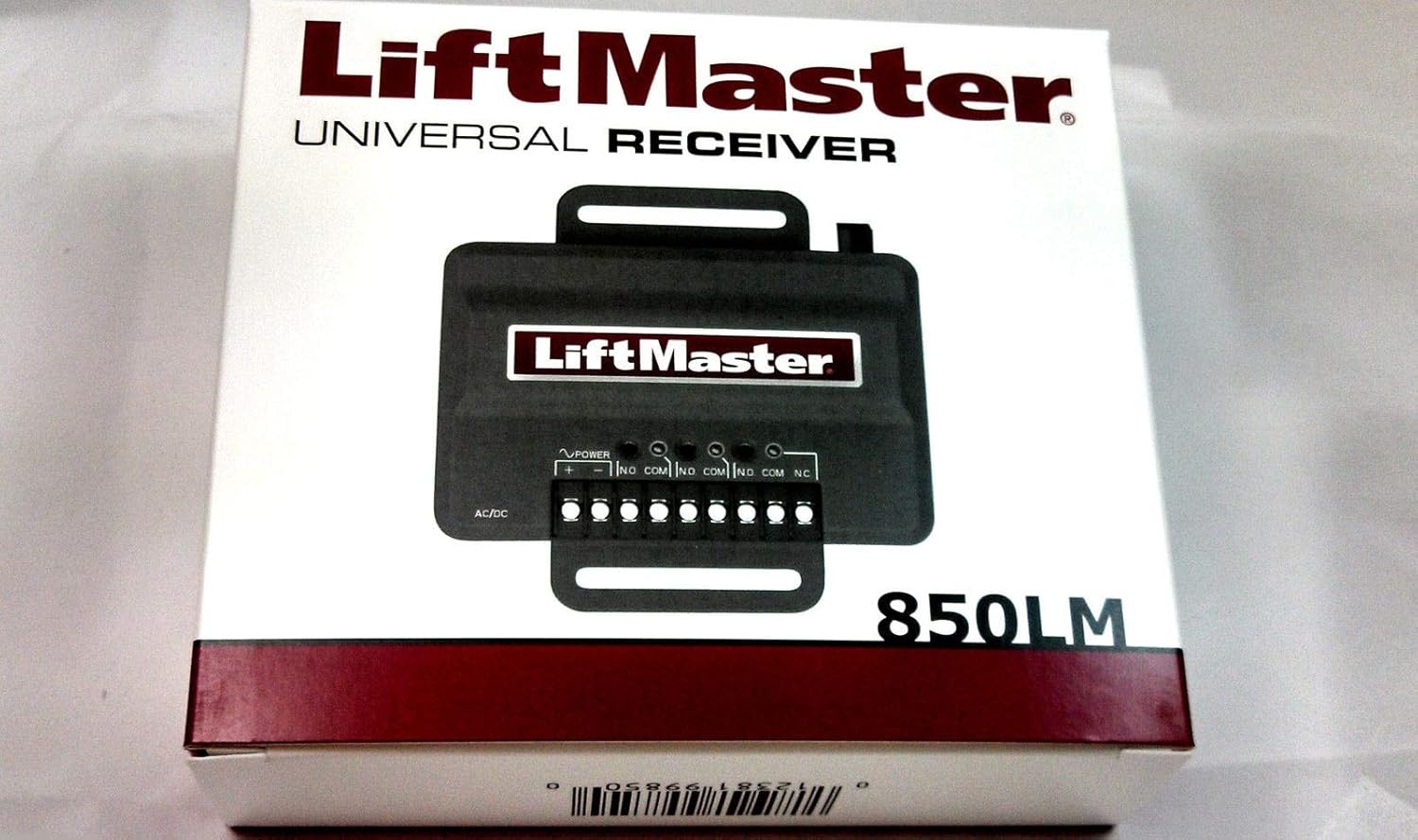
1. irudia: Packaging for the LiftMaster 850LM Universal Receiver. The image shows the product box with the LiftMaster logo and "UNIVERSAL RECEIVER 850LM" text, along with a graphic representation of the receiver unit.
Konfigurazioa eta Instalazioa
Before installation, ensure the power supply to the gate or garage door operator is disconnected. This device requires a 12-24VDC or 12-24VAC power source.
1. Hartzailea muntatzea
- Choose a suitable location near the gate or garage door operator, ensuring it is protected from direct weather exposure unless using the weather-resistant 860LM model.
- Use the provided mounting hardware to securely attach the receiver to a stable surface.
2. Hartzailearen kableatzea
Refer to the wiring diagram on the receiver unit and your gate/garage door operator's manual for specific connections.

2. irudia: The LiftMaster 850LM Universal Receiver showing its terminal block for wiring connections and the antenna port. Labels for AC/DC power input and three channels (CH.1, CH.2, CH.3) with N.O., COM, N.C. contacts are visible.
- Potentzia-konexioa: Connect the 12-24VDC or 12-24VAC power supply to the "AC/DC" terminals.
- Erreleen irteerak: The receiver has three channels. Connect the appropriate relay outputs (N.O. - Normally Open, COM - Common, N.C. - Normally Closed) to your gate or garage door operator's control inputs.
- Channel 1: 1 FORM C relay (N.O., COM, N.C.)
- Channel 2: 1 FORM A relay (N.O., COM)
- Channel 3: 1 FORM A relay (N.O., COM)
- Antena: Connect the included antenna to the receiver's antenna port. Position the antenna for optimal signal reception.
3. Urrutiko aginteak programatzea
The 850LM receiver uses Security+ 2.0 rolling code technology. Follow these steps to program compatible remote controls (e.g., 811LM, 813LM, MAX series):
- Press and release the "Learn" button on the desired channel (CH.1, CH.2, or CH.3) on the 850LM receiver. The corresponding LED will illuminate.
- Within 30 seconds, press and hold the button on your remote control that you wish to program.
- The receiver's LED will flash and then turn off, indicating successful programming.
- Release the remote control button.
- Test the remote control by pressing the programmed button. The gate or garage door operator should activate.
- Repeat for additional remote controls, up to the maximum capacity per channel.
Oharra: To erase all programmed remote controls from a specific channel, press and hold the "Learn" button for that channel until the LED turns off (approximately 6 seconds).
Funtzionamendua
Once the receiver is installed and remote controls are programmed, operation is straightforward.
- To activate the connected gate or garage door operator, simply press the programmed button on your compatible remote control.
- The receiver will send a secure signal to the operator, initiating its function (e.g., opening, closing, stopping).
- Ensure you have a clear line of sight to the gate/door and that no obstructions are present before activation.
Mantentzea
The LiftMaster 850LM Universal Receiver is designed for reliable operation with minimal maintenance. However, periodic checks can help ensure optimal performance.
- Garbiketa: Keep the receiver unit clean and free from dust and debris. Use a soft, dry cloth for cleaning. Do not use harsh chemicals or abrasive cleaners.
- Konexioak: Aldian-aldian ikuskatu kableatu-konexio guztiak, ondo finkatuta daudela eta korrosiorik gabe daudela ziurtatzeko.
- Antena: Ensure the antenna is securely attached and positioned for best reception. Avoid bending or damaging the antenna.
- Urruneko kontrolak: Replace remote control batteries as needed to maintain strong signal transmission.
Arazoak konpontzea
| Arazoa | Kausa posiblea | Irtenbidea |
|---|---|---|
| Hartzaileak ez du erantzuten urrutiko aginteari. |
|
|
| Sorta mugatua. |
|
|
| Gate/door operator not activating. |
|
|
If you continue to experience issues, please contact LiftMaster customer support.
Zehaztapenak
| Eredua | 850LM |
| Potentzia Sarrera | 12-24VDC edo 12-24VAC |
| Errele irteerak | Channel 1: 1 FORM C; Channel 2: 1 FORM A; Channel 3: 1 FORM A |
| Urruneko Edukiera | Channel 1: 50 remotes; Channel 2: 20 remotes; Channel 3: 20 remotes |
| Teknologia | Narrow-band Security+ 2.0 Rolling Code and Encrypted DIP |
| Funtzionamendu-tenperatura | -35 °C eta 65 °C (-31 °F eta 149 °F) |
| Biltegiratze Tenperatura | -40 °C eta 85 °C (-40 °F eta 185 °F) |
| Neurriak (paketea) | 6.54 x 5.28 x 1.61 hazbete |
| Elementuaren pisua | 7 ontza |
Bermea eta Laguntza
For warranty information and technical support, please refer to the official LiftMaster webwebgunera edo jarri harremanetan bezeroarentzako arreta-zerbitzuarekin. Gorde erosketa-agiria erosketaren frogagiri gisa.
LiftMaster Customer Support: www.liftmaster.com/support
Erlazionatutako dokumentuak - 850LM
 |
LiftMaster 850LM/850LMC 3 kanaleko hargailu unibertsalaren instalazio eta erabilera eskuliburua LiftMaster 850LM eta 850LMC 3 kanaleko hargailu unibertsala ateetarako eta ate komertzialetarako instalatzeko, kableatzeko, programatzeko eta erabiltzeko gida osoa. |
 |
LiftMaster 850LM/860LM/811LM/813LM Universal Receivers and Commercial Remote Controls Product Guide This guide details the LiftMaster 850LM, 860LM universal receivers and 811LM, 813LM commercial remote controls. It covers features, compatibility, specifications, and shipping information for advanced access control solutions in commercial and gated environments. |
 |
LiftMaster Merkataritza Hargailuak eta Urrutiko Aginteak (850LM, 860LM, 811LM, 813LM) - Produktuen Gida LiftMaster 850LM eta 860LM hargailu unibertsaletarako eta 811LM eta 813LM urrutiko aginte komertzialen produktuen gida osoa. Ate eta ate komertzialen aplikazioetarako ezaugarriak, bateragarritasuna, zehaztapenak eta osagarriak zehazten ditu. |
 |
LiftMaster LYN300, LYN400, SCS300 Serieko Ate Irekitzaile Automatikoaren Instalazio eta Erabilera Eskuliburua LiftMaster LYN300, LYN400 eta SCS300 serieko ate irekitzaile automatikoen instalazio eta erabilera eskuliburu osoa. Segurtasun arauak, zehaztapen teknikoak, kableatu diagramak, instalazio prozedurak, programazioa, arazoak konpontzea eta botatzeari buruzko informazioa biltzen ditu. |
 |
Liftmaster ES 1600 Serieko Hartzaile Unibertsalaren (412HM) Instalazio Gida Liftmaster ES 1600 Serieko Hartzaile Unibertsalaren 412HM modeloaren instalazio-argibideak, terminalen konexioak eta jumperren ezarpenak zehaztuz. |
 |
LiftMaster 811LM & 813LM Gate Key Remote Controls: Setup and Programming Guide Comprehensive guide for setting up and programming LiftMaster 811LM and 813LM gate key remote controls with compatible LiftMaster receivers and gate operators. Includes instructions on dip switch configuration, programming steps, and battery replacement. |
Ask a question about this manual
Ask about setup, troubleshooting, compatibility, parts, safety, or missing instructions. Manuals+ will review the question and use this page’s manual context to help answer it.