
Sarrera
This manual provides instructions for the setup, operation, maintenance, and troubleshooting of your new replacement remote control for Optoma projectors. This remote is designed to be compatible with a wide range of Optoma projector models, offering a convenient and reliable control solution.
Compatible Optoma Projector Models:
- HD26, X412, HD26B, HD26BR, UHD300X
- GT1080, GT1080E, GT1080DARBEE, GT1070X, VDGTGZBZ, GT1070Xe
- HD141X, HD143X, H181X, DH1008, DH1009
- HD37, UHD60, HDF536, HDF537ST, HD200D
- HD39DARBEE, VDHDNBDSE, UHD65, HD27, HD27E, HD27HDR, HD29DARBEE
- EH200ST, EH412ST, GT5600, VDHDNL, HD142X, HD144X, HD152X
- UHD550X, HD28HDR, HD28DSE, UHD40, UHD50, UHZ65, VDUHDLZ, ZH403, HD39HDR, UHD35
Please verify that your original remote control is identical to this replacement model for full functionality. If your original remote differs, some functions may not be fully compatible.
Konfigurazioa
Bateriaren instalazioa
The remote control requires two (2) AA batteries for operation. Batteries are not included with the remote control.
- Kokatu bateriaren konpartimendua urrutiko agintearen atzealdean.
- Irristatu bateriaren konpartimentuaren estalkia beherantz edo sakatu pestilloa eta altxa irekitzeko.
- Sartu bi AA pila, ziurtatu terminal positiboa (+) eta negatiboa (-) konpartimentuaren barruko markekin behar bezala lerrokatuta daudela.
- Jarri bateriaren konpartimentuaren estalkia berriro bere lekuan sartuz, ondo klik egin arte.

The remote control's rear panel, with the battery cover removed, revealing the battery compartment and regulatory markings.

The remote control's front, highlighting the requirement for two AA batteries for operation.
Funtzionamendua
Oinarrizko Funtzioak
Point the remote control directly at the infrared receiver on your Optoma projector. The maximum effective range is approximately 10 meters (33 feet).
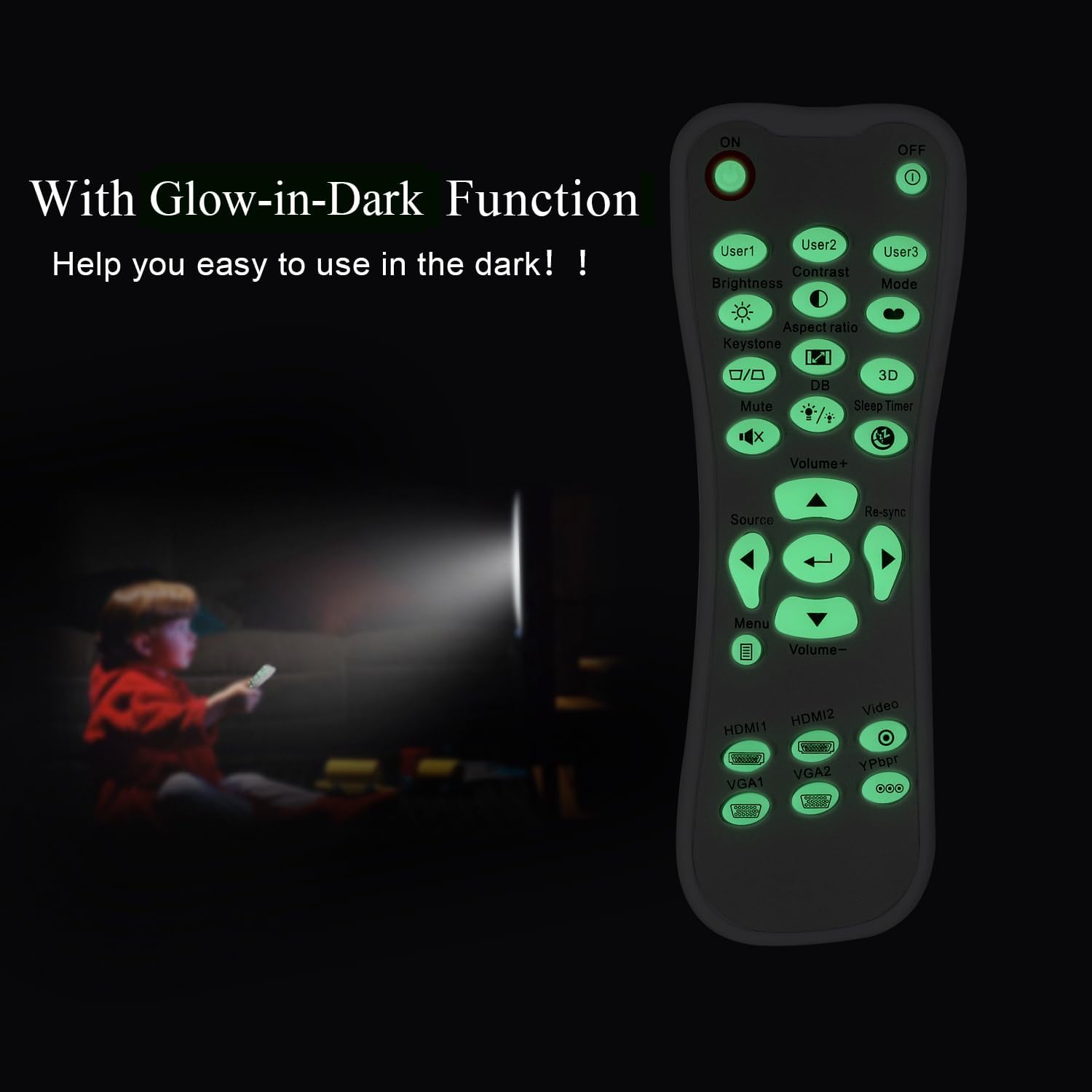
Argi bat view of the remote control's front face, displaying all functional buttons including power, menu, volume, and source selection.
- ON/OFF: Press the 'ON' button to power on the projector. Press the 'OFF' button to power off the projector.
- Menua: Access the projector's on-screen display (OSD) menu.
- Nabigazio botoiak (Gora, Behera, Ezkerra, Eskuina, Sartu): Erabili botoi hauek menuko aukeretan nabigatzeko eta hautaketak berresteko.
- +/- bolumena: Doitu audio irteerako maila.
- Iturria: Cycle through available input sources (e.g., HDMI1, HDMI2, VGA1, VGA2, Video, YPbPr).
- Ezkutatu: Mute or unmute the audio.
- Distira: Adjust the projector's brightness setting.
- Kontrastea: Adjust the projector's contrast setting.
- Giltzarria: Access keystone correction settings to adjust image geometry.
- Aspektu-erlazioa: Change the image aspect ratio.
- Modua: Select different display modes.
- 3D: Activate or deactivate 3D mode (if supported by projector).
- Lo egiteko tenporizadorea: Set a timer for the projector to automatically power off.
- Berriro sinkronizatu: Re-synchronize the input signal.
Glow-in-Dark Function
Certain buttons on this remote control are designed to glow in the dark, enhancing visibility and ease of use in low-light conditions. For optimal luminous effect, expose the remote control to bright light for a period before use in the dark.

The remote control features glow-in-the-dark buttons, making it visible and easy to use in low-light environments, such as a darkened room during projector use.
Eragiketa-eremua
The remote control operates using infrared (IR) technology. Ensure a clear line of sight between the remote control and the projector's IR receiver. The effective operating distance is up to 10 meters (approximately 33 feet).
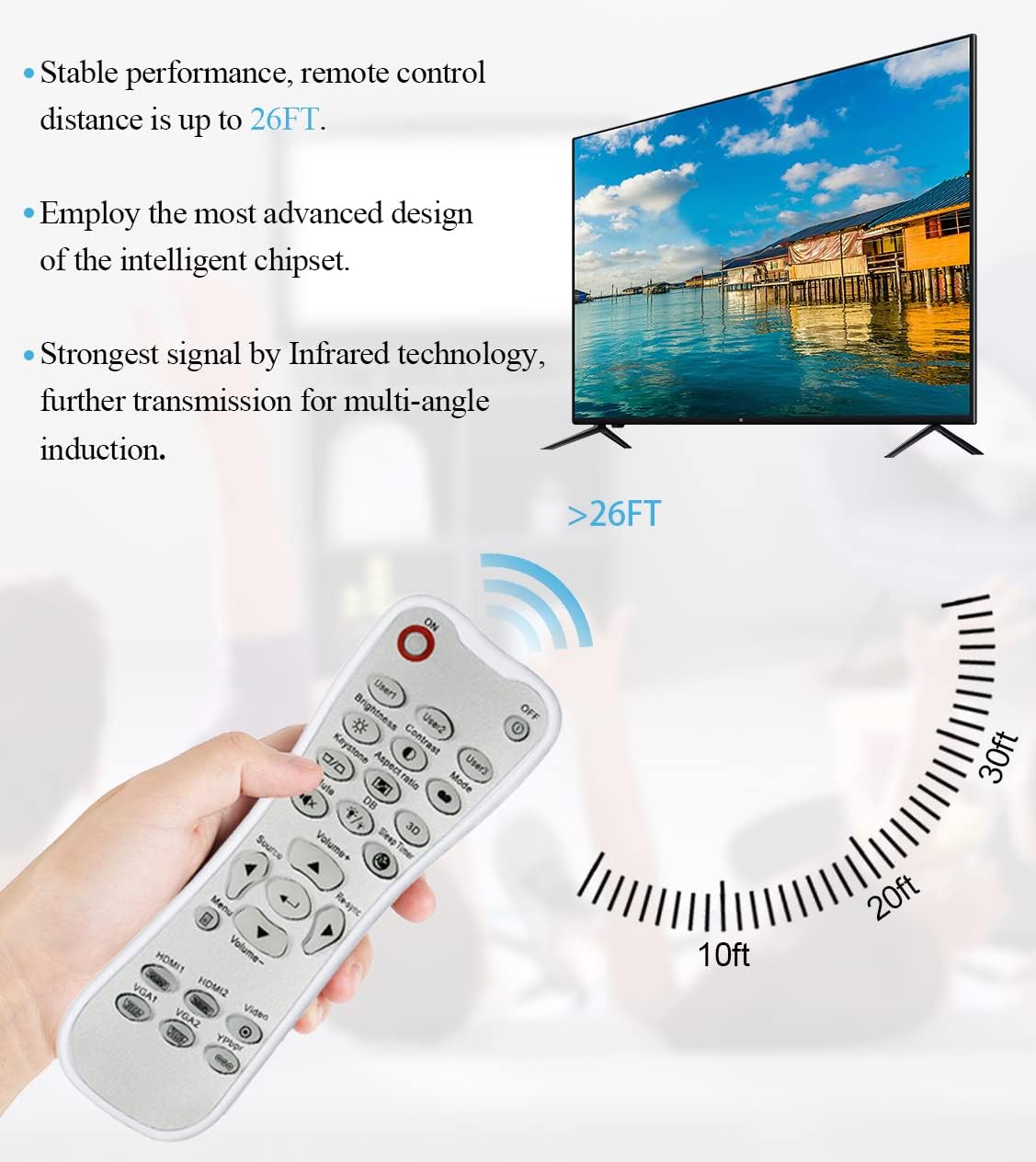
The remote control utilizes infrared technology for signal transmission, offering a reliable operating range of up to 26 feet (approximately 8 meters) for controlling your projector.
Mantentzea
Garbiketa
To clean the remote control, use a soft, dry cloth. Do not use liquid cleaners, abrasive pads, or chemical solvents, as these may damage the surface or internal components.
Bateria ordezkatzea
Replace batteries when the remote control's response becomes sluggish or stops working. Always replace both batteries at the same time with new AA batteries. Do not mix old and new batteries, or different types of batteries.
Biltegiratzea
Gorde urrutiko agintea leku fresko eta lehor batean, eguzki-argitik eta muturreko tenperaturetatik babestuta. Urrutiko agintea denbora luzez erabiliko ez bada, gomendagarria da pilak kentzea, isuriak saihesteko.
Arazoak konpontzea
- Urrunekoek ez dute erantzuten:
- Ziurtatu bateriak polaritate zuzenarekin behar bezala instalatuta daudela.
- Ordeztu bateria zaharrak berriekin.
- Check for any obstructions between the remote control and the projector's IR receiver.
- Ensure you are within the effective operating range (up to 10 meters).
- Botoiak zurrun daude edo ez dute erantzuten:
- Ensure the remote control is clean and free from debris that might impede button movement.
- If buttons are consistently stiff, this may indicate a manufacturing issue.
- Glow-in-dark function is weak:
- Expose the remote control to bright light for a longer duration to charge the luminous material.
Zehaztapenak
| Ezaugarri | Zehaztapena |
|---|---|
| Ereduaren izena | L-27-5KEY |
| Markaren bateragarritasuna | Optoma proiektoreak |
| Ezaugarri Berezia | Universal Replacement, Glow-in-Dark Buttons |
| Kolorea | Zuria |
| Konektibitate Teknologia | Infragorriak (IR) |
| Botoi kopurua | 5 (referring to the main function keys, though more buttons are present) |
| Kontrolagailu mota | Botoien Kontrola |
| Gehienezko irismena | 10 metro (gutxi gorabehera 33 oin) |
| Bateria mota | 2 x AA pila (ez daude barne) |
| Materiala | Plastikoa |
| Elementuaren neurriak (L x W x H) | 14.9 cm (5.9 hazbete) x 5.3 cm (2.1 hazbete) x 2.5 cm (1 hazbete) |

A dimensional diagram illustrating the compact size of the remote control, measuring approximately 14.9 cm (5.9 inches) in length, 5.3 cm (2.1 inches) in width, and 2.5 cm (1 inch) in thickness.
Bermea eta Laguntza
For any issues not covered in this manual, or for warranty inquiries, please contact the seller or manufacturer directly through your purchase platform. Keep your purchase receipt as proof of purchase.