
Sarrera
This manual provides detailed instructions for the proper use and maintenance of your Casio fx-991AR X Scientific Calculator. Please read this manual thoroughly before using the calculator to ensure correct operation and to maximize its capabilities. Keep this manual for future reference.
Produktua amaituview
Ezaugarri nagusiak
- Display expressions as they appear in textbooks.
- Supports both Arabic and English languages.
- 542 built-in functions for various scientific and engineering calculations.
- High-resolution screen for clear display of graphs and data.
- Two-way power system: Solar cell and LR44 button-type battery.
- List-based STAT data editor for statistical analysis.
- Integration, Differential Equation, Matrix, Vector, and Complex Number calculations.
- CALC and SOLVE functions.
- Base-n calculations and Logical operations.
- 40 scientific constants and 40 metric conversions.
- 9 variable memories.
- QR code generator for data visualization.
Calculator Components
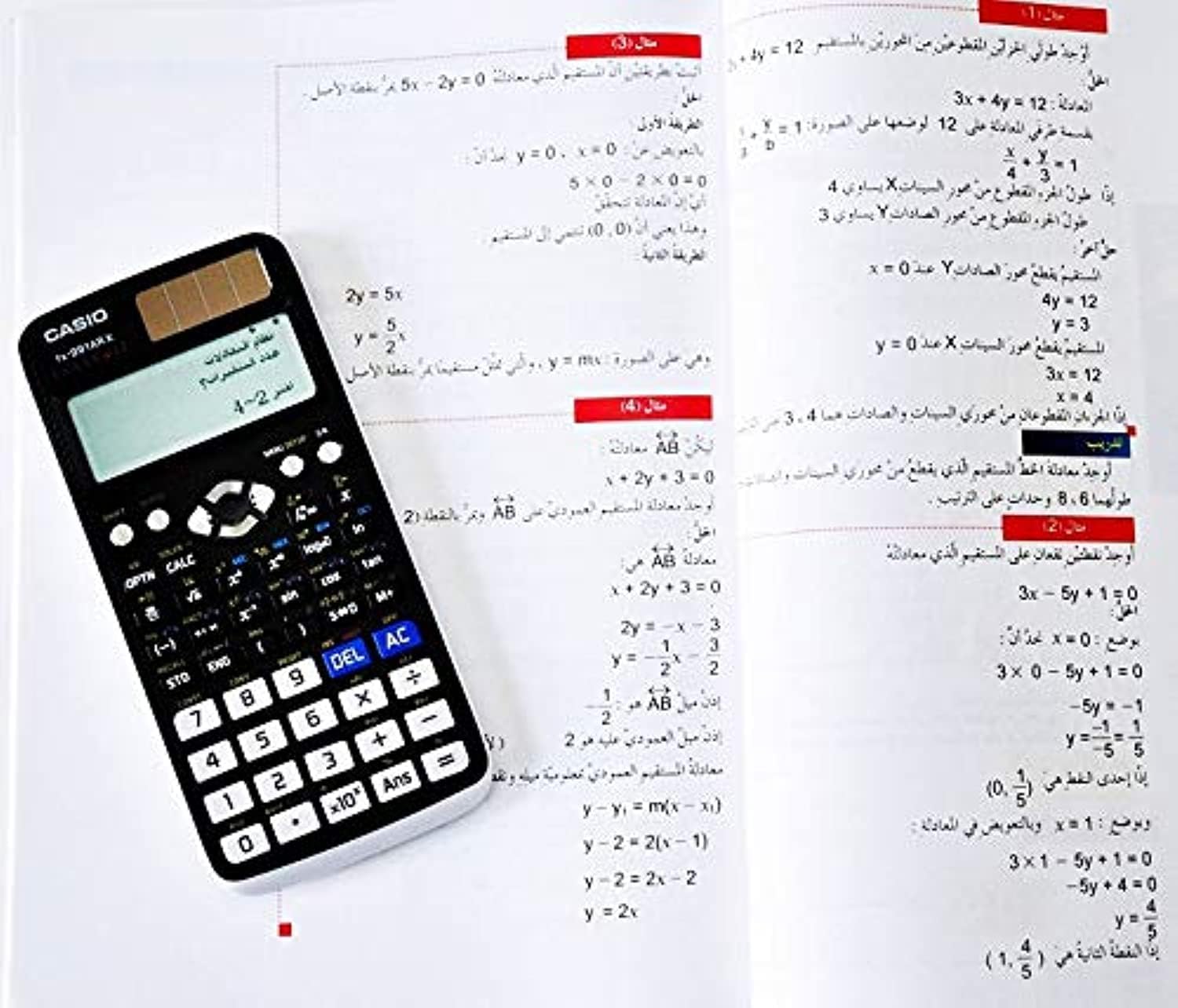
1. irudia: Casio fx-991AR X Scientific Calculator alongside a page from its instruction manual, illustrating its compact design and display capabilities.
The calculator features a full dot display, plastic keys, and a hard case for protection. Key areas include the display, function keys, numeric keypad, and navigation buttons.
Konfigurazioa
Energia iturria
The Casio fx-991AR X operates on a two-way power system: a solar cell and one LR44 button-type battery. Ensure the battery is correctly installed. The solar cell provides power in well-lit environments, extending battery life.
Hasierako ezarpenak
- Sakatu ON botoia kalkulagailua pizteko.
- If prompted, select your preferred display language (Arabic or English) using the navigation keys and pressing =.
- Adjust display contrast if necessary via the MAIUSKUA + MENU KONFIGURAZIOA aukerak.
Funtzionamendu-argibideak
Oinarrizko Eragiketak
- Arithmetic Calculations: Enter numbers and operators (+, -, x, ÷) gero sakatu =.
- Parentesiak: Erabili ( eta ) for grouping expressions.
- Piztu/Itzali: Sakatu ON to turn on. Press MAIUSKUA gero AC (OFF) to turn off.
- Clear Entry/All Clear: Sakatu DEL to delete the last character. Press AC to clear the current calculation.
- Answer Memory: The result of the last calculation is stored in Ans memory. Press Erantzun to recall it.
Funtzio aurreratuak
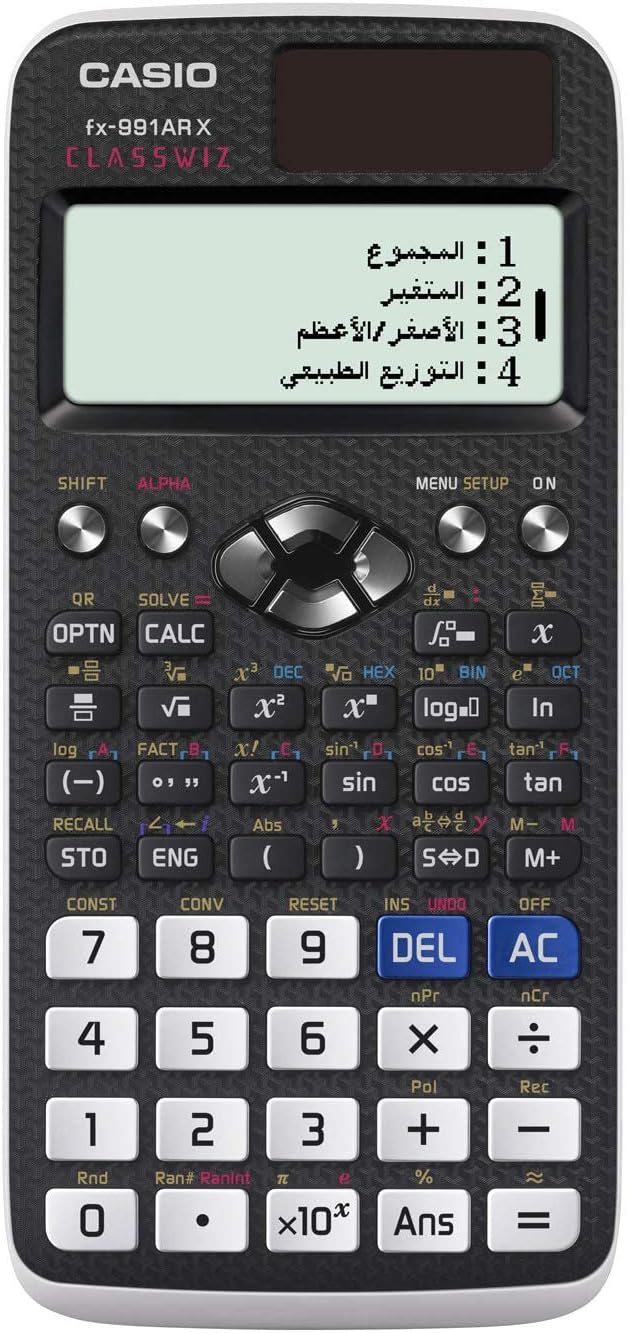
2. irudia: Xehetasuna view of the Casio fx-991AR X keypad, highlighting the various function keys and the multi-line display.
The fx-991AR X offers a wide range of advanced functions. Refer to the on-screen menu (MENU KONFIGURAZIOA) for specific modes and operations.
- Funtzio trigonometrikoak: Erabili bekatua, cos, beltzarana keys. For inverse functions, press MAIUSKUA lehenik.
- Logarithmic and Exponential Functions: Erabili erregistroa, ln, 10x, ex giltzak.
- Kalkulu estatistikoak: Enter STAT mode via MENU KONFIGURAZIOA to perform standard deviation, regression analysis, etc.
- Matrix/Vector Calculations: Access these modes through MENU KONFIGURAZIOA to define and manipulate matrices and vectors.
- Equation Solver: Erabili EBAZTU function (often MAIUSKUA + CALC) to solve equations.
- Unit Conversions & Constants: Sakatu MAIUSKUA + KONST or MAIUSKUA + KONB to access scientific constants and metric conversions.
Mantentzea
- Garbiketa: Wipe the calculator with a soft, dry cloth. Do not use abrasive cleaners or solvents.
- Biltegiratzea: Store the calculator in its hard case when not in use to protect it from dust and impact. Avoid exposing it to extreme temperatures or humidity.
- Bateria ordezkatzea: If the display becomes dim or calculations are erratic, replace the LR44 battery. Ensure the calculator is off before replacing the battery.
Arazoak konpontzea
- Calculator does not turn on: Check battery installation. Ensure sufficient light for the solar cell.
- Incorrect results: Verify input values and calculation mode. Reset the calculator if necessary (refer to the manual for reset procedure, usually MAIUSKUA + CLR).
- Pantaila ilun dago: Replace the LR44 battery. Ensure adequate lighting for the solar panel.
- Errore mezuak: Consult the full Casio fx-991AR X manual for specific error code explanations and solutions. Common errors include "Math ERROR" (invalid mathematical operation) and "Syntax ERROR" (incorrect expression input).
Zehaztapenak
| Ezaugarri | Xehetasuna |
|---|---|
| Ereduaren izena | fx-991AR X |
| Funtzio kopurua | 542 |
| Bistaratzea | Full Dot Display, 10-digit mantissa + 2-digit exponential |
| Energia iturria | Two-way (Solar & 1 x LR44 battery) |
| Bateriaren iraupena | Approx. 2 years (if used 1 hour daily) |
| Neurriak (H x W x D) | 11.1 × 77.0 × 165.5 mm |
| Pisua | Gutxi gorabehera. 90 g (bateria barne) |
| Materiala | Plastikoa |
| Hizkuntzak | Arabic, English |
| Main Accessory | Kasu gogorra |
Bermea eta Laguntza
For warranty information and customer support, please refer to the warranty card included with your product or visit the official Casio webgunea. Gorde erosketa-agiria erosketaren frogagiri gisa.