Sarrera
Thank you for choosing the Rapoo 1680 Silent Wireless Mouse. This manual provides detailed instructions for setting up, operating, and maintaining your new mouse. Please read this manual carefully before use to ensure optimal performance and longevity of your device.
Kutxan dagoena
- 1 x Rapoo 1680 Wireless Mouse
- 1 x USB hargailua
- 1 x AA bateria
- 1 x Argibide eskuliburua
Konfigurazioa
1. Bateriaren instalazioa
Locate the battery compartment on the underside of the mouse. Slide open the cover and insert the provided AA battery, ensuring correct polarity. Close the battery compartment cover securely.

Image: Underside of the Rapoo 1680 mouse, illustrating the battery compartment for a single AA battery and the storage slot for the USB nano receiver.
2. Konektatu USB hargailua
Remove the USB nano receiver from its storage slot within the battery compartment. Plug the USB receiver into an available USB port on your computer, laptop, or tablet. The system will automatically detect and install the necessary drivers.
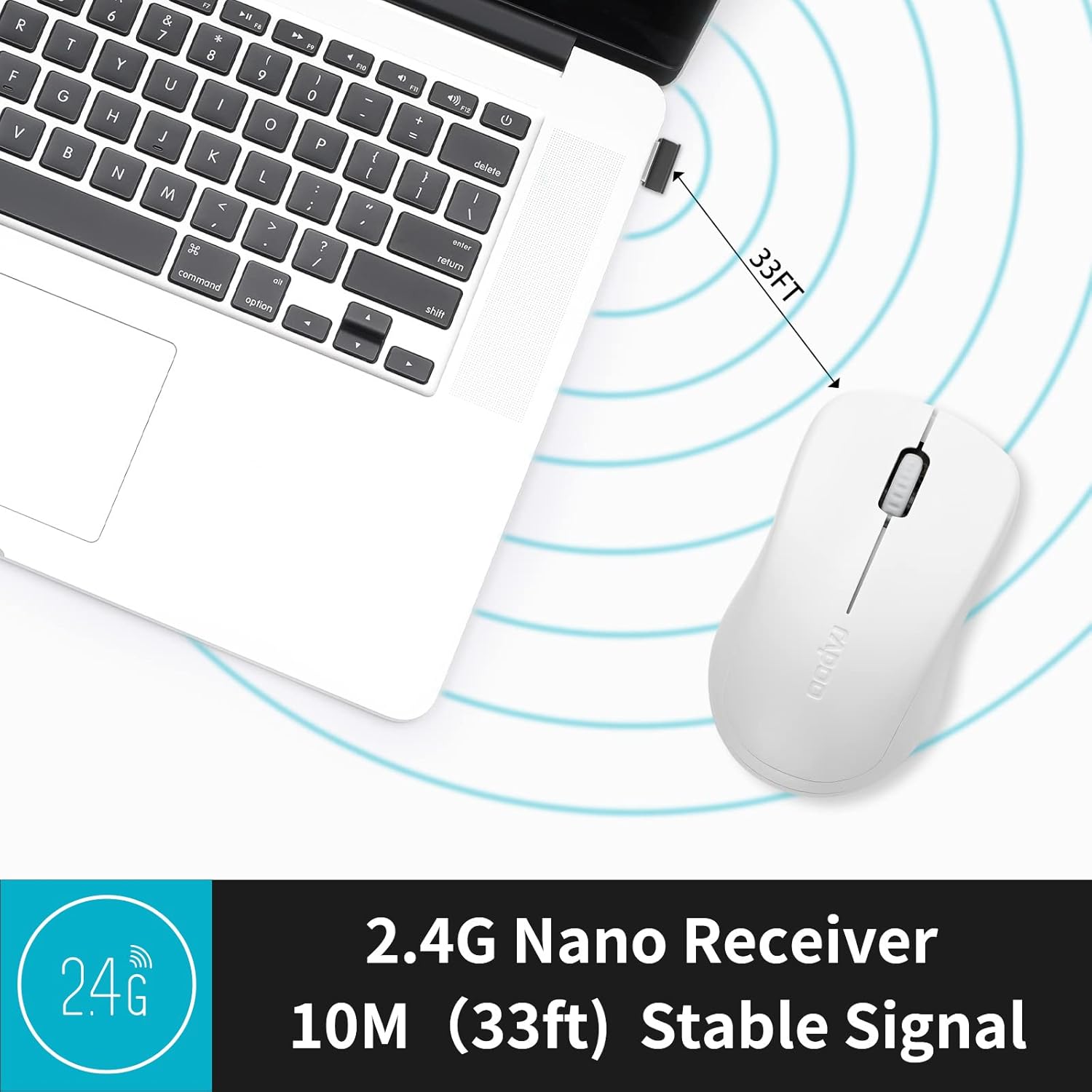
Image: The Rapoo 1680 mouse positioned beside a laptop, with its 2.4G nano receiver securely inserted into a USB port, demonstrating a stable wireless connection up to 33 feet.
3. Piztu/Itzali
Locate the ON/OFF switch on the underside of the mouse. Slide the switch to the 'ON' position to activate the mouse. To conserve battery life when not in use, slide the switch to the 'OFF' position.
Funtzionamendu-argibideak
Oinarrizko Funtzioak
The Rapoo 1680 mouse features standard left and right click buttons and a scroll wheel. The 1000 DPI optical tracking engine provides responsive and smooth cursor control.

Irudia: Gertutik view of the Rapoo 1680 mouse, emphasizing its quiet click functionality with reduced sound while maintaining the tactile click feel.
Funtzionamendu Isila
The Rapoo 1680 is designed for silent operation, significantly reducing click noise. This feature is beneficial in quiet environments such as libraries, offices, or homes where minimizing sound is desired.

Image: A person using the Rapoo 1680 mouse while studying in a library, highlighting the mouse's silent click feature for undisturbed work.
Diseinu Ergonomikoa
The mouse features an ergonomic and symmetrical design, providing a comfortable grip for both left and right-handed users. Its lightweight and compact form factor makes it suitable for extended use and portability.
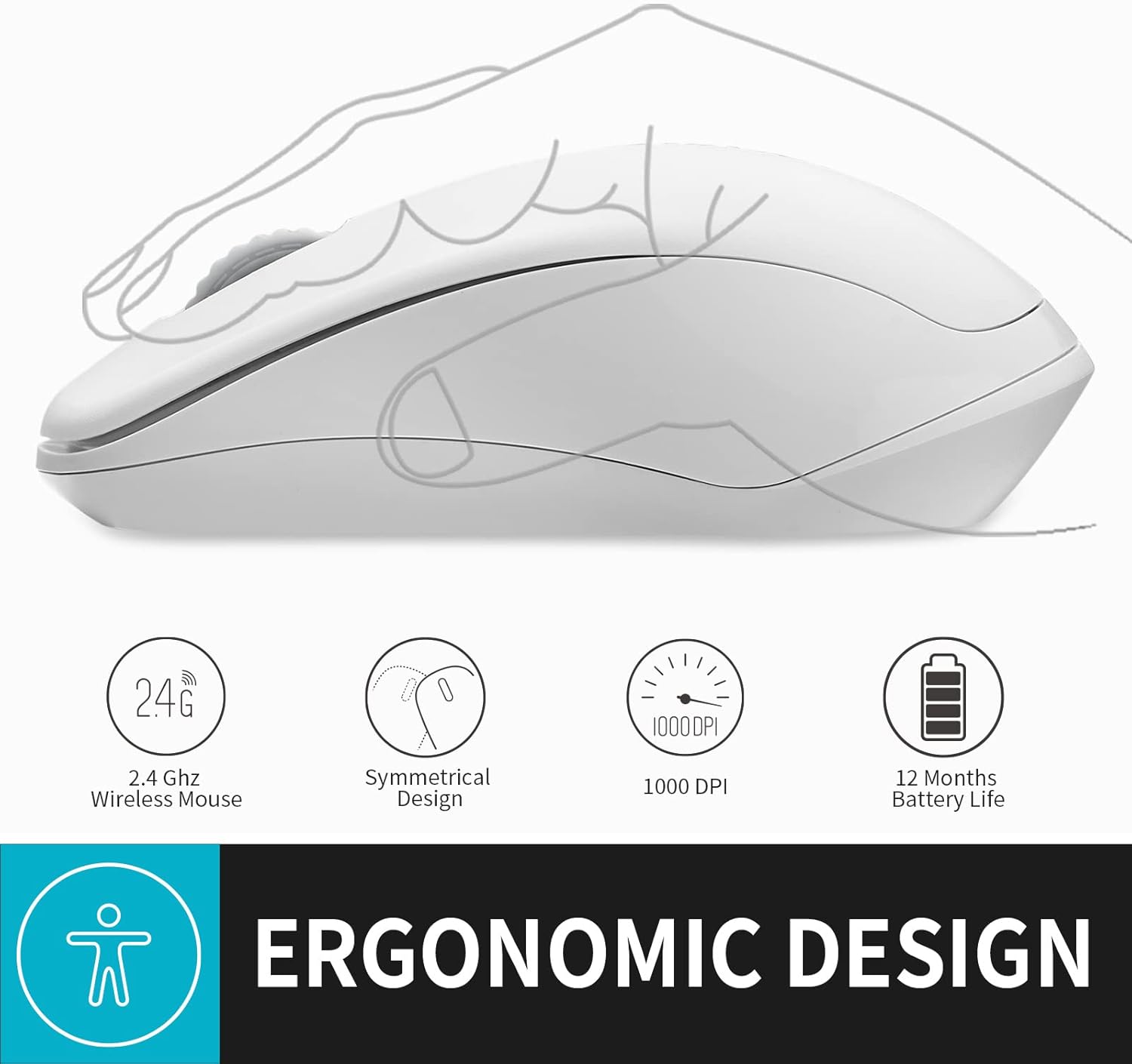
Irudia: Ilustrazio batek erakusten duasing the ergonomic and symmetrical design of the Rapoo 1680 mouse, indicating comfort for both left and right hands.
Bateragarritasun zabala
The Rapoo 1680 offers broad compatibility with various operating systems, including Windows, Mac OS, Linux, and Chrome OS, ensuring plug-and-play functionality across different devices.

Image: Icons for Windows, Mac OS, Linux, and Chrome OS, demonstrating the Rapoo 1680 mouse's universal plug-and-play compatibility with various operating systems.
Produktuaren bideo ofiziala
Video: An official product video from RAPOO showcasing the features and silent operation of the wireless mouse. This video demonstrates the mouse's ease of use and quiet clicks in various settings.
Mantentzea
Bateriaren iraupena eta ordezkoa
The Rapoo 1680 is designed for high energy efficiency, providing up to 12 months of battery life with a single AA battery. When the mouse stops responding or performance degrades, replace the AA battery. Remember to turn off the mouse when not in use to extend battery life.

Image: An illustration of the Rapoo 1680 mouse with a battery icon, highlighting its extended battery life of up to 12 months with one AA battery.
Garbiketa
Sagua garbitzeko, erabili zapi leun eta lehor bat. Zikinkeria egoskorra bada, garbitu zapi pixka bat.amp cloth can be used. Avoid using harsh chemicals or abrasive cleaners, as these can damage the mouse's surface.
Arazoak konpontzea
Saguak ez du erantzuten
- Ensure the mouse is turned 'ON' using the switch on the underside.
- Egiaztatu USB hartzailea ordenagailuko USB ataka funtzional batera ondo konektatuta dagoen.
- Replace the AA battery if the current one is depleted.
- Try plugging the USB receiver into a different USB port or a different computer to rule out port or computer issues.
- Ziurtatu ez dagoela haririk gabeko interferentzia iturri indartsurik inguruan.
Kurtsorearen mugimendua irregularra da
- Garbitu saguaren azpialdeko sentsore optikoa zapi leun eta lehor batekin.
- Ziurtatu sagua gainazal egoki batean erabiltzen ari zarela. Gainazal oso islatzaileek edo gardenek jarraipena eragin dezakete.
Zehaztapenak
| Produktuaren neurriak | 4.33 x 2.56 x 1.57 hazbete |
| Elementuaren pisua | 2.05 ontza |
| Elementuaren eredu-zenbakia | RAPOO 1680 |
| Pilak | 1 AA bateria behar da (barne) |
| Konektibitate Teknologia | 2.4 GHz haririk gabekoa (USB hargailua) |
| Mugimenduak detektatzeko teknologia | Optical (1000 DPI) |
| Ezaugarri bereziak | Ergonomic Design, Lightweight, Portable, Silent Click |

Image: A diagram illustrating the physical dimensions of the Rapoo 1680 mouse, including its length, width, and height.
Bermea eta Laguntza
Rapoo Technology is committed to providing high-quality products. This product comes with a 1-year worry-free warranty and a 30-day money-back guarantee. For any questions or support needs, please contact our customer service. We offer 24-hour email contact service and free replacement for eligible issues.
For further assistance, please refer to the contact information provided with your purchase or visit the official Rapoo webgunea.