
1. Sarrera
Thank you for choosing the Havit HV-MS989GT Wireless Optical Mouse. This manual provides essential information for the proper setup, operation, and maintenance of your new device. Please read it thoroughly before use and retain it for future reference.
2. Segurtasun informazioa
- To protect the mouse, avoid using it on rough surfaces. A high-quality mouse pad is recommended for optimal performance and longevity.
- The optical sensor emits a strong light. Do not direct the light towards your eyes or the eyes of others.
- The mouse contains precise electronic components. Do not twist, disassemble, or attempt to repair the mouse yourself, as this may shorten its service life or cause damage.
- Mantendu gailua uretatik eta beste likidoetatik urrun.
- Ez jarri gailua muturreko tenperaturetara.
3. Paketearen edukia
Irekitzean, egiaztatu paketearen edukia:
- Havit HV-MS989GT Wireless Optical Mouse
- USB Nano hargailua
- AA Battery (may be pre-installed or included separately)
- Erabiltzailearen eskuliburua (dokumentu hau)
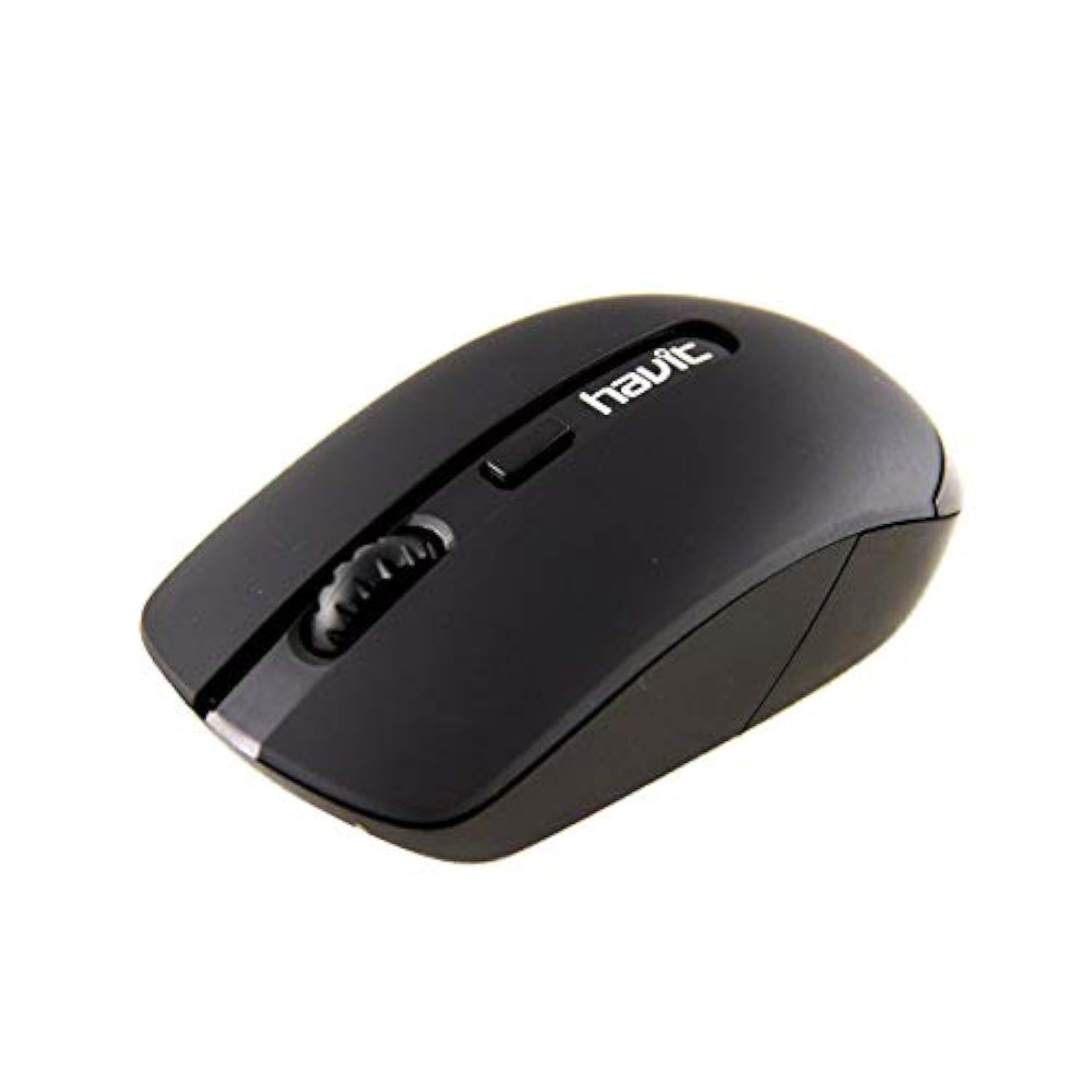
Image 1: Havit HV-MS989GT Wireless Optical Mouse in its retail packaging.
4. Produktua amaitu daview
The Havit HV-MS989GT is a 2.4 GHz wireless optical mouse designed for comfort and precision. It features an ambidextrous design, making it suitable for both left and right-handed users.
- Ezkerreko botoia: Klik egiteko funtzio estandarra.
- Eskuineko botoia: Eskuineko botoiarekin klik egiteko funtzio estandarra.
- Korritzeko gurpila: For scrolling documents and web pages. Can also function as a middle click button.
- Sentsore optikoa: Located on the underside for precise tracking.
- Bateriaren konpartimendua: Saguaren azpialdean kokatuta.
- USB Nano Receiver Storage: A dedicated slot on the underside of the mouse for convenient storage of the receiver when not in use or during travel.

2 irudia: Gertuko planoa view of the Havit HV-MS989GT mouse, highlighting the scroll wheel and main buttons.
5. Konfigurazioa
- Instalatu bateria: Ireki saguaren azpialdean dagoen bateriaren konpartimentuaren estalkia. Sartu AA bateria bat, polaritate zuzena ziurtatuz (+/-). Itxi estalkia.
- Konektatu USB hargailua: Remove the USB Nano Receiver from its storage slot on the underside of the mouse. Plug the receiver into an available USB port on your computer (PC or laptop).
- Piztu: The mouse should automatically power on and connect to the receiver. If there is an ON/OFF switch, ensure it is in the "ON" position. Your computer's operating system will typically install the necessary drivers automatically.
- Proba funtzionaltasuna: Move the mouse to check if the cursor responds on your screen. If not, refer to the Troubleshooting section.
6. Funtzionamendu-argibideak
- Haririk gabeko funtzionamendua: The mouse operates using 2.4 GHz wireless technology, providing a stable connection up to 8 meters from the USB receiver.
- Diseinu anbidistroa: The ergonomic design allows for comfortable use by both left-handed and right-handed individuals.
- Lo automatikoaren funtzioa: To conserve battery life, the mouse features an integrated automatic sleep function. If inactive for a period, it will enter a low-power sleep mode. To wake it up, simply move the mouse or click any button.
- DPI sentikortasuna: The mouse provides a resolution range of 800-1600 DPI for precise and quick tracking.
- Sistemaren bateragarritasuna: Compatible with Windows 2000, XP, Vista, Windows 7, Windows 8, Windows 10, Linux, and Mac operating systems.
7. Mantentzea
- Garbiketa: Erabili zapi leun eta lehor bat sagua garbitzeko. Saihestu produktu kimiko gogorrak edo material urratzaileak erabiltzea.
- Bateria ordezkatzea: When the mouse performance degrades or it stops responding, replace the AA battery. Ensure proper polarity when inserting the new battery.
- Hartzailearen biltegiratzea: Always store the USB Nano Receiver in its dedicated slot on the mouse when traveling or not in use to prevent loss.
- Gainazal optimoa: For best tracking performance and to protect the optical sensor, use the mouse on a clean, smooth surface, preferably with a high-quality mouse pad.
8. Arazoak
| Arazoa | Irtenbide posiblea |
|---|---|
| Saguak ez du erantzuten edo kurtsorea ez da mugitzen. |
|
| Kurtsorearen mugimendu irregularra. |
|
| Sagua maiz deskonektatzen da. |
|
9. Zehaztapenak
| Marka | Havit |
| Modelo zenbakia | HV-MS989GT |
| Sagu mota | Sagu optikoa |
| Konektibitatea | Haririk gabekoa (2.4 GHz) |
| Haririk gabeko Distantzia | 8 metro |
| Neurriak (L x W x H) | 104 × 58 × 37 mm |
| Botoi kopurua | 4 |
| DPI Ebazpena | 800-1600 DPI |
| Gako Bizitza | 1,000,000 klik |
| Elikatze Hornidura | 1x AA bateria |
| Onartutako Sistema Eragileak | Windows 2000, XP, Vista, Windows 7, Windows 8, Windows 10, Linux, Mac |
| Eskuen Orientazioa | Anbidistroa |
10. Bermea eta Laguntza
For warranty information, please refer to the warranty card included with your product or contact your retailer. You may also visit the official Havit weblaguntza baliabideen eta harremanetarako informazioaren gunea.
For additional assistance, please contact Havit customer support through their official channels.