Geekee G350

Geekee G350 True Wireless Earbuds Instruction Manual

Eredua: G350

1. Sarrera

The Geekee G350 True Wireless Earbuds offer a high-fidelity audio experience with advanced Bluetooth 5.0 technology. Designed for comfort and versatility, these in-ear headphones feature deep bass, crystal clear treble, and noise-cancelling capabilities. They are sweatproof with an IPX5 rating, making them suitable for sports and active use. The earbuds provide a stable connection, instant pairing, and extended battery life with their portable charging case.

Geekee G350 True Wireless Earbuds in charging case

Image 1: Geekee G350 True Wireless Earbuds in their charging case.

2. Paketearen edukia

Mesedez, egiaztatu elementu guztiak zure paketean daudela:

  • Geekee G350 Earphone x 2 (Left and Right Earbuds)
  • Kargatzeko kaxa x 1
  • Regular Ear Tips (Sizes S, M, L, XL) x 4 Pairs
  • Rubber Ear Pieces x 2 Pairs
  • Kargatzeko kablea x 1
  • Erabiltzailearen eskuliburua x 1
Contents of the Geekee G350 Earbuds package

Image 2: All items included in the Geekee G350 package.

3. Konfigurazioa

3.1 Hasierako parekatzea

For the first-time use, follow these steps to pair your Geekee G350 earbuds:

  1. Kendu film babeslea: Before charging or first use, remove the plastic protective film from the charging contact points located on the bottom of each earbud.
  2. Charge Earbuds: Place both earbuds back into the charging case and allow them to charge for a short period.
  3. Automatic Power On & Pairing Mode: Atera bi entzungailuak kargatzeko zorrotik. Automatikoki piztuko dira eta parekatze moduan sartuko dira.
  4. Bluetooth bidez konektatu: On your smartphone or Bluetooth-enabled device, go to the Bluetooth settings menu and select "Geekee G350" to connect.

After the initial connection, the earbuds will automatically turn on and connect to your smartphone when removed from the case, and automatically turn off and charge when placed back in the case.

Steps for instant pairing of Geekee G350 earbuds

Image 3: Visual guide for initial pairing of the earbuds.

3.2 Kargatzen

The earbuds and charging case have separate battery capacities and charging times:

  • Aurikularretako bateriaren edukiera: 50mAh/3.7V per earbud.
  • Aurikularrak kargatzeko denbora: Gutxi gorabehera 1.5 ordu karga osoa lortzeko.
  • Kargatzeko zorroaren bateriaren edukiera: 500mAh/3.7V.
  • Kargatzeko kaxa Kargatzeko denbora: Gutxi gorabehera 2.5 ordu karga osoa lortzeko.

The charging case provides additional power, extending the total playtime. A fully charged case can boost the earbuds' playtime from 3-3.5 hours to 15 hours. In mono mode, using one earbud while the other charges, playtime can be extended up to 28 hours.

Battery life and charging times for Geekee G350 earbuds

4. irudia: Amaituview of battery life and charging specifications.

4. Funtzionamendu-argibideak

4.1 Entzungailuen kontrolak

Each earbud features a multi-function button and an LED indicator. Refer to the diagram below for control functions:

Geekee G350 earbud function button and LED indicator guide

Image 5: Detailed functions of the earbud button and LED indicator.

  • Erreproduzitu/Pausatu: Sakatu funtzio-botoia behin.
  • Hurrengo ibilbidea: Press the function button for 2 seconds (Right earbud).
  • Aurreko pista: Press the function button for 2 seconds (Left earbud).
  • Aktibatu ahots-laguntzailea (Siri): Sakatu birritan funtzio-botoia.
  • Deia erantzun/amaitu: Sakatu funtzio-botoia behin.
  • Deia baztertu: Sakatu funtzio-botoia 2 segundoz.

The LED indicator displays charging status and Bluetooth connection status.

4.2 Entzuteko moduak

The Geekee G350 earbuds support two listening modes:

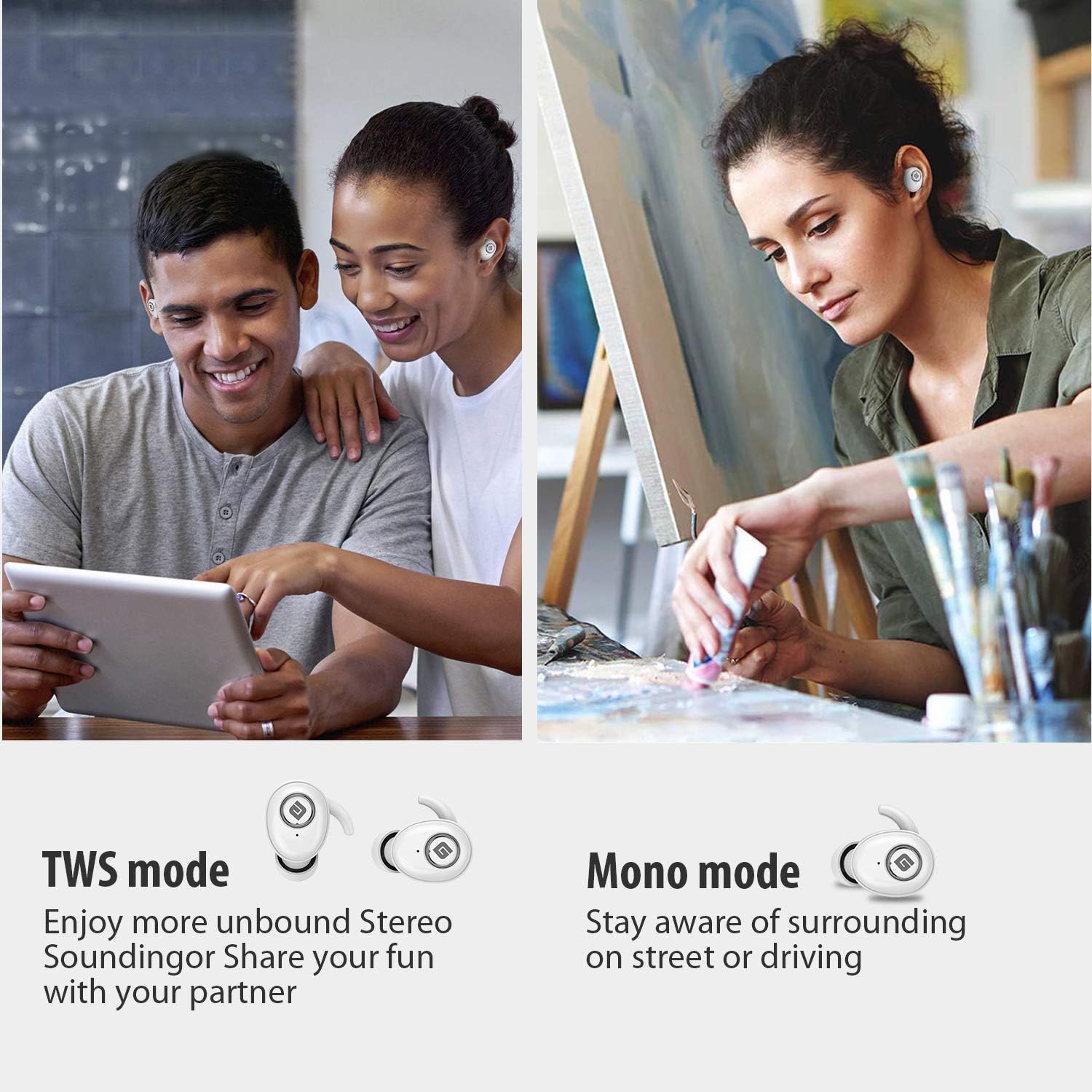
  • TWS (True Wireless Stereo) modua: Use both earbuds simultaneously for a full stereo sound experience. This mode is ideal for immersive audio.
  • Mono modua: Use a single earbud (only the Right earbud supports mono mode) to stay aware of your surroundings, such as when driving or walking in public.
Illustration of TWS and Mono listening modes for earbuds

Image 6: Comparison of TWS and Mono listening modes.

5. Mantentzea

  • Bateria zaintzea: Keep your headphones charged when the battery life is low to ensure optimal Bluetooth connection and protect the battery's longevity.
  • Belarri-puntaren hautaketa: Choose suitable ear tips and wear your headphones snugly, especially during physical activities like running or cycling. This helps reduce wind noise and ensures a secure fit.
  • Garbiketa: Regularly clean the earbuds and charging case with a soft, dry cloth to prevent dust and debris buildup. Avoid using harsh chemicals or abrasive materials.
  • Biltegiratzea: Erabiltzen ez dituzunean, gorde entzungailuak kargatzeko zorroan babesteko eta kargatuta mantentzeko. Gorde leku fresko eta lehor batean, muturreko tenperaturetatik urrun.
  • Uraren erresistentzia: The earbuds are IPX5 sweatproof, meaning they can resist a sustained, low-pressure water jet spray. They are not designed for submersion in water.

6. Arazoak

If you encounter issues with your Geekee G350 earbuds, please refer to the following common solutions:

  • Entzungailuak ez dira kargatzen:
    • Ensure the plastic protective film has been removed from the charging contacts on the earbuds.
    • Egiaztatu kargatzeko kablea ondo konektatuta dagoela bai kaxara bai energia-iturri batera.
    • Check if the charging case itself has sufficient battery charge.
  • Entzungailuak ez dira parekatzen/konektatzen:
    • Ziurtatu Bluetootha gaituta dagoela zure gailuan.
    • Ensure the earbuds are fully charged and out of the charging case.
    • Forget "Geekee G350" from your device's Bluetooth settings and attempt to pair again.
    • Try restarting your device and the earbuds.
  • Sound Issues (Low Volume, Distortion):
    • Doitu bolumena bai konektatutako gailuan bai entzungailuetan.
    • Ensure ear tips are correctly sized and provide a snug fit to optimize sound quality and noise isolation.
    • Garbitu entzungailuen bozgorailuetako hondakin guztiak.
  • Entzungailu bakarra funtzionatzen du:
    • Ziurtatu bi entzungailuak kargatuta daudela.
    • Place both earbuds back into the charging case, close the lid, wait a few seconds, then take them out again to re-establish the stereo connection.
    • If the issue persists, try resetting the earbuds (refer to the full user manual for specific reset instructions if available).

7. Zehaztapenak

Ezaugarri Xehetasuna
Bluetooth estandarra V5.0
Haririk gabeko Profile HFP, HSP, A2DP, AVRCP
Eragiketa-eremua 10 m (33 oin)
Kargatzen Voltage DC 5V 1A
Egonean Denbora 160 ordu
Talk / Playing Time 2~3 hours (single charge), up to 15 hours with charging case, up to 28 hours in mono mode
Kargatzeko denbora (entzungailuak) 1.5 ordu
Kargatzeko denbora (kargatzeko kaxa) 2.5 ordu
Bateriaren edukiera (entzungailuak) 50mAh/3.7V
Bateriaren edukiera (kargatzeko kaxa) 500mAh/3.7V
Elementuaren pisua 1.76 ontza (gutxi gorabehera 50 g)
Produktuaren neurriak 0.8 x 0.4 x 0.4 inches (per earbud)
Uraren Erresistentzia IPX5 Izerdiaren aurkakoa
Zarata Kontrola Zarata Deuseztatze Aktiboa
Mikrofonoa Barne

8. Bermea eta laguntza

Geekee is committed to providing high-quality service and professional support for its products. For any technical assistance or inquiries, please contact our support team.

  • Laguntza teknikoa: Lifetime technical help is available.
  • Erantzun denbora: Inquiries are typically responded to within 24 hours.
  • Harremanetarako posta elektronikoa: support@getgeekee.com
Geekee customer support contact information

Image 7: Geekee customer support details.

Produktuaren bideo ofiziala

1. bideoa: Ofizial bat amaitu daview of the Geekee G350 True Wireless Earbuds, highlighting key features and design.

Ask a question about this manual

Ask about setup, troubleshooting, compatibility, parts, safety, or missing instructions. Manuals+ will review the question and use this page’s manual context to help answer it.