
Sarrera
This manual provides instructions for the Polder Digital Kitchen Timer, Model TMR-636-95. Please read these instructions carefully before using your timer to ensure proper operation and longevity of the device. This timer features a 100-minute countdown/count-up function and a 60-second alarm.
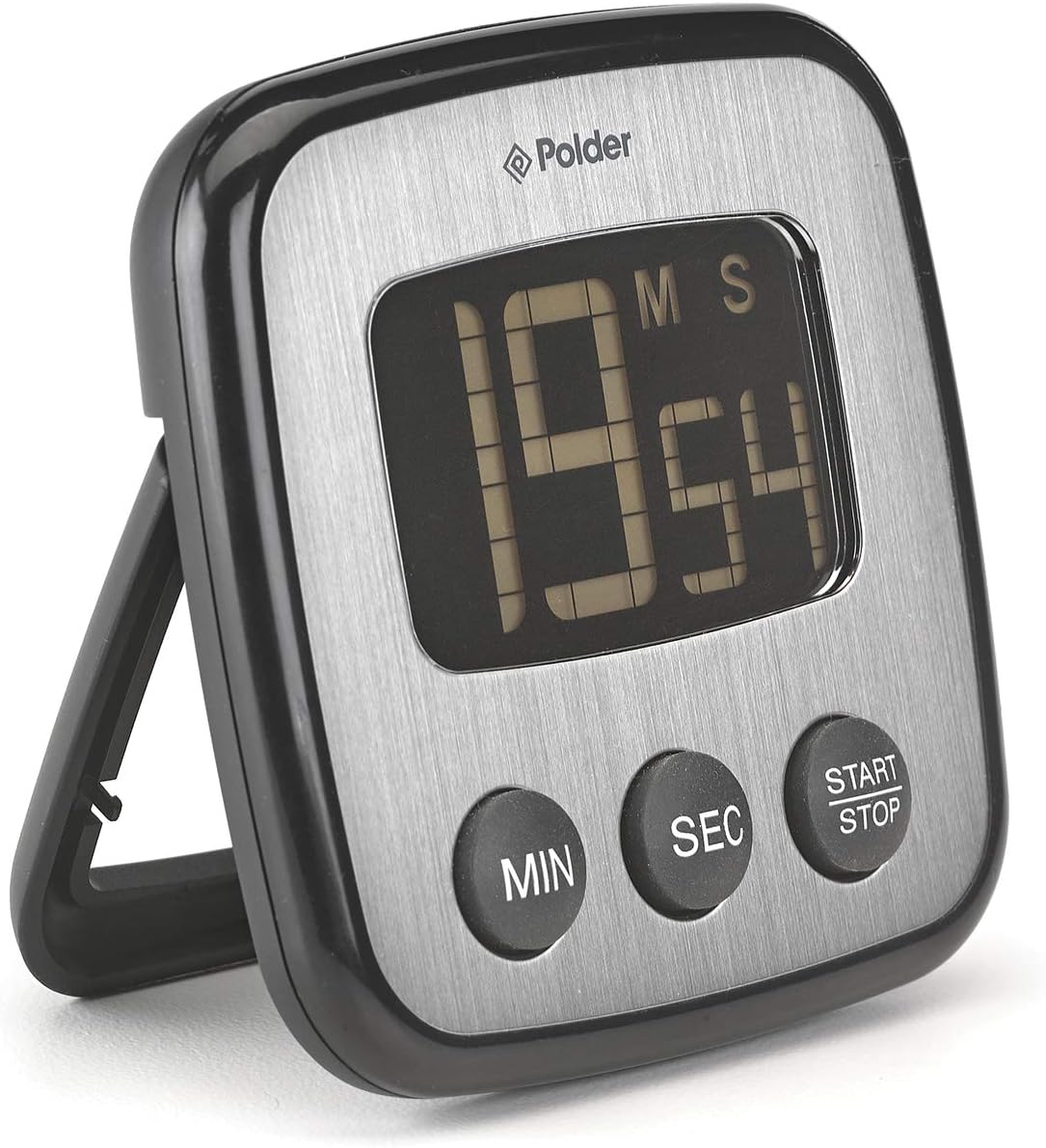
1. irudia: Aurrealdea view of the Polder Digital Kitchen Timer.
Konfigurazioa
1. Bateriaren instalazioa
The Polder Digital Kitchen Timer requires two CR2032 batteries (included). To install or replace batteries:
- Locate the battery compartment cover on the back of the timer.
- Erabili txanpon txiki bat edo bihurkin bat estalkia astiro-astiro biratu erlojuaren orratzen kontrako noranzkoan irekitzeko.
- Insert two CR2032 batteries, ensuring the positive (+) side faces upwards.
- Replace the battery compartment cover and twist clockwise to secure.

2. irudia: Atzealdea view of the timer with battery compartment.
2. Kokapen aukerak
The timer offers versatile placement options:
- Muntaia magnetikoa: The timer features high-strength magnets on its back, allowing it to be securely attached to metallic surfaces such as refrigerators or ovens.
- Mahai gaineko euskarria: A built-in stand arm on the back allows the timer to be propped up on a flat surface for easy viewing.

Figure 3: Timer with tabletop stand extended.
Funtzionamendu-argibideak
1. Setting the Timer (Countdown)
- Ensure the timer display shows "00:00". If not, press the HASI/GELDITU button to clear any previous setting.
- Sakatu MIN button repeatedly to set the desired minutes. Each press increases the minutes by one. Hold the button for faster adjustment.
- Sakatu SEK button repeatedly to set the desired seconds. Each press increases the seconds by one. Hold the button for faster adjustment.
- Nahi den ordua ezarri ondoren, sakatu botoia HASI/GELDITU button to begin the countdown. The display will show the remaining time.
- Atzerako kontaketa pausatzeko, sakatu HASI/GELDITU botoia berriro. Sakatu berriro jarraitzeko.
- When the countdown reaches "00:00", the alarm will sound for 60 seconds. Press any button to silence the alarm.
2. Using the Count-Up Function
The timer can also function as a stopwatch:
- Ensure the timer display shows "00:00". If a countdown time is set, press HASI/GELDITU garbitzeko.
- Sakatu HASI/GELDITU button once to begin counting up from "00:00".
- To pause the count-up, press the HASI/GELDITU botoia berriro. Sakatu berriro jarraitzeko.
- To reset the count-up timer to "00:00", press the HASI/GELDITU button to pause, then press and hold it until the display clears.
3. Memoriaren funtzioa
The timer features a memory function for convenience, ideal for repetitive tasks like batch cooking or baking:
- After a countdown has completed and the alarm has sounded, the timer will automatically recall the last set time.
- To reuse the last set time, simply press the HASI/GELDITU botoia.
Mantentzea
Garbiketa
To clean your Polder Digital Kitchen Timer, wipe it with a soft, damp cloth. Do not immerse the timer in water or use abrasive cleaners, as this can damage the electronic components and display.
Bateria ordezkatzea
When the display becomes dim or the timer functions erratically, it is time to replace the batteries. Refer to the "Battery Installation" section under Setup for detailed instructions.
Arazoak konpontzea
- Tenporizadorea ez da pizten edo pantaila hutsik dago: Ensure batteries are correctly installed with the correct polarity. Replace batteries if they are old or depleted.
- Pantaila iluna edo irakurtzeko zaila da: This indicates low battery power. Replace the two CR2032 batteries.
- Botoiek ez dute erantzuten: Check battery power. If the issue persists after battery replacement, contact customer support.
- Alarma ez da jotzen: Ensure the timer is counting down to zero. If the alarm still does not sound, replace batteries.
- Battery compartment cover is difficult to open/close: Apply gentle, even pressure when twisting. Do not force the cover, as this may cause damage.
Zehaztapenak

4. irudia: Produktuaren neurriak.
| Ezaugarri | Xehetasuna |
|---|---|
| Modelo zenbakia | TMR-636-95 |
| Marka | Polderra |
| Kolorea | Beltza |
| Materiala | Plastikoa |
| Produktuaren neurriak (L x W x H) | 4.57" x 4.57" x 1.06" |
| Elementuaren pisua | 0.23 kilo |
| Bateria mota | 2 x CR2032 (barne) |
| Tenporizadorearen barrutia | 100 minutes (countdown/count-up) |
| Alarmaren Iraupena | 60 segundo |
Bermea eta Laguntza
For warranty information and customer support, please refer to the official Polder website or contact the retailer where the product was purchased. This manual does not contain specific warranty details.
Laguntza gehiago lortzeko, bisitatu Polder Store on Amazon edo fabrikatzailearen ofiziala webgunea.

