
1. Produktua amaitu daview
The TrolMaster DSH-2 is a 240V Humidity Device Station designed to provide precise humidity control within a Hydro-X Control System. This device acts as a relay, allowing the Hydro-X system to manage external humidity-related equipment, such as humidifiers or dehumidifiers, by switching their power on or off based on programmed settings.

1. irudia: Aurrealdea view of the TrolMaster DSH-2 240V Humidity Device Station, showing the 240V outlet and indicator lights.

2. irudia: Aldea view of the TrolMaster DSH-2 240V Humidity Device Station, showing the power plug.
2. Paketearen edukia
Egiaztatu elementu guztiak paketean daudela:
- 1x DSH-2 240V Humidity Device Station
- 1x RJ12 Cable (for connection to Hydro-X system)
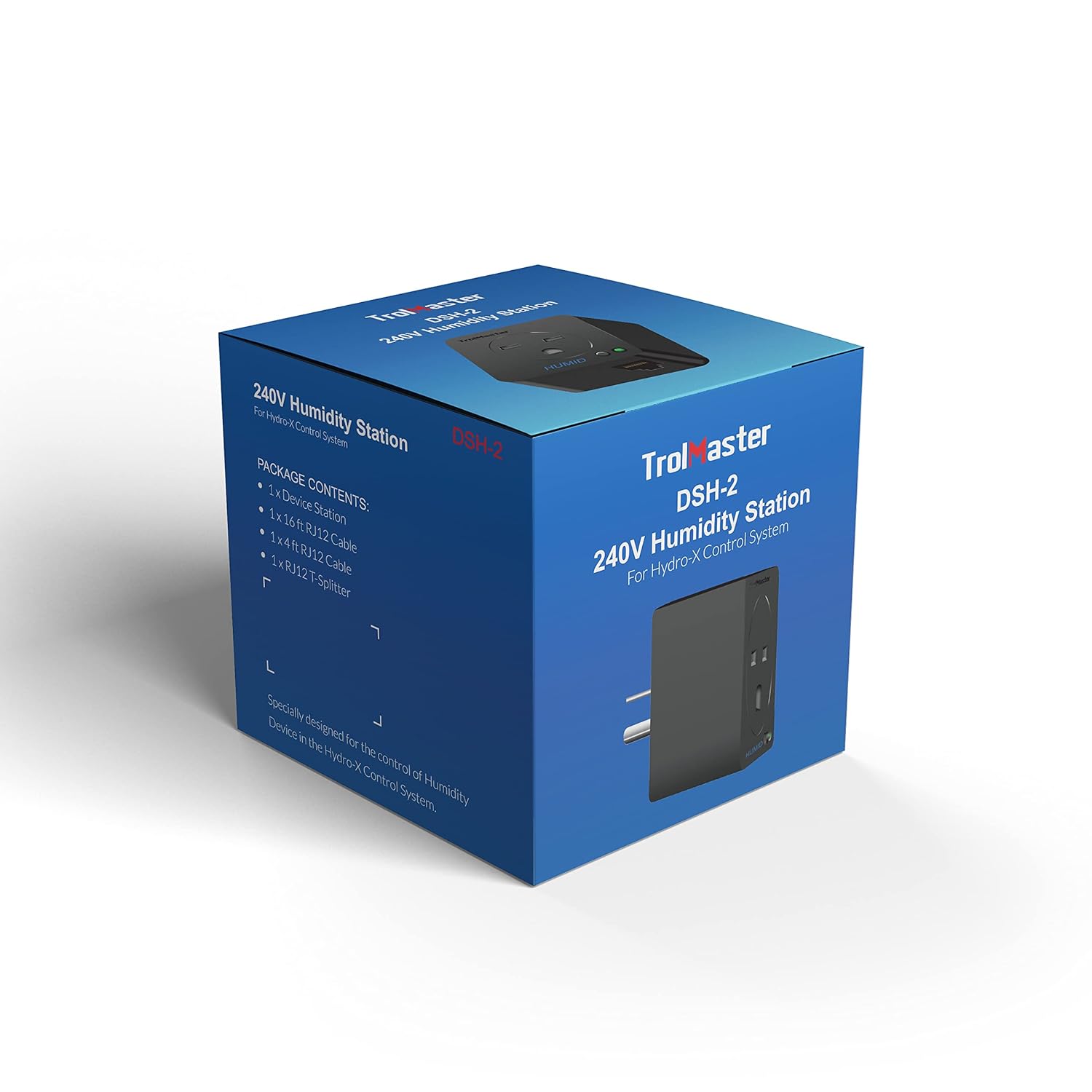
Figure 3: Packaging of the TrolMaster DSH-2, indicating package contents.
3. Konfiguratzeko argibideak
Follow these steps to set up your DSH-2 Humidity Device Station:
- Potentzia-konexioa: Plug the DSH-2 device into a standard 240V power outlet. Ensure the outlet is properly grounded.
- Connect to Hydro-X System: Use the provided RJ12 cable to connect the DSH-2 to an available 'Device' port on your TrolMaster Hydro-X Control System. The Hydro-X system will automatically detect the DSH-2.
- Connect Humidity Device: Plug your 240V humidifier or dehumidifier into the outlet on the DSH-2.
- Konfigurazioa: Refer to your Hydro-X Control System manual for instructions on how to configure the humidity settings and assign the DSH-2 to a specific humidity control zone.

Figure 4: Connection diagram illustrating how the DSH-2 (Humid Device Stations H1, H2) connects to the Hydro-X Control System's device ports.
4. Funtzionamendu-argibideak
Once connected and configured with your Hydro-X Control System, the DSH-2 operates automatically based on the parameters set in the Hydro-X system. The DSH-2 acts as a switch, turning the connected humidity device on or off to maintain the desired humidity levels.
- Adierazle argiak: Observe the indicator lights on the DSH-2 for operational status. Typically, a green light indicates power and proper connection.
- Sistemaren kontrola: All humidity setpoints, differentials, and schedules are managed directly through the Hydro-X Control System interface.
5. Mantentzea
The DSH-2 Humidity Device Station requires minimal maintenance. Follow these guidelines to ensure longevity and optimal performance:
- Garbiketa: Periodically wipe the exterior of the device with a soft, dry cloth. Do not use liquid cleaners or abrasive materials.
- Ingurumena: Ensure the device is operated in a dry environment, free from excessive dust or moisture.
- Kableen osotasuna: Regularly inspect the RJ12 cable and power cord for any signs of damage. Replace if necessary.
6. Arazoak
If you encounter issues with your DSH-2, consider the following troubleshooting steps:
- Potentziarik gabe: Ensure the DSH-2 is securely plugged into a live 240V outlet. Check the circuit breaker.
- Not Detected by Hydro-X: Verify that the RJ12 cable is firmly connected to both the DSH-2 and an active 'Device' port on the Hydro-X system. Try a different RJ12 cable or port.
- Humidity Device Not Responding: Confirm that the humidity device (humidifier/dehumidifier) plugged into the DSH-2 is powered on and functioning correctly independently. Check the settings for the DSH-2 within the Hydro-X Control System.
- Incorrect Humidity Readings: This is typically related to the humidity sensor connected to the Hydro-X system, not the DSH-2 itself. Refer to your Hydro-X system manual for sensor troubleshooting.
If problems persist, contact TrolMaster customer support or your authorized dealer.
7. Zehaztapenak
| Ezaugarri | Zehaztapena |
|---|---|
| Produktuaren neurriak | 3.35 x 3.15 x 3.54 hazbete |
| Elementuaren pisua | 11.84 ontza |
| Modelo zenbakia | DSH-2 |
| Fabrikatzailea | TrolMaster |
| Kolorea | Beltza |
| Muntatze Mota | Mahaigaina |
| Goiko Tenperaturaren Balorazioa | 122 gradu Fahrenheit |
| Jatorrizko Herrialdea | Txina |
8. Bermearen informazioa
For detailed warranty information regarding your TrolMaster DSH-2, please refer to the official TrolMaster website or contact your authorized dealer. Warranty terms and conditions may vary and are subject to the manufacturer's policy at the time of purchase.
9. Bezeroarentzako arreta
If you require further assistance or have questions not covered in this manual, please contact TrolMaster customer support through their official website or the contact information provided by your retailer. When contacting support, please have your product model (DSH-2) and purchase details ready.
TrolMaster Official Webgunea: www.trolmaster.com


