
Sarrera
This manual provides essential information for the safe and effective use of your Superer 19V AC Charger. This power adapter is designed to provide a stable power supply for compatible LG 32-inch LED LCD monitors. Please read these instructions thoroughly before use and retain them for future reference.
Segurtasun Informazioa
Your Superer AC Charger is manufactured to meet nationally recognized standards for high-level electronic safety. It incorporates reliable overcharge protection to safeguard your devices.

Image: UL, FCC, and CE certifications for the power adapter, indicating compliance with safety and regulatory standards.
| Ziurtagiria | Deskribapena |
|---|---|
| UL zerrendatua | Passed UL safety tests for high-level electronic safety. |
| FCC onartua | Meets regulated limits for ionizing radiation. |
| CE marka | EBko segurtasun, osasun eta ingurumena babesteko baldintzak betetzen ditu. |
- Do not expose the adapter to liquids, moisture, or extreme temperatures.
- Saihestu egokitzailea erortzea edo kolpe gogorren eraginpean jartzea.
- Ez saiatu egokitzailea desmuntatzen edo aldatzen.
- Ensure the power outlet is easily accessible for disconnection if needed.
Paketearen edukia
Egiaztatu elementu guztiak paketean daudela:
- 1 x Superer 19V AC Power Adapter (Model: ADP190253D)
- 1 x kablea
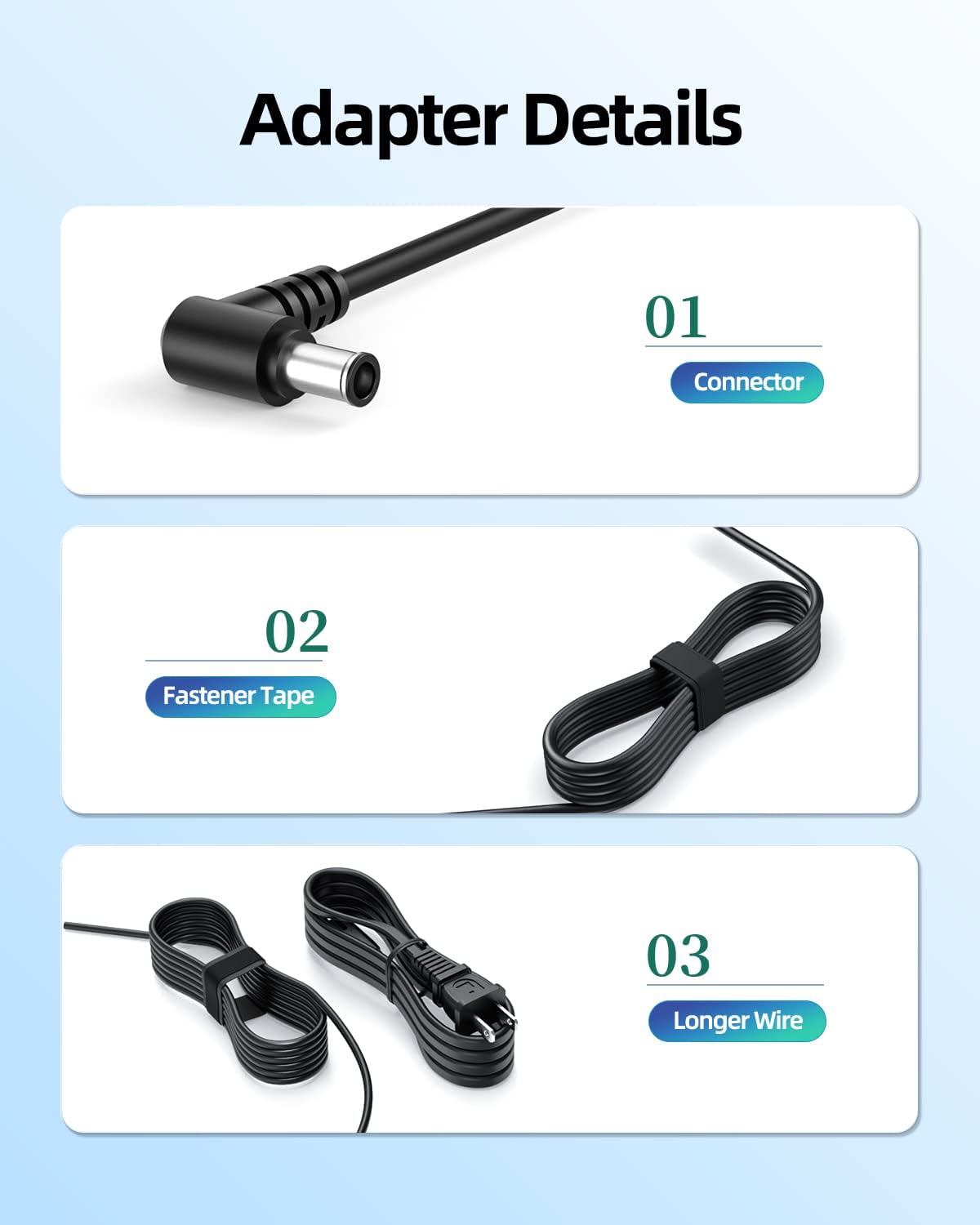
Image: The Superer 19V AC power adapter and its accompanying power cord.
Konfigurazioa
Follow these steps to connect your Superer AC Charger to your LG monitor:
- Identifikatu portu zuzena: Locate the power input port on your LG 32-inch LED LCD monitor. This adapter is compatible with models such as 32MA70HY-P, 32MA68HY-P, 32MP58HQ-W, 32ML600M-B, 32MP58HQ-P, 32QK500-W, 32GK650F-B, and 32LH570B. Ensure your monitor requires 19V and does not exceed 2.53A.
- Konektatu korronte-kablea: Plug one end of the included power cord into the AC input port of the Superer power adapter.
- Connect to the monitor: Insert the round-ended tip of the adapter's output cable into the power input port of your LG monitor.
- Entxufatu korronte-hartunean: Connect the other end of the power cord into a standard wall power outlet (100-240V).
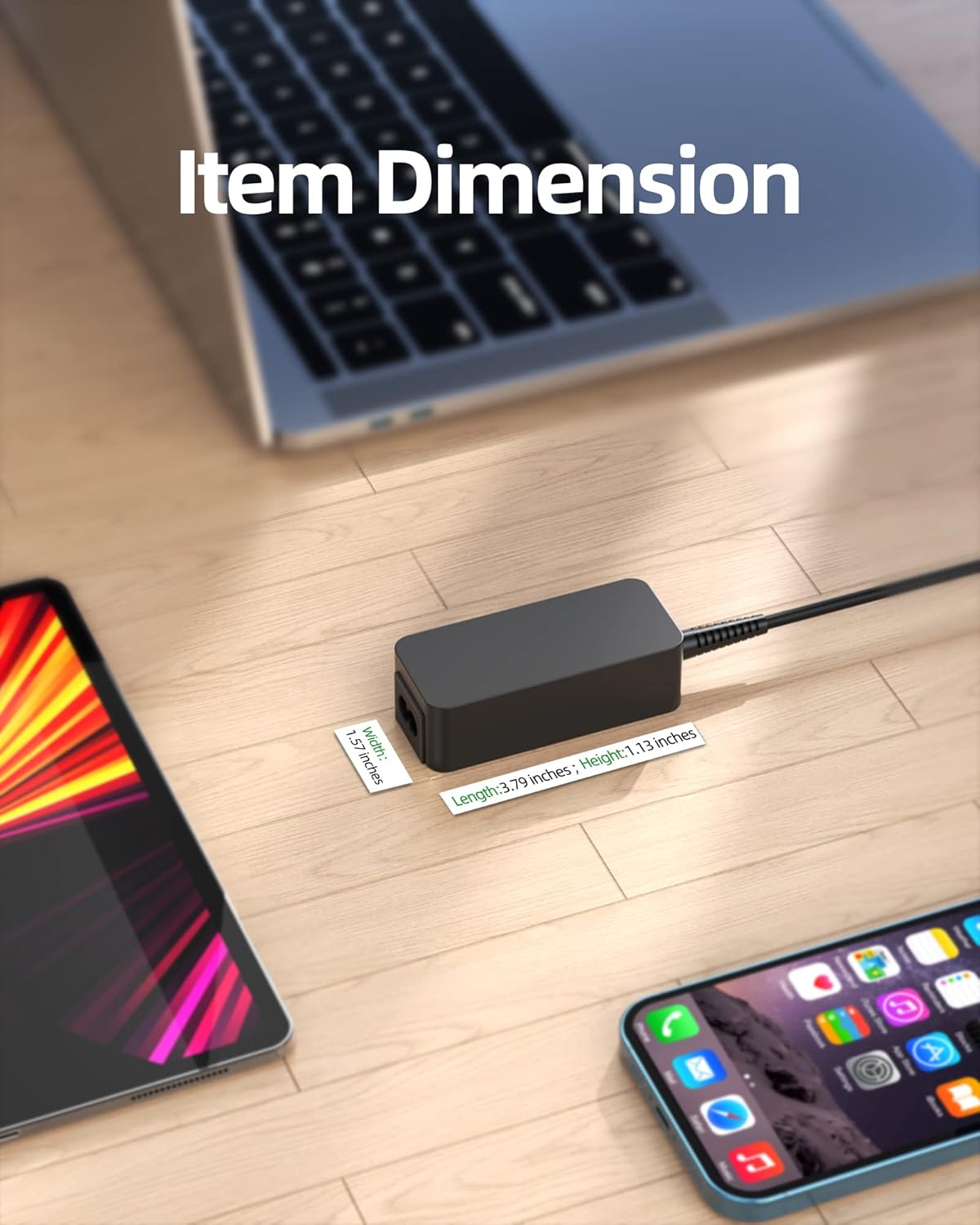
Image: The Superer AC charger properly connected to an LG monitor, ready for use.
Funtzionamendu-argibideak
Once properly connected, the Superer AC Charger will provide consistent and stable power to your compatible LG monitor. No additional configuration is required for operation.

Image: A monitor setup powered by the Superer AC charger, illustrating a consistent power supply.
Mantentzea
To ensure the longevity and optimal performance of your Superer AC Charger, follow these maintenance guidelines:
- Garbiketa: Disconnect the adapter from the power source and monitor before cleaning. Use a soft, dry cloth to wipe the surface. Do not use liquid cleaners or abrasive materials.
- Biltegiratzea: When not in use, store the adapter in a cool, dry place away from direct sunlight. Use the integrated fastener tape to neatly coil the cable, preventing tangles and damage.
- Kableen zainketa: Avoid bending or crimping the cable excessively, especially near the connectors. Do not place heavy objects on the cable.

Irudia: Gertuko planoa view of the adapter's features, including the connector, fastener tape for cable management, and the extended cable length.
Arazoak konpontzea
If you encounter issues with your Superer AC Charger, refer to the following common problems and solutions:
- No Power to Monitor:
- Ensure the power cord is securely plugged into both the adapter and the wall outlet.
- Verify that the adapter's output tip is fully inserted into the monitor's power port.
- Probatu hormako entxufea beste gailu batekin funtzionatzen duela baieztatzeko.
- Check if the monitor's power button is on.
- Monitor Flickers or Shuts Off:
- Confirm that the adapter's specifications (19V, 2.53A, 45W) match your monitor's power requirements. This adapter is not suitable for devices requiring more than 2.53A.
- Ziurtatu konexio solterik ez dagoela.
- Avoid using the adapter in poorly ventilated areas where it might overheat.
- Egokigailua bero sentitzen da:
- It is normal for the adapter to feel warm during operation. However, if it becomes excessively hot, disconnect it immediately.
- Ensure adequate ventilation around the adapter. Do not cover it.
Zehaztapenak
Detailed technical specifications for the Superer 19V AC Charger:
| Ezaugarri | Xehetasuna |
|---|---|
| Marka | Superer |
| Modelo zenbakia | ADP190253D |
| Sarrera boltage | 100-240V |
| Irteera boltage | 19V |
| Irteera Korrontea | 2.53A |
| Wattage | 45W |
| Konektore mota | Round-ended tip |
| Gailu bateragarriak | LG 32-inch LED LCD Monitors (e.g., 32MA70HY-P, 32MA68HY-P, 32MP58HQ-W, 32ML600M-B, 32MP58HQ-P, 32QK500-W, 32GK650F-B, 32LH570B) |
| Kolorea | BELTZA |
| Materiala | Plastikoa |
| Ezaugarri Berezia | Reliable Overcharge Protection |

Image: Chart illustrating various output power combinations and their compatibility status.

Image: Visual representation of the adapter's dimensions: Length 3.79 inches, Width 1.57 inches, Height 1.13 inches.
Bermea eta Laguntza
Superer stands by the quality of its products. Your AC Charger comes with the following:
- 30 eguneko itzulera politika: Eligible for replacement or returns within 30 days of purchase.
- 12 hilabeteko bermea: The manufacturer provides an additional 12-month guarantee for replacement service.
- 1 urteko bermea: A standard 1-year warranty covers manufacturing defects.
For any inquiries or support needs, please contact Superer customer service. We aim to provide quick feedback to any problems you may encounter.

Irudia: Gainetikview of Superer's customer support, highlighting 12-month replacement service, 30-day refund, and quick problem resolution.