
Produktua amaituview
The Sendowtek 6-in-1 USB A/C Charging Station is designed to organize and charge multiple electronic devices simultaneously. This bamboo charging station features five USB charging ports and one built-in charger, providing a centralized solution for your charging needs while maintaining a tidy space.
Ezaugarri nagusiak:
- Charges up to 6 devices simultaneously with 5 USB-A ports and 1 built-in charger.
- Includes 5 mixed connector cords (Lightning, Type-C, and USB Micro) for broad compatibility.
- Integrated watch stand compatible with Apple Watch series and original watch charger size.
- Removable charging unit for discreet cable management.
- Built-in power supply with 2.4A max charging speed and 30W output.
- Compact design (6.7 x 5.11 x 3.14 inches) suitable for desktops, counters, and offices.
Paketearen edukia
Mesedez, egiaztatu elementu guztiak zure paketean daudela:
- Sendowtek 6-in-1 Charging Station (Bamboo unit)
- AC Power Cable (2-prong)
- 5 Short Mixed Connector Cords (8 inches long, including Lightning, Type-C, and USB Micro)
- Built-in charger for AirPods
Note: An Apple Watch charger is not included and must be supplied by the user.
Konfigurazio Argibideak
- Deskargatu kargatzeko geltokia: Kontu handiz kendu osagai guztiak ontzitik.
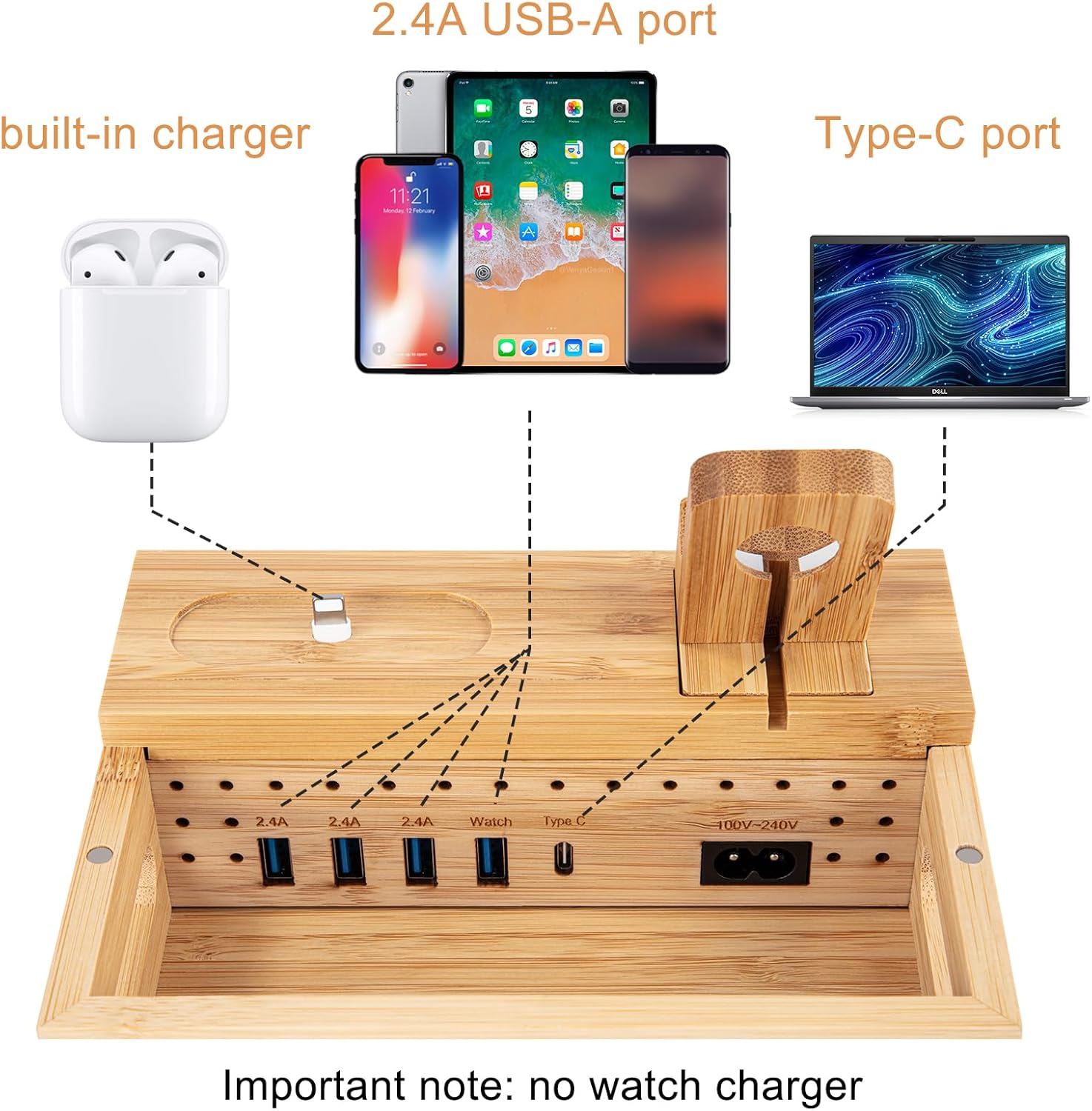
- Barneko konpartimenturako sarbidea: Gently lift the top cover of the bamboo station to reveal the internal USB ports and power input.
- Konektatu korronte kablea: Plug the provided AC power cable into the power input port located inside the station.
- Organize Charging Cables: Connect the provided mixed connector cords (or your own device-specific cables) to the available USB-A ports inside the station. Route the charging ends of the cables through the designated slots on the top cover.
- Install Apple Watch Charger (Optional): If charging an Apple Watch, insert your original Apple Watch magnetic charging cable into the dedicated watch stand slot. Route the cable through the bottom of the stand and connect it to one of the internal USB-A ports.
- Itxi azala: Carefully place the top cover back onto the bamboo base, ensuring all cables are neatly tucked away within the compartment.
- Konektatu korronte-hartunera: Plug the AC power cable into a standard wall outlet.

Funtzionamendu-argibideak
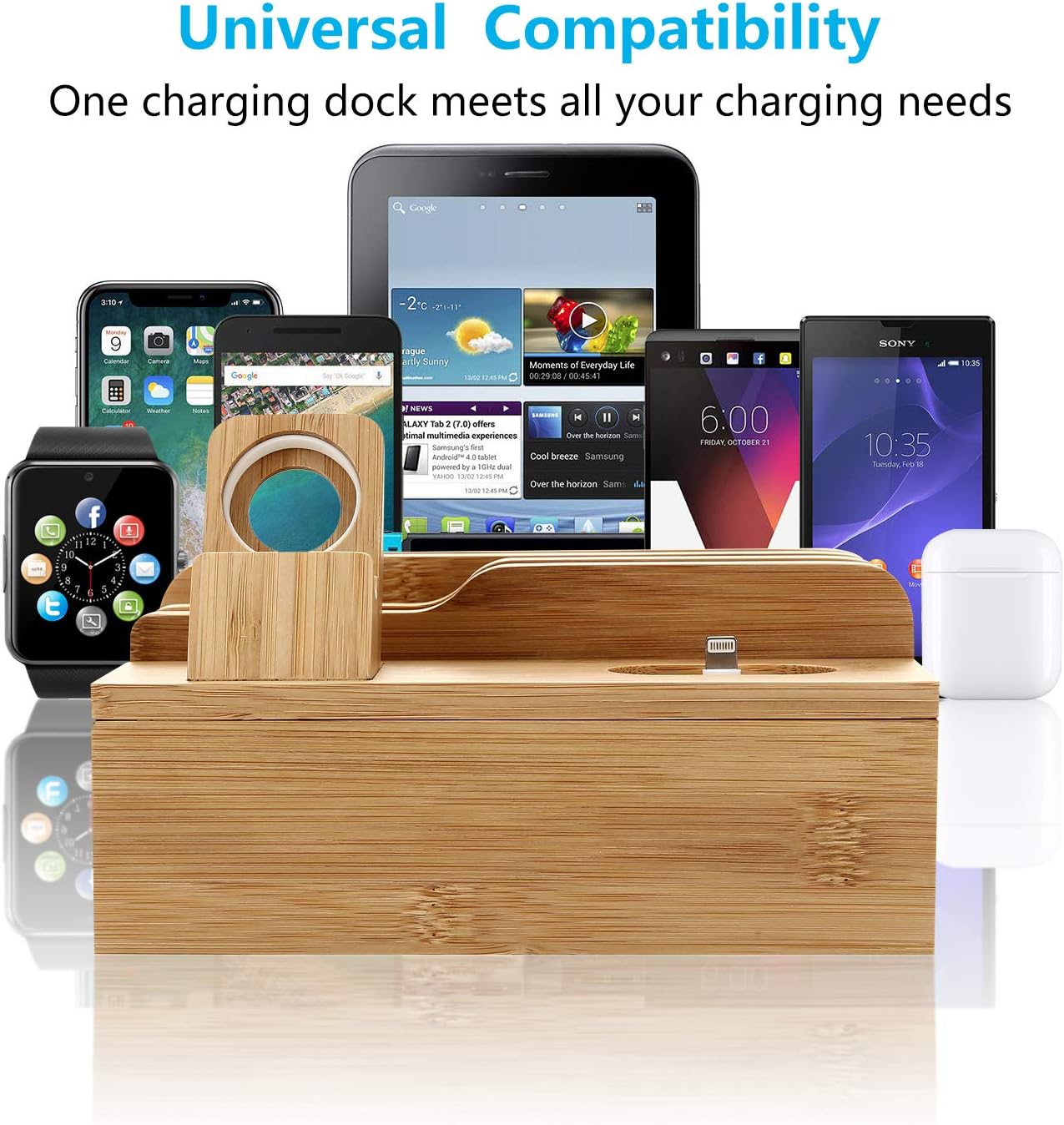
- Kargatzeko gailuak: Place your smartphones, tablets, or other USB-powered devices into the designated slots on the top of the station. Connect them to the appropriate charging cables. The station supports various devices including iPhones, iPads, Samsung Galaxy phones, and more.
- Apple Watch kargatzea: Place your Apple Watch onto the watch stand. Ensure the magnetic charger aligns correctly with the back of your watch for charging. The 45-degree angle allows for Nightstand mode.
- AirPods kargatzen: Place your AirPods case onto the built-in charger for convenient charging.
- Smart IC Charging: The station features Smart IC technology to identify your device and protect against over-heat, short-circuit, and over-current.

Mantentzea
- Garbiketa: Wipe the bamboo surface with a soft, dry cloth. Avoid using abrasive cleaners or excessive moisture.
- Kableen kudeaketa: Periodically check the internal compartment to ensure cables remain neatly organized and are not tangled, which can impede proper closure or airflow.
- Aireztapena: Ensure the station is placed in an area with adequate ventilation to allow for excellent heat dissipation.
Arazoak konpontzea
- Gailua ez da kargatzen:
- Ziurtatu kargatzeko estazioa behar bezala konektatuta dagoela korronte-entxufe batera.
- Verify that the device's charging cable is securely connected to both the device and the USB port inside the station.
- Try a different USB port or charging cable to rule out a faulty connection or cable.
- Device Does Not Fit in Slot:
- The gap for devices is approximately 0.7 inches. Thick cases may prevent devices from fitting properly. Consider removing bulky cases if necessary.
- Avoid placing very large or heavy tablets in the back slots, as this might cause the station to tip over.
- Apple Watch ez da kargatzen:
- Ensure your original Apple Watch magnetic charger is correctly seated in the watch stand and connected to a USB port.
- Verify that the watch is properly aligned with the magnetic charger.
Zehaztapenak
| Ezaugarri | Xehetasuna |
|---|---|
| Produktuaren neurriak | 6.7 x 4.3 x 5 hazbete |
| Elementuaren pisua | 1.65 kilo |
| Modelo zenbakia | HTY-0930 |
| Konektibitate Teknologiak | USBa |
| Konektore mota | USB A mota, USB C mota |
| USB portuak guztira | 5 |
| Sarrera boltage | 240 Volt |
| Amparoa | 6 Amps |
| Ezaugarri bereziak | 5 short mix cords included (8" long), AC power cable 2 prong included, Built-in charger for AirPods, Built-in power supply |
| Fabrikatzailea | Sendewtek |
| Eskuragarri dagoen lehen data | 26ko ekainaren 2019a |
Segurtasun Informazioa
- Do not expose the charging station to water or excessive moisture.
- Avoid disassembling or attempting to repair the device yourself. Contact customer support for assistance.
- Mantendu haurren eta maskoten eskura.
- Use only the provided power cable or a certified replacement.
- Ziurtatu aireztapen egokia gehiegi berotzea saihesteko.
Bermea eta Laguntza
For warranty information or technical support, please refer to the product packaging or contact Sendowtek customer service directly. Keep your purchase receipt for warranty claims.


