
Sarrera
Thank you for choosing TRANYA B530 True Wireless Earbuds. This manual provides essential information for setting up, operating, and maintaining your earbuds. Please read it thoroughly before use to ensure optimal performance and longevity of your device.
The TRANYA B530 earbuds feature Bluetooth 5.0 technology, Aptx/AAC compatibility for high-quality audio, CVC8.0 noise cancellation for clear calls, and an IPX5 waterproof rating, making them suitable for various activities including sports and exercise.
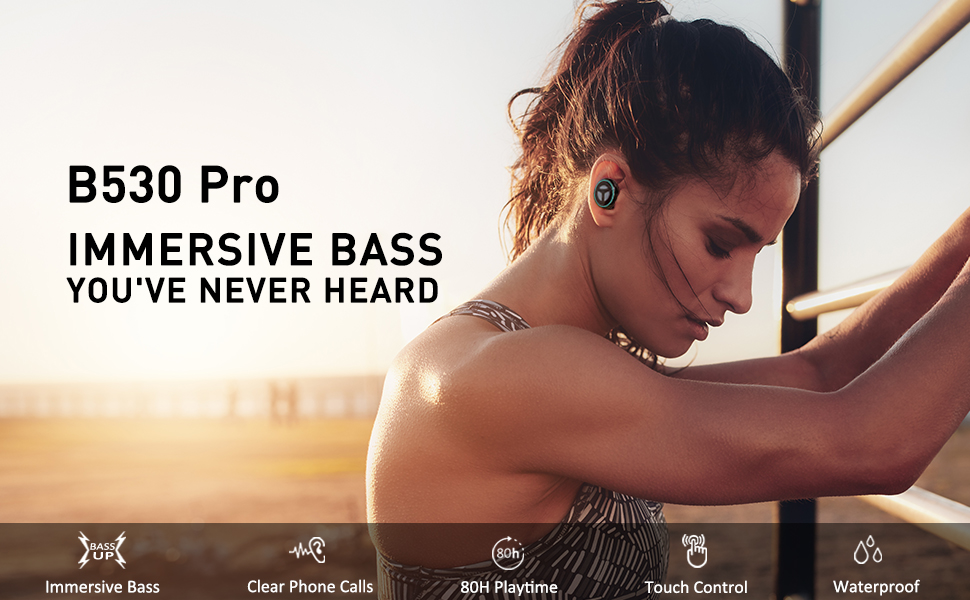
Image: TRANYA B530 True Wireless Earbuds and their charging case, showcasindiseinu beltz dotorea.
Paketearen edukia
Ziurtatu elementu guztiak zure paketean daudela:
- TRANYA B530 True Wireless Earbuds (Left & Right)
- Kargatzeko kaxa
- Silicone Eartips (3 pairs: Small, Medium, Large)
- Mikro USB kargatzeko kablea
- Erabiltzailearen eskuliburua


Image: Micro USB charging cable and various sizes of silicone eartips included in the package.
Konfigurazioa
1. Entzungailuak eta zorroa kargatzea
Before first use, fully charge the earbuds and the charging case. Connect the Micro USB charging cable to the charging port on the case and a power source. The LED indicators on the case will show the charging status.
- Kargatzeko kaxa: Gehienez 80 ordu jolasteko denbora.
- Entzungailuak: Gehienez 10 orduko erreprodukzio-denbora karga bakar batekin.

Image: TRANYA B530 earbuds shown with their charging case, highlighting the ultra-long playtime of up to 80 hours.
2. Zure gailuarekin parekatzea
The earbuds support effortless pairing and automatic on/off functionality.
- Kendu bi entzungailuak kargatzeko zorrotik. Automatikoki piztuko dira eta parekatze moduan sartuko dira.
- On your device (smartphone, tablet, etc.), go to Bluetooth settings and select "TRANYA B530" from the list of available devices.
- Once connected, you will hear a confirmation tone, and the earbud indicator lights will turn off.
The earbuds support both Sync Mode (stereo) and Mono Mode (single earbud use).

Image: Illustration showing TRANYA B530 earbuds in both Sync Mode (stereo) and Mono Mode (single earbud), with a smartphone screen displaying successful Bluetooth pairing.
Funtzionamendu-argibideak
The TRANYA B530 earbuds feature multi-functional touch controls for easy management of music and calls.

Image: A person using TRANYA B530 earbuds, demonstrating the multi-functional touch controls for volume, calling, voice assistance, and audio playback.
Musika Kontrola
- Erreproduzitu/Pausatu: Sakatu bakar batean entzungailu batean.
- Bolumena igo: Sakatu bi aldiz eskuineko entzungailuan.
- Bolumena jaitsi: Sakatu bi aldiz ezkerreko entzungailuan.
- Hurrengo ibilbidea: Sakatu hiru aldiz eskuineko entzungailuan.
- Aurreko pista: Sakatu hiru aldiz ezkerreko entzungailuan.
Deien Kudeaketa
- Deia erantzun/amaitu: Sakatu bakar batean entzungailu batean.
- Deia baztertu: Eduki sakatuta aurikularretako bat 2 segundoz.
Ahots Laguntzailea
- Aktibatu ahots-laguntzailea (Siri, Google Assistant): Eduki sakatuta aurikularretako bat 3 segundoz.
Mantentzea
Proper maintenance ensures the longevity and performance of your TRANYA B530 earbuds.
- Garbiketa: Garbitu aldizka entzungailuak eta kargatzeko zorroa oihal leun eta lehor batekin. Saihestu produktu kimiko gogorrak edo material urratzaileak erabiltzea.
- Biltegiratzea: Erabiltzen ez dituzunean, gorde entzungailuak kargatzeko zorroan hautsetik eta kalteetatik babesteko.
- Uraren esposizioa: While IPX5 waterproof, avoid prolonged exposure to water or submersion. Ensure earbuds are dry before placing them back in the charging case.
Arazoak konpontzea
Entzungailuekin arazoak badituzu, saiatu honako irtenbide hauekin:
| Arazoa | Irtenbidea |
|---|---|
| Entzungailuak ez dira parekatzen | Ensure earbuds are fully charged. Turn off and on your device's Bluetooth. Try resetting the earbuds (refer to user manual for specific reset instructions). |
| Aurikular bakarra funtzionatzen du | Place both earbuds back in the case, then remove them simultaneously to re-establish stereo connection. Check battery levels of both earbuds. |
| Soinu-kalitate eskasa | Ensure earbuds are properly seated in your ears with the correct size eartips for a good seal. Check for obstructions in the earbud nozzles. Ensure your device is within Bluetooth range. |
| Kargatzeko arazoak | Ensure the charging cable is securely connected. Try a different charging cable or power adapter. Clean the charging contacts on the earbuds and inside the case. |
Zehaztapenak
- Eredua: B530
- Bluetooth bertsioa: 5.0
- Haririk gabeko teknologia: Bluetootha
- Bluetooth barrutia: 10 metro
- Audio-kodekak: Aptx, AAC
- Zarata kontrola: CVC8.0 Noise Cancellation (for calls)
- Gidaria: Nano-Ti Diaphragm
- Uraren erresistentzia maila: IPX5 (iragazgaitza)
- Earbud Playtime (Single Charge): Gehienez 10 ordu
- Erreproduzitzeko denbora osoa (kargatzeko zorroarekin): Gehienez 80 ordu
- Kontrol mota: Touch Control (Media, Call, Voice Assistant, Volume)
- Pisua: 4.54 gramo (entzungailu bakoitzeko)
- Materiala: Plastikoa
Bermea eta laguntza
TRANYA B530 True Wireless Earbuds come with a standard 12-month warranty. You can extend your warranty to 15 months by registering your product on the official TRANYA webgunean erosi eta 14 eguneko epean.
For product information, support, or warranty claims, please visit www.tranya.com edo jarri harremanetan bezeroarentzako laguntza-zerbitzuarekin support@tranya.com.
Produktuaren bideo ofiziala
Bideoa: Produktu ofizial bat amaitu daview of the TRANYA B530 Pro Wireless Earbuds, highlighting key features and design.