
1. Sarrera
The Laserliner DigiLevel Laser G80 is a digital electronic spirit level designed for precise horizontal and vertical alignment, as well as accurate angle transfer. This device features an integrated green laser line for extending the measuring surface, a magnetic base for hands-free operation on metallic structures, and acoustic guidance for convenient use. Its 80 cm length makes it suitable for a wide range of applications in various trades.
2. Segurtasun-argibideak
Please read these safety instructions carefully before using the device. Failure to follow these instructions may result in injury or damage to the device.
- Laser erradiazioa: This device uses a Class 2 laser. Do not look directly into the laser beam or direct it towards other people. Eye protection is recommended when working with lasers.
- Pilak: Ensure correct battery polarity when inserting. Do not mix old and new batteries or different types of batteries. Remove batteries if the device will not be used for an extended period.
- Mantentzea: Ez saiatu gailua irekitzen edo aldatzen. Konponketak baimendutako langileek bakarrik egin behar dituzte.
- Ingurumena: Use the device within the specified operating temperature range (0°C to 40°C). Avoid exposure to extreme temperatures, moisture, or strong vibrations.
3. Produktua amaitu daview
3.1 Osagaiak
The DigiLevel Laser G80 consists of the following main components:
- Pantaila digitala
- Control Buttons (UNIT, REF, CAL, HOLD, Power/Backlight)
- Horizontal and Vertical Vials
- Green Laser Output
- Oinarri magnetikoa
- Bateriaren konpartimendua

1 Irudia: Gainetikview of the Laserliner DigiLevel Laser G80.

Figure 2: The DigiLevel Laser G80, its protective carrying bag, and AAA batteries.
3.2 Pantaila eta botoiak
The digital display provides clear readings and indicators. The buttons allow for various functions and settings.

Figure 3: Close-up of the backlit digital display, showing angle measurement and battery status.

Figure 4: The automatic 180° flip display feature for convenient overhead measurements.
- UNIT botoia: Press to cycle through measurement units (degrees, %, mm/m).
- REF botoia: Press to set the current angle as a reference (0°) for relative measurements.
- CAL Button: Press and hold to enter calibration mode for maintaining accuracy.
- HOLD botoia: Press to freeze the current measurement on the display.
- Pizteko botoia (⑂): Press to turn the device on/off. Short press to activate/deactivate backlight.
4. Konfigurazioa
4.1 Bateriaren instalazioa
- Bilatu bateriaren konpartimentuaren estalkia gailuan.
- Ireki estalkia.
- Insert two (2) 1.5V LR03 (AAA) batteries, ensuring correct polarity (+/-).
- Itxi bateriaren konpartimenduaren estalkia ondo.
5. Funtzionamendu-argibideak
5.1 Piztu/Itzali
Press the Power button (⑂) to turn the device on. Press and hold the Power button to turn it off.
5.2 Oinarrizko neurketa
Place the DigiLevel Laser G80 on the surface to be measured. The digital display will show the angle of inclination. The display automatically rotates 180° for overhead measurements.
5.3 Unitatearen hautaketa
Sakatu UNITATEA button to switch between different measurement units: degrees (°), percentage (%), and mm/m.
5.4 Reference Function (REF)
To measure relative angles, place the device on a surface and press the ERREF button. The display will show 0.0°, and subsequent measurements will be relative to this set reference angle. Press ERREF again to return to absolute measurement.
5.5 Calibration (CAL)
For sustained accuracy, periodic calibration is recommended. Refer to the full user manual for detailed calibration steps. Generally, this involves placing the device on a level surface, initiating calibration, rotating 180°, and confirming.
5.6 Laser funtzioa
The integrated green laser line extends the measuring surface, allowing for precise alignment over longer distances. Activate the laser by pressing the dedicated laser button (often integrated with the power button or a separate button). The laser module is located at one end of the level.

Figure 5: The green laser module projecting a line for extended measurement.

Figure 6: The DigiLevel Laser G80 in use, projecting a green laser line onto a wall for alignment.
5.7 Acoustic Guidance
The device provides acoustic signals to assist with alignment at specific angles (0°, 45°, 90°). Three different tones indicate these angles, allowing for hands-free alignment without constantly watching the display.
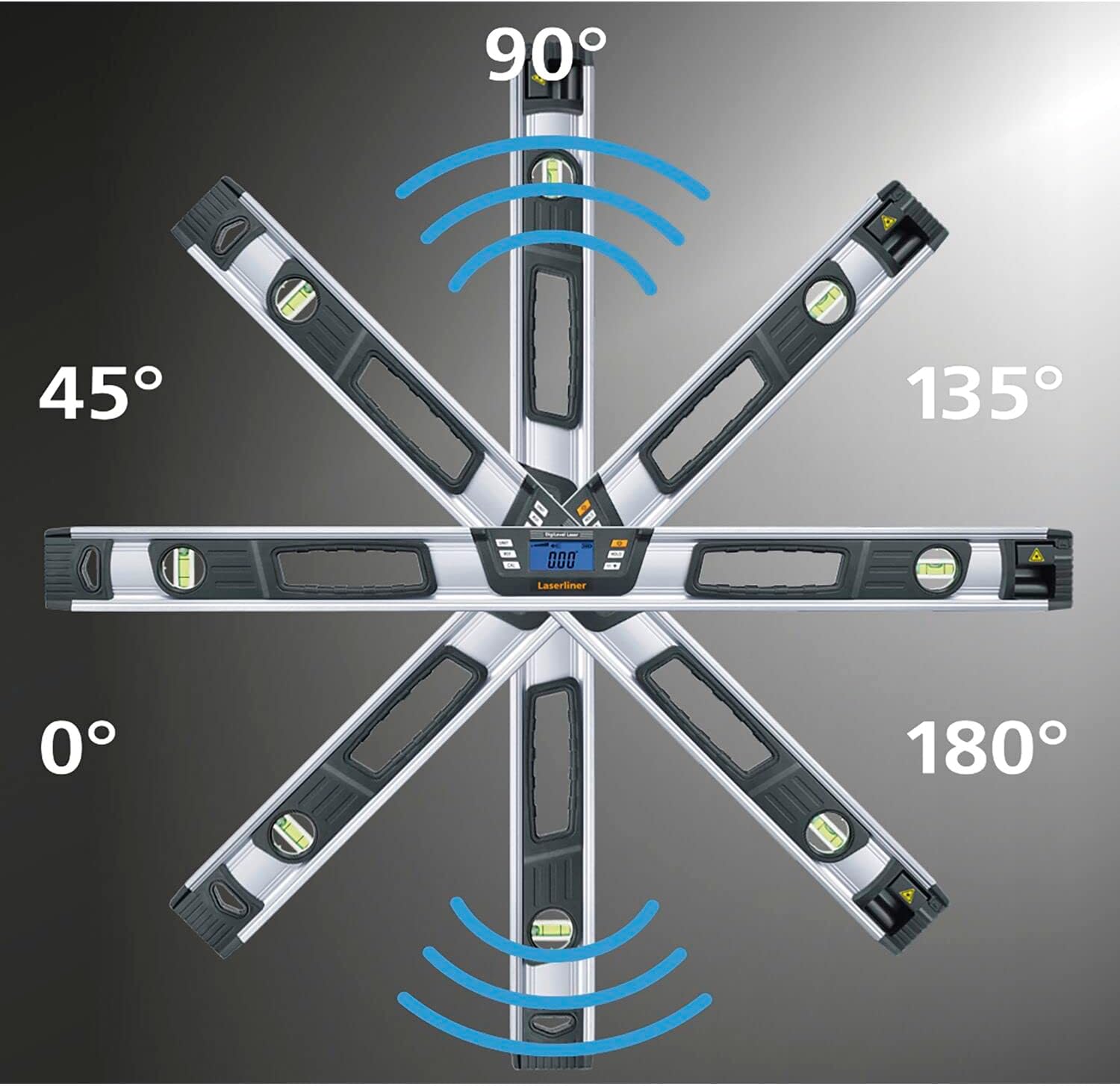
Figure 7: Illustration of 360° angle measurement and acoustic signals at key angles (0°, 45°, 90°, 135°, 180°).
5.8 Eutsi funtzioa
Sakatu EUTSI button to freeze the current measurement on the display. This is useful for taking readings in difficult-to-view positions. Press EUTSI again to release the measurement.

Figure 8: The 'Hold Angle' function, allowing the current measurement to be frozen on the display.
5.9 Oinarri magnetikoa
The integrated magnetic base allows the device to be securely attached to metallic surfaces, enabling hands-free operation for increased convenience and precision.

Figure 9: The magnetic base provides secure attachment to metal surfaces.
6. Aplikazioak
The Laserliner DigiLevel Laser G80 is suitable for a variety of professional and DIY applications, including:
- Carpentry and Joinery: Precise alignment of wooden structures, frames, and furniture.
- Drywall instalazioa: Ensuring level and plumb surfaces for wall and ceiling panels.
- Teilatua: Measuring and transferring roof pitches and angles.
- Pintura: Establishing level lines for decorative elements or wall preparation.
- Eraikuntza orokorra: Any task requiring accurate horizontal, vertical, or angle measurements.

Figure 10: Using the laser line to align multiple picture frames on a wall.
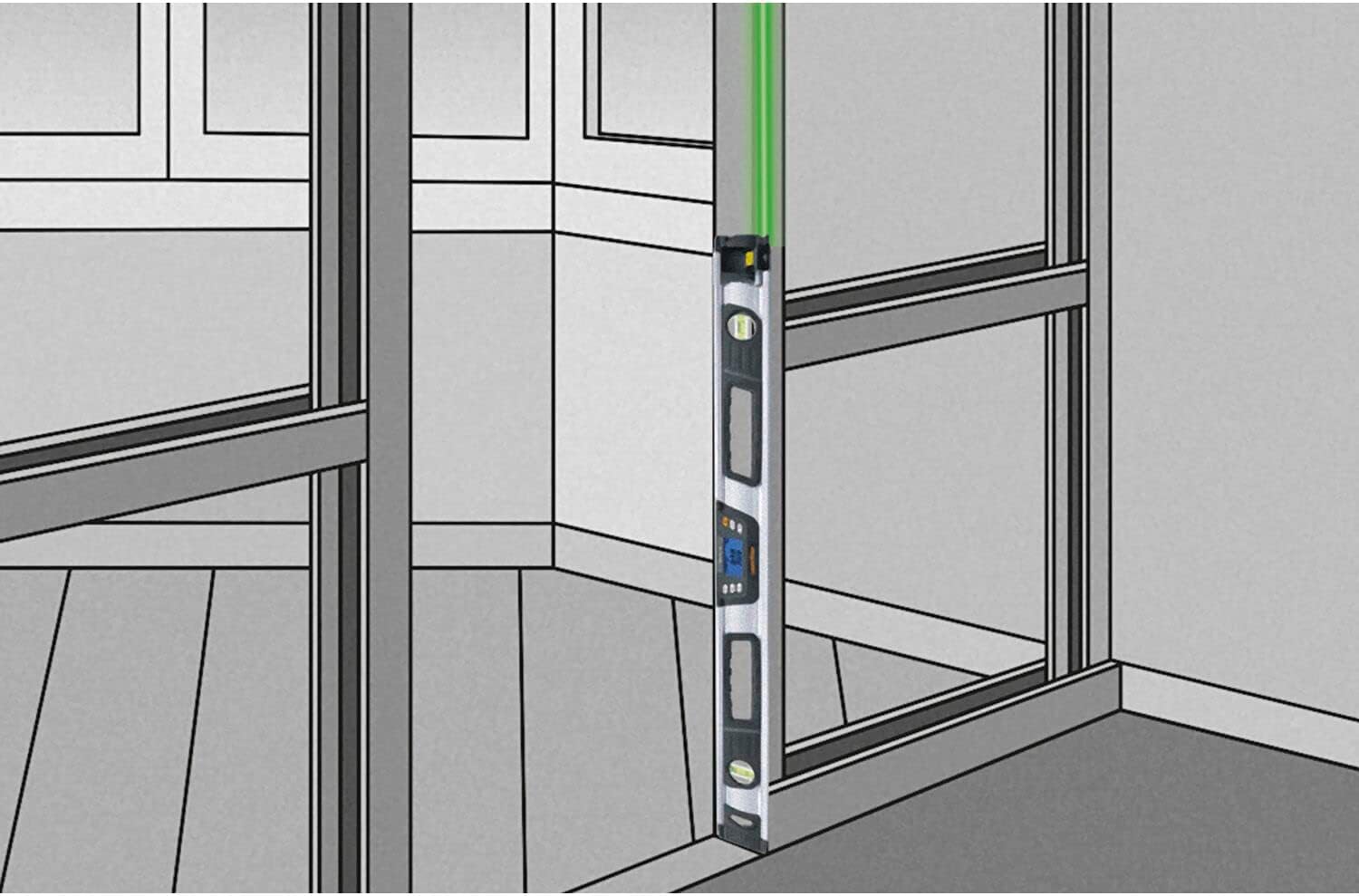
Figure 11: The spirit level used for vertical alignment, ensuring plumb surfaces.

Figure 12: Measuring and aligning on an angled ceiling or sloped surface.

Figure 13: Acoustic guidance assists in leveling shelves, indicated by sound waves.

Figure 14: Acoustic feedback helps in precisely aligning cabinets during installation.
7. Mantentzea
- Garbiketa: Garbitu gailua leun batekin, damp oihal. Ez erabili garbitzaile edo disolbatzaile urratzailerik.
- Biltegiratzea: Store the device in its carrying bag in a dry, dust-free environment when not in use. Remove batteries if storing for extended periods.
- Ikuskapena: Egiaztatu aldian-aldian gailua kalte-zantzurik dagoen.
8. Arazoak
- Gailua ez da pizten: Egiaztatu bateriaren instalazioa eta ziurtatu bateriak ez daudela agortuta. Ordeztu behar izanez gero.
- Irakurketa zehaztugabeak: Perform a calibration as described in the full user manual. Ensure the device is placed on a stable surface.
- Laserra ez da ikusten: Check battery level. Ensure the laser output is not obstructed.
9. Zehaztapenak
| Modelo zenbakia | 081.257A |
| Luzera | 80 cm |
| Laser mota | Green Line Laser, Class 2, <1 mW |
| Laser uhin-luzera | 515 nm |
| Electronic Measurement Accuracy | ± 0.1° at 0°…1° and 89°…90°, ± 0.2° at 1°…89° |
| Vial Accuracy | ± 0.5 mm/m |
| Bistaratzeko zehaztasuna | 1 hamartar |
| Elikatze Hornidura | 2 x 1.5V LR03 (AAA) batteries |
| Funtzionamendu-tenperatura | 0°C eta 40°C artean |
| Materiala | Aluminioa |
| Pisua | 966 gramo |
10. Paketearen edukia
The Laserliner DigiLevel Laser G80 package includes:
- DigiLevel Laser G80 Digital Electronic Spirit Level
- 2 x 1.5V LR03 (AAA) Batteries
- Garraio Poltsa
11. Bermea eta Laguntza
Warranty information for the Laserliner DigiLevel Laser G80 is typically provided with the product at the time of purchase or can be obtained directly from the manufacturer, Laserliner. For technical support, please refer to the contact information provided in your product packaging or visit the official Laserliner webgunea.