
Sarrera
Thank you for choosing the Conceptronic REGAS01B Optical Desktop Mouse. This manual provides essential information for setting up, operating, and maintaining your new mouse. Please read these instructions carefully before use to ensure proper functionality and longevity of your device.
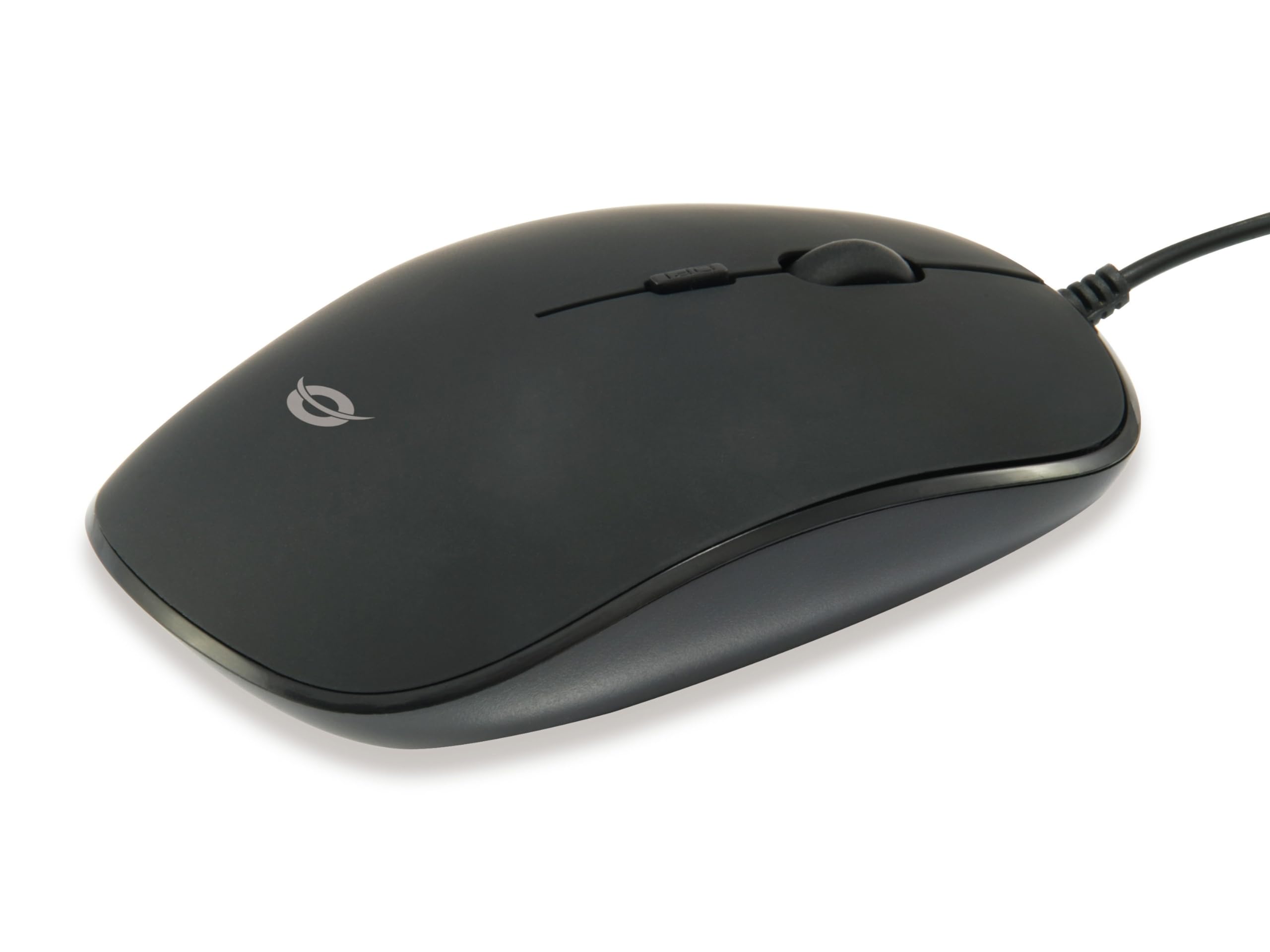
Irudia: Goian view of the Conceptronic REGAS01B Optical Desktop Mouse, showcasing its ergonomic black design.
Paketearen edukia
Ziurtatu elementu guztiak paketean daudela:
- Conceptronic REGAS01B Optical Desktop Mouse
- Erabiltzailearen eskuliburua (dokumentu hau)
- Note: This is a wired USB mouse and does not require external batteries for operation, despite some generic product data indicating otherwise.
Ezaugarriak
- DPI etengailua: Adjustable sensitivity (800/1000/1200 DPI) for precise control.
- Plug and Play: Easy installation without the need for additional drivers.
- Diseinu anbidistroa: Erosoa bai ezkerreko bai eskuineko erabiltzaileentzat.
- Rubberized Surface: Provides enhanced grip and comfort during extended use.
- Jarraipen optikoa: Reliable and accurate cursor movement.
- USB konexioa: Standard wired connection for stable performance.
Konfigurazioa
- Konektatu sagua: Locate an available USB port on your computer. Insert the USB connector of the Conceptronic REGAS01B mouse into the USB port.
- Instalazio automatikoa: Your operating system (Windows, Linux, etc.) will automatically detect and install the necessary drivers. This process typically takes a few seconds.
- Erabiltzeko prest: Once the installation is complete, the mouse is ready for immediate use. No additional software is required.

Irudia: Gertuko planoa view of the mouse's scroll wheel and the DPI switch button, located behind the scroll wheel.
Funtzionamendu-argibideak
Oinarrizko Funtzioak
- Ezkerreko klik: Press the left button to select items, open files, edo funtzioak aktibatu.
- Egin klik eskuineko botoiarekin: Sakatu eskuineko botoia testuinguru-menuak irekitzeko edo aukera gehigarrietara sartzeko.
- Korritzeko gurpila: Biratu gurpila gora edo behera dokumentuetan nabigatzeko eta web pages. The scroll wheel can also be pressed for a middle-click function, depending on software configuration.
DPI sentikortasuna doitzea
The Conceptronic REGAS01B mouse features a DPI switch to adjust cursor sensitivity on the fly. This allows you to quickly change between different tracking speeds for various tasks, such as precise editing or fast-paced gaming.
- DPI aldatzeko botoia: Located behind the scroll wheel.
- Sentsibilitate maila: Press the DPI switch button to cycle through 800, 1000, and 1200 DPI settings.
- Hautaketa: Each press will change the sensitivity, allowing you to find the optimal speed for your current activity.
Mantentzea
- Garbiketa: Erabili zapi leun eta lehor bat saguaren gainazala garbitzeko. Zikinkeria egoskorra bada, garbitu pixka bat.ampGarbitu zapi bat urarekin edo garbiketa-soluzio leun batekin. Saihestu produktu kimiko gogorrak edo material urratzaileak.
- Sentsore optikoa: Jarraipen zehatza bermatzeko, mantendu saguaren azpialdeko sentsore optikoa garbi eta hautsik edo hondakinik gabe.
- Biltegiratzea: When not in use, store the mouse in a clean, dry environment.
- Saihestu likidoak: Do not expose the mouse to excessive moisture or immerse it in liquids.
Arazoak konpontzea
Saguak ez du erantzuten
- Egiaztatu USB konexioa: Ziurtatu USB kablea ondo konektatuta dagoela ordenagailuko USB ataka funtzional batean. Saiatu beste USB ataka batekin.
- Berrabiarazi ordenagailua: Sometimes a simple computer restart can resolve connectivity issues.
- Proba beste ordenagailu batean: Ahal bada, probatu sagua beste ordenagailu batean arazoa saguarekin edo ordenagailuaren konfigurazioarekin dagoen zehazteko.
Inaccurate Cursor Movement
- Clean Optical Sensor: Ziurtatu saguaren beheko aldean dagoen sentsore optikoa garbi eta hautsik edo hondakinik gabe dagoela.
- Saguaren alfonbra/gainazala: Use the mouse on a clean, non-reflective, and uniform surface. Avoid highly reflective or transparent surfaces.
- Doitu DPIa: Experiment with the DPI switch to find a sensitivity setting that provides accurate tracking for your needs.
Zehaztapenak
| Ezaugarri | Xehetasuna |
|---|---|
| Marka | Kontzeptronikoa |
| Ereduaren izena | REGAS01B |
| Kolorea | Beltza |
| Konektibitate Teknologia | USB (kablea) |
| Mugimenduak detektatzeko teknologia | Optikoa |
| DPI ezarpenak | 800 / 1000 / 1200 DPI (erregulagarria) |
| Botoi kopurua | 3 (Left, Right, Scroll Wheel/Middle Click) + DPI Switch |
| Eskuen Orientazioa | Anbidistroa |
| Gailu bateragarriak | Ordenagailu pertsonala |
| Sistema eragileen bateragarritasuna | Linux, Windows 7, Windows XP (and newer versions) |
| Elementuaren pisua | 61 gramo |
| Ezaugarri bereziak | Ergonomic Design, Rubberized Surface, Plug & Play |
| Fabrikatzailearen pieza zenbakia | REGAS01B |
| GTIN (UPC) | 04015867208526 |
Bermea eta Laguntza
Bermeari buruzko informazioa eta laguntza teknikoa lortzeko, jo ezazu Conceptronic-en webgune ofizialera. webwebgunearekin edo jarri harremanetan zure tokiko saltzailearekin. Gorde erosketaren frogagiria bermearen erreklamazioetarako.
- Lineako laguntza: Bisitatu www.conceptronic.net (Oharra: Hau leku-markatzailea da URL, please replace with the actual support URL eskuragarri badago.)
- Harremanetarako: Refer to the contact information provided on the product packaging or the Conceptronic webbezeroarentzako arretarako gunea.