
Sarrera
This manual provides comprehensive instructions for the installation, operation, maintenance, and troubleshooting of your Sapphire Pulse RX 5700 XT 8GB GDDR6 Graphics Card. Designed for an immersive gaming experience, this card features the AMD RDNA gaming architecture and 7nm process technology, offering high visual fidelity and performance for modern games.
The Pulse RX 5700 XT includes 2560 stream processors, a boost clock of up to 1925 MHz, and 8 GB of GDDR6 memory. It incorporates Sapphire's Dual-X cooling solution for efficient and quiet operation, maintaining temperatures below 75°C during gaming.
1. Konfigurazioa eta instalazioa
1.1 Sistemaren eskakizunak
- Sistema eragilea: Windows 10 (64 biteko) edo Windows 7 (64 biteko)
- Elikatze-iturria: Recommended 650 Watt (minimum 600 Watt)
- Potentzia-konektoreak: 1 x 8-pin, 1 x 6-pin
- Plaka nagusia: PCI Express-based PC with one X16 lane graphics slot available
- Sistemaren memoria (RAM): Minimum 8 GB, 16 GB recommended
1.2 Instalazio fisikoa
- Prestatu zure ordenagailua: Itzali ordenagailua eta deskonektatu kable guztiak. Ireki ordenagailuaren karkasa.
- Aurkitu PCIe zirrikitua: Identifikatu zure plaka basean PCI Express x16 zirrikitu libre bat.
- Txertatu txartel grafikoa: Kontu handiz lerrokatu grafiko-txartela PCIe zirrikituarekin eta sakatu ondo sartu arte. Ziurtatu plaka baseko atxikipen-klipak ondo sartzen dela.
- Ziurtatu txartela: Use a screw to fasten the graphics card bracket to the PC case.
- Konektatu energia: Connect the required 8-pin and 6-pin PCIe power connectors from your power supply to the corresponding ports on the graphics card.
- Itxi karkasa eta konektatu periferikoak: Close your computer case, reconnect all cables (monitor, keyboard, mouse, power), and power on your PC.
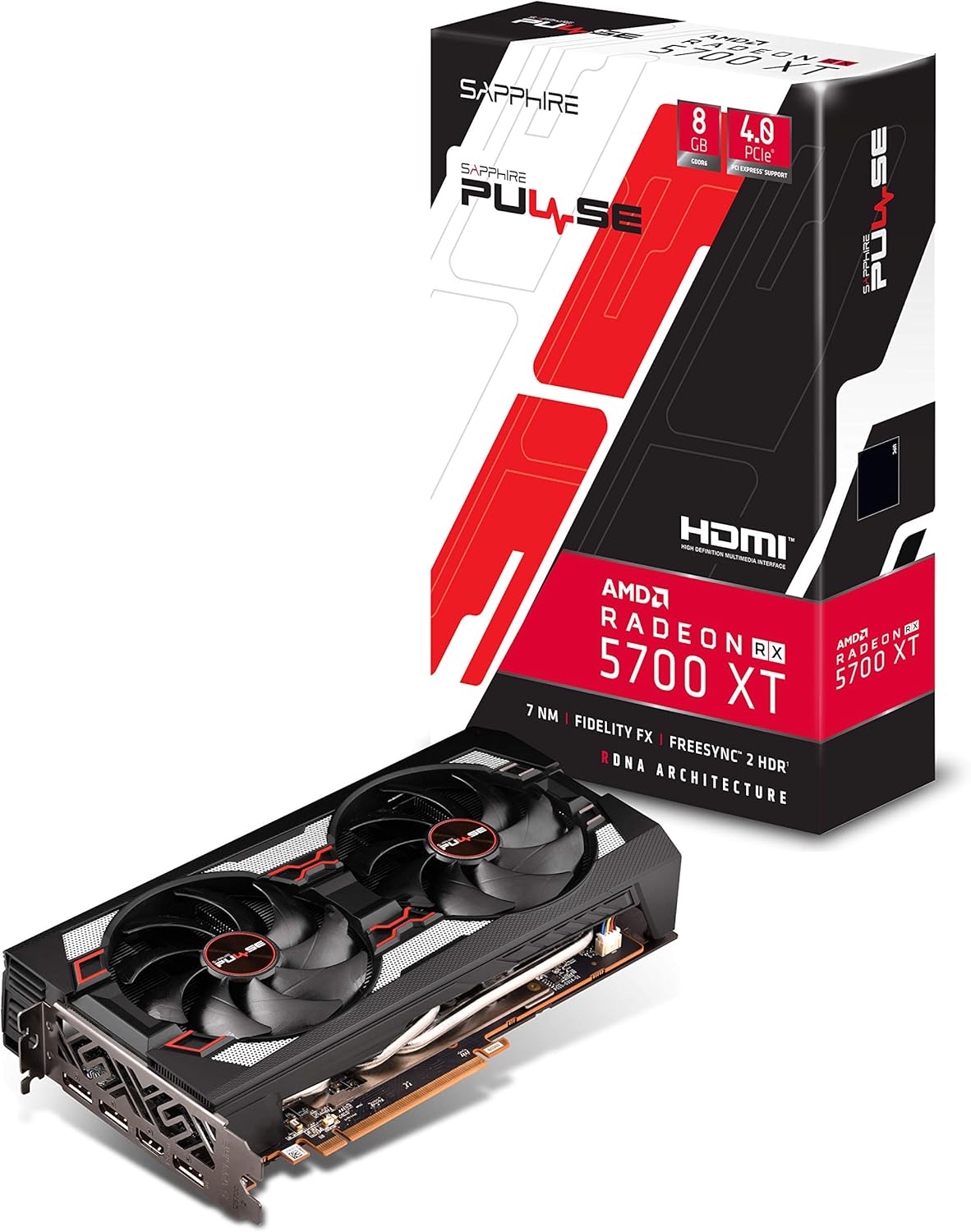
1. irudia: Aurrealdea view of the Sapphire Pulse RX 5700 XT Graphics Card, showing the Dual-X cooling fans.

2. irudia: Angeludun view of the graphics card, highlighting the display output ports (HDMI and DisplayPort).
1.3 Gidariaren instalazioa
After physical installation, you will need to install the latest AMD Radeon drivers.
- Instalazio CDa erabiliz: Insert the provided installation CD into your optical drive and follow the on-screen instructions.
- Downloading Latest Drivers: For optimal performance and compatibility, it is recommended to download the latest drivers directly from the official AMD webgunea (www.amd.com/en/support). Select your graphics card model and operating system to download the appropriate driver package.
- Follow Installation Prompts: Exekutatu deskargatutako kontrolatzailearen instalatzailea eta jarraitu argibideei instalazioa osatzeko. Baliteke sistema berrabiarazi behar izatea.
2. Zure txartel grafikoa erabiltzea
2.1 Pantailak konektatzea
The Sapphire Pulse RX 5700 XT supports multiple display outputs: 1 x HDMI and 3 x DisplayPort. Connect your monitor(s) to the appropriate ports on the graphics card.
- HDMI: HDMIrekin bateragarriak diren pantailetara konektatzeko.
- DisplayPort (DP): For connecting to DisplayPort-compatible displays, often supporting higher refresh rates and resolutions.
2.2 Software Features and Optimization
Leverage AMD Radeon Software to optimize your gaming experience and graphics card performance. Key features include:
- Radeon Image Sharpening (RIS): Enhances visual clarity in games that may have softened images due to post-processing effects.
- FidelityFX: An open-source toolkit for game developers offering high-quality post-process effects for improved visual fidelity and performance balance.
- Radeon Anti-Lag: Reduces input-to-display response times, improving responsiveness in competitive gaming.
- Intelligent Fan Control: The card's cooling solution intelligently adjusts fan speeds to maintain optimal temperatures and minimize noise during operation.
Bideoa: Amaitu daview of the Sapphire Pulse RX 5700 XT series, demonstrating features and performance. (Source: Althon Micro Inc.)
3. Mantentzea
Mantentze-lan erregularrak zure txartel grafikoaren iraupena eta errendimendu optimoa bermatzen laguntzen du.
- Hautsa kentzea: Periodically clean dust from the fans and heatsink using compressed air. Ensure the PC is powered off and unplugged before cleaning. Hold the fan blades gently to prevent them from spinning rapidly during cleaning.
- Gidarien eguneraketak: Keep your graphics drivers updated by regularly checking the official AMD website for new releases.
- Tenperaturaren jarraipena: Utilize monitoring software (e.g., AMD Radeon Software) to keep an eye on your GPU temperatures, especially during heavy loads, to ensure it operates within safe limits.
4. Arazoak
Zure txartel grafikoarekin arazoak badituzu, jarraitu arazoak konpontzeko ohiko urrats hauek:
- Ez dago pantaila-irteerarik:
- Ziurtatu monitorearen kablea ondo konektatuta dagoela bai txartel grafikoari bai monitoreari.
- Egiaztatu txartel grafikoa PCIe zirrikituan guztiz sartuta dagoela.
- Check that all required power connectors (8-pin and 6-pin) are firmly attached to the graphics card.
- Ahal bada, probatu beste pantaila-kable edo monitore batekin.
- Sistemaren ezegonkortasuna edo matxurak:
- Ensure your graphics drivers are up-to-date. Consider performing a clean installation of the drivers.
- Check your power supply unit (PSU) to ensure it meets the recommended wattage (650W gomendatzen dira).
- Monitor GPU temperatures to ensure the card is not overheating.
- Poor Performance in Games:
- Verify that your game settings are appropriate for your system and graphics card capabilities.
- Ensure your graphics drivers are the latest version.
- Egiaztatu sistemaren baliabideak kontsumitzen dituzten atzeko planoan dauden aplikazioak.
For further assistance, consult the AMD support website or Sapphire's official support channels.
5. Zehaztapen Teknikoak
| Ezaugarri | Zehaztapena |
|---|---|
| Ereduaren izena | 11293-01-20G |
| Prozesadore grafikoa | AMD Radeon RX 5700 XT (Navi) |
| Korronte prozesadoreak | 2560 |
| Memoria Grafikoa | 8 GB GDDR6 |
| Memoria Erlojuaren Abiadura | 1.4 GHz |
| Interfazea | PCI-Express 4.0 x16 |
| Oinarrizko Erlojua | 1670 MHz |
| Game Clock | 1815 MHz |
| Boost Erlojua | 1925 MHz arte |
| Bideo Irteera | 1 x HDMI, 3 x DisplayPort |
| Max Ebazpena | 3840x2160 (4K) / 1440P |
| Hozteko irtenbidea | Dual-X Cooling (2 Fans) |
| Forma-faktorea | 2.3 slot, ATX |
| Neurriak (L x W) | 10"L x 5.31"W (254 x 135 x 46.5 mm) |
| Elementuaren pisua | 1 Kilogramo |
| UPC | 840777083000 |

Figure 3: Graphics card dimensions, showing approximate length and width.
6. Bermearen informazioa
This Sapphire Pulse RX 5700 XT Graphics Card comes with a 2 urteko fabrikatzailearen bermea. Please retain your proof of purchase for warranty claims. For detailed terms and conditions, refer to the official Sapphire webwebgunean edo jarri harremanetan bere bezeroarentzako laguntzarekin.
7. Bezeroarentzako arreta
For technical support, driver downloads, FAQs, and additional product information, please visit the official Sapphire webgunea:
www.sapphiretech.com/en/support
You can also refer to the AMD support website for general Radeon software and driver assistance:
www.amd.com/en/support