
Sarrera
The Elgato Master Mount L is a robust desk clamp designed to securely hold cameras, lights, microphones, and other accessories. It features an extendable pole, allowing for flexible positioning in various setups, including streaming, videoconferencing, and studio environments. This manual provides instructions for the proper setup, operation, and maintenance of your Master Mount L.
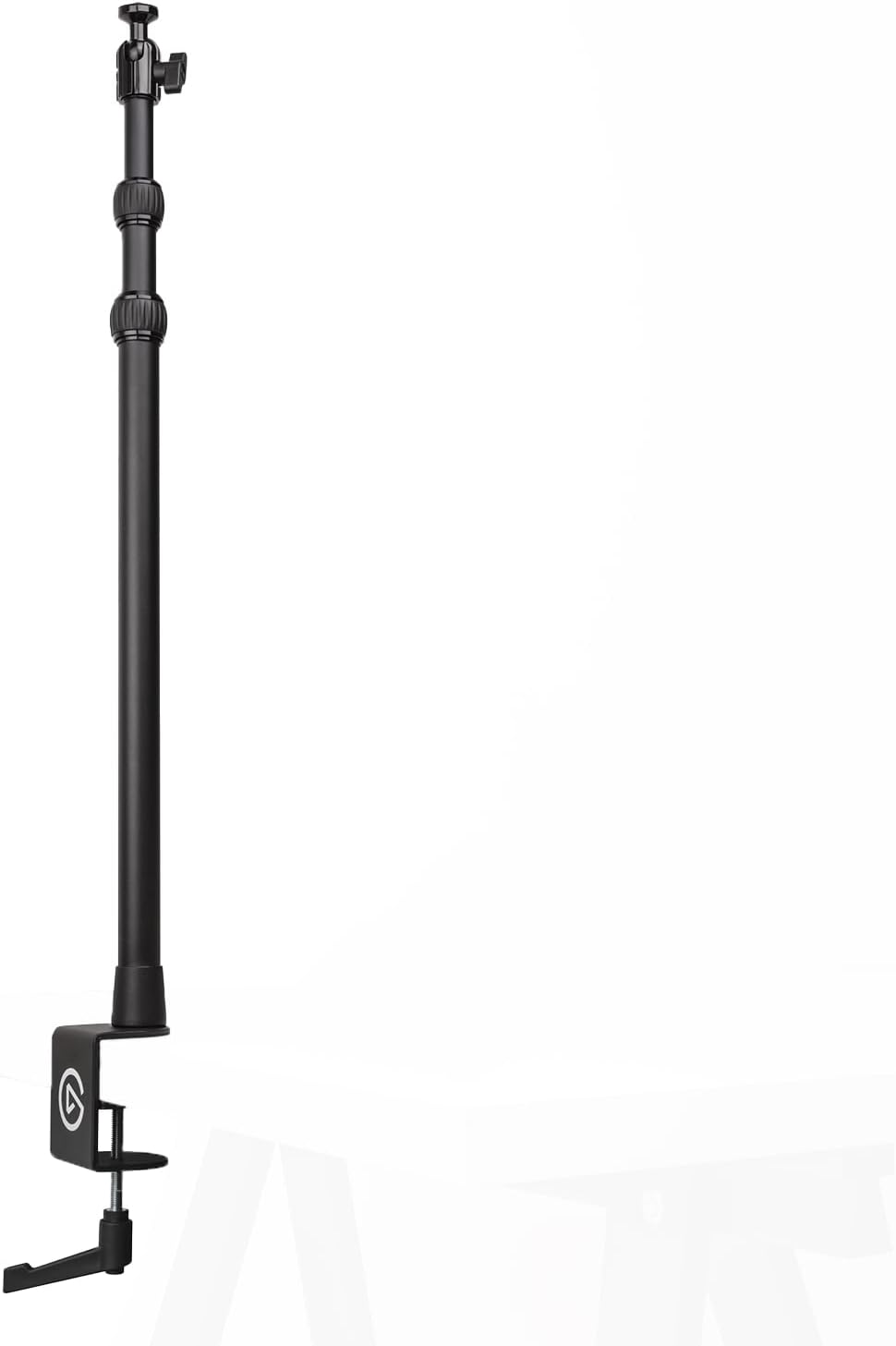
Image: Elgato Master Mount L desk clamp with extendable pole, shown in its upright position.
Konfigurazioa
- Attaching the Desk Clamp: Identify a suitable surface on your desk or table. The padded desk clamp can accommodate surfaces up to 6 cm (2.35 inches) thick. Rotate the clamp screw to open the jaws, position the clamp securely on the edge of your surface, and tighten the screw until the mount is stable. Ensure the clamp is firmly attached to prevent movement.
- Adjusting Pole Height: The Master Mount L features a 3-section telescopic pole. To adjust the height, twist the rubber locking rings counter-clockwise to loosen, extend or retract the pole sections to your desired height (from 55 cm / 22 in up to 125 cm / 49 in), then twist the rings clockwise to secure them firmly in place.
- Gailuak eranstea: The top of the pole is equipped with a 1/4-inch screw and a ball head. Attach your camera, light, microphone, or other compatible accessory by screwing it onto the 1/4-inch thread. Ensure the device is securely fastened.
- Positioning Devices: The integrated ball head allows for precise tilting and rotation of your attached device. Loosen the knob on the ball head to adjust the angle, then tighten it to lock the device in position.

Image: Close-up of the Master Mount L's desk clamp, showing its maximum opening of 2.35 inches (6 cm) for secure attachment.

Irudia: Xehetasun handikoa view of the Master Mount L's ball socket and head with a 1/4-inch screw, alongside the 3-section telescopic pole with rubber twist locks.

Image: A user setting up a streaming station with two Elgato Master Mount L units holding lights and a camera, demonstrating a typical application.
Funtzionamendua
Once set up, the Elgato Master Mount L provides a stable and adjustable platform for your gear. Its design allows for quick adjustments to suit your workflow.
- Altuera doitzea: Utilize the rubber twist locks on the telescopic pole for on-the-fly height changes. Loosen, adjust, and tighten as needed.
- Angeluaren doikuntza: The ball head offers flexibility for angling your device. Loosen the ball head knob, position your device, and re-tighten for a secure hold.
- Multi Mount System Compatibility: The Master Mount L is a core component of the Elgato Multi Mount modular rigging system. It can be expanded with various optional accessories such as Flex Arms, Solid Arms, Phone Grips, and Heavy Bases (sold separately) to create customized setups.

Image: Diagram illustrating the Elgato Master Mount L's compatibility with optional accessories like Flex Arm, Phone Grip, Solid Arm, and Heavy Base, which are sold separately.
Mantentzea
To ensure the longevity and optimal performance of your Elgato Master Mount L, follow these maintenance guidelines:
- Garbiketa: Wipe the mount with a soft, dry cloth to remove dust and debris. For stubborn marks, a slightly damp Oihal bat erabil daiteke, eta berehala lehortu ondoren. Saihestu garbitzaile edo disolbatzaile urratzaileak.
- Ikuskapena: Aldian-aldian egiaztatu torloju guztiak, klipaamps, and locking mechanisms to ensure they are tight and functioning correctly. If any component appears loose or damaged, refrain from use until it is secured or replaced.
- Biltegiratzea: When not in use, store the Master Mount L in a clean, dry environment.
Arazoak konpontzea
If you encounter issues with your Elgato Master Mount L, consider the following common solutions:
- Mount Instability: Ziurtatu mahaia clamp is fully tightened on a stable surface. Verify that the surface thickness is within the clamp's capacity (up to 6 cm / 2.35 inches).
- Pole Slipping: Confirm that the rubber twist locks on the telescopic pole sections are securely tightened after adjusting the height.
- Device Not Holding Position: Make sure the 1/4-inch screw attaching your device is tight. If using the ball head, ensure its locking knob is fully tightened after positioning.
- Difficulty Adjusting: If the twist locks or ball head knob are stiff, ensure no debris is obstructing the mechanism. Do not force adjustments; gently loosen and re-tighten.
Zehaztapenak
| Modelo zenbakia | 10AAB9901 |
| Marka | Elgato |
| Altuera erregulagarria | 55 cm / 22 in to 125 cm / 49 in |
| Mahaia Clamp Edukiera | Up to 6 cm / 2.35 in |
| Muntatzeko haria | 1/4 hazbeteko torlojua |
| Pisua | Gutxi gorabehera. 0.9 kg / 1.98 lb |
| Neurriak (LxWxH) | 4.29 x 2.36 x 25.2 hazbete (tolestuta) |
| Kolorea | Beltza |
| Gailu bateragarriak | Cameras, Lights, Microphones, and other 1/4-inch threaded accessories |
Bermearen informazioa
For detailed warranty information regarding your Elgato Master Mount L, please refer to the official Elgato webwebgunean edo produktuarekin batera datorren berme-txartelean. Bermearen baldintzak eta zehaztapenak eskualdearen arabera alda daitezke.
Laguntza
If you require further assistance or have questions not covered in this manual, please visit the official Elgato support website for FAQs, troubleshooting guides, and contact information. You can typically find support resources at www.elgato.com/laguntza.


