
Sarrera
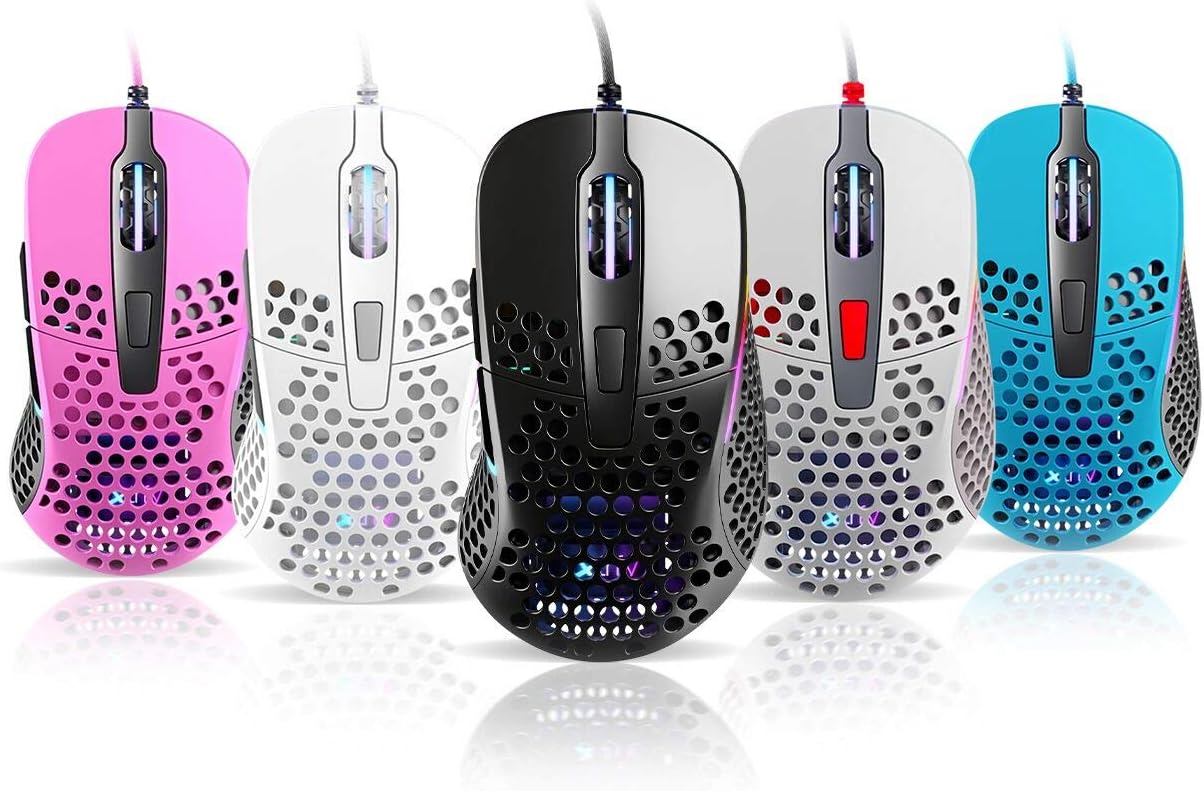
Thank you for choosing the Xtrfy M4 RGB Ultralight Gaming Mouse. This manual provides essential information for setting up, operating, and maintaining your new gaming mouse. The Xtrfy M4 is designed for high-performance gaming, featuring an ultralight design, customizable RGB illumination, and an ergonomic shape for comfortable use.
Please read this manual carefully before using the product to ensure optimal performance and longevity.
Paketearen edukia
Ziurtatu elementu guztiak paketean daudela:
- Xtrfy M4 RGB Ultralight Gaming Mouse
- Erabiltzailearen eskuliburua (dokumentu hau)

Konfigurazio Argibideak
- Sagua deskonprimitu: Carefully remove the Xtrfy M4 mouse from its packaging.
- Konektatu ordenagailura: Konektatu saguaren USB konektorea ordenagailuko USB ataka erabilgarri batean.
- Gidariaren instalazioa: The mouse is plug-and-play and typically does not require additional drivers. Your operating system should automatically detect and install the necessary drivers.
- Hasierako proba: Move the mouse and click the buttons to ensure it is functioning correctly.

Funtzionamendu-argibideak
Botoiaren funtzioak
The Xtrfy M4 features 6 programmable buttons:
- Ezkerreko klik: Lehen mailako ekintza.
- Egin klik eskuineko botoiarekin: Secondary action.
- Scroll Wheel (Click): Middle click/universal scroll.
- Aurrera egiteko botoia: Default for navigating forward in web nabigatzaileak/aplikazioak.
- Atzera botoia: Default for navigating backward in web nabigatzaileak/aplikazioak.
- DPI botoia: Cycles through DPI settings (located behind the scroll wheel).
DPI ezarpenak
The DPI (Dots Per Inch) button allows you to adjust the mouse sensitivity on the fly. Press the DPI button to cycle through preset DPI levels. The RGB lighting on the mouse may change color to indicate the current DPI setting.
Refer to the official Xtrfy website or software (if available) for detailed information on specific DPI levels and their corresponding LED colors.
RGB argiztapena
The Xtrfy M4 features customizable RGB lighting. Specific controls for lighting effects and colors are typically managed through dedicated software provided by Xtrfy. Please visit the official Xtrfy support page to download any available software for advanced customization.

Mantentzea
Proper maintenance ensures the longevity and performance of your Xtrfy M4 mouse.
- Garbiketa: Erabili zapi leun eta lehor bat saguaren gainazala garbitzeko. Zikinkeria egoskorra bada, garbitu pixka bat.ampGarbitu zapi bat urarekin edo garbiketa-soluzio leun batekin. Saihestu produktu kimiko gogorrak edo material urratzaileak.
- Sentsoreen mantentze-lanak: Mantendu saguaren azpialdean dagoen sentsore optikoa garbi eta hautsik edo hondakinik gabe. Erabili kotoi-zapi bat edo aire konprimitua beharrezkoa bada.
- Kableen zainketa: Kalteak ekiditeko, saihestu saguaren kablea gehiegi tolestea edo tiratzea.
- Biltegiratzea: Erabiltzen ez duzunean, gorde sagua leku garbi eta lehor batean, muturreko tenperaturetatik urrun.
Arazoak konpontzea
If you encounter issues with your Xtrfy M4 mouse, try the following solutions:
- Saguak ez du erantzuten:
- Ziurtatu USB kablea ondo konektatuta dagoela funtzionatzen duen USB ataka batera.
- Saiatu sagua beste USB ataka batera konektatzen.
- Berrabiarazi ordenagailua.
- Cursor Movement is Erratic or Jumpy:
- Garbitu saguaren azpialdeko sentsore optikoa.
- Ziurtatu sagua gainazal garbi eta islatzailerik gabeko batean edo sagu-alfonbra batean erabiltzen ari zarela.
- Check for any software conflicts or outdated drivers (though typically not required, ensure your OS is up to date).
- RGB argia ez dabil:
- Ziurtatu sagua behar bezala konektatuta dagoela.
- If using Xtrfy software, check its settings to ensure lighting is enabled and configured correctly.
If these steps do not resolve the issue, please contact Xtrfy customer support for further assistance.
Zehaztapenak
| Ezaugarri | Xehetasuna |
|---|---|
| Marka | Xtrfy |
| Eredua | M4 |
| Kolorea | Urdina (produktuaren aldaeraren arabera) |
| Konektibitate Teknologia | USBa |
| Ezaugarri Berezia | Ergonomic Design, Ultralight, RGB Illumination |
| Botoi kopurua | 6 |
| Pisua | 69 grams (Ultralight) |
Bermea eta Laguntza
Xtrfy products are manufactured to the highest quality standards. For information regarding warranty coverage, please refer to the warranty card included with your product or visit the official Xtrfy webgunea.
For technical support, FAQs, driver downloads, or further assistance, please visit the Xtrfy support page: