
Sarrera
Thank you for choosing the Kidzlane Kids Karaoke Machine. This device is designed to provide an engaging and interactive musical experience for children, featuring pre-loaded songs, Bluetooth connectivity, dual microphones, voice changing effects, and colorful LED lights. This manual provides essential information for the safe and proper use of your karaoke machine.
Segurtasun Informazioa
- Beti haurrak gainbegiratu erabileran zehar.
- Ez jarri gailua uraren edo gehiegizko hezetasunaren eraginpean.
- Use only the recommended battery type (3 AA batteries). Ensure correct polarity when installing batteries.
- Ez nahastu bateria zaharrak eta berriak, edo bateria mota desberdinak.
- Kendu bateriak gailua denbora luzez erabiliko ez bada.
- Keep small parts, such as microphones, away from very young children to prevent choking hazards.
- Ez saiatu gailua desmuntatzen edo aldatzen.
Paketearen edukia
- Kidzlane Kids Karaoke Machine Unit
- 2 x kabledun mikrofonoak
- Erabiltzailearen eskuliburua (dokumentu hau)
Produktua amaituview
Familiarize yourself with the main components and controls of your karaoke machine.

Irudia: Aurrealdea view of the Kidzlane Kids Karaoke Machine, showcasing its blue oval body, orange handle, multicolored LED lights, and two attached orange microphones. Various control buttons are visible on the front panel.
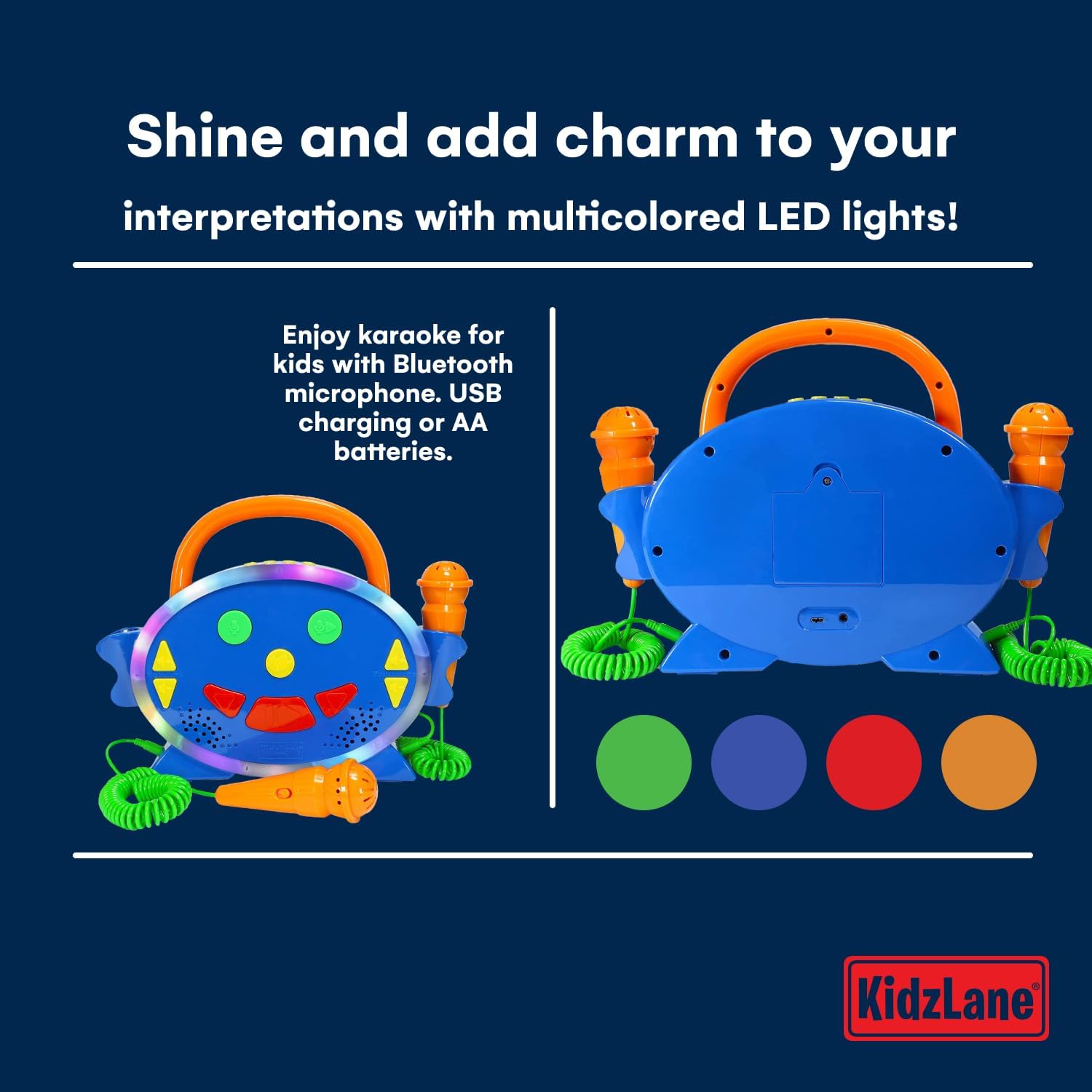
Image: A split image showing the front and back of the Kidzlane Kids Karaoke Machine. The front displays the controls and microphones, while the back shows the battery compartment and a USB charging port.
Kontrolak eta Portuak:
- Pizteko / Modua botoia: Turns the unit on/off and switches between modes (Pre-loaded Songs, Bluetooth).
- Microphone Volume Controls (Up/Down Arrows): Mikrofonoen bolumena doitzen du.
- Music Volume Controls (Up/Down Arrows): Atzeko musikaren bolumena doitzen du.
- Ahotsa aldatzeko botoia: Activates and cycles through different voice effects.
- Grabatu botoia: Grabaketari ekiten dio.
- Erreproduzitzeko botoia: Plays back recorded audio.
- Pre-loaded Song Navigation Buttons: Skips to the next or previous pre-loaded song.
- Microphone Input Jacks: Ports for connecting the wired microphones.
- Bateriaren konpartimendua: Unitatearen atzealdean kokatuta dago.
- USB kargatzeko ataka: For power supply (cable not always included, check packaging).
Konfigurazioa
1. Bateriaren instalazioa
- Locate the battery compartment on the back of the karaoke machine.
- bihurkin bat erabiliz, ireki bateriaren konpartimenduaren estalkia.
- Sartu 3 AA pila, konpartimentuaren barruan adierazten den polaritate zuzena (+/-) ziurtatuz.
- Jarri bateriaren konpartimenduaren estalkia eta lotu torlojuarekin.
2. Mikrofonoak konektatzea
Plug the wired microphones into the designated microphone input jacks on the side of the karaoke machine.
Funtzionamendu-argibideak
1. Piztu/Itzali
Eduki sakatuta Pizteko/Modu botoia to turn the karaoke machine on or off.
2. Playing Pre-loaded Songs

Image: Two young children, a boy and a girl, are seated on the floor, each holding an orange microphone and singing. The Kidzlane Kids Karaoke Machine is positioned between them, displaying its colorful lights. Text overlay indicates "Endless fun for kids: 100 preloaded songs for karaoke and radio."
Upon powering on, the machine typically defaults to the pre-loaded song mode. Use the Pre-loaded Song Navigation Buttons to cycle through the 100 built-in songs and nursery rhymes.
3. Bluetooth konexioa
- Sakatu Pizteko/Modu botoia repeatedly until the machine enters Bluetooth pairing mode. An audible prompt or indicator light may signal this mode.
- On your external device (e.g., smartphone, tablet), enable Bluetooth and search for available devices.
- Select "Kidzlane Karaoke" (or similar name) from the list to pair.
- Behin parekatuta, audioa zure gailutik karaoke makinara erreproduzitu dezakezu.
4. Mikrofonoaren erabilera
Speak or sing into the connected microphones. Adjust the microphone volume using the Microphone Volume Controls. Adjust the music volume using the Music Volume Controls.
5. Ahots-aldatzailea

Image: A young girl with curly hair is standing and singing into an orange microphone, holding the Kidzlane Kids Karaoke Machine. The machine's LED lights are active. Text overlay highlights the voice changer feature: "Change your voice and have a good time with your family."
Sakatu Ahots aldatzeko botoia to cycle through various voice effects. Each press will activate a different effect, altering the sound of your voice through the microphones.
6. Grabaketa eta Erreprodukzioa
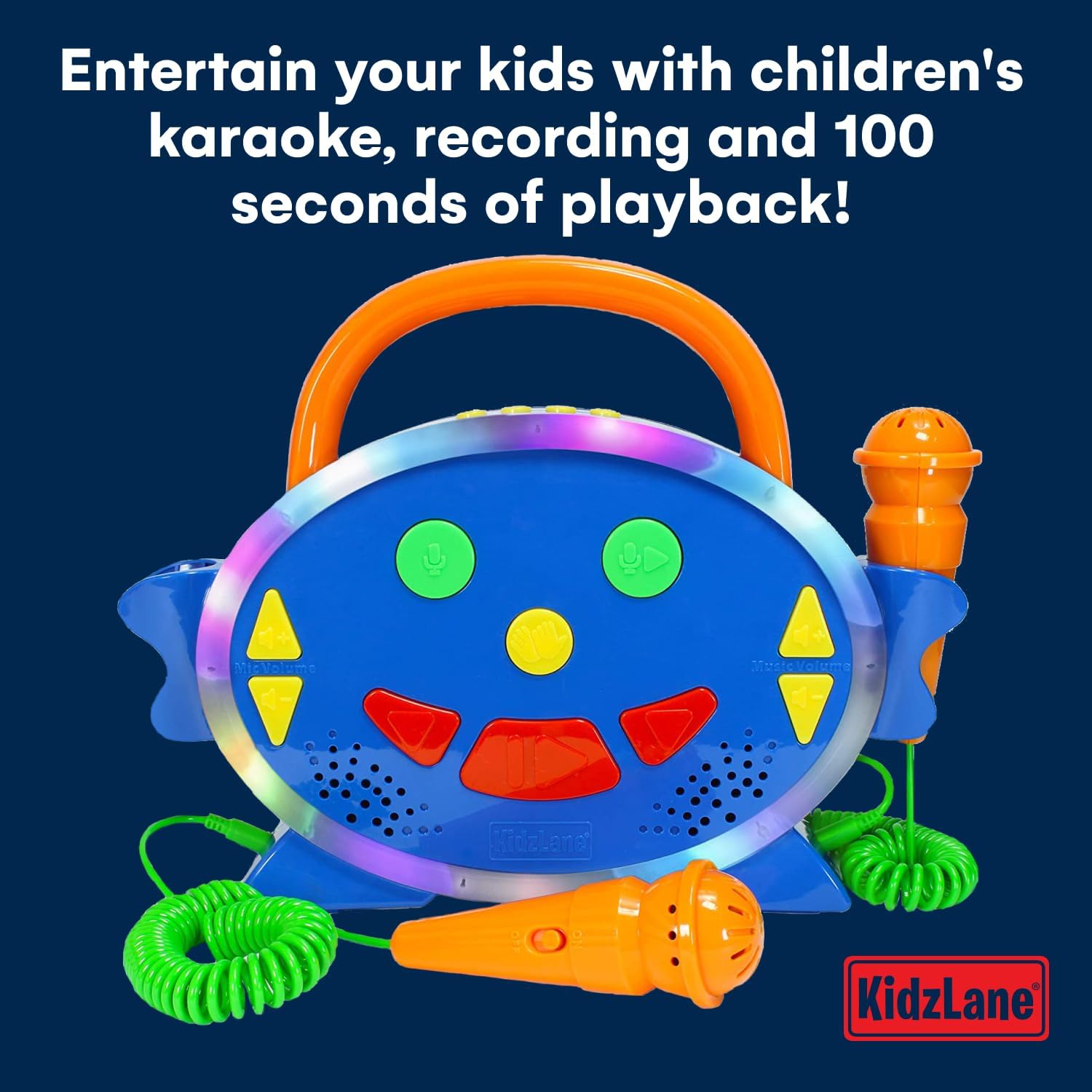
Irudia: Aurrealdea gertutik view of the Kidzlane Kids Karaoke Machine with its LED lights glowing. Two orange microphones are connected. Text overlay states: "Entertain your kids with children's karaoke, recording and 100 seconds of playback!"
To record your singing, press the Grabatu botoia. The machine allows for up to 100 seconds of recording time. To listen to your recording, press the Erreproduzitzeko botoia.
7. Multicolored LED Lights

Irudia: Aurrealdea view of the Kidzlane Kids Karaoke Machine, highlighting its active multicolored LED lights around the central panel. Text overlay reads: "Shine and add charm to your interpretations with multicolored LED lights!"
The karaoke machine features built-in multicolored LED lights that illuminate during operation, adding a visual element to the musical experience.
Mantentzea
Garbiketa
Wipe the surface of the karaoke machine with a soft, dry cloth. Do not use abrasive cleaners or immerse the unit in water.
Biltegiratzea
Store the device in a cool, dry place away from direct sunlight when not in use. Remove batteries if storing for extended periods.
Arazoak konpontzea
| Arazoa | Kausa posiblea | Irtenbidea |
|---|---|---|
| Makina ez da pizten. | Pilak agortuta daude edo gaizki instalatuta daude. | Ordeztu bateriak AA bateria berriekin, polaritate zuzena ziurtatuz. |
| Mikrofonoetatik ez da soinurik ateratzen. | Microphones not properly connected or microphone volume is too low. | Ensure microphones are fully plugged in. Increase microphone volume using the dedicated controls. |
| Bluetooth gailua ez da parekatzen ari. | Machine not in pairing mode or too far from the device. | Ensure the karaoke machine is in Bluetooth pairing mode. Move the external device closer to the karaoke machine. Try restarting both devices. |
| Music volume is too low or too high. | Music volume controls need adjustment. | Adjust the music volume using the dedicated controls on the machine or on your connected Bluetooth device. |
Zehaztapenak
- Modelo zenbakia: KL-0517
- Produktuaren neurriak: 11 x 6 x 12.5 hazbete
- Elementuaren pisua: 12.3 ontza
- Energia iturria: 3 AA bateria (ez dago barne)
- Gomendatutako adina: 3 urtetik gora
- Ezaugarri bereziak: Voice Changer, 100 Pre-loaded Songs, Recording & Playback (100 seconds), Multicolored LED Lights, Bluetooth Connectivity
- Dakarten osagaiak: Karaoke Machine Unit, 2 Microphones
Bermea eta Laguntza
For warranty information or technical support, please refer to the contact details provided on the product packaging or visit the official Kidzlane webgunea. Gorde erosketa-agiria berme-erreklamazioetarako.