
1. Produktua amaitu daview
The TYT MD-380 series Li-ion battery is a high-capacity power source designed for compatible two-way radios. It provides reliable and extended operation for your communication devices.
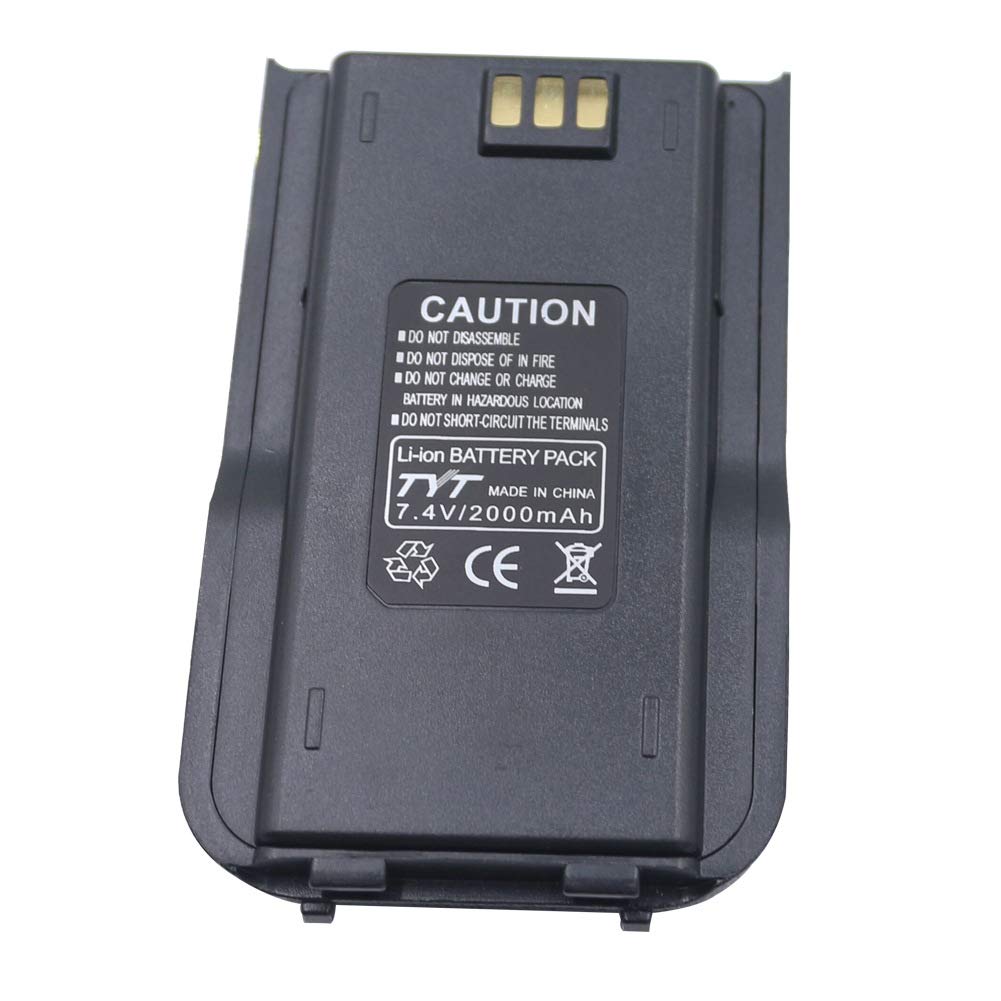
1.1. irudia: Aurrealdea view of the TYT MD-380 series Li-ion battery, showing its compact design and labeling.
2. Bateragarritasuna
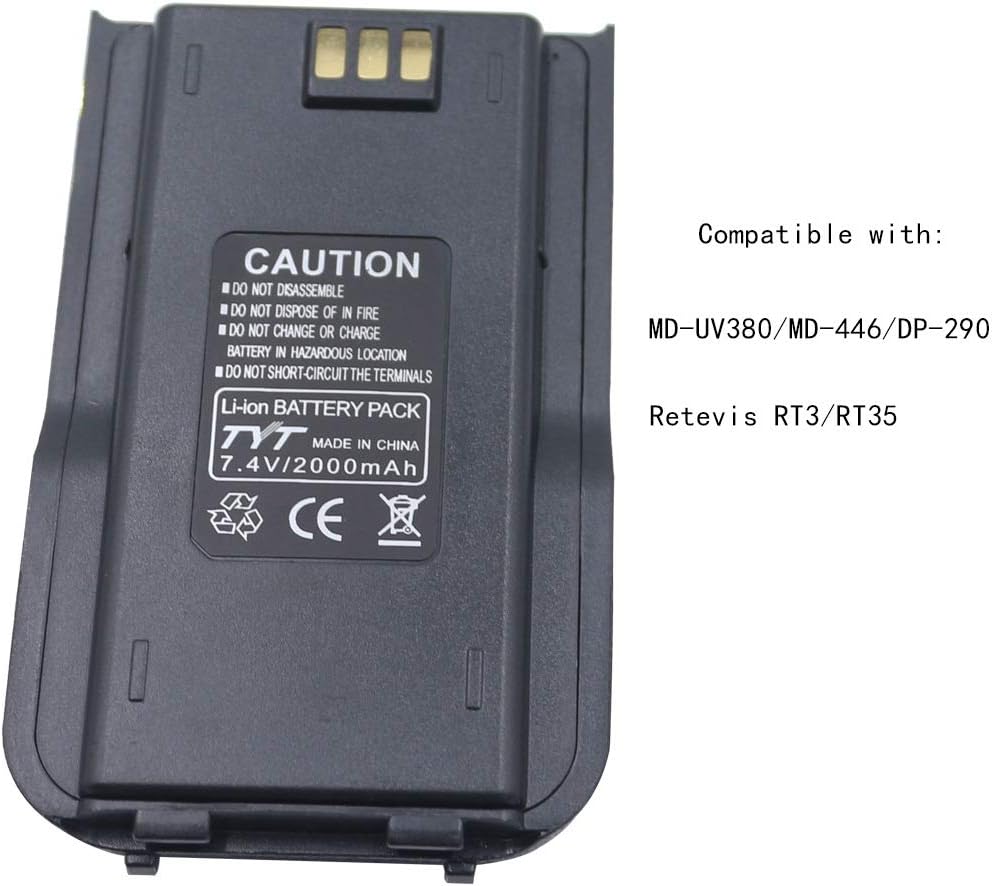
This battery is designed to be compatible with a range of TYT and Retevis DMR radios. Ensure your radio model is listed below for proper fit and function.
- TYT MD-UV380
- TYT MD-380
- TYT MD-446
- TYT DP-290
- Retevis RT3
- Retevis RT3S

Image 2.1: The TYT MD-380 series battery, illustrating its compatibility with various radio models.
3. Konfigurazioa
3.1. Bateria instalatzea
- Ensure the radio is powered off before installation.
- Align the battery with the battery compartment on the back of your compatible radio.
- Lerratu bateria bere lekuan klik egin arte.
- Verify that the battery is firmly attached and does not wobble.
3.2. Hasierako kargatzea
Before first use, fully charge the battery. This helps to optimize battery performance and longevity.
- Connect the battery to a compatible charger (sold separately or included with your radio).
- Entxufatu kargagailua korronte-hartune estandar batera.
- Observe the charger's indicator light for charging status. Typically, a red light indicates charging, and a green light indicates a full charge.
- Allow the battery to charge completely, which may take several hours.
4. Funtzionamendu-jarraibideak
4.1. Funtzionamendu Orokorra
Once installed and charged, the battery powers your radio for normal operation. Refer to your radio's specific user manual for detailed instructions on its functions.
4.2. Battery Life and Performance
The 2000mAh capacity provides extended usage time. Actual battery life varies based on radio usage, transmit power, signal strength, and environmental conditions. High transmit power and frequent transmissions will consume more power.
5. Mantentzea
5.1. Charging Practices
- Always use the charger specifically designed for your radio and battery.
- Avoid overcharging by removing the battery once fully charged, though modern chargers often have protection circuits.
- Charge the battery in a well-ventilated area, away from direct sunlight and heat sources.
5.2. Biltegiratzea
- Epe luzerako biltegiratzeko, kargatu bateriaren edukieraren % 50 inguru arte.
- Store the battery in a cool, dry place, away from extreme temperatures.
- Avoid storing the battery fully discharged or fully charged for extended periods.
5.3. Garbiketa
Periodically inspect the battery terminals for dirt or corrosion. Clean them gently with a dry, lint-free cloth. Do not use liquids or abrasive cleaners.
5.1 irudia: Gertuko planoa view of the battery terminals, highlighting areas for cleaning and inspection.
6. Segurtasun informazio garrantzitsua
Failure to follow these safety instructions may result in fire, electric shock, injury, or damage to the battery or radio.
- DO NOT DISASSEMBLE: Attempting to disassemble the battery can cause damage and expose internal components, leading to hazards.
- EZ BOTA SUTAN: Batteries can explode or leak when exposed to fire.
- DO NOT CHANGE OR CHARGE BATTERY IN HAZARDOUS LOCATION: Charging or changing batteries in potentially explosive atmospheres is extremely dangerous.
- DO NOT SHORT-CIRCUIT THE TERMINALS: Short-circuiting can cause excessive heat, fire, and damage to the battery.
- Keep the battery away from water and moisture.
- Do not expose the battery to extreme temperatures (above 60°C / 140°F or below -10°C / 14°F).
- If the battery appears damaged, swollen, or leaks, discontinue use immediately and dispose of it properly.

Image 6.1: The battery's caution label, emphasizing critical safety warnings.
7. Arazoak
7.1. Bateria ez da kargatzen
- Check Charger Connection: Ensure the charger is properly plugged into the power outlet and the battery is correctly seated in the charger.
- Verify Power Outlet: Probatu entxufea beste gailu batekin funtzionatzen duela baieztatzeko.
- Inspect Terminals: Check for any dirt or damage on the battery and charger terminals that might prevent proper contact.
- Try Another Charger/Battery: If possible, test the battery with a different compatible charger or test a different battery with your charger to isolate the issue.
7.2. Shortened Battery Life
- Karga-ziklo osoa: Ensure the battery is consistently charged to full capacity.
- Irrati ezarpenak: High transmit power settings or continuous scanning can significantly reduce battery life. Adjust radio settings if possible.
- Bateria adina: All rechargeable batteries degrade over time. If the battery is old, its capacity may have naturally diminished.
- Ingurumen-faktoreak: Extreme cold can temporarily reduce battery performance.
8. Zehaztapen Teknikoak
| Ezaugarri | Zehaztapena |
|---|---|
| Bateria mota | Li-ion (Lithium Ion) |
| Edukiera | 2000 mAh |
| liburukiatage | 7.2V DC |
| Berrerabilgarritasuna | Birkargagarria |
| Eredu bateragarriak | TYT MD-380, MD-UV380, MD-446, DP-290, Retevis RT3, RT3S |
| Fabrikatzailea | TYT Electronics Co., Ltd |
9. Bermea eta Laguntza
9.1. Bermearen informazioa
This product is typically covered by a manufacturer's warranty against defects in materials and workmanship. Please refer to the warranty card included with your purchase or contact your retailer for specific warranty terms and conditions. Keep your proof of purchase for warranty claims.
9.2. Bezeroarentzako arreta
For technical assistance, troubleshooting, or warranty inquiries, please contact the retailer where you purchased the battery or visit the official TYT Electronics weblaguntza baliabideen gunea.