
1. Produktua amaitu daview
The BoomPods BOOMBUDS XR are wireless in-ear earphones designed for active lifestyles. They feature Bluetooth 5.0 connectivity for stable audio transmission and an IPX7 waterproof rating, making them suitable for various environments including workouts and outdoor activities. The earbuds are engineered for a secure and comfortable fit, and offer customizable sound profiles.

1.1. irudia: BoomPods BOOMBUDS XR Earbuds and Charging Case. The image displays the black earbuds and their compact charging case, highlighting their sleek design.
2. Zer dago kutxan
Upon unboxing your BoomPods BOOMBUDS XR, verify that all the following components are included:
- BoomPods BOOMBUDS XR in-ear earphones (Left and Right)
- Kargatzeko kaxa
- Mikro USB kargatzeko kablea
- Spare ear cups (multiple sizes for optimal fit)
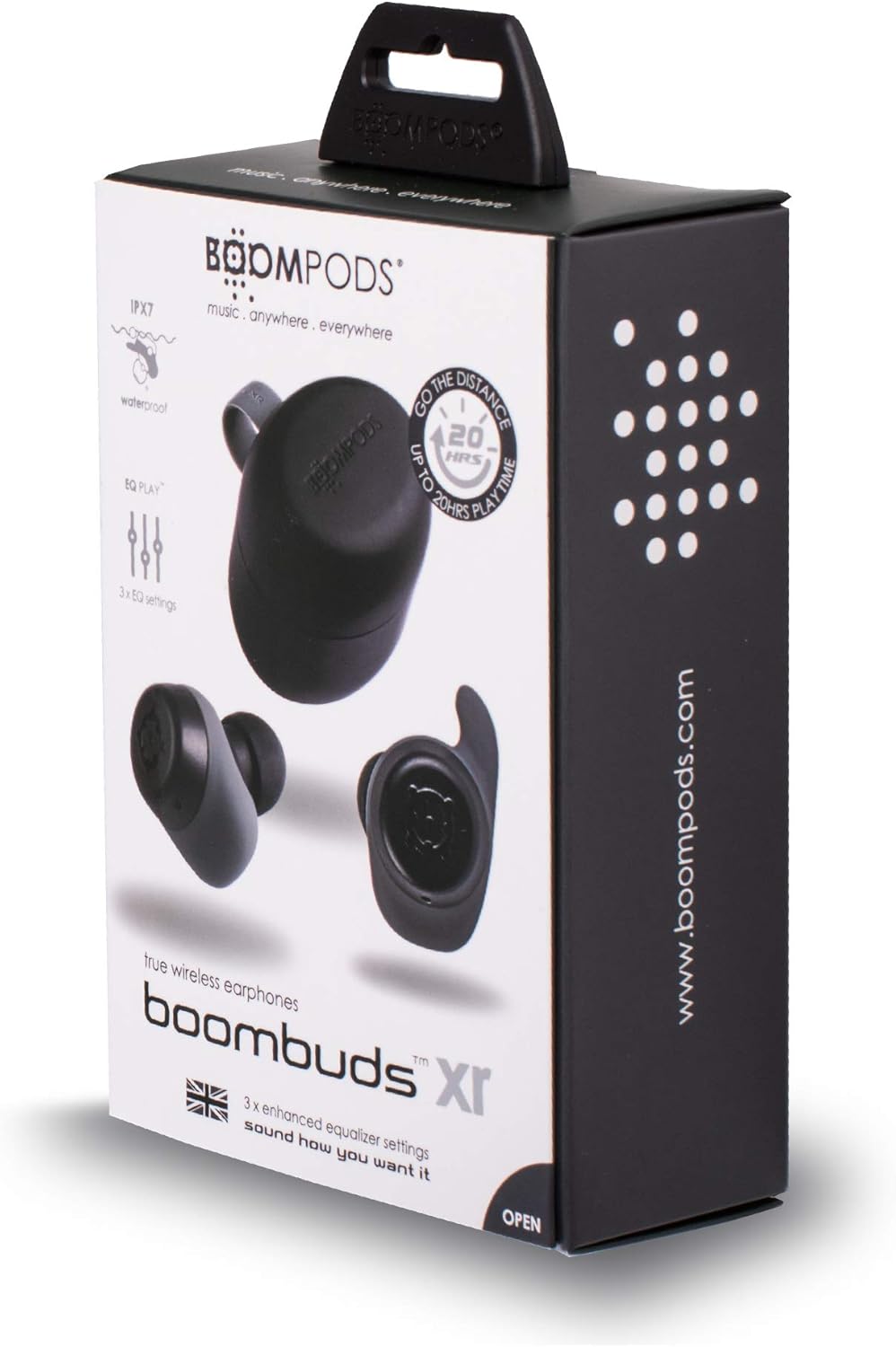
2.1. irudia: BoomPods BOOMBUDS XR Retail Packaging. The image shows the product box, indicating the contents and key features like IPX7 waterproof rating and EQ settings.
3. Konfigurazio gida
3.1. Entzungailuak eta zorroa kargatzea
Before first use, fully charge the earbuds and the charging case. The charging case provides approximately 20 hours of additional playback time, while the earbuds offer up to 4.5 hours on a single charge. A full charge takes approximately 1.5 hours.
- Place the earbuds into their respective slots in the charging case. Ensure they are seated correctly for the charging contacts to align.
- Connect the Micro USB charging cable to the charging port on the case and plug the other end into a USB power source (e.g., wall adapter, computer USB port).
- Indicator lights on the case will show the charging status. Refer to the product's specific LED indicators for detailed information (not provided in source).
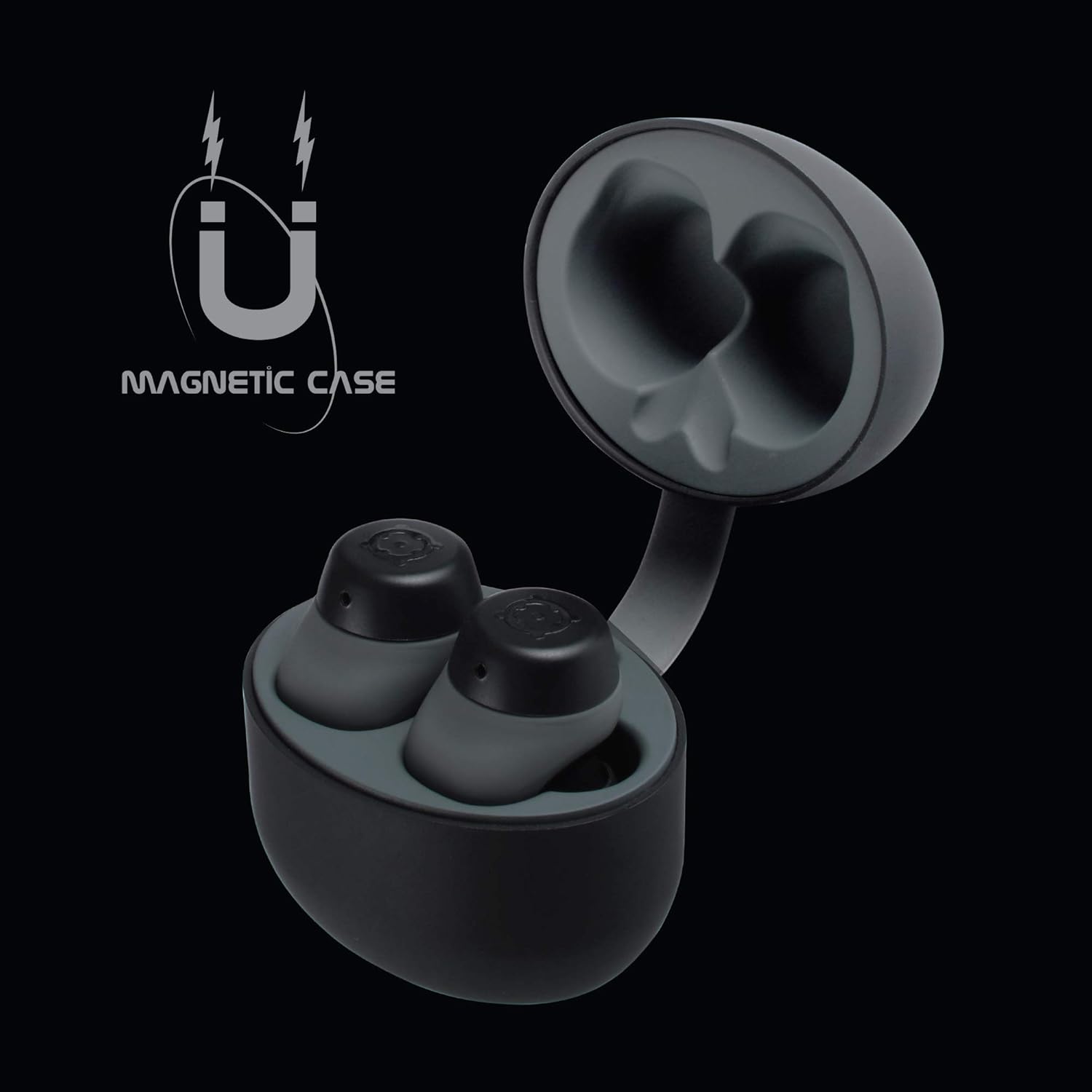
3.1. irudia: Charging Case with Earbuds. The image shows the open charging case with the earbuds placed inside, ready for charging.

3.2. irudia: Magnetic Case. This graphic illustrates the magnetic feature of the charging case, ensuring earbuds are securely held in place during charging and transport.
3.2. Gailu batekin parekatzea
The BOOMBUDS XR utilize Bluetooth 5.0 for a quick and stable connection.
- Ziurtatu entzungailuak kargatuta daudela eta kargatzeko zorrotik aterata daudela. Automatikoki parekatze moduan sartu beharko lirateke.
- Zure telefonoan edo Bluetooth gaitutako gailuan, joan Bluetooth ezarpenetara.
- Bilatu available devices and select "BOOMBUDS XR" from the list.
- Once connected, the earbuds will indicate successful pairing (e.g., an audio prompt or LED change).

3.3. irudia: Bluetooth 5.0 Connectivity. This graphic highlights the instant and secure connection provided by Bluetooth 5.0 technology.
3.3. Egokitzapen Perfektua Lortzea
A proper fit is crucial for both comfort and optimal sound quality, especially for bass response and noise isolation. The BOOMBUDS XR come with multiple sizes of ear cups to ensure a secure fit for various ear shapes.
- Experiment with the different sizes of ear cups provided.
- Gently insert the earbud into your ear canal and twist slightly to secure it. The ergonomic design (Ergofit) helps keep them in place during activity.
- Test the fit by moving your head and performing light activities. If the earbuds feel loose or the sound quality is poor, try a different size ear cup.
3.4. irudia: Ergofit Design. This graphic illustrates the ergonomic design of the earbuds, engineered for a secure and comfortable fit within the ear.
4. Funtzionamendu-argibideak
4.1. Musika eta deien kontrolak
The BOOMBUDS XR feature integrated controls on the earbuds for managing audio playback and calls. These controls include volume adjustment, play/pause, and track skipping.
| Ekintza | Kontrola |
|---|---|
| Erreproduzitu/Pausatu | Double-click the earbud button. |
| Hurrengo Pista | (Specific control not detailed in source, typically triple-click or long press) |
| Aurreko Pista | (Specific control not detailed in source) |
| Bolumena igo | (Specific control not detailed in source, but volume control is present) |
| Bolumena jaitsi | (Specific control not detailed in source, but volume control is present) |
| Erantzun/Amaitu deia | (Specific control not detailed in source) |
| Aktibatu ahots-laguntzailea (Siri/Google laguntzailea) | (Specific control not detailed in source) |
| Itzali | Hold button for five seconds. |
Note: For detailed control gestures, refer to the full user manual provided with your product.
4.2. EQ Play Settings
The BOOMBUDS XR allow you to customize your listening experience with three distinct equalizer (EQ) settings:
- Baxu Boost: Enhances low-frequency sounds for a more powerful bass.
- Ahotsaren indartzea: Optimizes mid-range frequencies to make vocals clearer and more prominent.
- BoomPods Studio: Soinu profesional orekatua eskaintzen dufile, designed for general listening.
To switch between EQ settings, use the designated control on the earbuds (specific control not detailed in source).

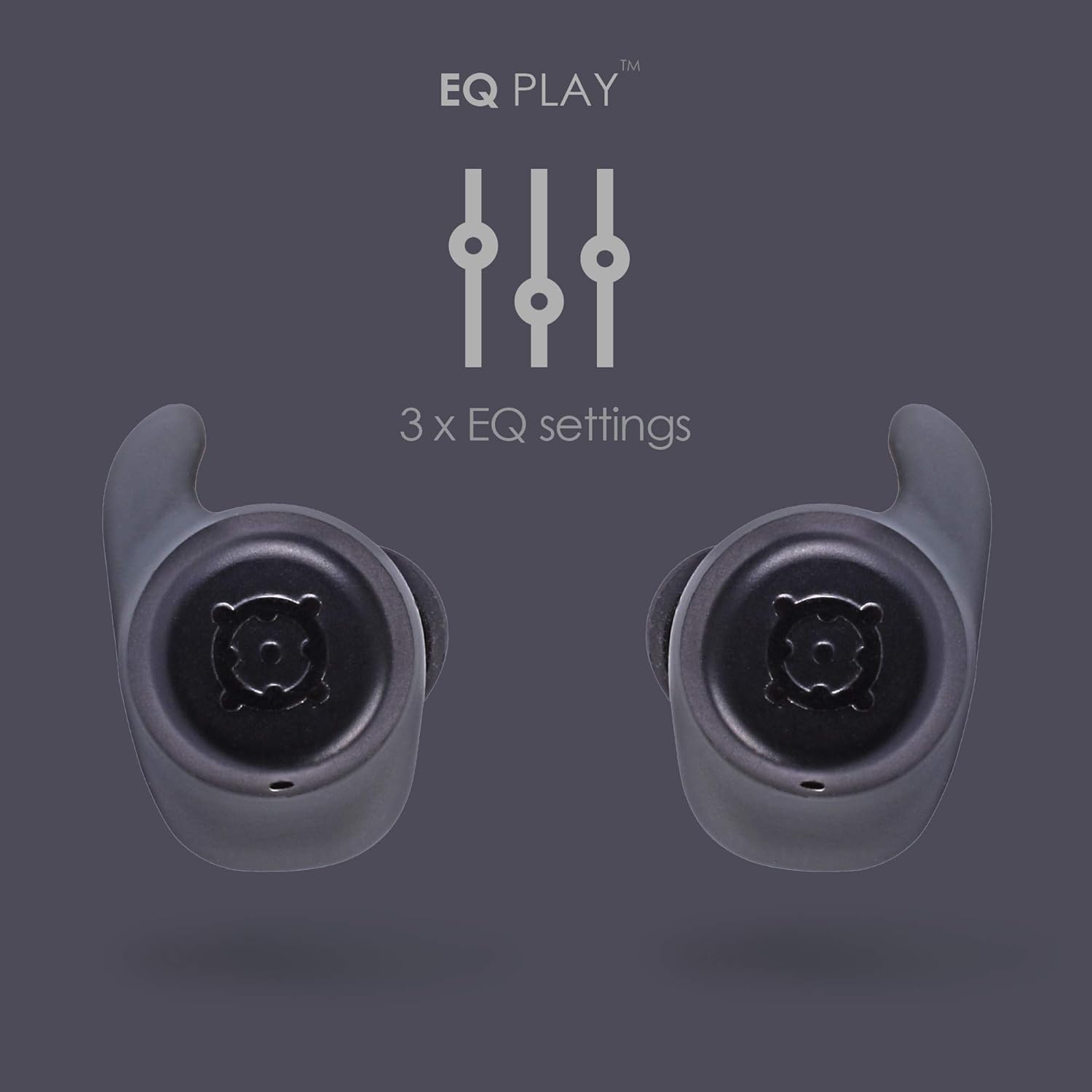
4.1. irudia: EQ Play Settings. This graphic illustrates the three available equalizer settings for customized audio output.
5. Zainketa eta Mantentzea
5.1. Waterproofing (IPX7 Rating)
The BOOMBUDS XR are rated IPX7 waterproof, meaning they can withstand immersion in water up to 1 meter for 30 minutes. This makes them resistant to sweat, rain, and splashes, and suitable for use in showers or by the pool.
Ohar garrantzitsua: While the earbuds are waterproof, Bluetooth technology has limitations when transmitting through water. Therefore, continuous audio streaming underwater is not recommended as the connection may be interrupted.

5.1. irudia: IPX7 Waterproofing in Use. The image shows a person showering while wearing the earbuds, demonstrating their water-resistant capabilities.
5.2. Garbiketa eta Biltegiratzea
- Garbitu aldizka entzungailuak eta kargatzeko zorroa oihal leun, lehor eta lihorik gabeko batekin.
- Remove the ear cups and clean them separately with mild soap and water if necessary. Ensure they are completely dry before reattaching.
- Saihestu garbitzaile urratzaileak, disolbatzaileak edo aerosolak erabiltzea.
- Gorde entzungailuak kargatzeko zorroan erabiltzen ez dituzunean babesteko eta kargatuta mantentzeko.
- Keep the charging contacts on both the earbuds and the case clean and free of debris to ensure proper charging.
6. Arazoak
If you encounter issues with your BoomPods BOOMBUDS XR, refer to the following common troubleshooting steps:
| Arazoa | Balizko Kausa / Irtenbidea |
|---|---|
| Aurikularrak ez dira kargatzen |
|
| Earbuds not pairing / connecting |
|
| Poor sound quality / Low volume |
|
| Microphone issues / Call quality poor |
|
| Entzungailuak erortzen ari dira |
|
7. Zehaztapen Teknikoak
| Ezaugarri | Xehetasuna |
|---|---|
| Ereduaren izena | BXRBLK |
| Konektibitate Teknologia | Bluetooth 5, Haririk gabekoa |
| Haririk gabeko Komunikazio Teknologia | Bluetootha |
| Materiala | Silikona |
| Produkturako erabilera espezifikoak | Sports and Exercise, Studio |
| Kargatzeko Denbora | 1.5 ordu |
| Gailu bateragarriak | Smartphoneak |
| Kontrol mota | Volume Control, Remote with Mic |
| Elementuaren pisua | 48 gramo (1.69 ontza) |
| Uraren Erresistentzia Maila | IPX7 (urarekiko erresistentea) |
| Maiztasun barrutia | 50Hz-15kHz |
| Bateriaren iraupena (entzungailuak) | 4.5 ordu |
| Bateriaren iraupena (kargatzeko zorroarekin) | Up to 20 Hours additional playback |
| Bluetooth bertsioa | 5.0 |
| Ezaugarri bereziak | Microphone Included, Sweatproof, USB connectivity, Volume Control, Ergonomic Design, EQ Play (3 settings) |
| Produktuaren neurriak | 0.2 x 3.11 x 1.34 hazbete |
| Fabrikatzailea | Boompods |
| Kolorea | Beltza |
| Belarrien Kokatzea | Belarrian |
| Forma-faktorea | Belarrian |
8. Bermea eta Laguntza
8.1. Berme mugatua
The BoomPods BOOMBUDS XR are covered by a 2 urteko berme mugatua erosketa-datatik aurrera. Berme honek fabrikazio-akatsak eta eskulanaren funtzionamendua estaltzen ditu erabilera normalaren pean. Ez ditu estaltzen erabilera okerrak, istripuek, baimenik gabeko aldaketek edo higadura normalak eragindako kalteak.
For specific terms and conditions of the warranty, please refer to the warranty card included with your product or visit the official BoomPods webgunea.
8.2. Bezeroarentzako arreta
For further assistance, technical support, or warranty claims, please contact BoomPods customer service through their official channels. You can typically find contact information on the product packaging, the official BoomPods website, or the brand store on Amazon.
Bisitatu ofiziala BoomPods Store on Amazon produktuari buruzko informazio gehiago eta laguntza-baliabideak lortzeko.