
1. Sarrera eta Overview
The Ring Automotive RSC804 is a 4A smart battery charger and maintainer designed for a wide range of 6V and 12V vehicle batteries. It is compatible with Lead Acid, Gel, Calcium, EFB, and AGM battery types, including those found in START/STOP vehicles. This device ensures your battery remains in optimal condition by preventing overcharging and automatically transitioning to a long-term maintenance mode once fully charged. Its user-friendly design features one-button operation and a clear, backlit LCD display for easy monitoring of the charging process.
The RSC804 incorporates essential safety features such as reverse polarity and short-circuit protection, providing a secure and reliable charging experience.
2. Segurtasun informazioa
Please read all safety instructions before using the charger. Failure to follow these instructions may result in electric shock, fire, or serious injury.
- Beti eraman begien babesak eta babes-arropa bateriekin lan egitean.
- Ziurtatu kargatzeko eremuan aireztapen egokia dagoela leherketa-gasen metaketa saihesteko.
- Do not smoke or allow sparks or flames near the battery or charger.
- Disconnect the AC power supply from the charger before connecting or disconnecting the battery leads.
- Ez kargatu inoiz izoztutako edo hondatutako bateria bat.
- The charger is equipped with reverse polarity and short-circuit protection. However, always ensure correct polarity connections (positive to positive, negative to negative) to prevent damage.
- Keep the charger away from water and moisture. The unit is IP65 weatherproof, but direct submersion should be avoided.
- Ez saiatu kargagailua irekitzen edo aldatzen. Mantendu konponketa guztiak langile kualifikatuen esku.
3. Zer dago kutxan
Paketea irekitzean, egiaztatu osagai guztiak daudela:
- Ring Automotive RSC804 Smart Battery Charger
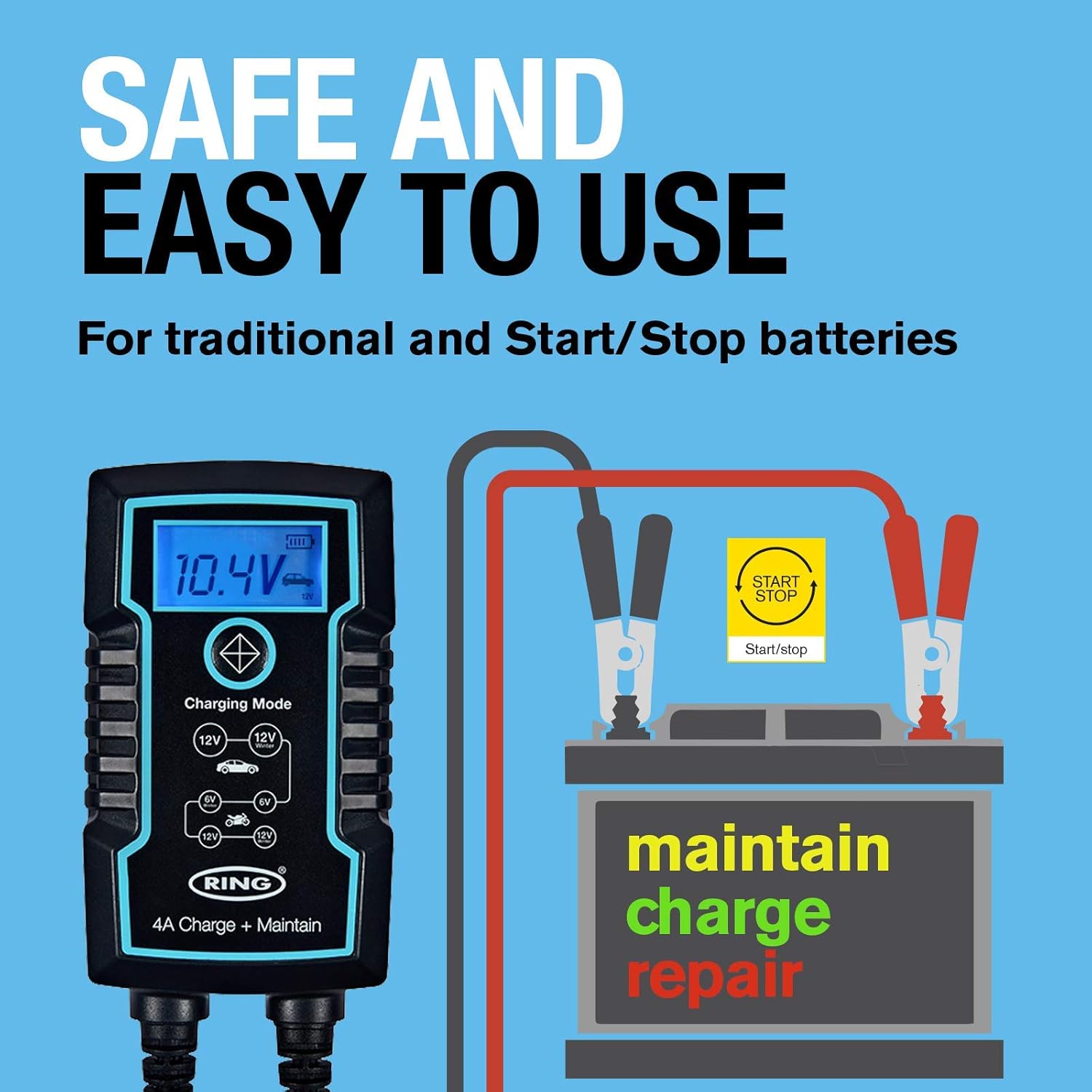
- Connectors with battery clamps
- O-ring terminals for long-term connection
- Erabiltzailearen eskuliburua

Image: Contents of the Ring Automotive RSC804 box, showing the charger, battery clamps, O-ring terminals, and user manual.
4. Konfiguratzeko argibideak
Follow these steps to safely set up your battery charger:
- Bateria prestatu: Ziurtatu bateriaren terminalak garbi eta korrosiorik gabe daudela. Beharrezkoa bada, garbitu alanbrezko eskuila batekin.
- Bateriara konektatu:
- Cl erabilizamps: Lotu cl gorria (positiboa).amp to the positive (+) battery terminal. Connect the black (negative) clamp bateriaren terminal negatiboan (-). Ziurtatu konexio segurua dagoela.
- Using O-Ring Terminals (for long-term connection): Attach the red O-ring terminal to the positive (+) battery post and the black O-ring terminal to the negative (-) battery post. Secure them with the battery nuts.
- Konektatu energiara: Once the battery leads are securely connected, plug the charger's AC power cord into a suitable 230V mains outlet.
- Hasierako egiaztapena: The charger's LCD display will illuminate, indicating it is powered on and ready for operation.

Image: Ring Automotive RSC804 charger connected to a car battery using clamps, illustrating a typical setup.
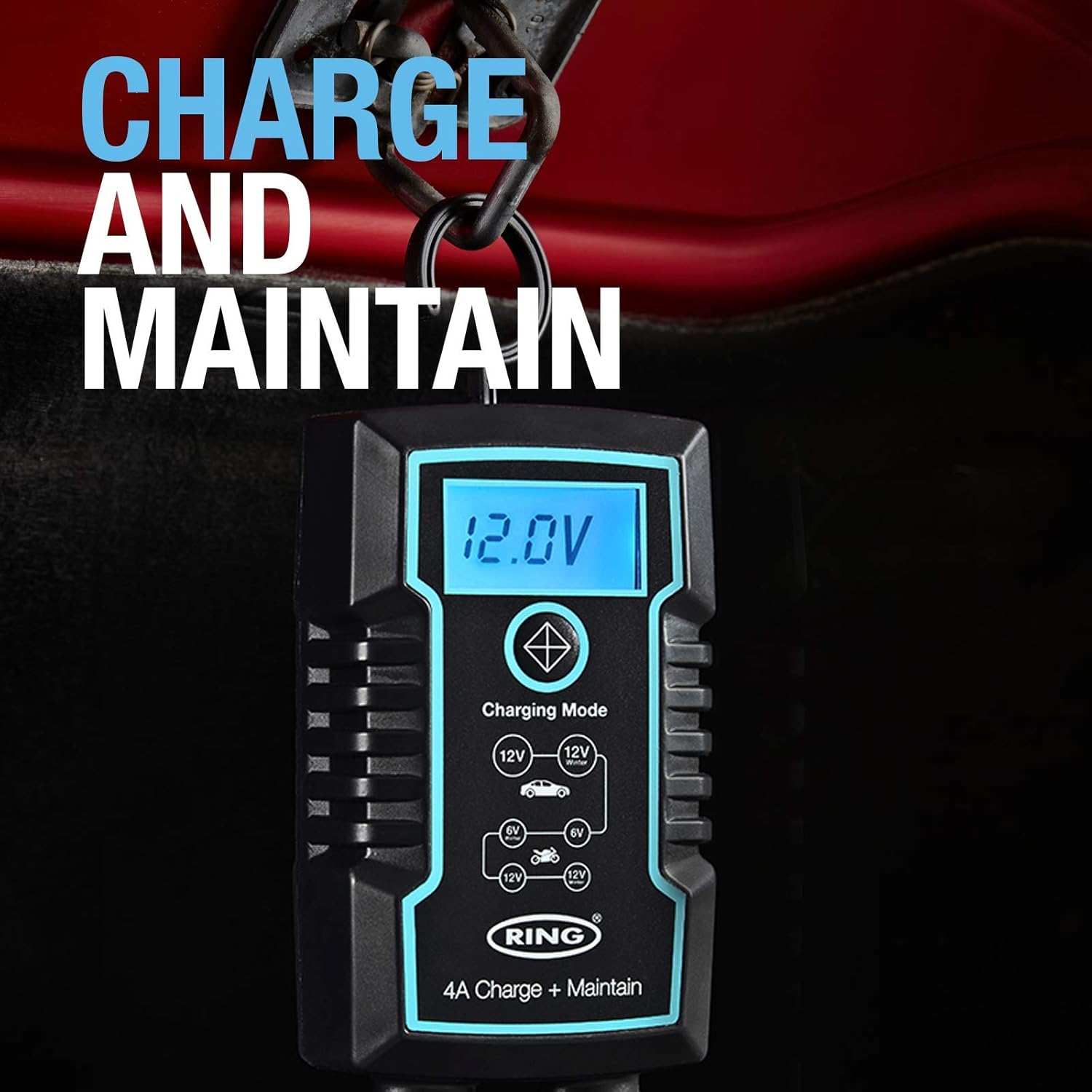
Image: Close-up of the RSC804 charger connected to a car battery, demonstrating proper terminal attachment.
5. Funtzionamendu-argibideak
Operating the RSC804 charger is straightforward:
- Piztu: After connecting the charger to the battery and mains power, the charger will automatically power on.
- Select Charging Mode: Use the single button on the charger to cycle through the available charging modes. The backlit LCD display will show the selected mode (e.g., 6V, 12V Car, 12V Motorcycle). Select the mode appropriate for your battery type and voltage.
- Kontrolatu kargatzearen aurrerapena: The LCD display provides real-time information including:
- Bateria Voltage: Uneko bolumena bistaratzen dutagbateriaren e.
- Kargaren aurrerapena: An icon or indicator shows the battery's charging status.
- Hautatutako modua: Confirms the active charging program.
- Mantentze automatikoa: Once the battery reaches full charge, the RSC804 will automatically switch to a maintenance (trickle charge) mode. This prevents overcharging and keeps the battery optimally charged for extended periods.
- Deskonektatzea: To disconnect the charger, first unplug the AC power cord from the mains outlet. Then, disconnect the negative (-) battery lead, followed by the positive (+) battery lead.
Irudia: Xehetasun handikoa view of the RSC804's backlit LCD display, highlighting voltage, charge progress, and mode selection.
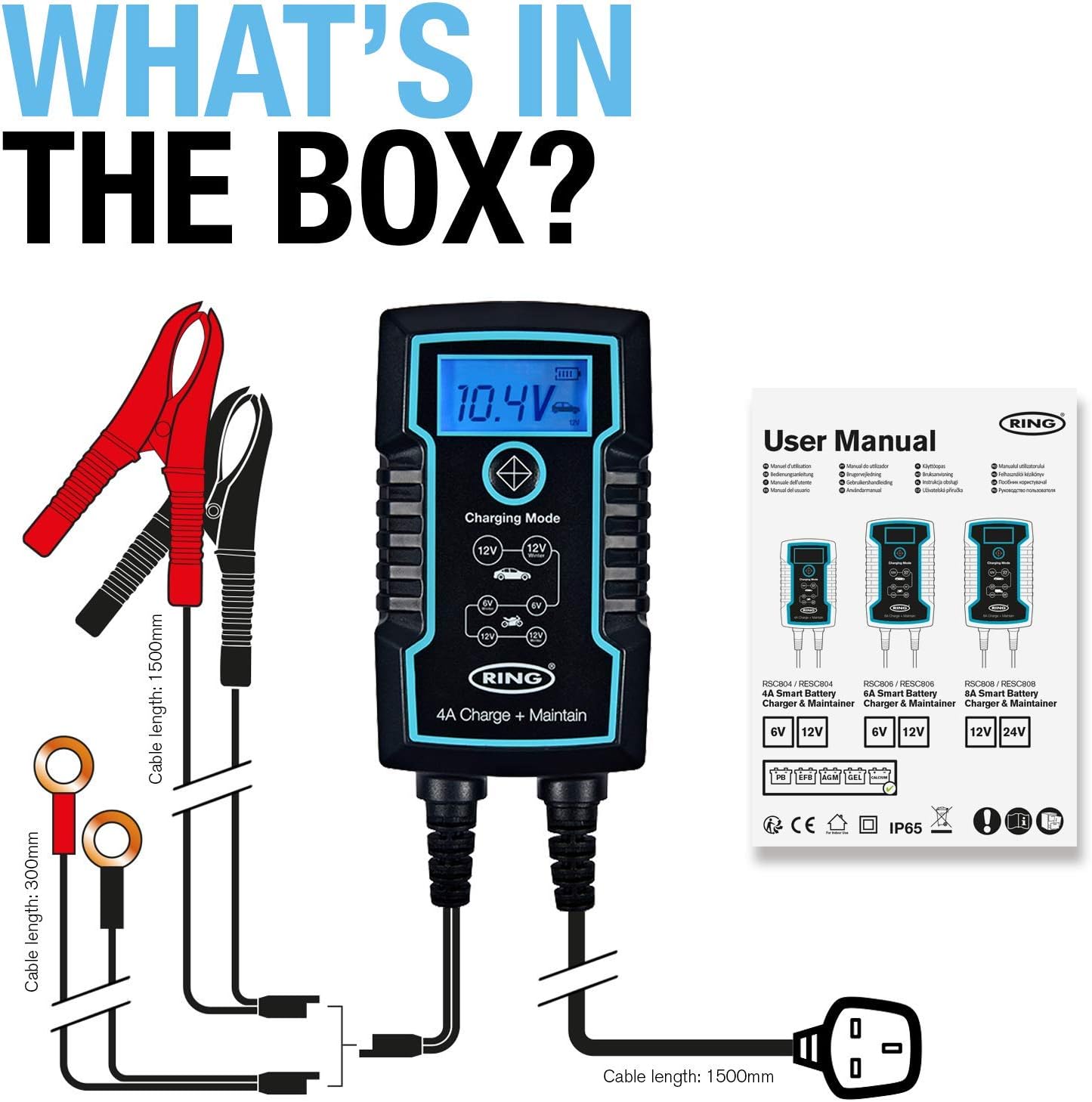
Image: The RSC804 charger in operation, displaying 12.0V and indicating maintenance mode, conveniently hanging from a vehicle's hood.
6. Mantentzea
Proper maintenance ensures the longevity and reliable performance of your RSC804 charger:
- Garbiketa: Periodically wipe the charger's casing with a soft, dry cloth. Do not use harsh chemicals or abrasive cleaners.
- Kableen ikuskapena: Regularly inspect the power cord and battery leads for any signs of damage, cuts, or fraying. Do not use the charger if any cables are damaged.
- Biltegiratzea: Kargagailua leku fresko eta lehor batean gorde erabiltzen ez duzunean. Eguzki-argitik, muturreko tenperaturetatik eta hezetasunetik urrun eduki.
- Bateriaren terminalak: Ensure battery terminals remain clean for optimal connection.

Image: The RSC804 charger's rugged and weatherproof (IP65) design, suitable for various environments.
7. Arazoak
If you encounter issues with your RSC804 charger, refer to the following common problems and solutions:
| Arazoa | Kausa posiblea | Irtenbidea |
|---|---|---|
| Kargagailua ez da pizten. | No AC power, faulty outlet, damaged power cord. | Check mains power supply. Try a different outlet. Inspect power cord for damage. |
| Kargagailua konektatuta dago, baina ez da kargatzen. | Incorrect battery connection, wrong mode selected, deeply discharged battery. | Ensure correct polarity and secure connections. Select the appropriate 6V or 12V mode. For deeply discharged batteries, the charger may take some time to initiate charging. |
| Error message or indicator light. | Reverse polarity, short circuit, internal fault. | Disconnect immediately. Recheck battery connections for correct polarity. If error persists, contact customer support. |
| Bateria ez da guztiz kargatzen. | Battery fault, incorrect mode, charger fault. | Have the battery tested by a professional. Ensure the correct charging mode is selected. If the battery is confirmed good, contact customer support. |
If troubleshooting steps do not resolve the issue, please contact Ring Automotive customer support for further assistance.
8. Zehaztapenak
| Zehaztapena | Balioa |
|---|---|
| Modelo zenbakia | RSC804 |
| Sarrera boltage | 230 Volt AC |
| Irteera boltage | 6V / 12V DC |
| Uneko balorazioa (Amparoa) | 4 Amps |
| Wattage | 60W |
| Bateriaren bateragarritasuna | Lead Acid, Gel, Calcium, EFB, AGM |
| Portu kopurua | 1 |
| Elementuaren pisua | 760 gramo |
| Kolorea | Beltza |
| Babes-eginbideak | Reverse Polarity, Short-Circuit, Overcharging |
| Eguraldi Erresistentearen Balorazioa | IP65 |
9. Bermea eta Laguntza
This Ring Automotive product is covered by a manufacturer's warranty. For specific warranty terms and conditions, please refer to the documentation included with your purchase or visit the official Ring Automotive website. In case of product defects or operational issues not resolved by the troubleshooting guide, please contact Ring Automotive customer support. Have your model number (RSC804) and proof of purchase ready when contacting support.
For the most up-to-date support information and contact details, please visit the official Ring Automotive webgunea.