
Sarrera
This manual provides detailed instructions for the setup, operation, and maintenance of your LTC Nimbleback LK-301 Low Profile Mechanical Keyboard. Please read this manual thoroughly before using the product to ensure proper functionality and to maximize your user experience.

Image: The LTC Nimbleback LK-301 Low Profile Mechanical Keyboard, showcasinbere diseinu osoa eta dotorea kontuan hartuta.
Produktuaren Ezaugarriak
- Pro baxuafile Etengailu mekanikoak: Equipped with responsive and comfortable white mechanical switches.
- Konektibitate bikoitza: Supports both Bluetooth 3.0 wireless and wired USB Type-C connections.
- Gailu anitzeko kommutazioa: Seamlessly switch between up to three connected Bluetooth devices.
- 96 teklako diseinua: A compact layout that retains essential keys, including a numeric keypad.
- Atzeko argiztapen zuria: Features white backlighting with 17 different modes, adjustable brightness, and speed.
- RGB Side Lighting: Customizable RGB lighting on the sides of the keyboard.
- Eraikuntza iraunkorra: Built with an all-metal frame for enhanced durability and a premium feel.
- Thin & Lightweight Design: Ideal for portability and comfortable use.
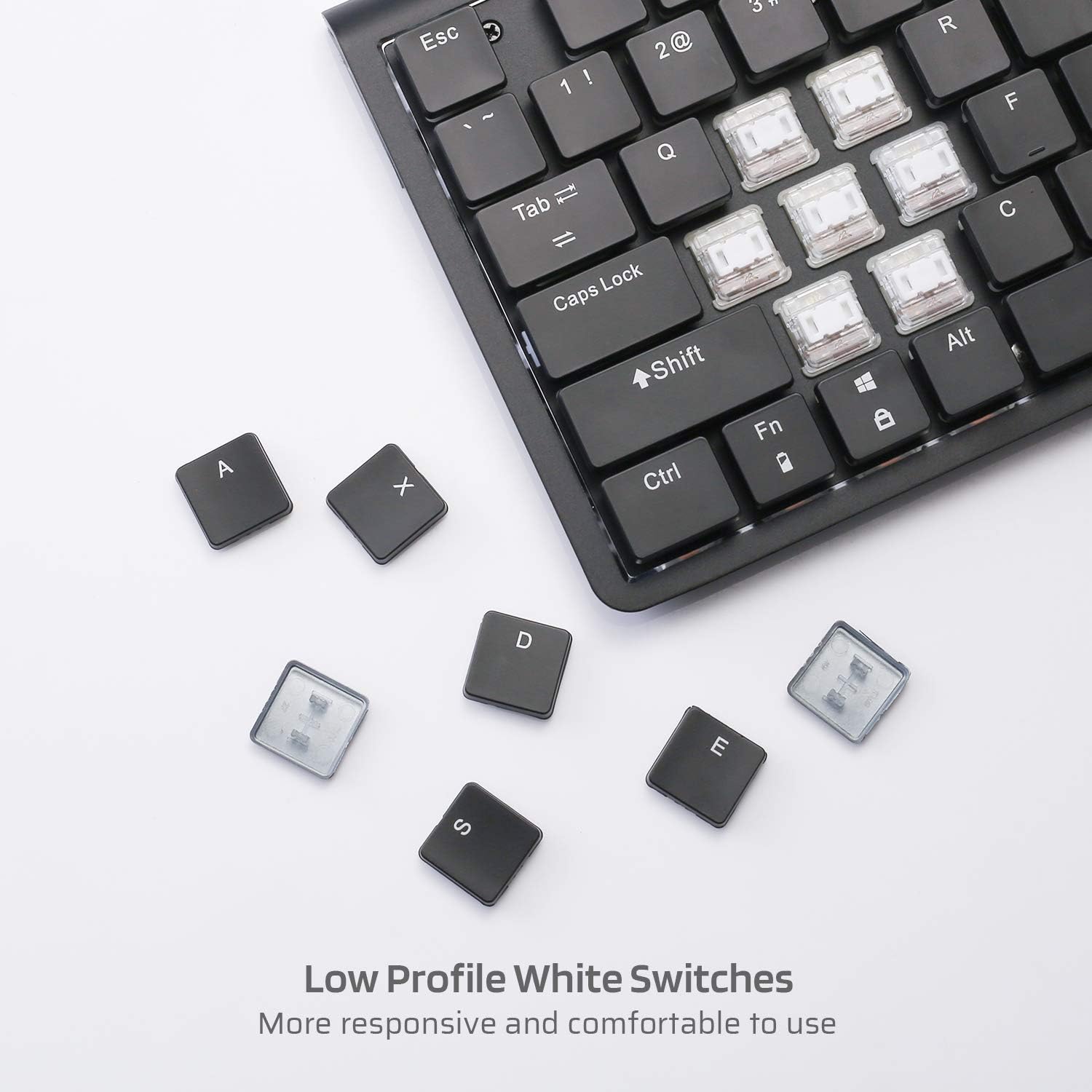
Irudia: Gertuko planoa view of the low profile white mechanical switches, highlighting their design.
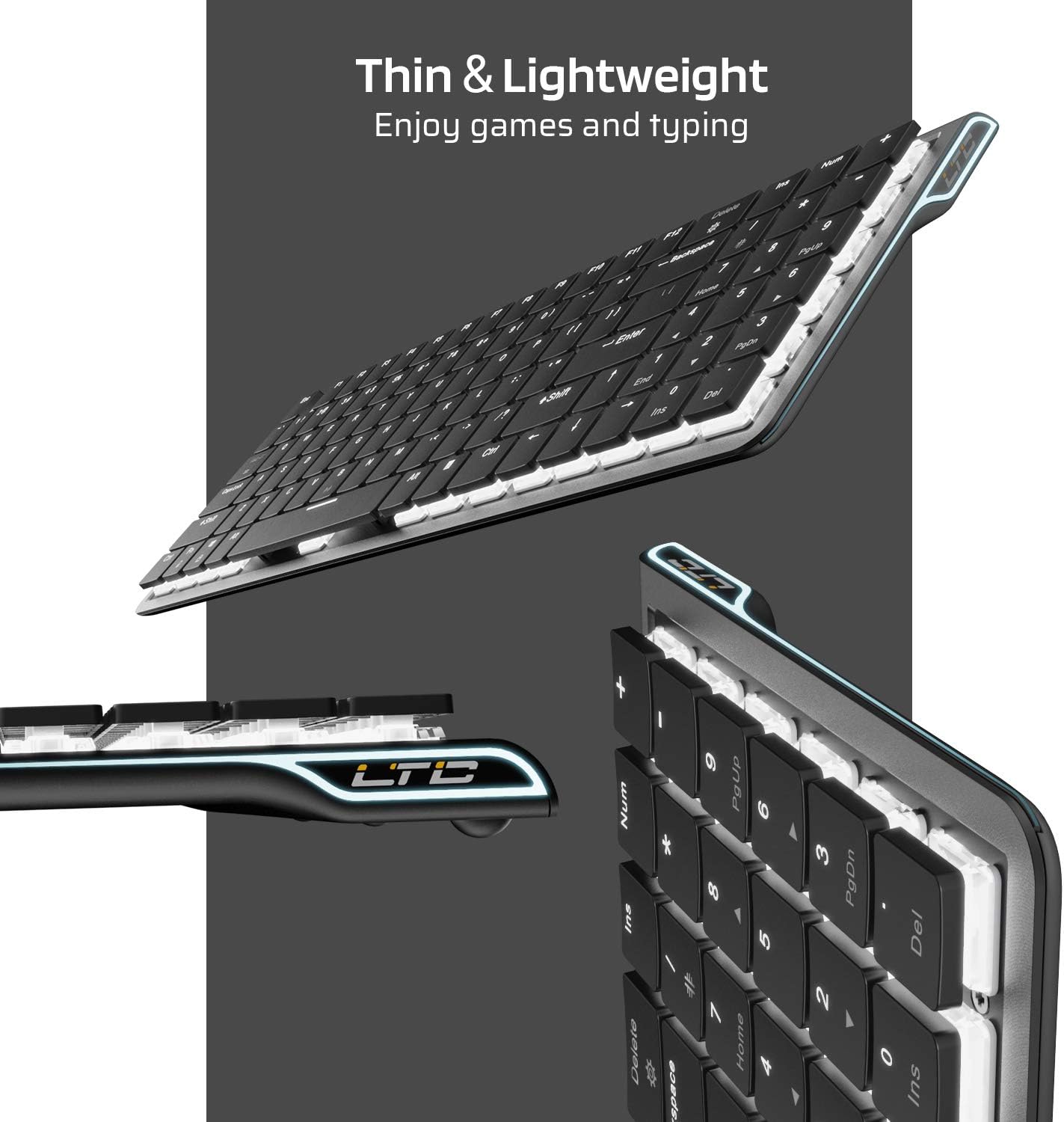
Irudia: Albokoa view of the keyboard, emphasizing its thin and lightweight profile.
Konfigurazio Argibideak
Kablezko konexioa
- Bilatu paketean sartutako USB C motako kablea.
- Connect one end of the USB Type-C cable to the port on the keyboard.
- Konektatu kablearen beste muturra ordenagailuko USB ataka erabilgarri batera.
- Teklatua automatikoki ezagutuko da eta erabiltzeko prest egongo da.
Bluetooth haririk gabeko konexioa
- Ensure the keyboard is charged or connected via USB-C initially.
- Locate the ON/OFF switch on the underside of the keyboard and slide it to the 'ON' position.
- Sakatu Fn + Tab to switch the keyboard to wireless mode. The keyboard's backlight will blink twice to indicate wireless mode.
- To select a Bluetooth device slot, press Fn + Q, Fn + W, edo Fn + E. The corresponding key will blink slowly.
- To enter pairing mode, long-press Fn+B for 3 seconds. The selected Bluetooth key (Q, W, or E) will blink quickly, indicating it is ready to pair.
- On your device (computer, tablet, or mobile phone), enable Bluetooth and search for available devices. Select "LTC Nimbleback LK-301" from the list.
- Once paired, the selected Bluetooth key will stop blinking and remain steadily lit.

Image: Illustration showing both wireless Bluetooth 3.0 and wired USB Type-C connection options for the keyboard.

Irudia: Teklatua hainbat gailutara konektatuta (smartphone-a, tableta, ordenagailu eramangarria), hainbat gailu aldatzeko gaitasuna erakutsiz.
Bideoa: Amaiera batview of the LTC Nimbleback LK-301 Low Profile Mechanical Keyboard, demonstrating its features and design. This video is provided by AceGadget.
Funtzionamendu-argibideak
Atzeko argiaren kontrola
- Aldatu atzeko argiztapen modua: Sakatu Fn + Ezabatu to cycle through 17 different white backlight modes.
- Pre-set Backlight Modes:
- Sakatu fn+1 for FPS (First-Person Shooter) backlight mode.
- Sakatu fn+2 for LOL (League of Legends) backlight mode.
- Sakatu fn+3 for Office backlight mode.
- Doitu Atzeko argiaren distira: Sakatu Fn + Gora gezia distira handitzeko, eta Fn + Behera gezia distira gutxitzeko.
- Doitu Atzeko argiaren abiadura: Sakatu Fn + Eskuineko gezia to increase animation speed, and Fn + Ezkerreko Gezia animazio-abiadura murrizteko.
Side RGB Lighting Control
- Change Side Light Mode/Color: Sakatu Fn + /? (located on the numeric keypad) to cycle through various RGB side lighting effects and colors.
Bideoa: Berrikuspen zehatzaview of the LTC Nimbleback LK-301 Low Profile Mechanical Keyboard, including demonstrations of its backlighting and side RGB effects. This video is provided by AngelPGC Store.
Mantentzea
Zure teklatuaren iraupena eta errendimendu optimoa bermatzeko, jarraitu mantentze-jarraibide hauek:
- Garbiketa: Erabili zapi leun eta lehor bat teklatuaren gainazala garbitzeko. Garbiketa sakonago bat egiteko, erabili aire konprimatua teklatuen arteko hautsa eta hondakinak kentzeko. Saihestu produktu kimiko gogorrak edo material urratzaileak erabiltzea.
- Biltegiratzea: When not in use, store the keyboard in a cool, dry place away from direct sunlight and extreme temperatures. The included fabric bag can be used for protection during storage or travel.
- Likidoaren esposizioa: Avoid spilling liquids on the keyboard. In case of accidental spills, immediately disconnect the keyboard, turn it off, and allow it to dry completely before attempting to use it again.
Arazoak konpontzea
Teklatuak ez du erantzuten (kable bidezko modua)
- Ziurtatu USB C motako kablea ondo konektatuta dagoela teklatura eta ordenagailura.
- Saiatu teklatua ordenagailuko beste USB ataka batera konektatzen.
- Probatu teklatua beste ordenagailu batean sistemaren arazo espezifikoak baztertzeko.
Teklatua ez da konektatzen (Bluetooth modua)
- Verify that the keyboard's ON/OFF switch is in the 'ON' position.
- Ziurtatu teklatua haririk gabeko moduan dagoela (Fn + Tab).
- Confirm that the correct Bluetooth device slot is selected (Fn + Q/W/E).
- Re-enter pairing mode by long-pressing Fn+B 3 segundoz.
- Check your device's Bluetooth settings to ensure Bluetooth is enabled and the keyboard is visible or already paired. Try removing and re-pairing the device.
- Ziurtatu teklatuaren bateriak nahikoa karga duela.
Atzeko argia ez dabil edo iluna da
- Doitu distira erabiliz Fn + Gora gezia.
- Atzeko planoaren moduen artean txandakatu, erabiliz Fn + Ezabatu to see if a different mode activates the lights.
- Ensure the keyboard battery has sufficient charge, as low battery can affect backlight performance.
Zehaztapenak
| Ezaugarri | Xehetasuna |
|---|---|
| Modelo zenbakia | LK-301 |
| Konektibitate Teknologia | Bluetooth 3.0, USB Type-C (Wired) |
| Teklatuaren deskribapena | Joko Teklatu Mekanikoa |
| Ezaugarri bereziak | Bluetooth, Lighting (White Backlit, RGB Side), Wireless |
| Kolorea | Beltza |
| Materiala | Metala |
| Elementuaren pisua | 1.76 libra (gutxi gorabehera 0.8 kg) |
| Paketearen neurriak | 15.28 x 6.3 x 2.2 hazbete |
| Dakarten osagaiak | USB Receiver (Note: USB Type-C cable is also included for wired connection and charging) |
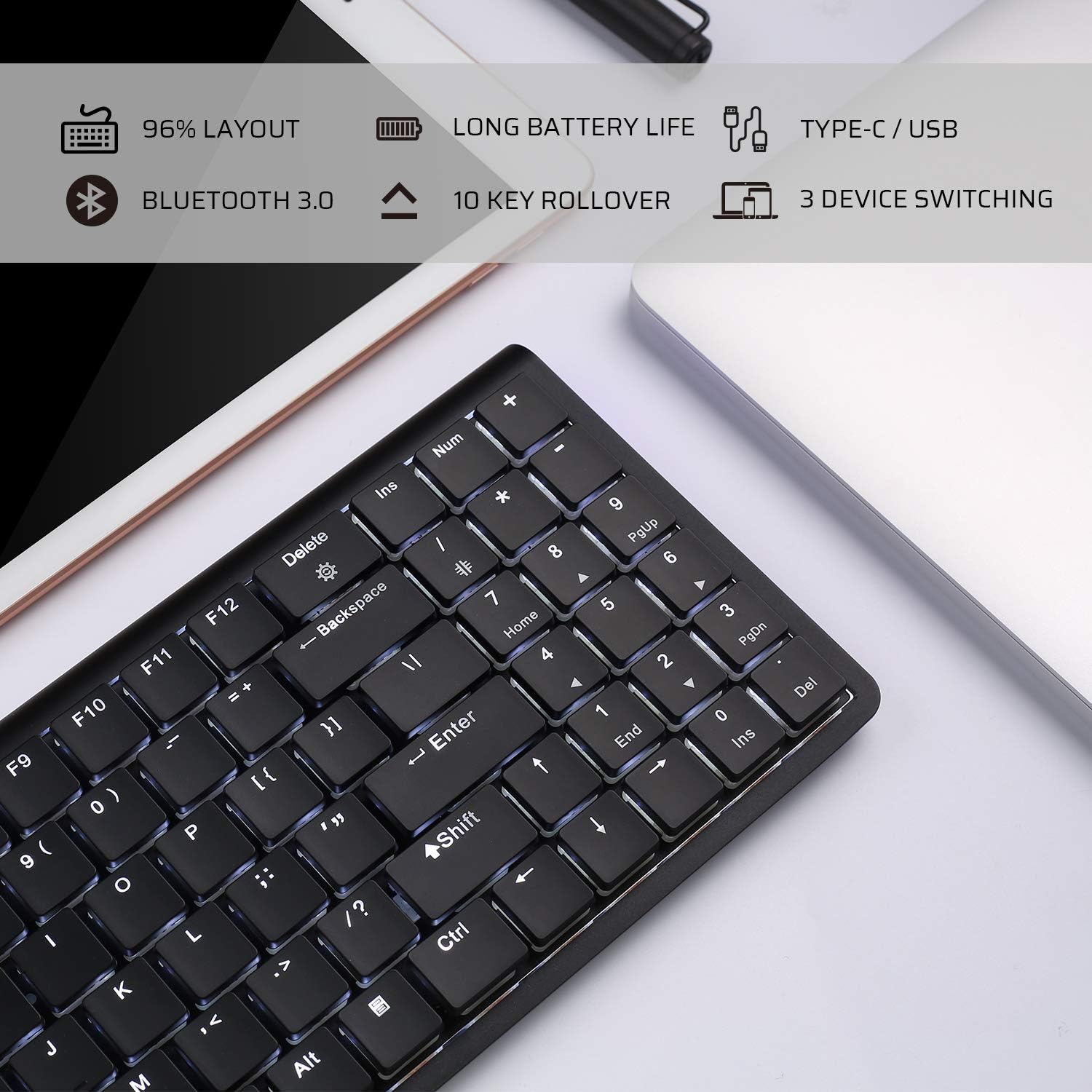
Image: An infographic highlighting key features such as 96% layout, long battery life, Type-C/USB, Bluetooth 3.0, 10-key rollover, and 3-device switching.
Bermea eta Laguntza
For warranty information and customer support, please refer to the warranty card included in your product packaging or visit the official LTC webgunea. Gorde erosketa-agiria erosketaren frogagiri gisa, berme-erreklamazioetarako.