
1. Sarrera
This manual provides instructions for the ZdalaMit XRT136 Replacement Remote Control. This remote is designed to function as a direct replacement for your original Vizio Smart TV remote without requiring any programming or pairing.
Compatible Vizio Smart TV Models:
- M657-G0
- M557-G0
- PX65-G1
- P659-G1
- P759-G1
- D60-F3
2. Paketearen edukia
Ziurtatu elementu guztiak paketean daudela:
- 1 x ZdalaMit XRT136 Replacement Remote Control
3. Konfigurazioa
3.1 Bateriaren instalazioa
The remote control requires two (2) AAA alkaline batteries (not included) for operation.
- Kokatu bateriaren konpartimendua urrutiko agintearen atzealdean.
- Irristatu bateriaren konpartimentuaren estalkia beherantz irekitzeko.
- Sartu bi AAA pila berri, ziurtatu terminal positiboak (+) eta negatiboak (-) konpartimentuaren barruko markekin behar bezala lerrokatuta daudela.
- Irristatu bateriaren konpartimentuaren estalkia berriro bere lekuan klik egin arte.

Irudia: Atzealdea view of the XRT136 remote control, illustrating the battery compartment location.
Once batteries are installed, the remote is ready for use. No programming or pairing is required.
4. Funtzionamendu-argibideak
To operate your Vizio Smart TV, point the ZdalaMit XRT136 remote control directly at the television's infrared receiver. Press the desired buttons to control your TV's functions.

Irudia: Aurrealdea view of the XRT136 remote control, displaying the layout of all buttons.
4.1 Funtzio nagusiakview
The remote features standard television control buttons, including:
- Pizteko botoia: Telebista pizten edo itzaltzen du.
- Sarrerako botoia: Selects video input sources (HDMI, AV, etc.).
- Nabigazio-panela (Gora, Behera, Ezkerra, Eskuina, Ados): Menuetan nabigatzeko eta hautatzeko.
- Bolumena igo/behera: Telebistako bolumena doitzen du.
- Kanal gora/behera: Telebistako kateak aldatzen ditu.
- Mututu botoia: Silences the television audio.
- Zenbaki-teklatua (0-9): Kanalerako sarrera zuzena lortzeko.
- Back/Exit Buttons: Navigates back in menus or exits current functions.
- Menu/Info Buttons: Accesses TV menus and displays information.
- Aplikazioaren botoiak dedikatuak: Quick access to streaming services (e.g., VUDU, Netflix, Amazon, Xumo, Crackle, iHeartRadio).

Image: A user holding the XRT136 remote control, demonstrating typical usage by pointing it at a television.
5. Mantentzea
5.1 Garbiketa
To clean the remote control, use a soft, dry cloth. Do not use liquid cleaners, sprays, or abrasive materials, as these may damage the remote's surface or internal components.
5.2 Bateria zaintzea
- Replace batteries when the remote's performance diminishes or stops working.
- Ez nahastu bateria zaharrak eta berriak, edo bateria mota desberdinak.
- Kendu pilak urrutiko agintea denbora luzez erabiliko ez baduzu, isuriak saihesteko.
- Bota erabilitako bateriak tokiko araudiaren arabera.
6. Arazoak
6.1 Urruneko agintea ez da erantzuten
- Egiaztatu bateriak: Ziurtatu bateriak behar bezala sartuta daudela, polaritate zuzenarekin (+/-).
- Ordeztu bateriak: If the batteries are old or depleted, replace them with two new AAA alkaline batteries.
- Ikusmen lerroa: Ensure there are no obstructions between the remote control and the TV's infrared receiver. Point the remote directly at the TV.
- Distantzia: Confirm you are within the effective operating range (up to 33 feet).
6.2 Funtzionaltasun mugatua
- Verify that your Vizio Smart TV model is listed under the compatible models in Section 1.
- Some advanced TV features or smart functions may require the original remote or specific TV settings. This remote is designed for primary control functions.
7. Zehaztapenak
| Marka | ZdalaMit |
| Ereduaren izena | XRT136 (Mfr Part Number: fghea-593) |
| Gailu bateragarriak | Vizio Smart Televisions (M657-G0, M557-G0, PX65-G1, P659-G1, P759-G1, D60-F3) |
| Konektibitate Teknologia | Infragorriak |
| Kontrolagailu mota | Botoien Kontrola |
| Botoi kopurua | 18 |
| Elikatze Hornidura | 2 x 1.5V AAA Alkaline Batteries |
| Gehienezko irismena | 33 oin (10 metro) |
| Elementuaren neurriak (L x W x H) | 6.75" x 1.79" x 0.55" (17.15 cm x 4.55 cm x 1.4 cm) |
| Elementuaren pisua | 1.6 ontza (45 gramo) |
| Ezaugarri Berezia | Diseinu ergonomikoa |
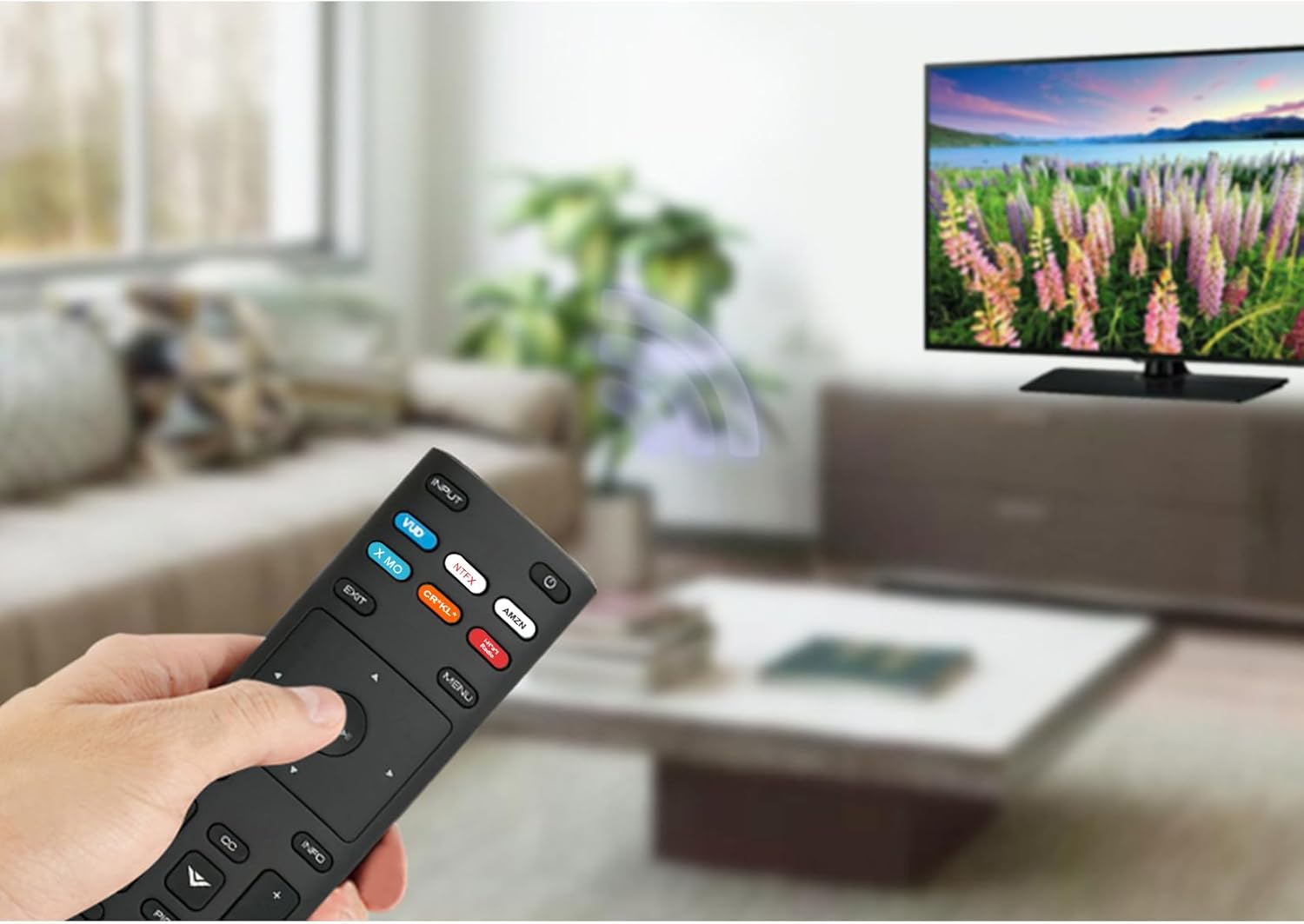
Image: The XRT136 remote control with its physical dimensions highlighted.
8. Bermearen informazioa
This ZdalaMit product comes with a 1 urteko bermea from the date of purchase. This warranty covers manufacturing defects under normal use. It does not cover damage caused by misuse, accidents, unauthorized modifications, or battery leakage.
9. Laguntza
If you encounter any issues or have questions regarding your ZdalaMit XRT136 Replacement Remote Control that are not addressed in this manual, please contact the seller or manufacturer for assistance. Provide your product model (XRT136) and a detailed description of the issue for efficient support.