
Tyler TDM-01
Tyler TDM-01 Portable CD Player
Erabiltzailearen eskuliburua
Produktua amaituview
The Tyler TDM-01 is a versatile portable CD player designed for on-the-go music enjoyment. It supports various disc formats including Compact Disc, CD-R, CD-RW, and CD-MP3. Key features include X-Bass stereo sound, anti-shock protection, and a user-friendly control panel.

Image: The Tyler TDM-01 Portable CD Player, shown with its sleek black and silver design and connected earbuds.
Ezaugarri nagusiak:
- Saltoen aurkako babesa: Provides up to 60 seconds of skip-free playback, ensuring uninterrupted music even during movement.
- Kontrol-panela funtzio anitzekoa: Features a top-mounted LCD display and buttons for Play, Repeat, Forward, Stop, and Hold.
- Memoria programagarria: Store up to 20 of your favorite songs for customized playback sequences.
- Itzali automatikoa: The device conserves battery life by automatically turning off when a CD finishes playing.
- X-Bass Stereo Sound: Enhance your audio experience with boosted bass.
- Potentzia-aukera anitz: Operates on 2 AA batteries or via Micro USB for home listening.
- Diseinu trinkoa eta eramangarria: Lightweight and travel-friendly for music anywhere.
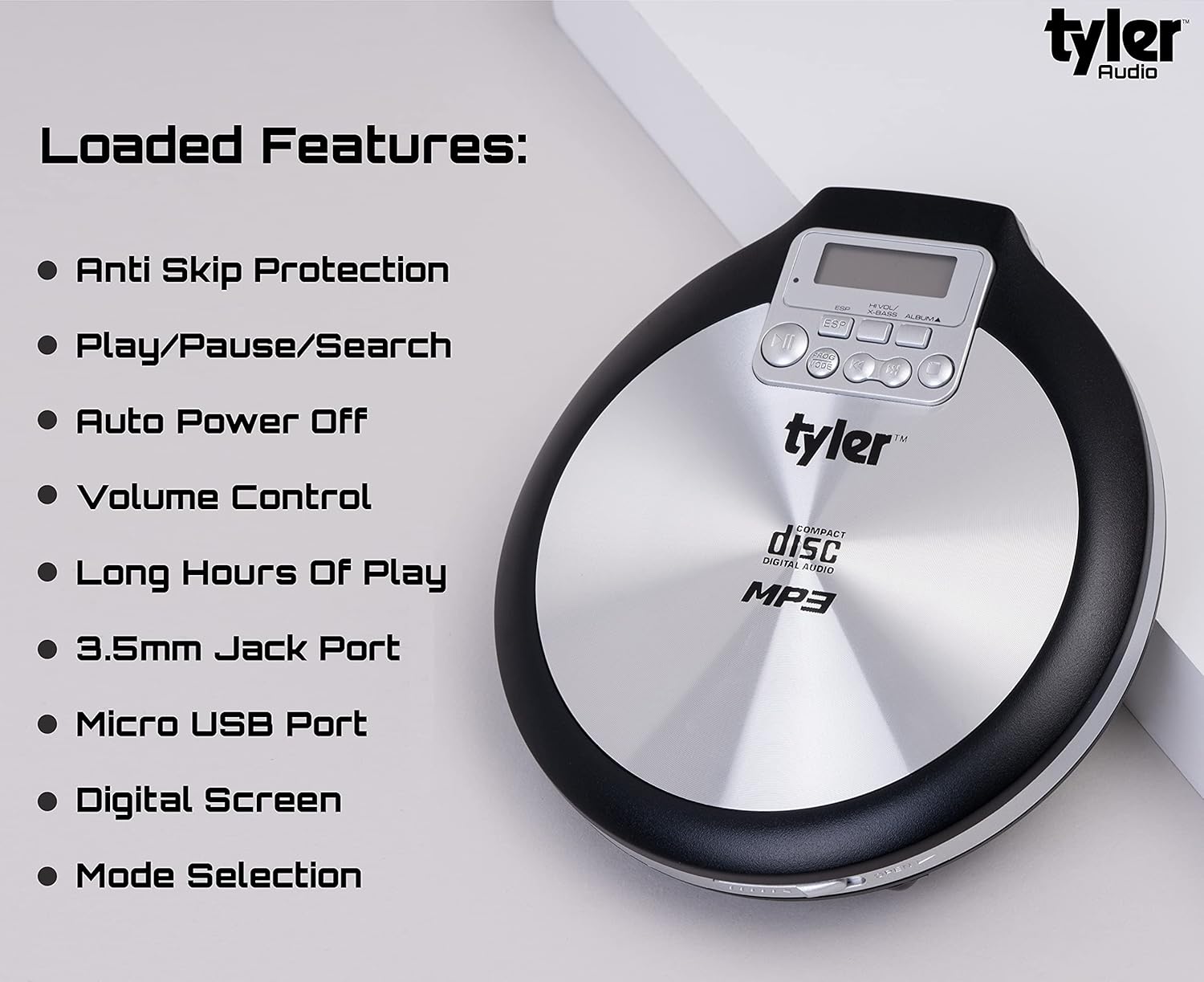
Image: A visual representation of the Tyler TDM-01's loaded features, including Anti Skip Protection, Play/Pause/Search, Auto Power Off, Volume Control, Long Hours Of Play, 3.5mm Jack Port, Micro USB Port, Digital Screen, and Mode Selection.
Konfigurazioa
Gailua piztea:
The TDM-01 can be powered by two (2) AA batteries or via a Micro USB cable (not included) for continuous power from a wall adapter or computer USB port.
- Bateriaren instalazioa: Open the battery compartment on the bottom of the player. Insert two AA batteries, ensuring correct polarity (+/-). Close the compartment securely.
- Mikro USB potentzia: Connect a Micro USB cable to the Micro USB port on the side of the player and the other end to a compatible USB power source.
Inserting a CD:
- Locate the 'Open Tab' on the side of the player. Gently lift the lid.
- Place the CD onto the center spindle with the label side facing up. Ensure the CD is seated properly.
- Itxi tapa ondo, bere lekuan klik egin arte.
Connecting Earbuds/Headphones:
Plug the included stereo earbuds or your preferred 3.5mm headphones into the headphone jack located on the side of the player. Ensure the jack is fully inserted for proper audio output.
Funtzionamendu-argibideak

Image: A detailed diagram illustrating the various controls and ports on the Tyler TDM-01 Portable CD Player, including Play/Pause, Stop, Forward/Next, Back/Rewind, Volume Control, On/Off, Micro USB, Headphone Jack, Open Tab, Mode Program, Digital Display, ESP, X-Bass, and Album.
Oinarrizko kontrolak:
- Piztu/Itzali: Use the 'On/Off' switch located on the side of the player.
- Erreproduzitu/Pausatu (►▮▮): Press to start playback or pause the current track.
- Gelditu (■): Sakatu erreprodukzioa gelditzeko.
- Forward/Next (►►): Press once to skip to the next track. Press and hold to fast-forward within a track.
- Back/Rewind (◀◀): Press once to go to the beginning of the current track. Press twice to go to the previous track. Press and hold to rewind within a track.
- Bolumen kontrola: Adjust the volume using the rotary dial on the side of the player.
- X-Baxua: Press the 'X-Bass' button to activate or deactivate the bass enhancement feature.
Erreprodukzio moduak:
- Errepikatu 1: Uneko pista errepikatzen du.
- Errepikatu guztiak: CDko pista guztiak errepikatzen ditu.
- Programa modua: Allows you to program up to 20 tracks in a specific order.
Pistak programatzea:
- While the player is stopped, press the 'PROG MODE' button.
- Use the 'Forward/Next' or 'Back/Rewind' buttons to select the desired track number.
- Press 'PROG MODE' again to confirm the selection and move to the next program slot.
- Repeat steps 2 and 3 until all desired tracks are programmed (up to 20).
- Press the 'Play/Pause' button to start playback of the programmed sequence.
Anti-Shock Protection (ESP):
The TDM-01 features Electronic Skip Protection (ESP) to prevent audio interruptions caused by vibrations or shocks. This feature buffers audio data, providing up to 60 seconds of continuous playback even if the disc experiences minor disturbances.

Image: A user enjoying music with the Tyler TDM-01 Portable CD Player in an outdoor setting, demonstrating its portability.
Mantentzea
Gailua garbitzea:
- Garbitu erreproduzitzailearen kanpoaldea zapi leun eta lehor batekin.
- Ez erabili garbitzaile edo disolbatzaile urratzailerik.
- For the optical lens, use a specialized CD lens cleaner if necessary. Avoid touching the lens directly.
Bateria zaintzea:
- Kendu bateriak erreproduzitzailea denbora luzez erabiliko ez bada, isuriak saihesteko.
- Bota ezazu erabilitako bateriak arduraz tokiko araudiaren arabera.
Diskoaren manipulazioa:
- Always handle CDs by their edges to avoid fingerprints and scratches.
- Erabiltzen ez dituzunean, gorde CDak beren zorroetan.
- Garbitu CD zikinak zapi leun eta lihorik gabeko batekin, erdialdetik kanporantz garbituz.
Arazoak konpontzea
| Arazoa | Kausa posiblea | Irtenbidea |
|---|---|---|
| Erreproduzitzailea ez da pizten. | Batteries are dead or incorrectly inserted; Micro USB cable not connected or faulty. | Replace batteries, check polarity. Ensure Micro USB cable is securely connected to a working power source. |
| No sound from earbuds/headphones. | Earbuds not fully plugged in; Volume too low; Faulty earbuds. | Ensure 3.5mm jack is fully inserted. Increase volume using the rotary dial. Test with another pair of earbuds. |
| Disc skipping or not playing. | Dirty or scratched CD; CD not seated properly; Excessive vibration. | Clean the CD. Re-insert the CD, ensuring it is flat on the spindle. Minimize movement during playback. |
| Kontrolek ez dute erantzuten. | HOLD function is active. | Check the 'HOLD' switch on the player and ensure it is in the OFF position. |
| Low volume output. | Volume setting is low; Earbuds impedance mismatch. | Increase the volume using the rotary dial. Consider using earbuds with lower impedance for louder output. |
Zehaztapenak
- Ereduaren izena: TDM-01
- Marka: Tyler
- Onartutako disko formatuak: CD, CD-R, CD-RW, CD-MP3
- Anti-Shock Protection: 60 segundo
- Programa daitezkeen pistak: 20 arte
- Energia iturria: 2 x AA Batteries or Micro USB (DC 5V)
- Konektibitatea: 3.5 mm-ko entzungailuen sarrera, mikro USB
- Kolorea: Beltza eta Zilarrezkoa
- Elementuaren pisua: Gutxi gorabehera 1.1 libra (0.5 kg)
- Neurriak (gutxi gorabehera): 5.5 cm (Z) x 5 cm (S) x 1 cm (A)

Image: The Tyler TDM-01 Portable CD Player held in a hand, illustrating its compact size and approximate dimensions of 5.5 inches by 5 inches by 1 inch.
Bermea eta Laguntza
For information regarding warranty coverage, product registration, or technical support, please refer to the documentation included with your purchase or visit the official Tyler webgunea. Bezeroarentzako arreta-zerbitzuaren harremanetarako datuak normalean fabrikatzailearen webgunean ematen dira. webgunean edo produktuaren ontzian.
Era berean, bisitatu dezakezu Tyler Store on Amazon produktuari buruzko informazio gehigarria eta laguntza-baliabideak lortzeko.