
Sarrera
This manual provides comprehensive instructions for the safe and efficient use of your TUINYO TP19 Bluetooth Wireless Over-Ear Headphones. Please read this manual thoroughly before operating the device and retain it for future reference.

Image: TUINYO TP19 Bluetooth Wireless Over-Ear Headphones, showcasing the sleek design in black and blue.
Segurtasun Informazioa
- Saihestu bolumen-maila handietara esposizio luzea, entzumenaren kalteak saihesteko.
- Ez erabili entzungailuak gidatzen ari zaren bitartean, bizikletan zoazenean edo inguruko soinuak entzutea ezinezkoa izan daitekeen egoeretan.
- Mantendu gailua uretatik, hezetasunetik eta muturreko tenperaturatik urrun.
- Ez saiatu entzungailuak desmuntatzen edo aldatzen. Honek bermea baliogabetu eta kalteak eragin ditzake.
- Clean the headphones with a soft, dry cloth. Avoid using harsh chemicals.
Paketearen edukia
- TUINYO TP19 Bluetooth Wireless Over-Ear Headphones
- Mikro USB kargatzeko kablea
- 3.5 mm-ko audio kablea
- Babes-zorroa
- Erabiltzailearen eskuliburua (dokumentu hau)

Image: All items included in the TUINYO TP19 headphone package: the headphones, a protective case, a micro USB charging cable, and a 3.5mm audio cable.
Produktua amaituview
The TUINYO TP19 headphones feature a comfortable over-ear design with soft memory-protein earmuffs and an adjustable stainless steel headband for a perfect fit. Controls are intuitively placed on the earcup.

Irudia: Xehetasun handikoa view of the headphone's ergonomic features: leather-padded headband, adjustable headband mechanism, soft memory-protein earmuffs, and the equalizer (EQ) button.
Ezaugarri nagusiak:
- High Fidelity Stereo Sound: Powered by 40mm neodymium drivers for immersive audio.
- Diseinu erosoa: Memory-protein ear cushions and adjustable headband for extended wear.
- Modu bikoitza: Haririk gabeko Bluetooth eta kable bidezko 3.5 mm-ko audio konexioak onartzen ditu.
- Bateriaren iraupen luzea: Gehienez 40 orduko erreprodukzio-denbora karga bakar batekin.
- Mikrofono integratua: For hands-free calls and voice commands.
- Diseinu tolesgarria: Erraz eramangarritasun eta biltegiratze lanetarako.
Konfigurazioa
1. Entzungailuak kargatzea
- Connect the micro USB charging cable to the charging port on the headphones.
- Konektatu kablearen beste muturra USB elikatze-egokitzaile batera (ez dago barne) edo ordenagailuaren USB atakara.
- The LED indicator will show charging status (typically red while charging, off or blue when fully charged).
- A full charge takes approximately 2-2.5 hours and provides up to 40 hours of music playtime.

Image: Graphic illustrating the impressive battery duration, highlighting up to 35 hours of battery life and a quick charge feature where 15 minutes of charging provides 3 hours of playtime.
2. Piztu/Itzali
- Piztu: Press and hold the Power button (usually the multi-function button) for a few seconds until the LED indicator lights up and you hear a power-on prompt.
- Itzali: Press and hold the Power button again for a few seconds until the LED indicator turns off and you hear a power-off prompt.
3. Bluetooth parekatzea
- Ziurtatu entzungailuak itzalita daudela.
- Sakatu eta eutsi pizteko botoia 5-7 segundo inguru, LED adierazlea txandaka gorriz eta urdinez keinuka hasi arte, parekatze modua adieraziz.
- Zure gailuan (telefono adimenduna, tableta, ordenagailua), gaitu Bluetooth eta bilatu eskuragarri dauden gailuak.
- Select "TP 19" from the list of devices.
- Once paired, the LED indicator will flash blue slowly, and you will hear a connection confirmation.
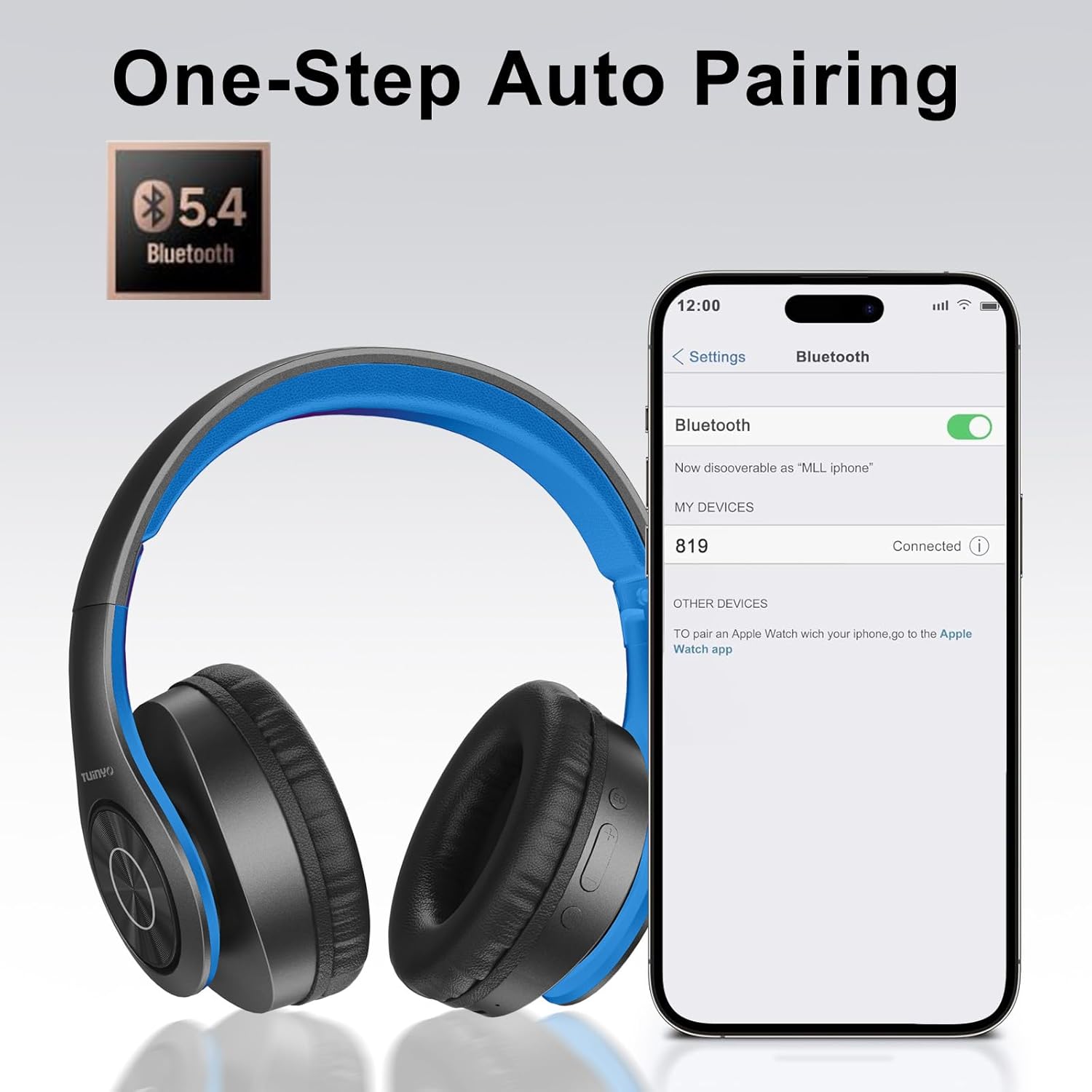
Image: A smartphone screen displaying the Bluetooth settings, showing the "819" (representing the TP19 headphones) successfully connected, illustrating the one-step auto pairing feature.
Video: An official TUINYO video demonstrating the Bluetooth pairing process and showing the headphones in use. This video highlights the ease of connecting the headphones to a device.
Funtzionamendu-argibideak
1. Haririk gabeko modua
- Erreproduzitu/Pausatu: Sakatu funtzio anitzeko botoia behin.
- Bolumena igo: Sakatu "+" botoia.
- Bolumena jaitsi: Sakatu "-" botoia.
- Hurrengo ibilbidea: Sakatu eta eutsi "+" botoiari.
- Aurreko pista: Sakatu eta eutsi "-" botoiari.
2. Kable bidezko modua
When the battery is low or if you prefer a wired connection, you can use the included 3.5mm audio cable.
- Konektatu 3.5 mm-ko audio kablearen mutur bat entzungailuen audio sarrera atakara.
- Connect the other end to your audio device's 3.5mm jack.
- In wired mode, controls on the headphones may be limited, and playback will be controlled by your connected device.
3. Deitu funtzioak
- Deia erantzun/amaitu: Sakatu funtzio anitzeko botoia behin.
- Deia baztertu: Eduki sakatuta funtzio anitzeko botoia 2 segundoz.
- Berriz markatu azken zenbakia: Sakatu birritan funtzio anitzeko botoia.
4. Ahots Laguntzailea
The headphones support voice-enabled assistants like Siri. Press the Multi-function button twice to activate your device's voice assistant.
5. Sound Effects (EQ Mode)
The headphones feature multiple sound effects (EQ modes) to customize your listening experience. Press the EQ button (often labeled "EQ" or a similar icon) to cycle through available modes such as Normal, Rock, Pop, Classic, Jazz, and Country.
Video: An official TUINYO video showcasing the various sound modes and controls on the headphones, demonstrating how to switch between different equalizer settings.
Mantentzea
- Store the headphones in the protective case when not in use to prevent damage.
- Mantendu kargatzeko ataka eta audio-hartunea hautsik eta hondakinik gabe.
- Avoid exposing the headphones to direct sunlight or extreme heat for extended periods.
- Do not use abrasive cleaners or solvents on the headphones.
Arazoak konpontzea
| Arazoa | Irtenbidea |
|---|---|
| Entzungailuak ez dira pizten. | Ziurtatu entzungailuak guztiz kargatuta daudela. Konektatu energia-iturri batera eta saiatu berriro. |
| Ezin da gailuarekin parekatu. |
|
| Ez dago soinurik haririk gabeko moduan. |
|
| Ez dago soinurik kable bidezko moduan. |
|
Zehaztapenak
| Ezaugarri | Xehetasuna |
|---|---|
| Ereduaren izena | TP 19 |
| Konektibitate Teknologia | Haririk gabeko (Bluetooth) |
| Haririk gabeko Komunikazio Teknologia | Bluetooth 5.1 |
| Bluetooth barrutia | 10 metro |
| Audio kontrolatzaile mota | Gidari dinamikoa |
| Audio kontrolatzailearen tamaina | 40 milimetro |
| Maiztasun Erantzuna | 20 KHz |
| Inpedantzia | 32 ohmio |
| Bateriaren iraupena | 40 ordu |
| Kargatzeko Denbora | 2.5 ordu |
| Aurikularretarako Jack | 3.5 mm Jack |
| Kontrol mota | Ahots-kontrola, Ukimen-kontrola |
| Ezaugarri Berezia | Tolesgarria |
| Elementuaren pisua | 8.9 ontza (251 gramo) |
| Produktuaren neurriak | 6.85 x 3.9 x 9.72 hazbete |
| Materiala | Plastikoa |
| Dakarten osagaiak | Cable, Protective Case, micro usb cable |
Bermea eta Laguntza
By choosing TUINYO, you are covered by a 30-day hassle-free return policy and a one-year warranty. For any inquiries or assistance, please contact our prompt and friendly customer service, available 24/7.
For further support, visit the official TUINYO store: TUINYO Store