
Sarrera
This manual provides detailed instructions for setting up, operating, and maintaining your Sonos Arc Smart Sound Bar. The Sonos Arc delivers an immersive audio experience with Dolby Atmos, enhancing your television, movie, music, and gaming experiences. It can be controlled via your TV remote, the Sonos app, voice commands, and Apple AirPlay 2.
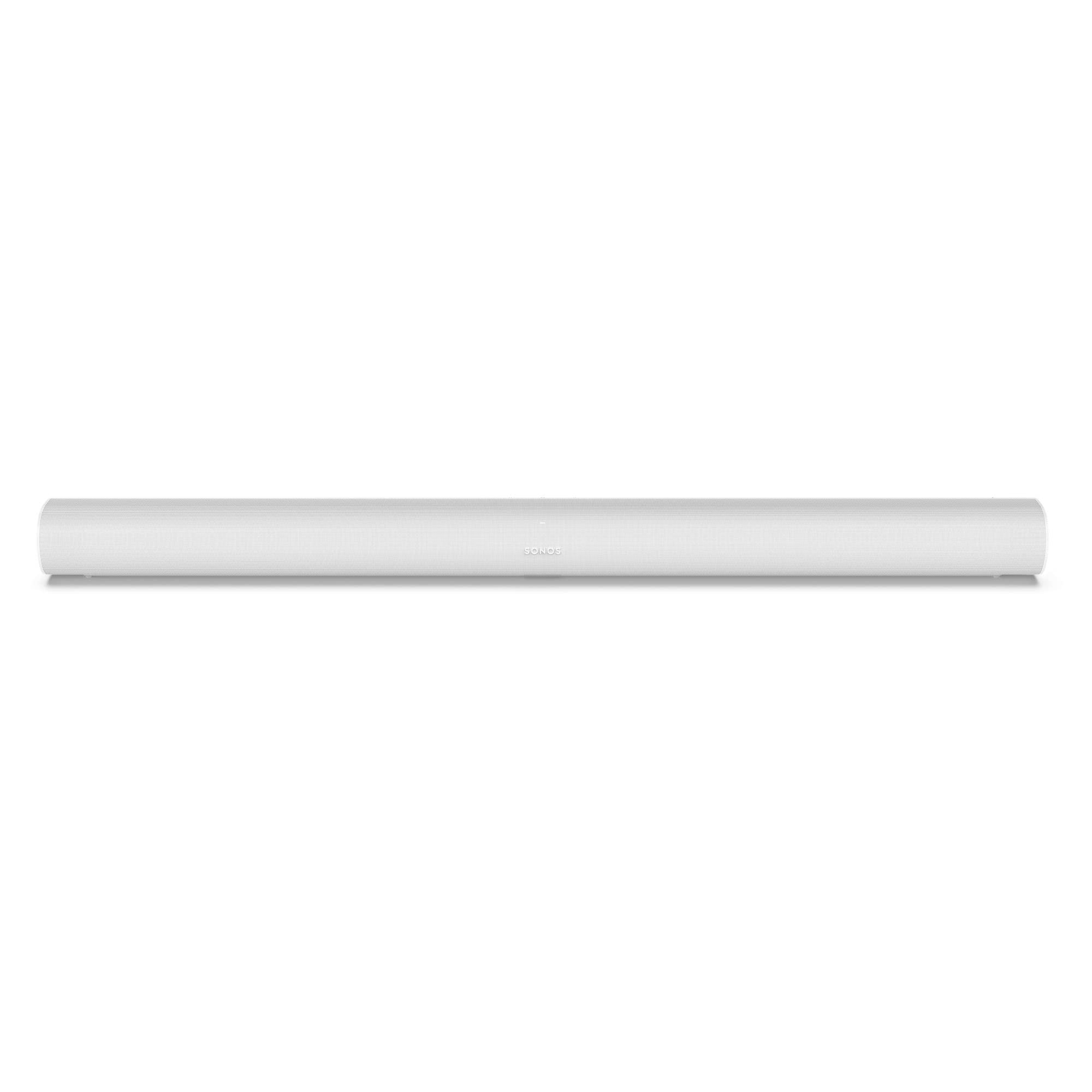
Image: The Sonos Arc Smart Sound Bar in its elegant white finish.
Konfigurazioa
Follow these steps to set up your Sonos Arc for optimal performance.
1. Kutxa ireki eta kokapena
Carefully remove the Sonos Arc from its packaging. Place the sound bar horizontally below your television. Ensure there is clear space around the Arc for optimal sound dispersion, especially for upward-firing speakers if wall-mounted.

Image: Sonos Arc positioned beneath a television.
2. Connecting to Power and TV
- Connect the power cord to the Arc and then to a power outlet.
- Connect one end of the supplied HDMI cable to the HDMI port on the Arc.
- Connect the other end of the HDMI cable to your TV's HDMI ARC or eARC port. This port is usually labeled "ARC" or "eARC". If your TV does not have an ARC/eARC port, use the included optical audio adapter.

Irudia: Atzealdea view of the Sonos Arc, highlighting the power and HDMI connections.
3. Sonos aplikazioaren konfigurazioa
- Deskargatu Sonos aplikazioa zure gailuaren aplikazio-dendatik.
- Open the Sonos app and follow the on-screen instructions to set up your new Sonos system or add the Arc to an existing system.
- The app will guide you through connecting the Arc to your Wi-Fi network and configuring sound settings, including Trueplay tuning for optimal audio in your room.
Operating the Sonos Arc
The Sonos Arc offers multiple ways to control your audio experience.
Kontrol-metodoak
- Sonos aplikazioa: Use the Sonos app on your smartphone or tablet to browse music services, adjust volume, group speakers, and manage settings.
- Ahots kontrola: The Arc has built-in voice assistants (e.g., Amazon Alexa, Google Assistant). Enable your preferred assistant through the Sonos app to control music playback, smart home devices, and more using voice commands.
- Telebistako urrutiko agintea: Once connected via HDMI ARC/eARC, your TV remote can typically control the Arc's volume.
- Apple AirPlay 2: Stream audio directly from Apple devices (iPhone, iPad, Mac) to the Sonos Arc using AirPlay 2.
- Ukipen-kontrolak: The top of the Arc features touch-sensitive controls for play/pause, volume adjustment, and microphone mute. These can be disabled via the Sonos app if desired.

Irudia: Goian view of the Sonos Arc, illustrating the integrated touch controls.
Audio Ezaugarriak
- Dolby Atmos: The Arc supports Dolby Atmos, providing a three-dimensional sound experience for compatible content.
- Hizkera hobetzea: Activate this feature in the Sonos app to make dialogue clearer.
- Gaueko soinua: Reduce the intensity of loud effects while preserving quieter sounds, ideal for late-night listening.
- Sistema zabalgarria: The Sonos Arc can be paired wirelessly with other Sonos speakers, such as a Sonos Sub for enhanced bass or Sonos One/Era speakers for surround sound.
Mantentzea
Proper care ensures the longevity and performance of your Sonos Arc.
- Garbiketa: Use a soft, dry cloth to wipe the exterior of the Arc. Avoid abrasive cleaners, solvents, or sprays directly on the device.
- Aireztapena: Ensure the ventilation ports are not obstructed to prevent overheating.
- Ingurumena: Keep the Arc away from direct sunlight, heat sources, and excessive moisture.
Arazoak konpontzea
If you encounter issues with your Sonos Arc, refer to the following common solutions.
Soinurik ez edo etengabeko audioa
- Egiaztatu konexioak: Ensure the HDMI cable is securely connected to both the Arc and your TV's HDMI ARC/eARC port. Verify the power cable is firmly connected.
- Telebistako ezarpenak: Confirm your TV's audio output is set to HDMI ARC/eARC and that external speakers are selected. Some TVs require specific audio format settings (e.g., Bitstream for Dolby Atmos).
- Sonos aplikazioa: Check the Sonos app for any error messages or connectivity issues. Restart the app.
- Berrabiarazi gailuak: Power cycle your TV, Sonos Arc, and any connected source devices (e.g., cable box, streaming player). Unplug them from power for a minute, then plug them back in.
Wi-Fi konexio arazoak
- Routerraren hurbiltasuna: Ensure the Arc is within range of your Wi-Fi router.
- Routerraren berrabiarazpena: Berrabiarazi zure Wi-Fi bideratzailea.
- Sonos aplikazioa: Use the Sonos app to re-establish the Wi-Fi connection or check network settings.
Ahots-laguntzaileak ez du erantzuten
- Mikrofonoa piztuta: Ensure the microphone on the Arc is not muted (indicated by a solid light).
- Sonos aplikazioa: Verify that your voice assistant is enabled and configured correctly in the Sonos app.
- Interneteko konexioa: Voice assistants require an active internet connection.
Bluetooth funtzionaltasuna
The Sonos Arc primarily uses Wi-Fi for audio streaming and system control. It does not support direct Bluetooth audio streaming from mobile devices for music playback. Bluetooth is used for initial setup and Trueplay tuning with iOS devices.
Zehaztapenak
| Ezaugarri | Xehetasuna |
|---|---|
| Produktuaren neurriak (L x W x H) | 114.17 x 11.57 x 8.7 cm |
| Pisua | 6.2 kilogramo |
| Modelo zenbakia | ARCG1UK1 |
| Marka | Sonos |
| Maiztasun Erantzuna | 60 Hz |
| Konektibitate Teknologia | HDMI, Wi-Fi |
| Audio irteera modua | Dolby Atmos |
| Sarrera boltage | 240 Volt |
| Muntatze Mota | Mahai-muntaia |
| Materiala | Plastikoa |
| Hizlari mota | Soinu taberna |
| Ezaugarri Berezia | Dolby Atmos Surround Soinua |
| Gomendatutako Erabilerak | For Home Theater System |
| Kolorea | Zuria |
| Kontrol-metodoa | Voice, Remote Control |
| Bozgorailuaren tamaina | 8.7 zentimetro |
| Tweeter Diametroa | 1 hazbeteko |
| Uraren Erresistentzia Maila | Water Resistant (Note: Product is not waterproof) |
| Audio kanalak | 5.1 |
| Subwoofer Connection Technology | Wired (for optional Sonos Sub) |
| Gailu bateragarriak | Smartphone, Tablet, Laptop, Television, Desktop, Projector, Home Cinema, Game Console |
| Energia iturria | Kable elektrikoa |
| Kutxaren edukia | 1 Sonos Arc White, 1 cable/bag box including: 1 power cord, HDMI cable, HDMI ARC to optical adapter (black), product and warranty documentation |

Image: Sonos Arc dimensions diagram.
Bermearen informazioa
Sonos Arc-ek honekin dator Berme mugatua. Please refer to the documentation included in the box for specific terms and conditions.
Spare parts availability is guaranteed for 7 urte erosketa-datatik aurrera.
Laguntza
For further assistance, product updates, or to access the full user manual, please visit the official Sonos support webgunea:
You can also find troubleshooting tips and community forums on the Sonos webgunea.