
Samsung UE50TU8500UXZT
Samsung TV UE50TU8500UXZT Smart TV 50" Serie TU8500 User Manual
Model: UE50TU8500UXZT
Produktua amaituview
The Samsung TV UE50TU8500UXZT is a 50-inch Smart TV from the TU8500 series, featuring Dynamic Crystal UHD 4K resolution and integrated Alexa. This model offers an immersive viewing experience with advanced picture technologies and smart functionalities.

1. irudia: Aurrealdea view of the Samsung UE50TU8500UXZT Smart TV, showcasinbere marko meheak eta erdiko euskarria nabarmenduz.
Ezaugarri nagusiak:
- Dual LED with Dynamic Crystal Display: Provides optimal contrast for sharper and more vivid images with over a billion colors.
- Crystal 4K Processor: Enhances all content to stunning 4K definition.
- Boundless Design: An elegant, refined, and minimalist design that allows for an immersive viewesperientzia.
- Integrated Bixby and Alexa: Voice assistants to help manage the TV and other smart home devices.
- Digital Terrestrial 2.0 Ready: Prepared to receive the new digital terrestrial broadcasting system.
- Konektibitatea: Features wireless connectivity, multiple HDMI inputs, and USB ports.

Figure 2: The Samsung Smart TV seamlessly integrated into a modern living room environment, demonstrating its aesthetic appeal.
Konfigurazio Gida
1. Desontziratzea eta muntatzea:
Carefully unpack the television from its packaging. It is recommended to have two people for assembly due to the size and weight of the unit. When handling the screen, avoid touching the display surface directly. Instead, hold the TV by the designated plastic side supports.
To assemble the stand, place the TV screen-down on a soft, clean surface (e.g., a blanket) to prevent scratches. Insert the stand into the designated slots on the TV. If mounting on a wall, ensure you use a compatible VESA wall mount (not included) and follow the wall mount manufacturer's instructions. Gently remove all protective films from the screen and bezel after assembly.
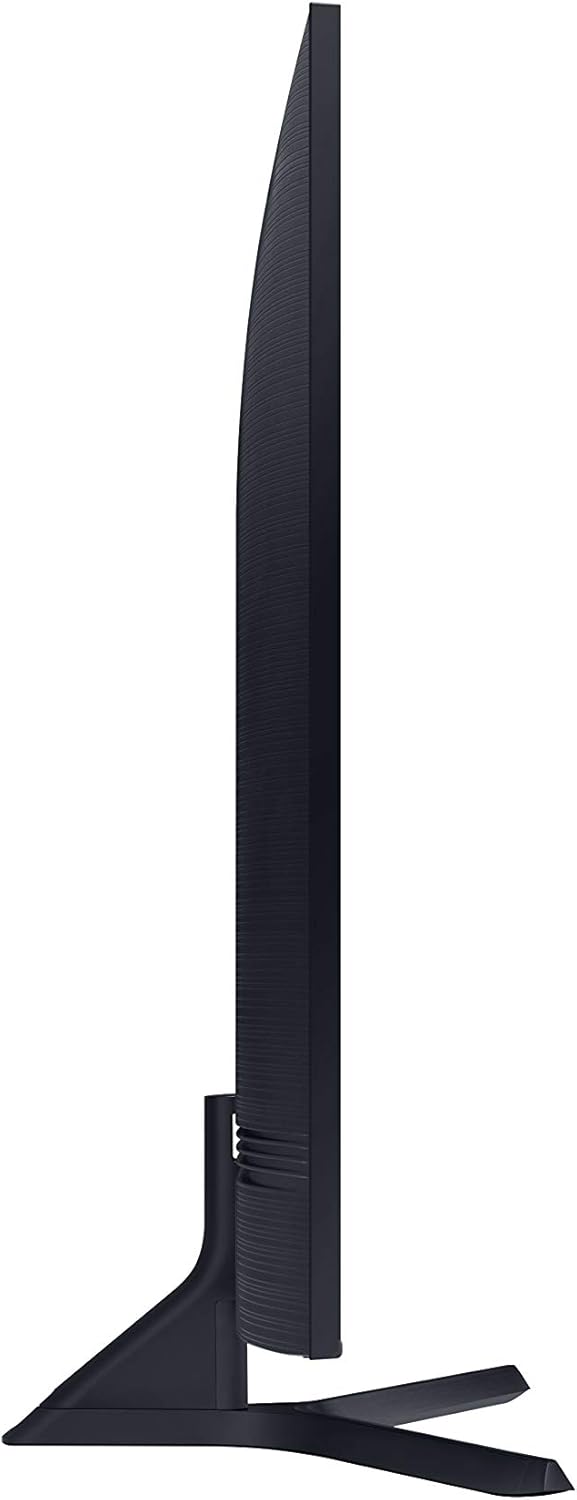
3 irudia: Alboko aldeafile of the Samsung Smart TV, highlighting its slim design.
2. Initial Power-On and Configuration:
- Konektatu elikatze-kablea telebistara eta gero hormako entxufe batera.
- Sakatu urrutiko agintean edo telebistan pizteko botoia.
- Follow the on-screen guided setup procedure. This will include language selection, network connection (Wi-Fi or Ethernet), channel scanning (digital terrestrial and satellite), and smart feature setup.
- For network connection, the TV supports both 2.4 GHz and 5 GHz Wi-Fi networks. For optimal performance, especially for streaming, a 5 GHz connection is recommended if available.
Funtzionamendu-argibideak
1. Smart Hub and Navigation:
The Samsung Smart TV runs on the Tizen operating system, which is designed for speed and ease of use. Access the Smart Hub to find your favorite apps, streaming services (Netflix, Prime Video, Rakuten TV have dedicated buttons on the remote), and connected devices.
2. Picture and Sound Settings:
Pertsonalizatu zure viewing experience through the picture settings menu. The Dual LED and Dynamic Crystal Display technologies work to provide vibrant colors and deep blacks. The Crystal 4K Processor upscales content to near-4K quality. Adjust settings like brightness, contrast, sharpness, and color to your preference. While the built-in audio is decent, for an enhanced audio experience, consider connecting an external soundbar or home theater system via the optical audio output or Bluetooth.
3. Voice Assistants:
The TV integrates Bixby and Alexa voice assistants. Use the dedicated voice button on your remote to issue commands for TV control, content search, and smart home device management. Note that there might be a slight delay in voice command response, especially after the TV has been off for a period.
4. Ezaugarri bereziak:
- Game Enhancer: Reduces input lag for a smoother gaming experience, especially beneficial for fast-paced video games.
- Giro modua: Transforms your TV into a dynamic display that blends with your home decor, showing images or patterns when not in use.
- Adimentsu View: Mirror your smartphone screen directly to the TV to share content.
Mantentzea
1. Telebista garbitzea:
Pantaila garbitzeko, garbitu astiro-astiro mikrofibra zapi leun eta lehor batekin. Orban egoskorrak kentzeko, garbitu apur bat.ampen the cloth with water or a screen-safe cleaning solution. Avoid using harsh chemicals, abrasive materials, or direct spraying onto the screen. For the TV frame and stand, use a soft, dry cloth.
2. Software eguneraketak:
Ensure your TV's software is up to date to benefit from the latest features, performance improvements, and security patches. You can usually check for and install updates through the TV's settings menu (e.g., Settings > Support > Software Update).
Arazoak konpontzea
This section addresses common issues you might encounter with your Samsung Smart TV.
- Wi-Fi Instability: If you experience unstable Wi-Fi connectivity, especially if your signal is weak or there are many competing networks, try changing the transmission channel on your Wi-Fi router. Consider using a Wi-Fi signal repeater placed between your router and the TV to improve signal strength and stability.
- Voice Command Latency: A slight delay in voice command response, particularly after the TV has been off, is normal. If the delay is excessive, ensure your internet connection is stable.
- Urruneko kontrolaren arazoak: The smart remote is minimalist. If you find certain functions difficult to access or the volume/channel buttons feel delicate, consider familiarizing yourself with the on-screen menus or using the SmartThings app on your smartphone as an alternative remote.
- Standaren egonkortasuna: The central V-shaped stand, while aesthetically pleasing, may offer less stability compared to wider-set feet. Ensure the TV is placed on a flat, stable surface and be cautious to avoid accidental bumps to prevent tipping.
- Uneven Backlight (Clouding/Bleeding): On completely black backgrounds, you might notice slight variations in backlight intensity, appearing as "spots" or "clouding" at the corners or edges. This is a common characteristic of certain panel technologies and is generally negligible during normal viewing.
- Slow System Performance: While Tizen OS is generally responsive, if the system feels slow or sluggish, try restarting the TV (unplug from power for a few minutes) or performing a factory reset (this will erase all settings and data).
Zehaztapenak
Below are the technical specifications for the Samsung TV UE50TU8500UXZT:
| Ezaugarri | Balioa |
|---|---|
| Marka | Samsung |
| Modelo zenbakia | UE50TU8500UXZT |
| Pantailaren tamaina | 50 hazbete / 127 cm |
| Bistaratzeko Teknologia | LED |
| Ebazpena | 4K (3840 x 2160 pixel) |
| Aspektu-erlazioa | 16:9 |
| Konektibitate Teknologia | Wireless (Wi-Fi), HDMI (3 ports), USB (2 ports) |
| Onartutako Interneteko zerbitzuak | Alexa, Bixby, Netflix, Prime Video, Rakuten TV |
| Ezaugarri Berezia | Internet, Smart TV functionality |
| Produktuaren neurriak (W x P x H) | 111.64 x 32.65 x 72.81 cm (euskarriarekin) |
| Elementuaren pisua | 15.2 kg |
| Energia Eraginkortasun Klasea (SDR) | G |
| Energia Eraginkortasun Klasea (HDR) | G |
| Energia-kontsumoa (SDR) | 110 kWh/1000h |
| Energia-kontsumoa (HDR) | 130 kWh/1000h |
| Freskatze tasa | 60 Hz |
| Osagaiak barne | Smart TV, Remote Control, Power Cable |

Figure 4: Energy efficiency label for the Samsung UE50TU8500U, showing its energy class and consumption.
For more detailed information, refer to the official EU Product Information Sheet: https://eprel.ec.europa.eu/qr/379333
Bermea eta Laguntza
Samsung provides a standard manufacturer's warranty for this product. For specific details regarding the warranty period and coverage, please refer to the documentation included with your TV or visit the official Samsung support webzure eskualderako gunea.
Itzulketak eta itzulketak: If you wish to return a product within 30 days of receipt because you have changed your mind, please consult the Amazon return policy page. If you have received a defective or damaged product, please consult the Amazon help page on damaged items. For specific information on purchases made through the Marketplace, please consult the relevant Amazon help page.
For technical assistance, troubleshooting beyond this manual, or to inquire about repairs, please contact Samsung Customer Service. You can find contact information on the Samsung official webgunea.
Ask a question about this manual
Ask about setup, troubleshooting, compatibility, parts, safety, or missing instructions. Manuals+ will review the question and use this page’s manual context to help answer it.