
Sarrera
Eskerrik asko erosketagatik.asing the eKids Harry Potter Bluetooth Speaker. This portable wireless speaker is designed to provide clear audio from your Bluetooth-enabled devices. This manual provides essential information for setting up, operating, and maintaining your speaker.

Irudia: Aurrealdea view of the eKids Harry Potter Bluetooth Speaker, featuring the Harry Potter character design.
Segurtasun Informazioa
Produktu hau erabili aurretik, irakurri eta jarraitu segurtasun-argibide guztiak, lesioak edo kalteak saihesteko.
- Do not expose the unit to extreme temperatures, direct sunlight, or moisture.
- Do not immerse the unit in water. This product is not waterproof.
- Erabili emandako kargatzeko kablea soilik.
- Ez saiatu unitatea desmuntatzen edo aldatzen.
- Mantendu haur txikien eskura.
- Bota pilak behar bezala tokiko araudiaren arabera.
Paketearen edukia
Egiaztatu elementu guztiak paketean daudela:
- Harry Potter Bluetooth Speaker
- Mikro USB kargatzeko kablea
- Eskumuturreko uhala
Produktua amaituview
Familiarize yourself with the components of your speaker:

Image: Diagram showing the speaker's dimensions (2.2 inches / 56mm height, 1.8 inches / 46mm width) and labeled parts including the speaker grille, slot to attach wrist strap, port for charging (Micro USB), and Power/Pairing Button.
- Bozgorailuaren parrilla: Located at the top for audio output.
- Pizteko/parekatzeko botoia: Controls power and initiates Bluetooth pairing.
- Kargatzeko ataka: Kargatzeko kablea konektatzeko mikro USB ataka.
- Wrist Strap Slot: For attaching the included wrist strap.
Hizlaria kargatzen
The speaker is powered by a built-in rechargeable Lithium-Ion battery. Before first use, fully charge the speaker.
- Connect the small end of the Micro USB charging cable to the Charging Port on the speaker.
- Connect the large end of the Micro USB charging cable to a powered USB port (e.g., computer, USB wall adapter).
- The charging indicator light (if present, refer to product for exact location) will illuminate during charging and turn off when fully charged.
- Charging time may vary. Disconnect the cable once charging is complete.
Bluetooth parekatzea
Jarraitu urrats hauek zure bozgorailua Bluetooth gaitutako gailu batera konektatzeko:
- Ziurtatu bozgorailua guztiz kargatuta dagoela.
- Eduki sakatuta Pizteko/parekatzeko botoia on the speaker until you hear an audible prompt or see an indicator light flashing, indicating it is in pairing mode.
- On your Bluetooth-enabled device (smartphone, tablet, computer, etc.), go to the Bluetooth settings menu.
- Gaitu Bluetootha eta bilatu eskuragarri dauden gailuak.
- Select "Harry Potter Speaker" (or similar name) from the list of devices.
- Once paired, you will hear a confirmation tone, and the indicator light will stop flashing.
- The speaker can wirelessly stream audio up to 30 feet from your device.
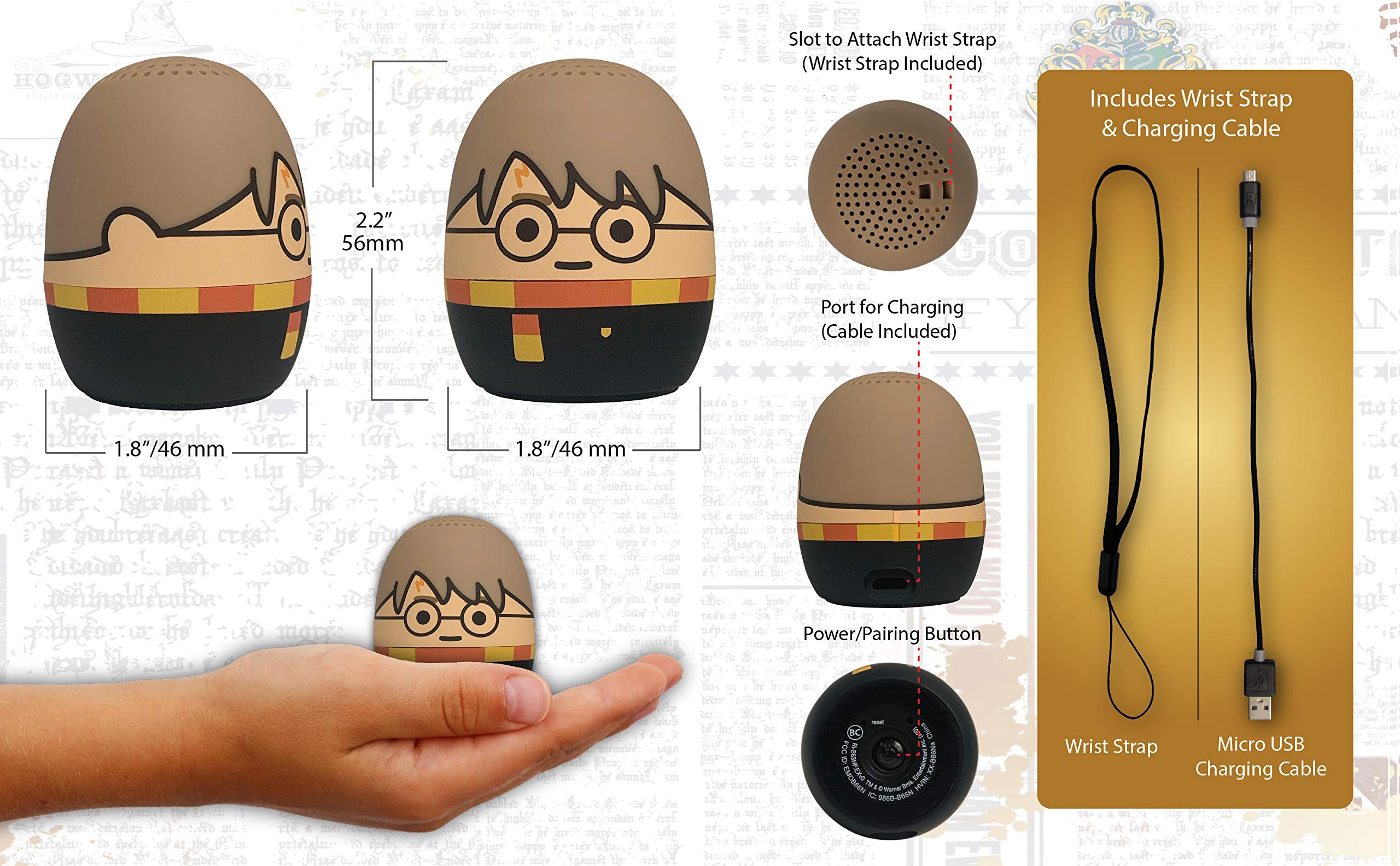
Image: The Harry Potter Bluetooth Speaker shown with icons representing compatible devices: mobile phone, tablet, notebook, PC, smart watch, and game device.
Funtzionamendua
After successful pairing, you can begin playing audio:
- Audioa erreproduzitzea: Start playing music or other audio content on your paired device. The sound will be transmitted to the speaker.
- Bolumen kontrola: Adjust the volume directly from your paired device.
- Piztu/Itzali: Eduki sakatuta Pizteko/parekatzeko botoia to turn the speaker on or off.
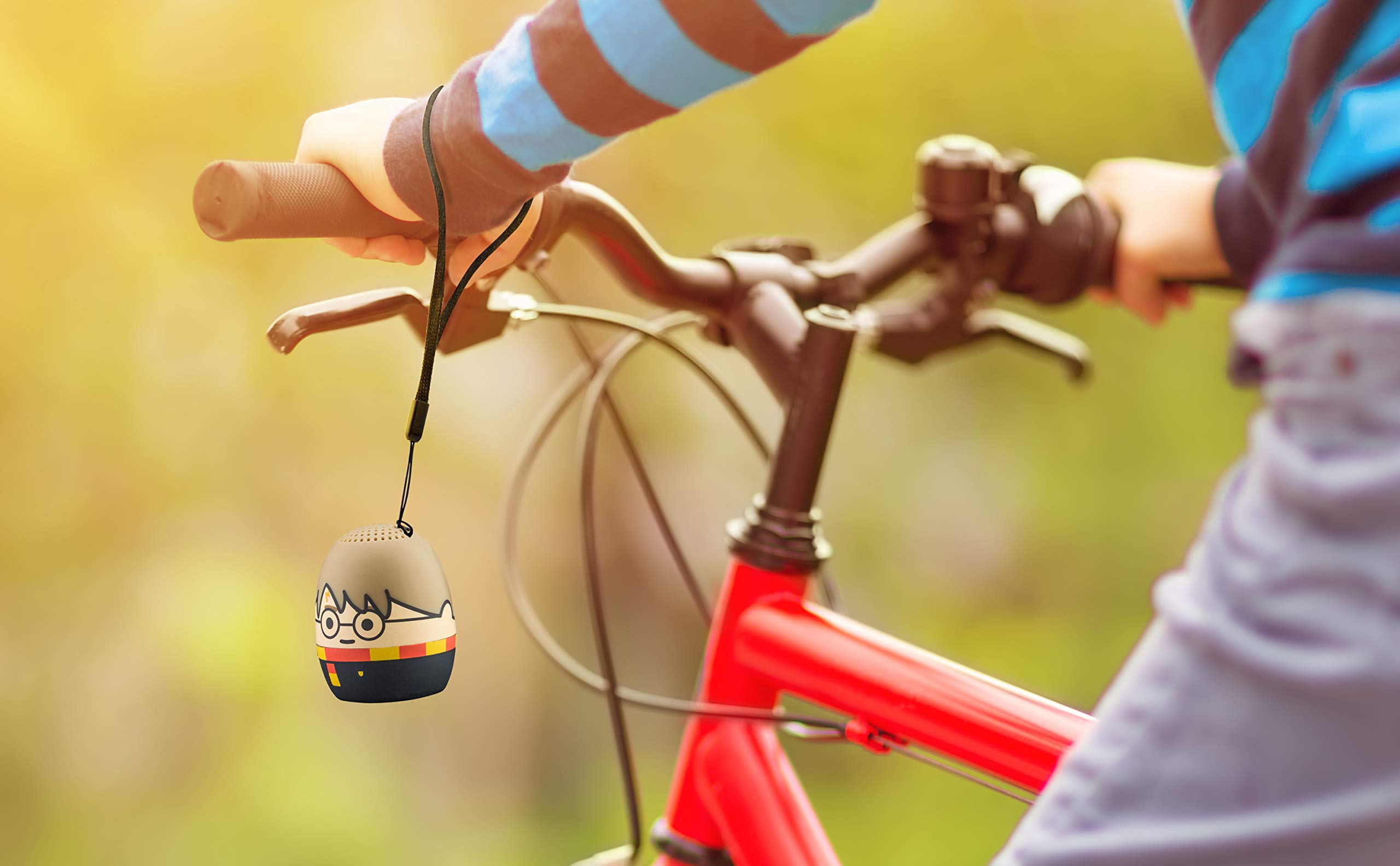
Image: The Harry Potter Bluetooth Speaker, with its wrist strap, attached to the handlebar of a bicycle, demonstrating its portability for outdoor use.
Mantentzea
To ensure the longevity of your speaker, follow these maintenance guidelines:
- Garbiketa: Wipe the speaker with a soft, dry cloth. Do not use liquid cleaners or abrasive materials.
- Biltegiratzea: Denbora luzez erabiltzen ez duzunean, gorde bozgorailua leku fresko eta lehor batean, eguzki-argitik eta muturreko tenperaturetatik babestuta.
- Bateria zaintzea: For optimal battery life, avoid fully discharging the battery frequently. Charge it regularly, even if not used often.
Arazoak konpontzea
If you encounter issues with your speaker, refer to the following table:
| Arazoa | Irtenbidea |
|---|---|
| Bozgorailua ez da pizten. | Ziurtatu bateria kargatuta dagoela. Konektatu bozgorailua energia-iturri batera mikro USB kablea erabiliz. |
| Ezin da Bluetooth gailu batekin parekatu. |
|
| Soinurik ez edo bolumen baxua. |
|
| Audio kalitate eskasa. |
|
Zehaztapenak
| Ezaugarri | Xehetasuna |
|---|---|
| Marka | eKids |
| Ereduaren izena | Harry Potter |
| Konektibitate Teknologia | Bluetootha, USBa |
| Bozgorailuaren irteera-potentzia maximoa | 10 Watt |
| Audio irteera modua | Estereoa |
| Hizlari mota | Eramangarria |
| Kontrol-metodoa | Botoia |
| Bozgorailuaren tamaina | 40 milimetro |
| Energia iturria | Bateriaren funtzionamendua (litio-ioizko bateria 1 barne) |
| Gailu bateragarriak | Personal Computer, Smartphone, Tablet, Television |
| Iragazgaitza da | GEZURRA |
| UPC | 092298948775 |
| ASIN | B087NFC293 |
Bermea eta Laguntza
This product comes with a Limited Warranty. For specific warranty details, please refer to the documentation included with your purchase or contact eKids customer support.
For technical support or further assistance, please visit the eKids official webwebgunera edo jarri harremanetan bezeroarentzako arreta-zerbitzuarekin. Gorde erosketa-agiria berme-erreklamazioetarako.