
Sarrera
Thank you for choosing the Perixx PERIBOARD-317 Backlit USB Keyboard. This full-size wired keyboard is designed for comfortable daily typing, featuring large print keys and white LED backlighting for enhanced visibility in various lighting conditions. Its low-profile keys offer a quiet and responsive typing experience. This manual provides essential information for setting up, operating, maintaining, and troubleshooting your keyboard.
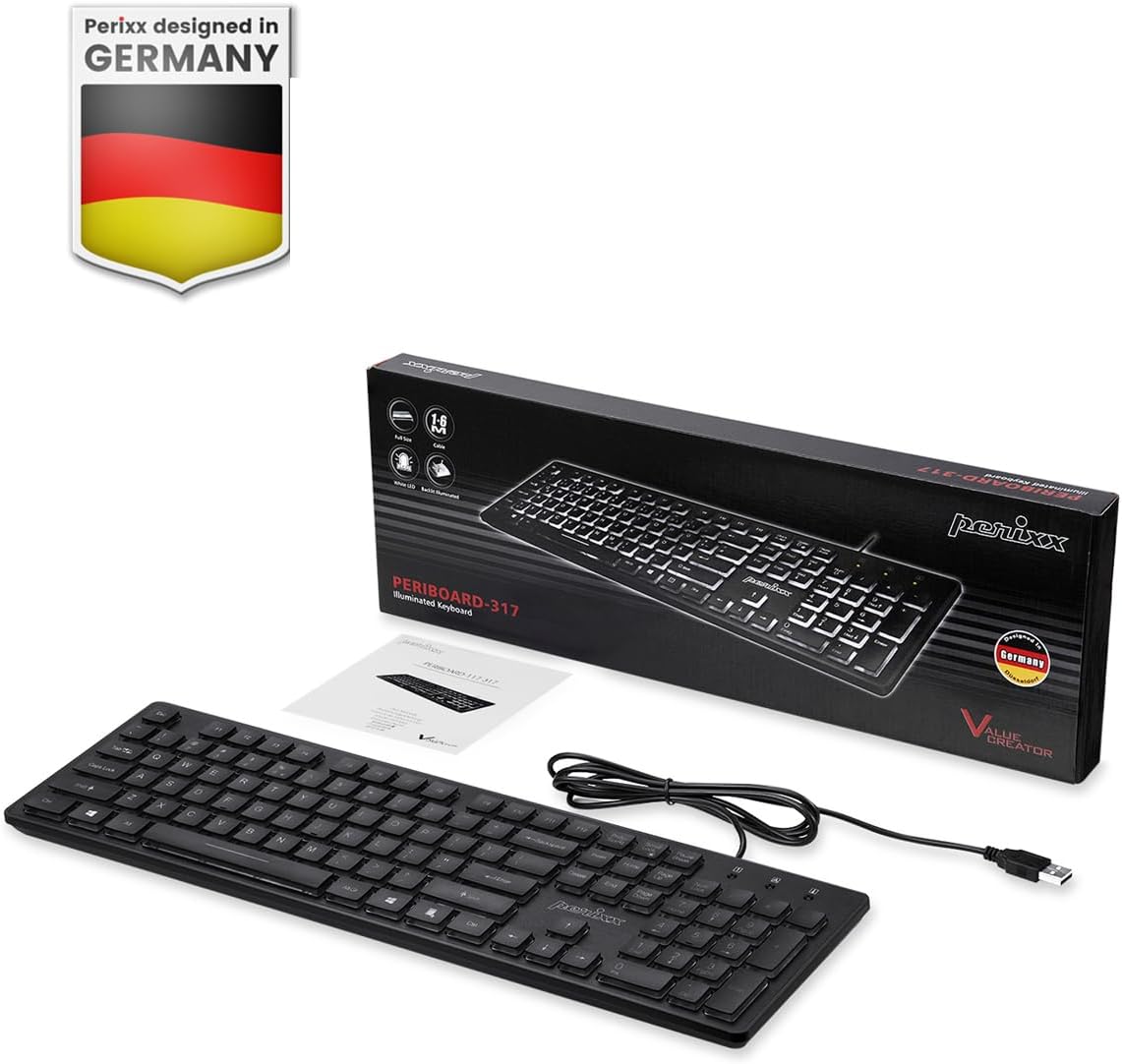
Image: Perixx PERIBOARD-317 keyboard and its contents.
1. Konfigurazioa
1.1 Paketearen edukia
- Perixx PERIBOARD-317 Keyboard
- Erabiltzailearen eskuliburua
1.2 Sistemaren eskakizunak
- Compatible with Windows 7, 8, 10, and 11.
- Available USB-A port.
1.3 Teklatua konektatzea
- Unpack the Perixx PERIBOARD-317 keyboard from its packaging.
- Bilatu erabilgarri dagoen USB-A ataka zure ordenagailuan.
- Plug the USB-A cable of the keyboard into the USB-A port on your computer.
- The keyboard is plug-and-play; no additional drivers or software installation is required. Your computer will automatically detect and configure the device.

Image: Connecting the Perixx PERIBOARD-317 keyboard via USB.
2. Funtzionamendu-argibideak
2.1 Oinarrizko idazketa
The Perixx PERIBOARD-317 features a standard full-size Italian QWERTY layout with 105 keys. The large print characters on the keys are designed for improved visibility, making typing easier for users with visual impairments or in low-light environments.

Image: Large print keys for enhanced visibility.
2.2 Atzeko argiaren kontrola
The keyboard is equipped with a bright, uniformly distributed white LED backlight. This feature allows for comfortable typing in dimly lit conditions.
- Turning On/Off the Backlight: Locate the backlight control key (often indicated by a sun or light bulb icon, or a dedicated function key combination). Press this key to toggle the backlight on or off.
- Distira doitzea: If available, use the designated brightness control keys (often function keys combined with Fn) to increase or decrease the backlight intensity.

Image: White LED backlighting for clear visibility.

Image: Easy typing in low-light conditions with the illuminated keys.
2.3 Scroll Lock and Backlight Interaction
Please note the interaction between the backlight and the Scroll Lock function:
- When the backlight is active, the Scroll Lock function is disabled.
- When the backlight is turned off, the Scroll Lock function is enabled.
2.4 Idazketa esperientzia
Behe-profile keys with wider surfaces provide a responsive, quiet, and precise typing experience. The high-quality ABS key printing is designed to resist wear, and the membrane switches are rated for 5 million keystrokes.

Image: Quiet and responsive typing experience.

Image: Low-profile chiclet keys for comfortable typing.
3. Mantentzea
3.1 Teklatua garbitzea
Teklatuaren errendimendua eta itxura mantentzeko:
- Deskonektatu teklatua ordenagailutik garbitu aurretik.
- Erabili lipurrik gabeko zapi leun bat dampGarbitu urarekin edo garbiketa-soluzio leun batekin teklak eta gainazala garbitzeko.
- Saihestu likidoak zuzenean teklatuan ihinztatzea.
- Teklen arteko hautsa eta hondakinak lortzeko, erabili aire konprimatua.
3.2 Biltegiratzea
Store the keyboard in a dry environment, away from extreme temperatures and direct sunlight, when not in use for extended periods.
4. Arazoak
4.1 Teklatuak ez du erantzuten
- Ziurtatu USB kablea ondo konektatuta dagoela bai teklatuan bai ordenagailuaren USB atakan.
- Saiatu teklatua ordenagailuko beste USB ataka batera konektatzen.
- Berrabiarazi ordenagailua.
- Probatu teklatua beste ordenagailu batean arazoa teklatuan edo ordenagailuan dagoen zehazteko.
4.2 Atzeko argia ez dabil
- Ensure the backlight is turned on using the dedicated backlight control key.
- Check if the brightness level is set too low. Adjust it using the brightness control keys.
- Verify that the Scroll Lock function is not interfering (refer to section 2.3).
4.3 Keys Not Registering or Repeating
- Clean the affected keys as described in the Maintenance section.
- Ziurtatu ez dagoela hondakinik teklaren azpian.
- If the issue persists, it may indicate a hardware problem. Refer to the Warranty and Support section.
5. Zehaztapenak
| Ezaugarri | Xehetasuna |
|---|---|
| Marka | Perixx |
| Ereduaren izena | PERIBOARD-317 IT B |
| Modelo zenbakia | 11629 |
| Konektibitate Teknologia | USB (kablea) |
| Teklatuaren deskribapena | Full-size, Backlit |
| Gomendatutako Erabilerak | Daily use, study |
| Ezaugarri Berezia | Backlit (White LED), Large Print Keys |
| Keyboard Backlight Color Support | Monokromatikoa |
| Produktuaren neurriak (L x W x H) | 44L x 12.9W x 2.7H cm |
| Energia iturria | Kable elektrikoa |
| Aldatu mota | Linear (Membrane) |
| Teklatuaren diseinua | QWERTY (Italian) |
| Gako kopurua | 105 |
| Sistema eragile bateragarriak | Windows 7, 8, 10, 11 |
| Etxebizitza Materiala | ABS plastikoa |
| Elementuaren pisua | 530 gramo |
| Fabrikatzailea | Perixx |
| Fabrikatzailearen pieza zenbakia | PB-317IT-11629 |
| Jatorrizko Herrialdea | Txina |
6. Bermea eta Laguntza
6.1 Bermearen informazioa
The Perixx PERIBOARD-317 keyboard is covered by a limited 24-month warranty from the date of purchase. This warranty covers manufacturing defects and workmanship under normal use.
6.2 How to Obtain Support
For warranty claims, technical assistance, or product inquiries, please visit the official Perixx website. Warranty replacement requests (RMA) are generally processed within 48-72 hours.
Informazio gehiago lortzeko, bisitatu: www.perixx.com

Image: Perixx - Designed in Germany.