
LEDVANCE 75672
SYLVANIA SMART+ WiFi LED Smart Light Bulb A19 (Model 75672) Instruction Manual
Modeloa: 75672 | Marka: LEDVANCE
1. Sarrera
This manual provides detailed instructions for the installation, operation, and maintenance of your SYLVANIA SMART+ WiFi LED Smart Light Bulb A19. This product offers dimmable soft white lighting and is designed for seamless integration with Amazon Alexa and Google Home voice assistants.

Image: Four SYLVANIA SMART+ WiFi LED Smart Light Bulbs, showcasinproduktuaren diseinua g.
2. Segurtasun informazio garrantzitsua
- Barruko erabilera soilik: These LED light bulbs are designed for indoor use exclusively.
- Saihestu instalazio itxiak: Do not use these bulbs in fully enclosed light fixtures. This can lead to overheating and reduced product lifespan.
- Dimmers: These bulbs are dimmable via the app or voice control with a smart speaker. They are ez bateragarriak with traditional wall dimmers. Do not install this device on a circuit with a dimmer switch.
- Itzali instalatu aurretik: Always ensure power is turned off at the switch before installing or removing the bulb.
- 2.4 GHz WiFi Network: A 2.4 GHz WiFi network is required for proper functionality and setup.
3. Paketearen edukia
Zure paketeak elementu hauek izan behar ditu:
- 4 x SYLVANIA SMART+ WiFi LED Smart Light Bulbs (A19, Soft White)
4. Produktuaren zehaztapenak
| Marka | LEDVANCE |
| Modelo zenbakia | 75672 |
| Argi Mota | LED |
| Bonbilla Forma Tamaina | A19 |
| Bonbilla Oinarria | E26 Ertaina |
| Wattage | 9 Watt |
| Goritasunezko baliokidea | 60 Watt |
| Distira | 800 lumen |
| Argi Kolorea | Soft White (2700 Kelvin) |
| liburukiatage | 120 Volt |
| Kontrol-metodoa | Ahotsa, aplikazioa |
| Batez besteko Bizitza | 15,000 ordu |
| Produktuaren neurriak | 2.36"Z x 4.41"A |
| Konektibitatea | WiFi (2.4 GHz only) |

Image: Diagram illustrating the dimensions of the SYLVANIA SMART+ A19 bulb, with measurements for width and height.
5. Konfiguratzeko argibideak
Follow these steps to set up your SYLVANIA SMART+ WiFi LED Smart Light Bulbs:
- Instalatu bonbilla: Screw the SYLVANIA SMART+ WiFi LED Smart Light Bulb into a standard E26 medium base socket. Ensure the power to the fixture is turned off before installation.
- Deskargatu aplikazioa: Download the free SYLVANIA SMART+ WiFi App from your device's app store. You can find links to the app on the official LEDVANCE website or by searching "SYLVANIA SMART+ WiFi" in your app store.
- Sortu kontu bat: Open the SYLVANIA SMART+ WiFi App and follow the on-screen prompts to create a new user account.
- Konektatu WiFira: Ensure your smartphone is connected to a 2.4 GHz WiFi network. The SYLVANIA SMART+ bulbs require a 2.4 GHz network for initial pairing and operation. (Note: 5 GHz networks are not supported.)
- Pair the Bulb:
- Turn on the light fixture. The bulb should begin flashing, indicating it is in pairing mode.
- In the SYLVANIA SMART+ WiFi App, select "Add Device" or the "+" icon.
- Follow the app's instructions to discover and connect your new bulb. This typically involves confirming the flashing light and entering your WiFi network password.
- Once successfully paired, the bulb will stop flashing and remain steadily lit.
- Ahots-laguntzaileekin integratzea (aukerakoa):
- Amazon Alexa-rentzat: Open the Alexa app, go to "Skills & Games," search for "SYLVANIA SMART+ WiFi," enable the skill, and link your SYLVANIA account. Then, discover devices.
- Google Home-rako: Open the Google Home app, tap "Add" > "Set up device" > "Works with Google," search for "SYLVANIA SMART+ WiFi," link your account, and assign rooms.
- For Siri Shortcuts: Use the SYLVANIA SMART+ WiFi App to create custom scenes and then add them as Siri Shortcuts.

Image: A graphic illustrating the three easy steps for setup: 1) Download the SYLVANIA SMART WiFi app, 2) Create an account and pair your light with your account, 3) Easily control your new bulb with voice or phone. A 2.4GHz WiFi network is required.
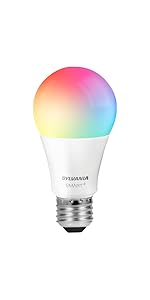
Image: A graphic showing simplified setup steps: download the app, create an account and pair, control lights from phone or smart speaker.
6. Funtzionamendu-argibideak
6.1. Aplikazioen kontrola
The SYLVANIA SMART+ WiFi App provides full control over your smart bulbs:
- Piztu/Desaktibatu: Sakatu aplikazioko bonbillaren ikonoa pizteko/itzaltzeko.
- dimming: Use the brightness slider to adjust the light intensity from 1% to 100%.
- Programazioa: Set schedules for your lights to turn on/off or dim at specific times, such as morning routines or bedtime.
- Urruneko kontrola: Control your lights from anywhere with an internet connection, even when you are away from home.

Image: A screenshot of the SYLVANIA SMART+ WiFi app, showing controls for brightness and on/off functionality.
Image: People on a boat using a smartphone, demonstrating remote control capabilities of the smart bulbs to manage home lighting while away.
6.2. Ahots kontrola
Once integrated with Amazon Alexa or Google Home, you can control your lights using simple voice commands:
- "Alexa, piztu egongelako argia."
- "Hey Google, ilundu logelako argia %50era."
- "Alexa, set the kitchen light to soft white."
- "Hey Google, turn off all lights."
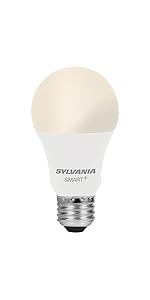
Image: A woman painting in a brightly lit room, with a speech bubble indicating a voice command: "Alexa, turn on the dining room!" This illustrates hands-free voice control.
7. Mantentzea
The SYLVANIA SMART+ WiFi LED Smart Light Bulbs require minimal maintenance:
- Garbiketa: Ensure the bulb is cool and the power is off before cleaning. Wipe with a soft, dry cloth. Do not use liquid or abrasive cleaners.
- Firmware eguneraketak: Periodically check the SYLVANIA SMART+ WiFi App for available firmware updates to ensure optimal performance and security.
- Biltegiratzea: If storing the bulbs, keep them in a cool, dry place away from direct sunlight and extreme temperatures.
8. Arazoak
| Arazoa | Kausa posiblea | Irtenbidea |
|---|---|---|
| Bonbilla ez da pizten. | No power to the fixture; bulb not screwed in properly; bulb failure. | Egiaztatu argiaren etengailua eta zirkuitu-hauslea. Ziurtatu bonbilla ondo lotuta dagoela entxufean. Probatu bonbilla beste lanpara batean. |
| Bulb does not connect to WiFi or app. | Incorrect WiFi network (5 GHz); weak WiFi signal; incorrect pairing steps; network congestion. |
|
| Bulb flickers or flashes unexpectedly. | Incompatible dimmer switch; unstable power supply; faulty bulb. |
|
| Ahots-kontrola ez dabil. | Incorrect integration; device not discovered; voice assistant not connected to internet. |
|
9. Bermea eta Laguntza
Bermea: This SYLVANIA SMART+ WiFi LED Smart Light Bulb comes with a 2 urteko berme mugatua erosketa-datatik aurrera. Berme honek ohiko erabileran materialen eta eskulanen akatsak estaltzen ditu.
Laguntza: For technical assistance, troubleshooting beyond this manual, or warranty claims, please visit the official LEDVANCE website or contact their customer support. Refer to the product packaging for specific contact details.
Era berean, bisitatu dezakezu LEDVANCE Store on Amazon produktuari buruzko informazio eta baliabide gehigarrietarako.