
1. Produktua amaitu daview
The Wipro 10 Amp Smart Plug allows you to control electrical appliances remotely via your smartphone or voice commands. It integrates seamlessly into your smart home ecosystem, offering features like scheduling and energy consumption monitoring for connected devices. This smart plug operates on a secured 2.4GHz Wi-Fi network and does not require a separate hub.
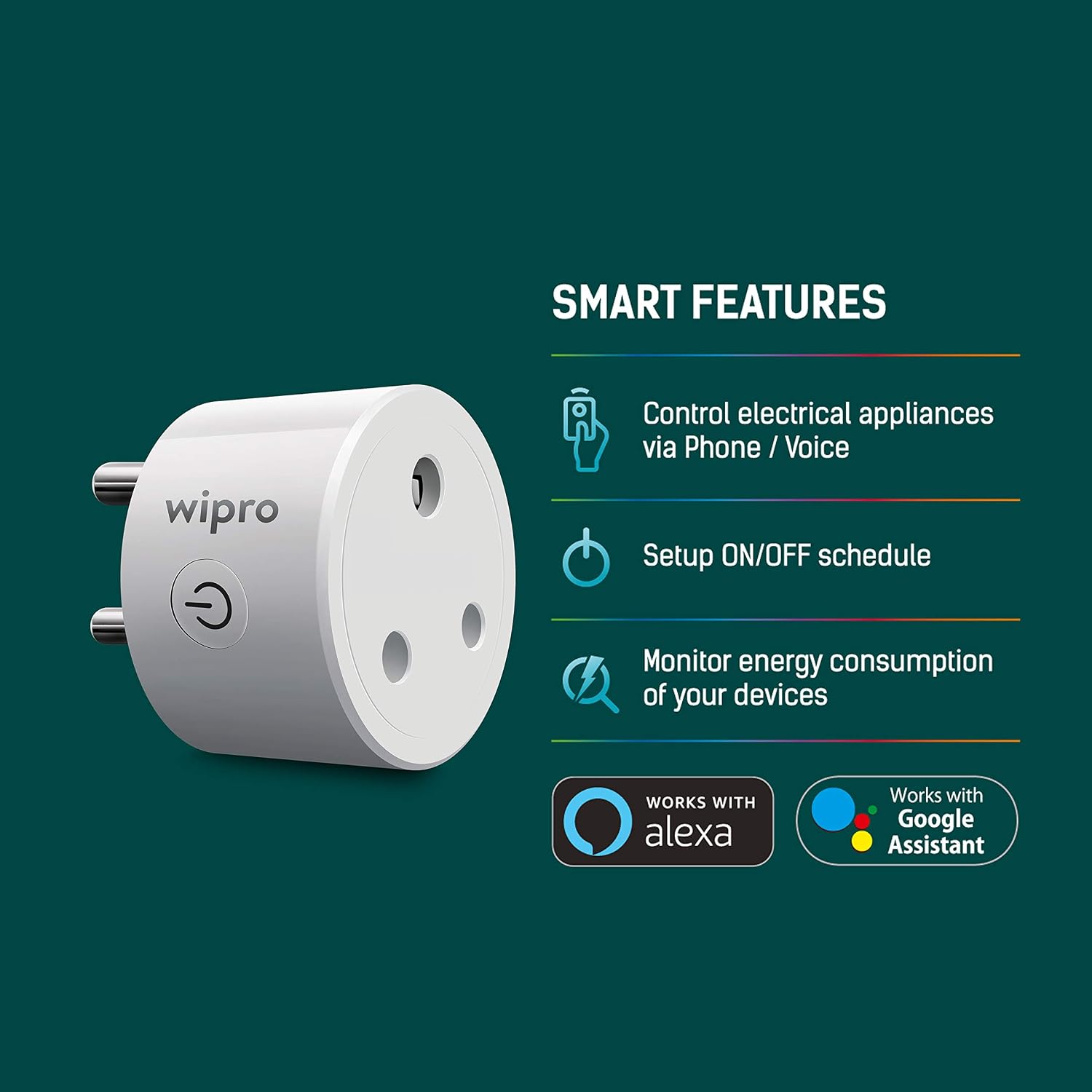
Image: Wipro 10 Amp Smart Plug highlighting its smart features including control via phone/voice, ON/OFF scheduling, and energy consumption monitoring.
Ezaugarri nagusiak:
- Urruneko kontrola: Control connected appliances from anywhere using the Wipro Smart app.
- Programazioa: Set up ON/OFF schedules, timers, and countdowns to automate device operation and optimize energy usage.
- Ahots kontrola: Compatible with Amazon Alexa and Google Assistant for hands-free control.
- Energiaren jarraipena: Monitor the energy consumption of devices plugged into the smart plug via the app.
- Ez da beharrezkoa zentroa: Connects directly to your existing 2.4GHz Wi-Fi network.
2. Konfigurazio gida
Follow these steps to set up your Wipro 10 Amp Smart Plug:
- Deskargatu aplikazioa: Install and open the Wipro Next Smart Home app on your mobile device.
- Erregistratu/Hasi saioa: Register with your email ID and follow the on-screen instructions to log in to the app.
- Gehitu gailua: Tap on "Add Device" or the "+" icon in the top right corner, then select "Add Device."
- Konektatu: Plug your Wipro Smart Plug into a power outlet. Ensure the device is in pairing mode (refer to the device's LED indicator for status).
- Gailuaren detekzioa: The app will automatically detect the device. If not, select the appropriate device from the available options.
- Konektatu wifira: Confirm your 2.4GHz Wi-Fi network and enter the password. The smart plug only supports 2.4GHz Wi-Fi.
- Amaitu konfigurazioa: Tap on "Add" and then the "+" icon next to the device name. Once connected, tap "Done" to complete the setup and begin using your smart plug.

Image: Step-by-step visual guide for setting up the Wipro Smart Plug using the Wipro Next Smart Home app.
3. Funtzionamendu-argibideak
3.1. Using the Wipro Next Smart Home App
- Eskuzko ON/OFF: Open the app, select your smart plug, and tap the power icon to turn the connected appliance on or off instantly.
- Programazioa: Navigate to the scheduling section within the device settings to create custom schedules, timers, or countdowns for automated operation.
- Energiaren jarraipena: Access the energy monitoring feature in the app to view real-time and historical power consumption data for the connected device.
3.2. Ahots kontrola
The Wipro Smart Plug is compatible with Amazon Alexa and Google Assistant. To enable voice control:
- Lotura kontuak: In your Alexa or Google Home app, search for the "Wipro Next Smart Home" skill/service and link your Wipro account.
- Ezagutu gailuak: Once linked, ask Alexa or Google Assistant to discover new devices.
- Ahots-aginduak: Erabili komando hauek:
- "Alexa, piztu [Gailuaren izena]"
- "Hey Google, itzali [Gailuaren izena]"
- "Alexa, set [Device Name] to 50%" (if applicable for dimmable devices, though not for this plug)

Image: Illustration of using voice commands with Amazon Alexa and Google Assistant to control devices connected to the Wipro Smart Plug.
4. Mantentzea
To ensure optimal performance and longevity of your Wipro 10 Amp Smart Plug:
- Garbiketa: Disconnect the smart plug from the power outlet before cleaning. Use a soft, dry cloth to wipe the surface. Do not use liquid cleaners or aerosols.
- Ingurumena: Keep the smart plug in a dry environment, away from water, moisture, and extreme temperatures.
- Gainkarga babesa: Ez gainditu 10eko gehienezko karga-ahalmena Amps. Overloading can damage the device and pose a safety risk.
- Ikuskapena: Periodically inspect the plug for any signs of damage or wear. If damaged, discontinue use and contact customer support.
5. Arazoak
If you encounter issues with your Wipro 10 Amp Smart Plug, refer to the following troubleshooting tips:
- Gailua ez da wifira konektatzen:
- Ziurtatu zure Wi-Fi sarea 2.4 GHz-koa dela. Entxufe adimendunak ez ditu 5 GHz-ko sareak onartzen.
- Check if your Wi-Fi password is entered correctly in the app.
- Hurbildu entxufe adimenduna zure Wi-Fi bideratzailera seinalearen indarra hobetzeko.
- Berrabiarazi Wi-Fi bideratzailea eta saiatu berriro konektatzen.
- Gailuak ez du erantzuten:
- Verify that the smart plug is securely plugged into a working power outlet.
- Check if the connected appliance is powered on and functioning correctly.
- Unplug the smart plug for 10 seconds and then plug it back in to perform a soft reset.
- Ensure your Wipro Next Smart Home app is updated to the latest version.
- Ahots-kontrola ez dabil:
- Confirm that your Wipro Next Smart Home account is correctly linked to your Alexa or Google Home app.
- Ensure the device name used in voice commands matches the name set in the Wipro app and the voice assistant app.
- Saiatu gailuak berriro aurkitzen zure Alexa edo Google Home aplikazioan.
- Energy Monitoring Inaccurate/Not Displaying:
- Ensure the smart plug is continuously connected to Wi-Fi for data logging.
- Egiaztatu konektatutako gailuak energia hartzen duela.
6. Zehaztapenak

Irudia: Aurrealdea view of the Wipro 10 Amp Smart Plug, showing the power button and plug configuration.
| Zehaztapena | Balioa |
|---|---|
| Marka | Wipro |
| Eredua | 10 Amp Entxufe adimenduna |
| Kolorea | Beltza |
| liburukiatage | 220 Volt |
| Amparoa | 10 Amps |
| Materiala | Aluminioa |
| Konektore mota | Entxufatu |
| Polo kopurua | 2 |
| Number Of Wires | 3 |
| Elementuaren pisua | 72.6 gramo |
| Dakarten osagaiak | 1 Entxufe adimenduna |
7. Bermea eta Laguntza
7.1. Bermearen informazioa
The Wipro 10 Amp Smart Plug comes with a 1 urteko bermea from the date of purchase. This warranty covers manufacturing defects under normal use. Please retain your purchase receipt as proof of purchase for warranty claims.
7.2. Bezeroarentzako arreta
For technical assistance, warranty claims, or any other inquiries, please contact Wipro customer support:
- Fabrikatzailea: Wipro Enterprises (P) Ltd
- Helbidea: Doddakanelli, Sarjapur Road, Bangalore-560035, India
- Doako Zenbakia: 1-800-425-1969