
1. Sarrera
This manual provides detailed instructions for the operation and maintenance of your Igzyz IQ24 Hidden Spy Camera Power Bank. This device combines a functional 10000mAh power bank with a discreet 1080P Full HD camera, offering surveillance capabilities with extended battery life. It is designed for home security, office monitoring, and portable recording needs.
2. Produktuaren osagaiak eta diagrama
Familiarize yourself with the various parts of your device using the diagram below.

1. irudia: Amaituview of the Igzyz IQ24 device, highlighting key components such as the Blue Indicator Light, Red Indicator Light, Micro USB Data Transmission Interface, Type C Power Input Interface, Button V, USB Power Output Interface, Button R (Reset Button), Battery Display, Micro SD Card Slot, Battery Display Switch/LED Lights Switch, LED Lights, Infrared Night Vision Lamp, and Lens. The mode switch for Motion Detection (1) and Loop Recording (2) is also indicated.
- Argi adierazle urdina: Indicates various operational states.
- Argi adierazle gorria: Indicates various operational states.
- Micro USB Data Transmission Interface: For connecting to a computer to transfer data.
- Type C Power Input Interface: Gailua kargatzeko.
- Button V: Multi-function button for recording, mode switching, and night vision activation.
- USB Power Output Interface (OUT): Kanpoko gailuak kargatzeko.
- Button R (Reset Button): Gailua berrezartzeko erabiltzen da.
- Bateria pantaila: Shows the current battery level (100%, 75%, 50%, 25%).
- Mikro SD txartelaren zirrikitua: Insert Micro SD card for video storage.
- Battery Display Switch/LED Lights Switch: Activates battery display or LED lights.
- LED argiak: Argiztapena ematen du.
- Gaueko Ikusmen Infragorria Lamp: Provides invisible infrared light for night recording.
- Lentea: The camera lens.
- Modu aldaketa: Selects between Motion Detection Mode (1) and Loop Recording Mode (2).
3. Konfigurazioa
- Gailua kargatu: Before first use, fully charge the power bank camera using the Type C Power Input Interface. The battery display will indicate charging progress.
- Sartu Mikro SD txartela: Locate the Micro SD Card Slot. Insert a Micro SD card (up to 256GB, a 32GB card is often included) into the slot. Ensure it is inserted correctly until it clicks into place. No formatting is required for the SD card.
- Piztu: The device is typically ready for operation once charged and with an SD card inserted.
4. Funtzionamendu-argibideak
4.1. Standard Recording (Loop Recording Mode)
- Set the Mode Switch to position "2" for Loop Recording Mode.
- Press and hold the "V" button to start recording. The indicator lights will confirm recording has begun.
- To stop recording, press and hold the "V" button again.
4.2. Motion Detection Recording
The camera will automatically record when movement is detected.
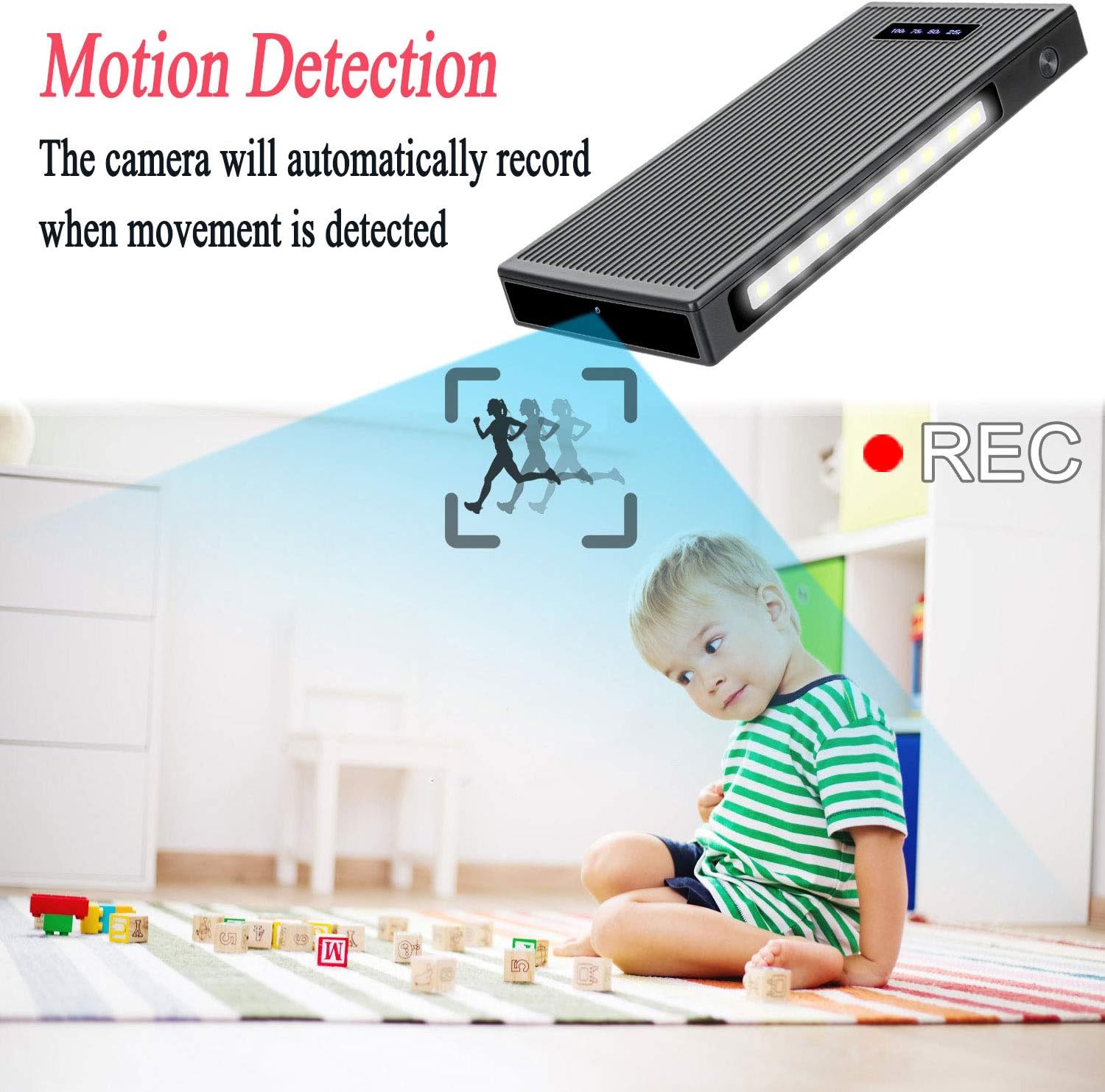
2. irudia: Visual representation of the motion detection feature, showing the camera recording when movement is identified within its field of view.
- Set the Mode Switch to position "1" for Motion Detection Mode.
- Press and hold the "V" button to activate motion detection. The camera will enter standby mode and begin recording automatically when motion is detected.
- To stop motion detection, press and hold the "V" button again.
4.3. Night Vision Activation
The device is equipped with 6 IR lights for clear image/video quality in low-light conditions. These infrared lights are nearly invisible to the naked eye.

3. irudia: Depiction of the night vision function, illustrating how the camera provides clear visibility in dark environments using infrared light.
- While in either Loop Recording Mode or Motion Detection Mode, press the "V" button once to turn on the infrared night vision lights.
- Press the "V" button once again to turn off the night vision lights.
4.4. LED Lighting Function
The device features integrated LED lights for general illumination.

4. irudia: The device's LED lighting feature in use, providing illumination in a low-light outdoor setting.
- Press the Battery Display Switch/LED Lights Switch to activate the LED lights.
- Press the switch again to cycle through brightness levels or turn off the lights.
4.5. Gravity Sensor Function
During recording, if the camera is flipped 180 degrees, the video orientation will automatically adjust to remain upright.

5. irudia: Demonstration of the gravity sensor, ensuring recorded video remains upright even if the camera's physical orientation changes.
5. Kargatzea eta bateria
The device features a built-in 10000mAh lithium-polymer battery, supporting up to 50 hours of recording on a full charge.

6. irudia: The device's 10000mAh battery capacity, capable of charging external devices and providing extended recording time.
- Charging the Power Bank Camera: Connect a Type C charging cable to the Type C Power Input Interface and plug it into a suitable power source. The battery display will show the charging status.
- Kanpoko gailuak kargatzea: Connect your external device (e.g., smartphone) to the USB Power Output Interface (OUT) using a compatible USB cable. The power bank will begin charging the device.
6. Data Transfer and Viewing Files
To view recorded videos, remove the Micro SD card and use a card reader to connect it to a computer. Alternatively, connect the device directly to a computer using a Micro USB data transmission cable.
- Using a Card Reader: Eject the Micro SD card from the device. Insert the Micro SD card into a compatible card reader, then connect the card reader to your computer. The computer will recognize the card as a removable drive.
- Zuzeneko konexioa: Connect the Micro USB Data Transmission Interface on the device to your computer using a Micro USB cable. The computer should detect the device as a storage drive.
- Sartzea Files: Navigate to the removable drive on your computer. Your recorded video files will be stored in a designated folder (e.g., DCIM or VIDEO). You can then play, copy, or delete filebehar den moduan.
7. Mantentzea
- Mantendu gailua garbi eta hautsik eta hezetasunik gabe.
- Saihestu muturreko tenperaturak eta eguzki-argia zuzena.
- Ez saiatu gailua zuk zeuk desmuntatzen edo konpontzen. Jarri harremanetan bezeroarentzako laguntza eskatzeko.
- Egin bideo garrantzitsuen babeskopiak aldizka files from the Micro SD card to prevent data loss.
8. Arazoak
| Arazoa | Kausa posiblea | Irtenbidea |
|---|---|---|
| Gailua ez da pizten. | Low battery; Device malfunction. | Charge the device fully. If problem persists, press the Reset Button (R). |
| Ezin da bideoa grabatu. | No Micro SD card; SD card full; SD card error. | Ensure an SD card is inserted. Check SD card capacity. Try a different SD card. |
| Bideoaren kalitate eskasa. | Insufficient lighting; Lens obstruction. | Activate night vision in low light. Clean the camera lens. |
| Mugimendu-hautemateak ez du funtzionatzen. | Modu okerra hautatu da. | Ensure Mode Switch is set to position "1" and motion detection is activated by pressing the "V" button. |
| Gailuak ez du erantzuten. | Softwarearen aldi baterako akatsa. | Press the Reset Button (R) using a small pin or paperclip. |
9. Zehaztapenak
| Ezaugarri | Zehaztapena |
|---|---|
| Eredu Erreferentzia | IQ24 |
| Bideo Grabaketa Ebazpena | 1080p Full HD (1920 x 1080 pixel) |
| Fotograma-tasa | 30 fotograma segundoko |
| Viewangelua | 90 gradu |
| Bateria Edukiera | 10000mAh litio-polimeroa |
| Recording Time (Full Charge) | Gehienez 50 ordu |
| Biltegiratzea | Micro SD Card (up to 256GB, not included unless specified) |
| Gaueko Ikusmena | 6 Invisible IR Lights (3-5 meter range) |
| Mugimendu-detekzioa | Bai |
| Loop Grabaketa | Bai |
| Grabitate-sentsorea | Yes (Auto video orientation) |
| Potentzia Sarrera | Type C (5 Volts, 5 Watts) |
| Potentzia Irteera | USB-A |
| Materiala | Plastikoa |
| Neurriak (L x W x H) | 15 x 7 x 1.5 cm |
| Pisua | 310 gramo |
| Gomendatutako Erabilerak | Zaintza, Haurren Jarraipena |
| Gailu bateragarriak | Computer (for data transfer) |
10. Bermea eta Laguntza
Igzyz products come with a 12-month free refund or replacement warranty eta bizitza osorako laguntza teknikoa.
If you encounter any issues during use, please do not hesitate to contact our customer support team. We are committed to providing assistance and resolving any problems you may experience with your device.
For support, please refer to the contact information provided with your purchase or visit the official Igzyz webgunea.