
Sarrera
Eskerrik asko erosketagatik.asing the Uni-Com S/Chime Portable Door Chime 66705. This device is designed to provide a convenient and reliable alert when someone is at your door. This manual provides essential information for the proper setup, operation, and maintenance of your new door chime to ensure optimal performance and longevity.
Segurtasun Informazioa
- Ez jarri gailua tenperatura altuen, eguzki-argiaren eraginpean edo hezetasun handiaren eraginpean.
- Mantendu gailua uretatik eta beste likidoetatik urrun.
- Ez saiatu gailua zeuk irekitzen edo konpontzen. Mantendu konponketa guztiak langile kualifikatuen esku.
- Dispose of the product and any batteries responsibly according to local regulations.
Paketearen edukia
Mesedez, egiaztatu paketearen edukia elementu guztiak daudela ziurtatzeko:
- 1 x Uni-Com S/Chime Portable Door Chime Receiver
- 1 x Doorbell Push Button Transmitter

Image: The Uni-Com S/Chime Portable Door Chime receiver unit and the separate push button transmitter unit, both in white.
Konfigurazioa
The Uni-Com S/Chime Portable Door Chime is designed for easy setup. This model operates on AC power, meaning it plugs directly into a wall outlet, eliminating the need for batteries in the receiver unit.
1. Hartzailea piztea
- Locate a suitable indoor AC power outlet where you wish to hear the chime.
- Plug the Uni-Com S/Chime receiver unit directly into the power outlet. Ensure it is securely seated.
2. Installing the Push Button Transmitter
The push button transmitter is typically battery-operated (batteries not included, please check product packaging for specific battery type if required for the push button). It can be mounted near your door.
- Choose a flat, clean surface near your entrance door for mounting the push button.
- Use the provided screws or adhesive tape to securely attach the push button to the chosen surface. Ensure it is within range of the receiver unit.

Image: The Uni-Com S/Chime Portable Door Chime receiver and push button, superimposed on a background of houses, illustrating typical placement.
Funtzionamendua
Once the receiver is plugged in and the push button is installed, your door chime system is ready for use.
Triggering the Chime
- Press the button on the doorbell transmitter.
- The receiver unit will sound the selected chime melody.
Placement for Optimal Performance
For best results, place the receiver unit in a central location within your home where the chime can be easily heard. Avoid placing it near large metal objects or other electronic devices that may cause interference.
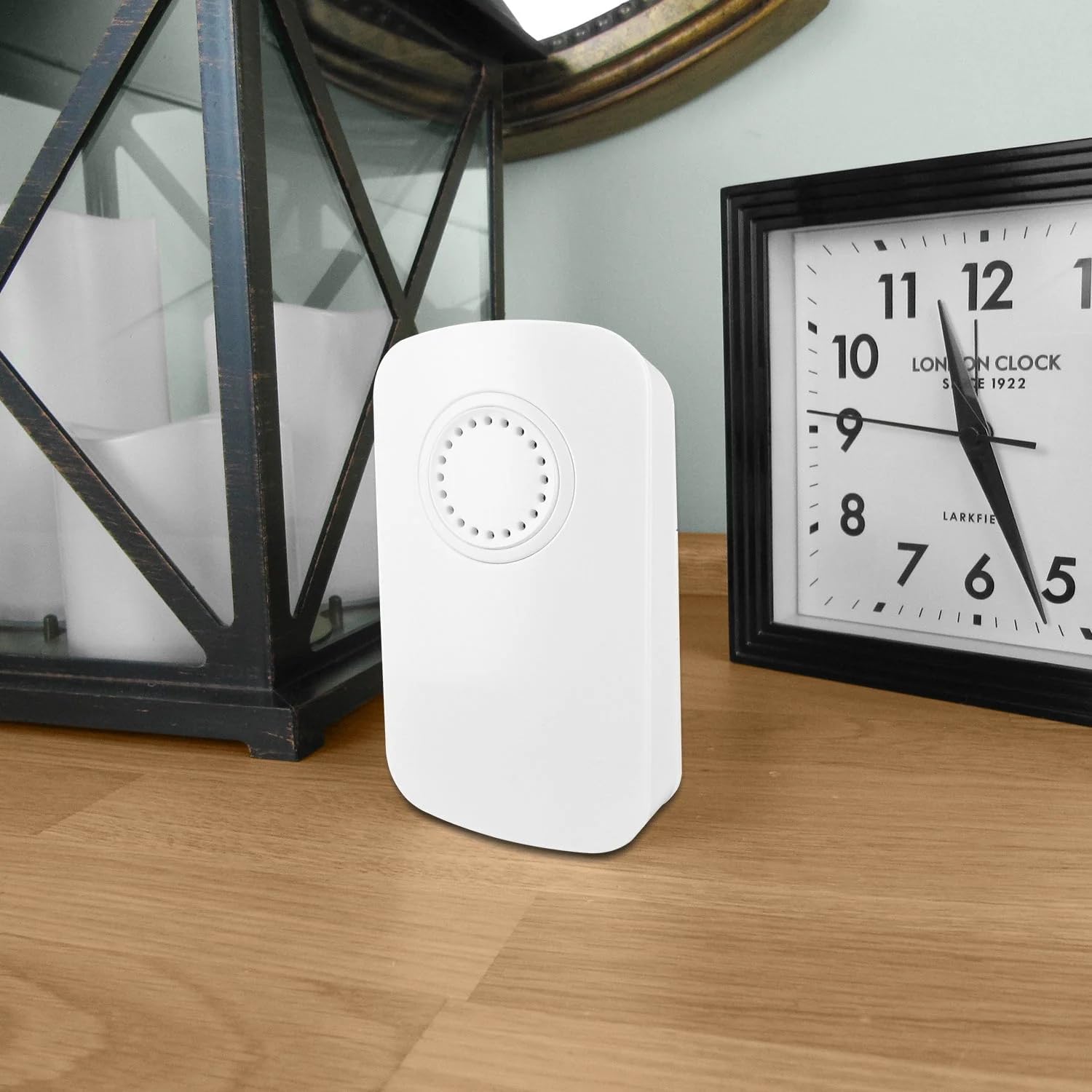
Image: The Uni-Com S/Chime Portable Door Chime receiver unit placed on a wooden surface indoors, next to a clock and a decorative lantern, demonstrating typical indoor placement.

Image: The Uni-Com S/Chime Portable Door Chime receiver unit placed on an outdoor wooden table, with garden foliage and a glass in the background, highlighting its portability and potential for outdoor use (receiver must be indoors and powered).
Mantentzea
Regular maintenance will help prolong the life of your door chime.
Garbiketa
- Wipe the surfaces of both the receiver and push button with a soft, dry cloth.
- Ez erabili garbitzaile urratzailerik, disolbatzailerik edo produktu kimiko gogorrik.
Battery Replacement (Push Button)
If the push button transmitter stops working or its range decreases, the battery may need replacement. Refer to the specific battery type indicated on the push button unit or its packaging.
- Carefully open the battery compartment on the back of the push button transmitter.
- Remove the old battery and insert a new one, ensuring correct polarity (+/-).
- Itxi bateriaren konpartimendua ongi.
Arazoak konpontzea
If you encounter issues with your Uni-Com S/Chime, try the following solutions:
| Arazoa | Kausa posiblea | Irtenbidea |
|---|---|---|
| Chime does not sound. | Hartzailea ez dago elikatuta. | Ensure the receiver is securely plugged into a working AC outlet. |
| Chime does not sound. | Push button battery is dead. | Replace the battery in the push button transmitter. |
| Chime does not sound. | Sortu edo interferentziaz kanpo. | Move the receiver closer to the push button. Avoid placing near large metal objects or other electronics. |
| Chime sounds intermittently. | Weak push button battery. | Replace the battery in the push button transmitter. |
| Chime sounds intermittently. | Ingurumen-interferentzia. | Relocate the receiver or push button to a different position. |
Zehaztapenak
- Eredua: UNC66705
- Fabrikatzailea: Uni-Com
- Parte-zenbakia: 013979
- Produktuaren neurriak: 4.7 x 13.4 x 13.7 cm
- Elementuaren pisua: 160 g
- Energia iturria: AC (for receiver unit)
- Elementu pakete kopurua: 1
- Dakarten osagaiak: S/CHIME PORT DOOR CHIME 66705 (Receiver and Push Button)
- Bateriak barne: No (for receiver), check push button for specific battery requirements.
- Beharrezko bateriak: No (for receiver), Yes (for push button, type not specified in provided data).
Bermea
This product is covered by a standard manufacturer's warranty. Please retain your proof of purchase for any warranty claims. For specific warranty terms and conditions, refer to the documentation included with your purchase or contact Uni-Com customer support.
Laguntza
If you require further assistance or have questions not covered in this manual, please contact Uni-Com customer support. You can typically find contact information on the product packaging or the official Uni-Com webgunea.