
1. Sarrera
The Bellman & Symfon Flash Alert Receiver is a component of the Visit Smart Home System, designed to provide visual alerts for various events in your home. It uses bright flashes and colored LED lights to notify users of doorbell rings, telephone calls, baby cries, smoke alarms, and carbon monoxide leaks. This receiver works wirelessly with a full range of compatible transmitters (sold separately).

Image: The Bellman & Symfon Flash Alert Receiver in its retail packaging, highlighting its design and key features.
2. Konfigurazioa
2.1. Unboxing and Initial Power-up
Upon opening the box, you will find the Flash Receiver, user manuals in multiple languages, and a power supply. Before connecting the power, remove the battery tab located at the bottom of the unit. Then, take the power cord and plug it into the power port on the receiver. Finally, plug the power adapter into a wall outlet.
Video: A demonstration of unboxing the Flash Receiver, removing the battery tab, and connecting the power supply. This video also covers testing the radio connection and additional features.
2.2. Testing the Radio Connection
To ensure the receiver is properly communicating with your transmitters, press the test button on any paired transmitter (e.g., a doorbell transmitter). The Flash Receiver should start to flash, and an LED will light up, indicating a successful connection. The specific LED color will correspond to the type of transmitter triggered. To stop the notification, press the test button on the top of the Flash Receiver.

Image: The Flash Alert Receiver emitting a bright flash, demonstrating its primary alert function.
3. Operating the Flash Alert Receiver
3.1. LED adierazpenak
The Flash Receiver features four different LED indications to help you identify the source of an alert:
- Laranja: Haurtxoko monitorea
- Berdea: Ateko txirrina
- Horiak: Telefonoa
- Gorria: Ke Alarma
- Orange & Red Alternating: Karbono monoxidoaren alarma

Image: A close-up of the Flash Alert Receiver's LED panel, illustrating the different colored lights for various alerts.
3.2. Argiaren norabidea doitzea
The head of the Flash Receiver can be rotated to redirect the light, allowing you to optimize visibility in your environment.
3.3. Kanpoko gailuak konektatzea
The Flash Receiver offers several direct ports for enhanced functionality:
- Mobile Phone Sensor Connection: Plug a 2.5mm jack from a mobile phone sensor (sold separately) into the designated port. Place the sensor on top of your cellphone or tablet screen. If you receive a call or other notification, the Flash Receiver will alert you.
- Bed Shaker Connection: Plug a bed shaker (sold separately) into its dedicated port. Place the bed shaker under your pillow or mattress, and it will vibrate when the Flash Receiver is triggered by an alert.
- Landline Phone Connection: You can connect a landline phone to the Flash Receiver using a telephone cable with an adapter (sold separately). First, disconnect your landline phone cord from the wall. Plug the adapter into the wall, then plug the cord from the Flash Receiver into the adapter, and finally, plug the cord from your telephone into the adapter. The Flash Receiver will then alert you when you receive phone calls directly from your landline phone.

Image: The Flash Alert Receiver positioned on a nightstand next to a bed, demonstrating its use with a bed shaker for silent alerts.
4. Mantentzea
4.1. Bateriaren babeskopia
The Flash Receiver is equipped with four rechargeable backup batteries (installed) at its base. These batteries ensure the unit remains fully functional during a power outage, providing continuous alerts.
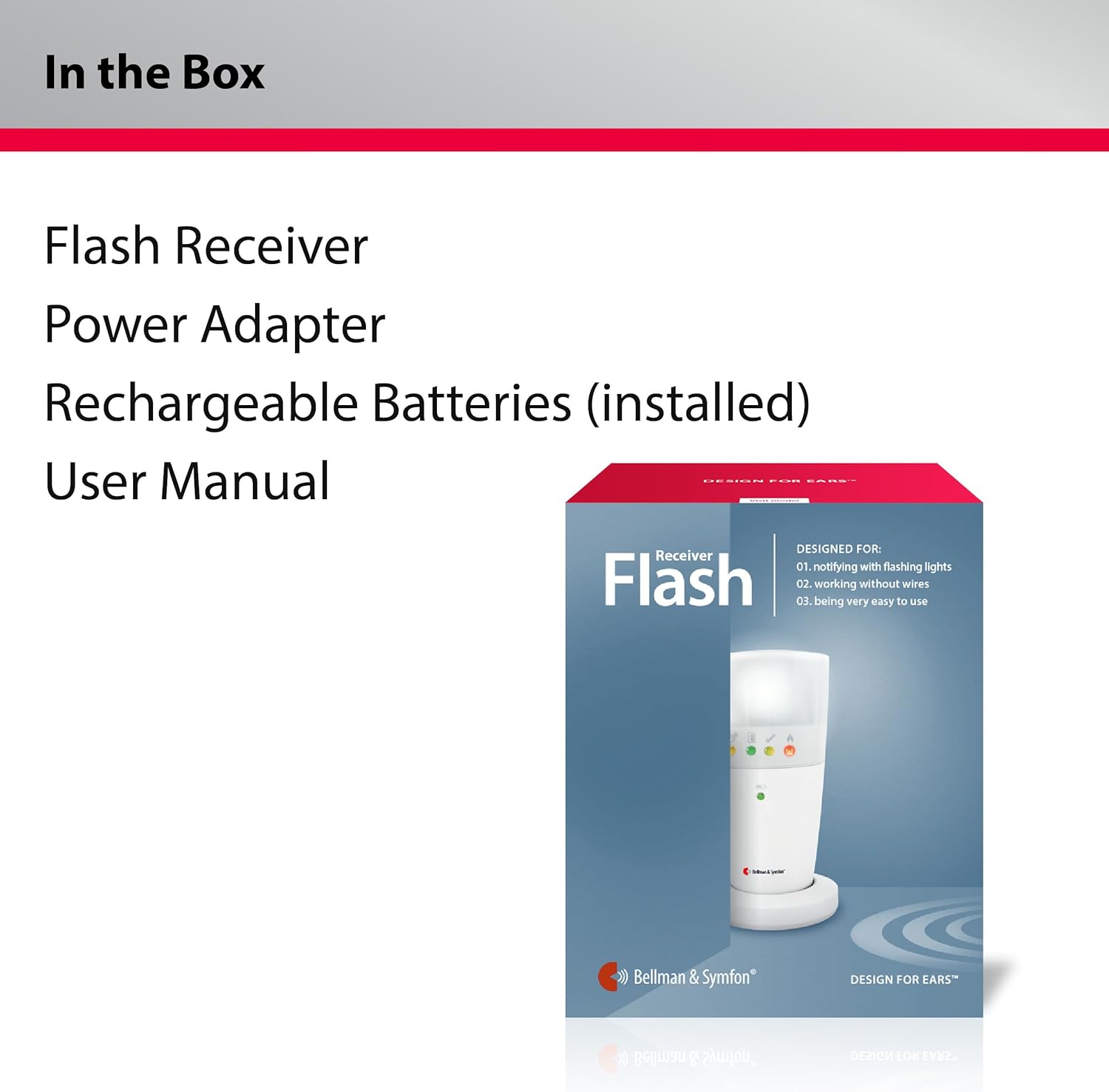
Image: The battery compartment of the Flash Alert Receiver, showing the four rechargeable AAA batteries that provide backup power.
4.2. Kableen kudeaketa
A cable holder is integrated into the design of the receiver. You can loop the power cord through this holder to prevent accidental disconnection and maintain a tidy setup.
4.3. Power LED Status
The power LED on the front of the receiver indicates its power status:
- Berde iraunkorra: Both the power supply and battery are connected.
- Berdea keinuka: The power supply is connected, but the battery is not installed or has been depleted.
- Gorri etengabea: The backup battery is connected, but the power supply is not.
- Gorri keinuka: The backup battery is low, and the power supply is not connected.
5. Arazoak
If you experience issues with your Bellman & Symfon Flash Alert Receiver, please consider the following common troubleshooting steps:
- Alertarik ez: Ensure the receiver is properly plugged into a working power outlet and that the battery tab has been removed. Check the power LED status for any indications of power or battery issues.
- Transmitter Not Triggering Receiver: Verify that the transmitter is within range and has fresh batteries. Re-test the radio connection as described in Section 2.2.
- Incorrect LED Indication: Confirm that the correct transmitter type is paired and functioning as expected.
- External Device Connection Issues: Ensure all cables for mobile phone sensors, bed shakers, or landline phones are securely plugged into the correct ports.
For persistent issues, refer to the full user manual or contact customer support.
6. Zehaztapenak
| Ezaugarri | Xehetasuna |
|---|---|
| Kontrol-metodoa | Urrunekoa |
| Muntatze Mota | Hormako Muntaia |
| Sensor Teknologia | Kontaktu-sentsorea |
| UPC | 850009332035 |
| Fabrikatzailea | Bellman eta Symfon |
| Tamaina | Hartzailea |
| Estiloa | Receiver - Flashing Receiver |
| Instalazio-metodoa | Torloju |
| Dakarten osagaiak | Bateria |
| Deskribapena Pila | Alkalinoa |
| ASIN | B08BCSCKLH |
| Kolorea | Flashing Receiver |
| Energia iturria | Bateriaren bidez |
| Gailu bateragarriak | Smartphone |
7. Bermea eta Laguntza
7.1. Itzultzeko politika
This product is eligible for a 30-day return policy, allowing for a refund or replacement within 30 days of purchase.
7.2. Bezeroarentzako arreta
For any questions or assistance with your Bellman & Symfon product, professional support is available. You can reach customer support via:
- Doakoa: (833) BELLMAN / (833) 235 5626
- Posta elektronikoa: support.bsn@bellman.com

Image: Bellman & Symfon customer support contact information.
Bellman & Symfon has over 30 years of dedication to hearing solutions, founded in 1989 in Sweden. They are a leading manufacturer of hearing solutions globally.


