
1. Sarrera
The Huepar AG01 Digital Angle Gauge is a versatile and compact tool designed for precise angle and inclination measurements. It features a clear LCD display with backlight, a magnetic base, and a V-groove for various applications. This manual provides detailed instructions for its setup, operation, and maintenance, ensuring you get the most accurate results from your device.
2. Produktua amaitu daview
Familiarize yourself with the components of your Huepar AG01 Digital Angle Gauge.

Figure 1: Huepar AG01 Digital Angle Gauge components and dimensions.
Paketearen edukia
Your Huepar AG01 Digital Angle Gauge package includes the following items:
- Digital Angle Gauge (AG01)
- Erabiltzailearen eskuliburua (japonieraz)
- Dedicated Screwdriver
- Dedicated Carrying Case
- AAA Batteries (x2) for testing

Figure 2: All items included in the Huepar AG01 Digital Angle Gauge package.
3. Konfigurazioa
3.1 Bateriaren instalazioa
- Locate the battery cover on the back of the device.
- Use the provided screwdriver to loosen the screw on the battery cover.
- Sartu bi AAA pila, polaritate zuzena ziurtatuz (+/-).
- Jarri bateriaren estalkia eta estutu torlojua.

Figure 3: Battery installation using the dedicated screwdriver.
4. Funtzionamendu-argibideak
4.1 Piztu/Itzali
Sakatu ON/OFF button (usually marked with a power symbol) to turn the device on or off. The device features an automatic power-off function to conserve battery life.
4.2 Bistaratzeko Ezaugarriak
- Atzeko argia: The LCD display is equipped with a backlight, making it easy to read measurements even in dimly lit environments.
- Biratu automatikoko pantaila: The display automatically rotates to ensure easy readability when the device is inverted.
- Burbuila-ontzia: In addition to the digital display, a high-visibility bubble vial is included for quick, approximate horizontal checks, or when the digital display's battery is low.

Figure 4: Bubble vial for quick horizontal checks.
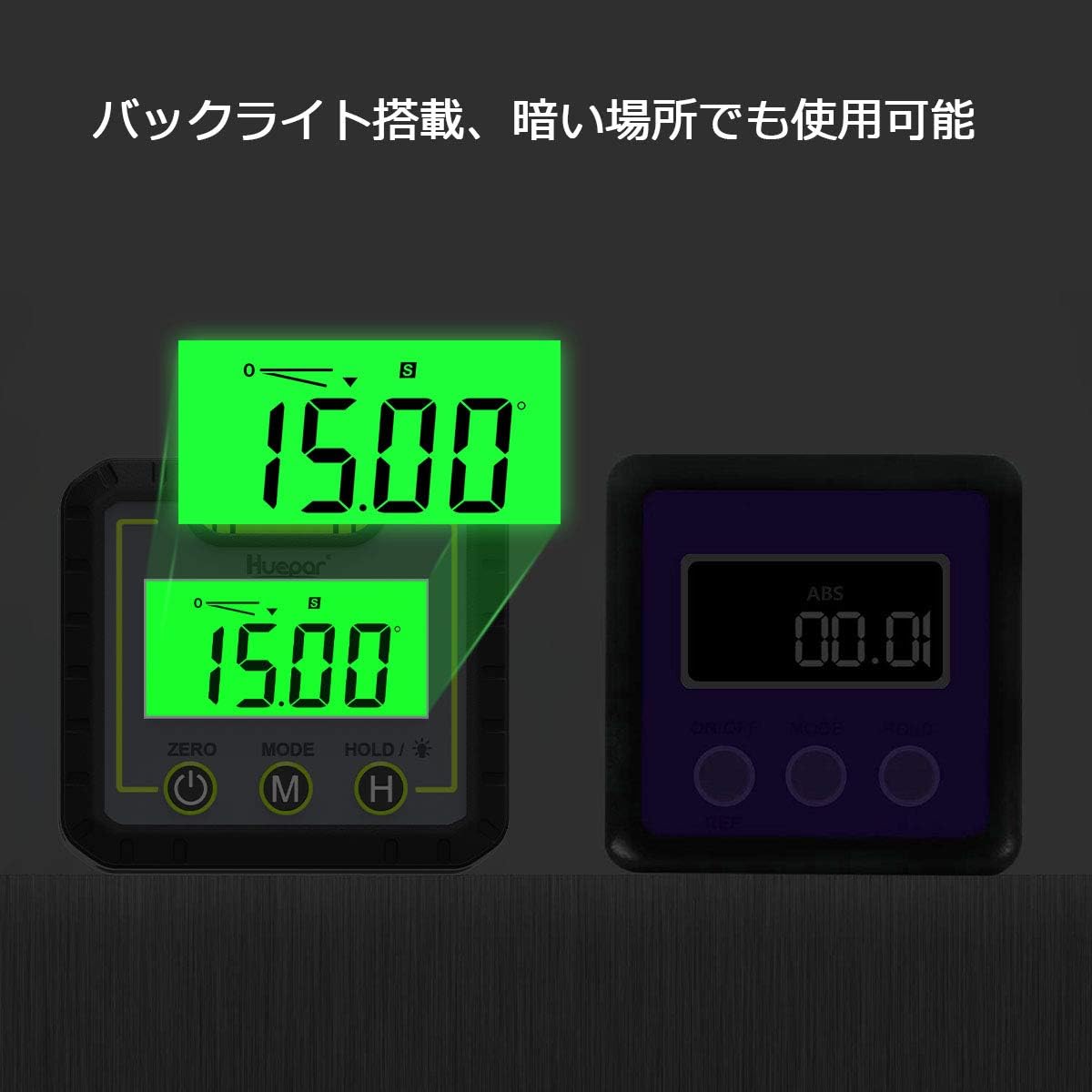
Figure 5: Backlight feature for visibility in dark areas.
4.3 Neurketa moduak
- Neurketa absolutua: Measures the angle relative to a true horizontal surface.
- Relative (Comparative) Measurement: Allows you to set any angle as a reference point (0°) for subsequent measurements. Press the ZERO button to switch to relative measurement mode.
4.4 Unitateen aldaketa
Sakatu MODUA button to cycle through different measurement units: degrees (°), percentage (%), and mm/m.
4.5 Eutsi funtzioa
Sakatu EUTSI button to freeze the current measurement on the display, which is useful for reading values in hard-to-see locations.

Figure 6: Illustration of normal measurement, comparative measurement, unit switching, and hold function.
4.6 Magnetic Base and V-Groove
The device features a magnetic base for easy attachment to metal surfaces, making it convenient for measuring vertical surfaces like steel frames or ceilings. The measuring surface also has a V-groove, allowing for stable placement and measurement on pipes.

Figure 7: Magnetic base and V-groove for versatile measurements.
4.7 Eramangarritasuna
The compact, palm-sized design makes the AG01 easy to carry in your pocket. A dedicated case is included, which can be attached to a belt, allowing for quick access and improved work efficiency.

Figure 8: Compact design and belt-attachable case for easy portability.
5. Kalibrazioa
To ensure the highest accuracy, it is recommended to calibrate your digital angle gauge periodically. The AG01 features a calibration function.
5.1 Kalibrazio-prozedura
For a detailed visual guide on calibration, please refer to the video below:
Video 1: Digital Angle Gauge Measurement and Calibration Procedure. This video demonstrates how to measure and calibrate a digital angle gauge, including power on/off, unit switching, hold function, and the step-by-step calibration process.
6. Mantentzea
6.1 Garbiketa
Wipe the device with a soft, dry cloth. Do not use abrasive cleaners or solvents, as they may damage the display or casing.
6.2 Biltegiratzea
When not in use, store the digital angle gauge in its dedicated carrying case in a dry, cool place, away from direct sunlight and extreme temperatures. Remove batteries if storing for extended periods to prevent leakage.
7. Arazoak
7.1 "Err" Displayed
If "Err" is displayed, it indicates that the device has been tilted too far in the front or back direction. Return the device to a stable position within its measurement range.
Video 2: Digital Angle Gauge Error Display. This video demonstrates the 'Err' message appearing when the device is tilted beyond its operational limits.
7.2 Irakurketa zehaztugabeak
If you suspect inaccurate readings, perform the calibration procedure as described in Section 5.1. Ensure the measuring surface is clean and free of debris.
7.3 Potentzia baxuaren adierazlea
The device will display a low power indicator when the batteries need to be replaced. Refer to Section 3.1 for battery installation instructions.
8. Zehaztapenak
| Ezaugarri | Xehetasuna |
|---|---|
| Marka | Huepar |
| Modelo zenbakia | AG01-JP |
| Materiala | ABS plastikoa |
| Kolorea | Beltza |
| Produktuaren neurriak (L x Z) | 6.2 cm x 6.8 cm |
| Produktuaren pisua | 100 gramo |
| Angeluaren Neurketaren Zehaztasuna | ±1° at 0° and 90°, ±2° otherwise |
| Maila Neurtzeko Unitateak | Degrees, Percentage, Millimeters/Meter |
| Eragiketa modua | Automatikoa |
| Maila Neurtzeko Mota | Bubble and Digital |
| Ezaugarri bereziak | Magnetic base, V-groove, Backlight, Auto-off, Display inversion, Relative measurement, Hold function, Calibration function, Low power display |
9. Bermea eta Laguntza
The Huepar AG01 Digital Angle Gauge comes with a 1-year warranty. In the event of a product defect occurring during the warranty period, the manufacturer will confirm the issue and provide a free replacement with a new product. For support or warranty claims, please contact Huepar customer service through your purchase platform or the official Huepar webgunea.
10. Baliabide osagarriak
Explore more features and applications of digital angle gauges with these helpful videos:
Video 3: Huepar Digital Angle Gauge (AG03) Overview. This video showcases the features of a Huepar digital angle gauge, including single/dual axis modes, magnetic base, zero function, unit conversion, and hold function.
Video 4: Huepar Digital Angle Gauge (AG2L) Features. This video highlights the LCD display, compact size, waterproof, and dustproof features of a Huepar digital angle gauge.
Video 5: Digital Angle Gauge Basic Usage. This video demonstrates general applications and features of a digital angle gauge.
Video 6: Digital Inclinometer Demonstration. This video shows the functionality of a digital inclinometer in various settings.
Video 7: Magnetic Digital Angle Gauge Features. This video illustrates the magnetic capabilities and other features of a digital angle gauge.
Video 8: Huepar DL141 Digital Angle Gauge. This video demonstrates the precision and various measurement modes of a Huepar digital angle gauge.
Video 9: SHAHE MINI Magnetic Level Gauge. This video provides an overview of a magnetic level gauge with digital angle finder and Japanese instructions.
Video 10: AUTOUTLET Digital Angle Gauge with Four-Sided Magnets. This video demonstrates the features of a digital angle gauge with magnets on four sides.
Video 11: Angle Gauge Introduction. This video provides a general introduction to angle gauges and their uses.