
Sarrera
This manual provides detailed instructions for the assembly, operation, maintenance, and troubleshooting of your FEZIBO Electric Standing Desk, Model SDE. This height-adjustable desk is designed to enhance your workspace by allowing seamless transitions between sitting and standing positions.
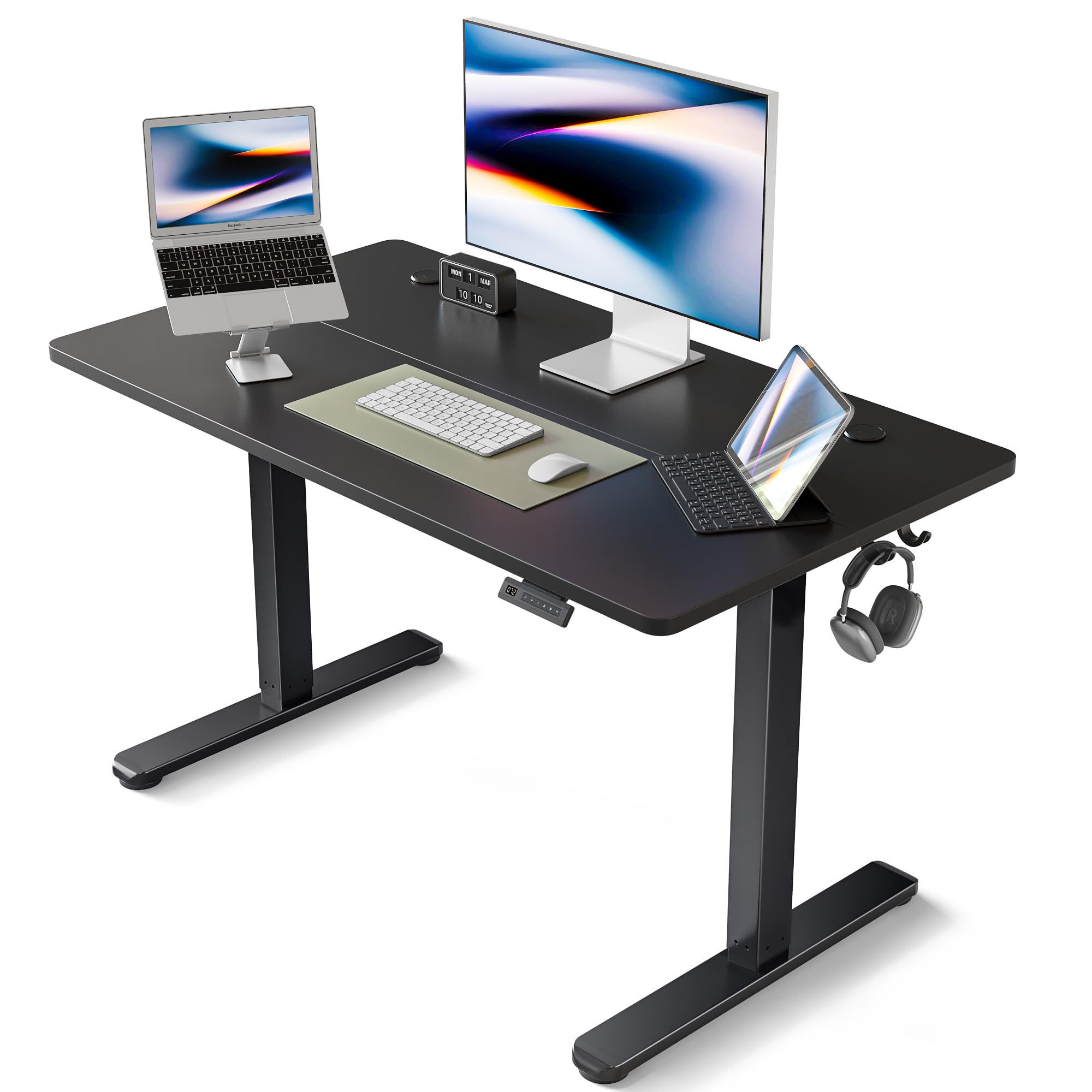
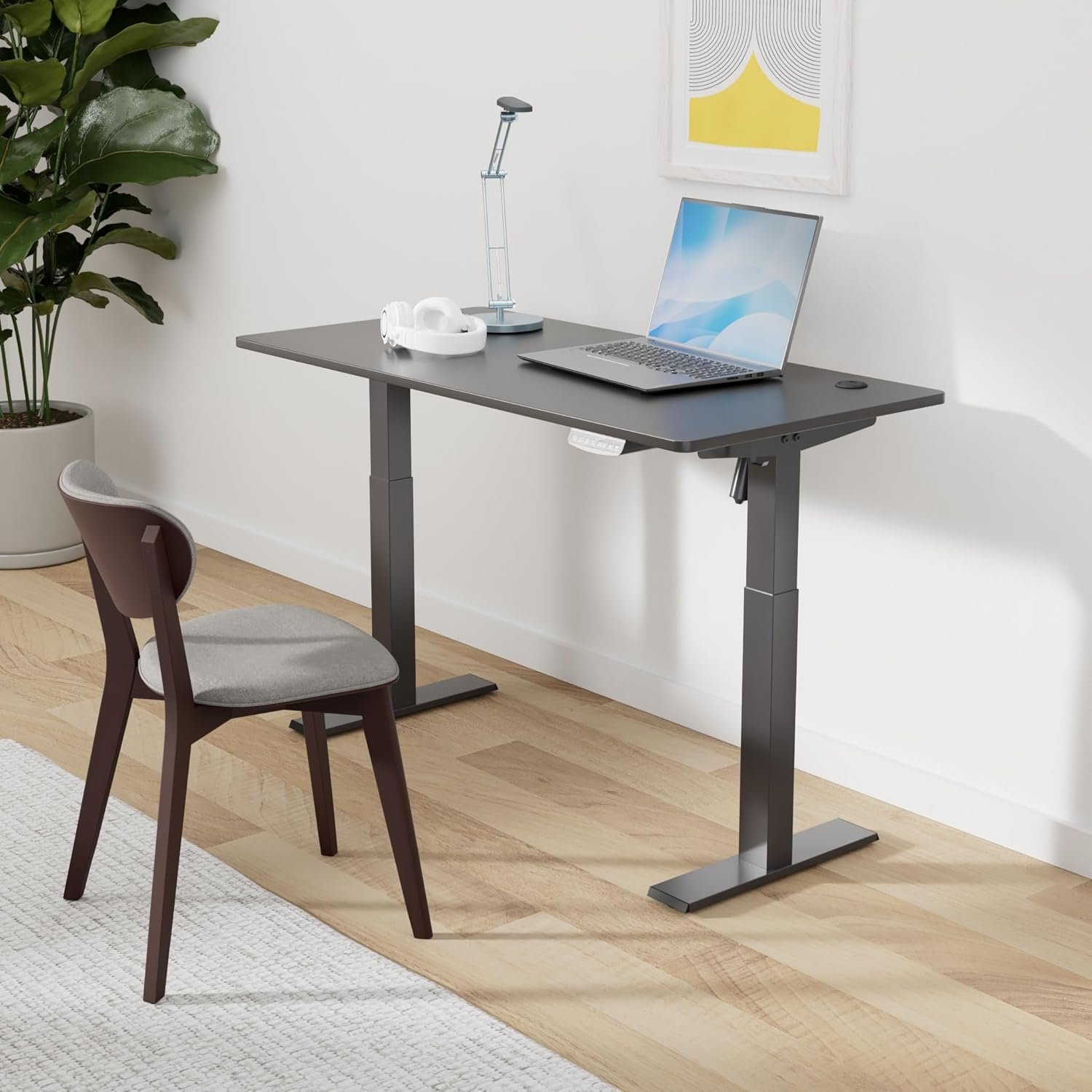
Irudia: The FEZIBO Electric Standing Desk in black, set up in a modern home office with a laptop and headphones.
Segurtasun informazio garrantzitsua
Please read all safety instructions before use. Failure to follow these instructions may result in injury or damage to the product.
- The desk has a maximum weight capacity of 176 lbs (70 kg). Do not exceed this limit.
- Ensure the desk is stable and properly anchored to prevent tipping, especially when adjusting height or when heavy items are placed on it.
- The anti-collision technology is designed to prevent damage or injury by moving the desk 2cm in the opposite direction if it encounters obstacles while lifting or lowering. However, always be aware of your surroundings during operation.
- Mantendu haurrak eta maskotak mahaitik urrun funtzionamenduan zehar.
- Ez eseri edo zutik jarri mahaian.
- Ensure all cables are properly managed to avoid entanglement or damage during height adjustments.
- Garbitu iragarkiarekinamp or dry cloth for cleaning. Avoid harsh chemicals.
Piezen zerrenda
Muntatu aurretik, egiaztatu osagai guztiak daudela eta kalterik ez dutela. Ikusi muntaketa bideoa piezen identifikazio bisuala ikusteko.
Irudia: Bat eztanda egin zuen view showing all individual components of the FEZIBO Electric Standing Desk, including the desktop halves, legs, frame, control panel, and hardware.
- Desktop (2 pieces)
- Mahaiaren hankak (2)
- Crossbar/Frame
- Kontrol panela
- Motora(k)
- Elikatze-moldagailua
- Detachable Lockable Casters (Optional/Included)
- Assembly Tools (Hex key, Screwdriver - check package contents)
- Screws and Fasteners (Various sizes, labeled in instructions)
- Cable Management Tray/Hooks
Konfigurazioa eta Muntaketa
A detailed installation video is available to guide you through the assembly process. Please watch the entire video before beginning installation.
Bideoa: FEZIBO Standing Desk Installation Guide. This video provides a step-by-step visual guide for assembling your desk, including attaching the legs, crossbar, and desktop components.
Muntatzeko urratsak:
- Piezak desontziratu eta identifikatu: Carefully unpack all components and compare them against the parts list. Ensure all screws and tools are present.
- Markoa muntatu: Attach the desk legs to the crossbar using the provided screws (e.g., M6*10). Ensure all connections are secure.
- Instalatu gidatzeko haga: Insert the drive rod into the designated slots, connecting the two leg mechanisms.
- Erantsi mahaigaina: Place the desktop (two pieces) onto the assembled frame. Align the pre-drilled holes and secure the desktop using the appropriate screws (e.g., st4.8*13).
- Install Control Panel and Cable Management: Mount the control panel and cable management tray/hooks to the underside of the desktop. Connect all motor and power cables as instructed.
- Konektatu energia: Konektatu korronte-egokitzailea mahaira eta gero hormako entxufe batera.
Note: The desktop comes in two pieces. Ensure they are correctly aligned before securing.
Funtzionamendu-argibideak
Your FEZIBO Electric Standing Desk features an intuitive control panel for easy height adjustment and memory settings.

Irudia: Close-up of the Smart Keypad control panel, showing Up/Down arrows and four memory buttons (1, 2, 3, 4).
Altuera doitzea:
- Eskuzko doikuntza: Erabili Gora (^) eta Behera (b) arrow buttons to manually raise or lower the desk to your desired height. The current height will be displayed on the control panel.
- The desk supports height adjustment between 27.3''-45.5'' (30.3''-48.5'' with detachable lockable casters included).
Memoriaren altuerak ezartzea:
The desk has 3 programmable memory height buttons (1, 2, 3) to save your preferred sitting and standing positions.
- Adjust the desk to your desired height using the Up (^) or Down (v) buttons.
- Sakatu "S" botoia. Pantailak "S-" erakutsiko du.
- 3 segundoren buruan, sakatu memoria-botoietako bat (1, 2 edo 3). The current height will be saved to that button.
- To recall a saved height, simply press the corresponding memory button (1, 2, or 3). The desk will automatically move to the saved position.
Bideoa: FAQ: Reset, set memory height, adjust the desk legs - FEZIBO. This video demonstrates how to reset the desk, set memory heights, and adjust the desk legs.
Mantentzea
- Garbiketa: Garbitu mahaiaren gainazalak iragarkiekinamp or dry cloth. Avoid using abrasive cleaners or harsh chemicals that could damage the finish.
- Ohiko egiaztapenak: Aldian-aldian egiaztatu torloju eta lotura guztiak ondo estutu direla ziurtatzeko. Beharrezkoa bada, berriro estutu.
- Kableen kudeaketa: Ensure cables remain organized and free from entanglement to prevent damage during height adjustments.
Arazoak konpontzea
If you encounter any issues with your FEZIBO Electric Standing Desk, refer to the solutions below or consult the troubleshooting video.
Bideoa: FEZIBO Troubleshooting and Solutions. This video covers common error codes and provides solutions for issues like the desk not moving, being tilted, or displaying error messages.
Ohiko arazoak eta irtenbideak:
Issue: Desk Does Not Lift or Lower (E-1 Displayed)
This often indicates that a reset is required or the height of the legs is inconsistent after operation.
Solution: Reset the Desk Control Panel
- Eduki sakatuta biak "Up (^)" eta "Down (v)" botoiak aldi berean 5 segundoz.
- The desk will move to its lowest position and then slightly back up. Release the buttons once the movement stops.
- Verify that the desk can now lift and lower smoothly.
Issue: Desktop Is Tilted
This can occur if the desk legs are not at the same height.
Solution: Adjust the Desk Legs
- Manually press the adjustable leg down until it reaches its lowest position.
- Confirm that both desk legs are now at the same height. Use a level if necessary.
- Perform a reset as described in the "Desk Does Not Lift or Lower" section.
Issue: "ovr" Displayed (Overload)
This indicates that the load on the desktop exceeds the maximum weight capacity (176 lbs).
Irtenbidea: Remove items from the desktop until the total weight is less than 176 lbs. The desk should then resume normal operation.
Issue: "E-2" Displayed (Anti-Collision Triggered)
The anti-collision function has been triggered due to an obstacle.
1. irtenbidea: Remove the obstacle. The desk should then resume normal operation.
Solution 2: Lower Sensitivity of Anti-Collision System
- Jarrai sakatu "S" key for 10 seconds until the display shows "A--".
- Sakatuz "S" again saves the setting.
- Sakatu "Up (^)" key to adjust the number to "15" (lower sensitivity).
- Sakatu "Down (v)" tekla pantailan agertu arte "P--".
Issue: "dut" Displayed (Duty Cycle Exceeded)
The desk has been operated continuously for too long, exceeding its duty cycle.
Irtenbidea: Allow the desk to rest for approximately 15 minutes before further operation. This allows the motor to cool down.
Issue: "E-3" Displayed (Motor Connection Failure)
This indicates that one or more motors are not properly connected to the control unit.
Irtenbidea:
- Check whether any motors fail connected with control unit.
- Please connect the main cable again, wait at least 5 seconds.
- Konektatu entxufe guztiak.
- Perform a reset as described in the "Desk Does Not Lift or Lower" section.
Issue: "hot" Displayed (Motor Overheating)
The motor temperature protection has been triggered due to overheating.
Irtenbidea: Allow the desk to rest for approximately 15 minutes for the motor to cool down before further operation.
Zehaztapenak
| Ezaugarri | Xehetasuna |
|---|---|
| Marka | FEZIBO |
| Modelo zenbakia | SDE |
| Produktuaren neurriak | 24" L x 40" W x 27.16" H |
| Altuera doitzeko tartea | 27.3''-45.5'' (30.3''-48.5'' with casters) |
| Kolorea | Beltza |
| Materiala | Alloy Steel, Wood (Laminated finish) |
| Pisu Edukiera | 176 lb (70 kg) |
| Altxatzeko Mekanismoa | Elektrikoa |
| Ezaugarri bereziak | Adjustable height, Ergonomic, Sturdy, Anti-Collision Technology, 3 Programmable Memory Heights |
| Zarata Maila | Under 50 dB during operation |
| Muntaia Beharrezkoa | Bai |
| Recommended for Assembly | 2 pertsona |
Bermea eta Laguntza
Your FEZIBO Electric Standing Desk comes with a limited warranty and a money-back guarantee.
- Berme mota: Mugatua
- Fabrikatzailearen bermea: Dirua Itzuliko Bermea
- Bezeroarentzako laguntza: For any questions, warranty concerns, or technical support during assembly and use, please do not hesitate to contact FEZIBO customer service.