
Sarrera
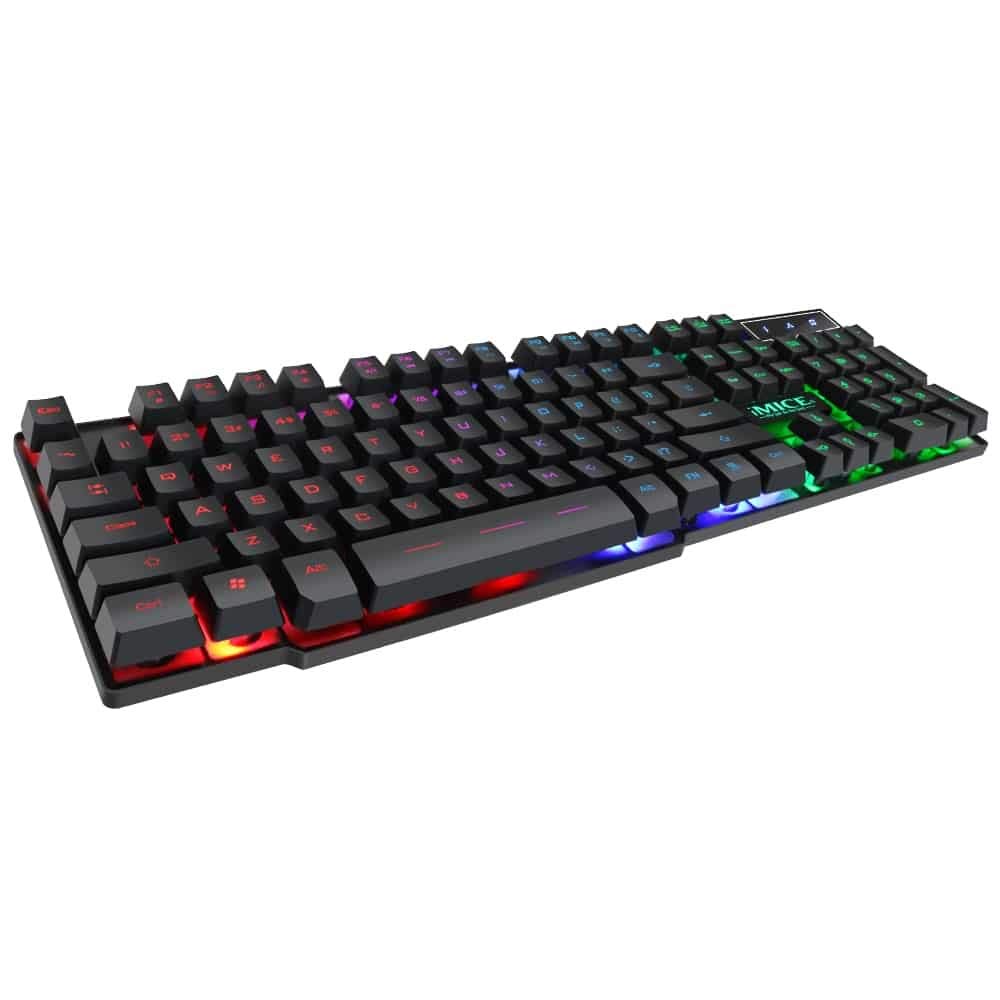
This manual provides instructions for the iMICE AK-600 Backlit USB Wired Gaming Keyboard. It covers setup, operation, maintenance, and troubleshooting to ensure optimal performance and longevity of your device. Please read this manual thoroughly before using the keyboard.
Konfigurazioa
Kutxan dagoena
The iMICE AK-600 keyboard package includes:
- iMICE AK-600 Backlit USB Wired Gaming Keyboard (with integrated USB cable)
Teklatua konektatzea
To connect your iMICE AK-600 keyboard:
- Bilatu erabilgarri dagoen USB ataka zure ordenagailuan.
- Plug the integrated USB cable from the keyboard into the USB port.
- The keyboard is plug-and-play and should be automatically recognized by your operating system without requiring additional drivers for basic functionality.
Funtzionamendu-argibideak
Oinarrizko teklatuaren funtzioak
The iMICE AK-600 features a standard 104-button layout, providing all essential keys for typing and gaming.
Atzeko argiaren kontrola
The keyboard is equipped with a three-color backlight system (red, blue, green). The key characters are illuminated for visibility in low-light conditions.
- To change the backlight color or cycle through modes, use the dedicated backlight control key (often labeled with a light bulb icon or similar).
- Pressing the key repeatedly will switch between red, blue, green, and off modes.
Multimedia gakoak
The keyboard includes 12 groups of multimedia function keys, typically accessed by pressing the Fn key in combination with the F1-F12 keys. These provide quick access to functions such as volume control, media playback, and more.
Ghostingaren aurkakoa
The iMICE AK-600 supports 19-key anti-ghosting. This feature ensures that multiple key presses are registered simultaneously and accurately, preventing input conflicts during fast-paced gaming or typing.
Mantentzea eta zaintzea
Mantentze egokiak zure teklatuaren bizitza luzatuko du:
- Garbiketa: Regularly wipe the keyboard surface with a soft, dry, lint-free cloth to remove dust and debris. For deeper cleaning, use a slightly damp zapi bat xaboi leun batekin, likidorik teklatuan sartzen ez dela ziurtatuz.
- Isuri likidoak: The keyboard features an integrated liquid guide hole design to help with minor spills. However, it is not fully waterproof. In case of a spill, immediately disconnect the keyboard from your computer and allow it to dry completely before reconnecting.
- Saihestu produktu kimiko gogorrak: Do not use abrasive cleaners, solvents, or strong detergents, as these can damage the keyboard's finish and key legends.
- Kableen zainketa: Ensure the USB cable is not excessively bent, twisted, or placed under heavy objects, which could damage the internal wires.
Arazoak konpontzea
Teklatuak ez du erantzuten
- Ziurtatu USB kablea ondo konektatuta dagoela teklatura eta ordenagailuko USB ataka aktibo batera.
- Saiatu teklatua ordenagailuko beste USB ataka batera konektatzen.
- Berrabiarazi ordenagailua.
- Probatu teklatua beste ordenagailu batean arazoa teklatuan edo ordenagailuaren USB atakan/kontrolatzaileetan den zehazteko.
Atzeko argia ez dabil
- Egiaztatu teklatua behar bezala konektatuta dagoela eta energia jasotzen duela.
- Press the backlight control key (often labeled with a light bulb icon) to cycle through backlight modes and ensure it is not turned off.
Giltza espezifikoak ez dira erregistratzen
- Gently clean around the affected keys to remove any dust or debris that might be obstructing the key mechanism.
- Arazoak jarraitzen badu, jarri harremanetan bezeroarentzako laguntza-zerbitzuarekin laguntza gehiago lortzeko.
Zehaztapenak
| Ezaugarri | Xehetasuna |
|---|---|
| Marka | OEM (iMICE) |
| Eredua | AK-600 |
| Konektibitate Teknologia | USB (kablea) |
| Teklatuaren deskribapena | Jolasa |
| Ezaugarri Berezia | Backlit (Red, Blue, Green) |
| Materiala | Plastikoa |
| Dakarten osagaiak | USB kable integratua |
| Aldatu mota | Ukimenezkoa |
| Eskuen Orientazioa | Anbidistroa |
| Botoi/teklen kopurua | 104 |
| Sistema eragile bateragarriak | Windows (XP/2000/Vista/7/8/10), Android, Linux |
| Kablearen luzera | 1.3 metro |
| Gakoaren bizi-iraupena | Up to 5 million presses |
Bermea eta Laguntza
For information regarding product warranty, returns, or technical support, please refer to the retailer's policy where the product was purchased. It is recommended to retain your purchase receipt as proof of purchase for any warranty claims. For direct manufacturer support, please visit the official OEM or iMICE webgunea.


