
Wicked Audio WITW2151
Wicked Audio Driftr True Wireless Earbuds
Modeloa: WITW2151
Sarrera
The Wicked Audio Driftr True Wireless Earbuds offer a seamless audio experience with easy pairing and comfortable wear. Designed for convenience, these earbuds provide clear sound and intuitive controls, making them ideal for everyday use.
Kutxan dagoena
- Wicked Audio Driftr True Wireless Earbuds (Left and Right)
- Kargatzeko kaxa
- USB kargatzeko kablea
- Erabiltzailearen eskuliburua (dokumentu hau)
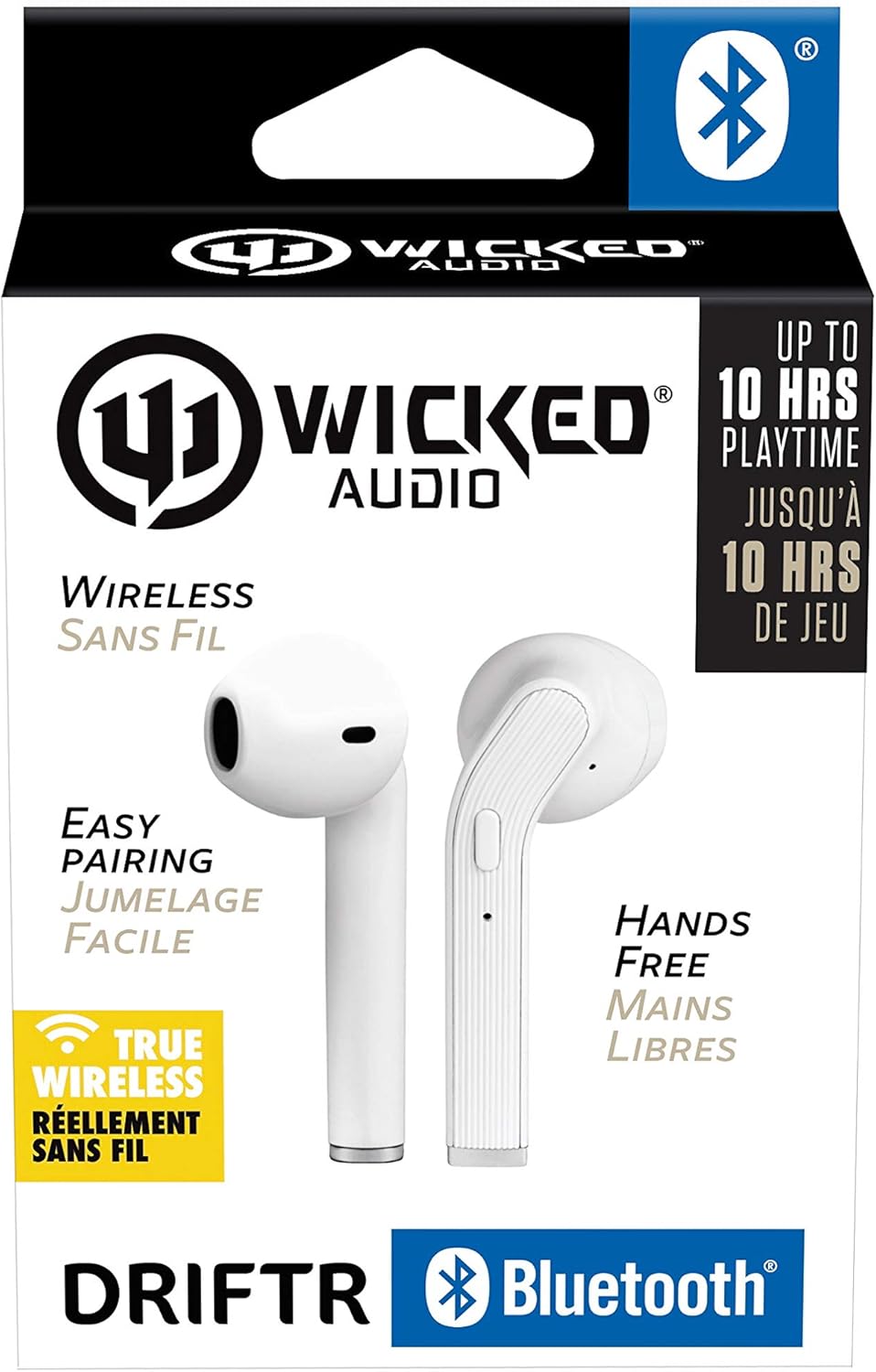
Image: Product packaging showing the earbuds and charging case.
Produktua amaituview
The Driftr earbuds feature an angled housing design for a comfortable fit. Each earbud includes touch controls for managing audio playback and calls, along with a built-in microphone for hands-free communication. The compact charging case provides additional battery life on the go.

Image: White Wicked Audio Driftr True Wireless Earbuds resting inside their open charging case.

Irudia: Gertuko planoa view of the left and right Wicked Audio Driftr True Wireless Earbuds, showing their angled design and control surfaces.

Image: A person wearing a white Wicked Audio Driftr True Wireless Earbud in their ear, demonstrating the fit.
Konfigurazioa
1. Entzungailuak eta zorroa kargatzea
Before first use, fully charge the earbuds and the charging case. Connect the provided USB charging cable to the charging port on the case and plug the other end into a USB power source (e.g., computer, wall adapter). The charging indicator light on the case will show charging status. A full charge takes approximately 1 hour for both the earbuds and the case.
2. Parekatze erraza
- Ziurtatu entzungailuak kargatuta daudela.
- Ireki kargatzeko zorroa. Aurikularrak automatikoki piztuko dira eta parekatze moduan sartuko dira.
- Zure gailuan (telefono adimenduna, tableta, ordenagailu eramangarria), joan Bluetooth ezarpenetara.
- Select "Wicked Audio Driftr" from the list of available devices.
- Konektatuta zaudenean, audio-abisu bat entzungo duzu, eta entzungailuetako adierazle-argia aldatuko da.
The earbuds are designed for straightforward, no-nonsense pairing in one easy step. After the initial pairing, they will automatically connect to your last paired device when removed from the case.
Funtzionamendu-argibideak
Ukitu Kontrolak
The Driftr earbuds feature intuitive touch controls for various functions:
- Erreproduzitu/Pausatu: Sakatu bakar batean entzungailu batean.
- Hurrengo ibilbidea: Sakatu birritan eskuineko entzungailuan.
- Aurreko pista: Sakatu bi aldiz ezkerreko entzungailuan.
- Deia erantzun/amaitu: Dei bat jasotzen ari zarenean, sakatu behin entzungailuetako edozeinetan.
- Deia baztertu: Sakatu eta eutsi edozein entzungailutan dei bat jasotzen ari zaren bitartean.
- Aktibatu Ahots Laguntzailea: Sakatu hiru aldiz entzungailuetako edozeinetan (adibidez, Siri, Google Assistant).
Entzungailuak jantzita
Insert the earbuds into your ears with the angled housing pointing slightly forward for a secure and comfortable fit. Adjust as needed to ensure optimal sound quality and passive noise cancellation.
Mantentzea
To ensure the longevity and optimal performance of your Wicked Audio Driftr earbuds, follow these maintenance guidelines:
- Garbiketa: Garbitu aldizka entzungailuak eta kargatzeko zorroa oihal leun, lehor eta lihorik gabeko batekin. Ez erabili produktu kimiko gogorrik edo material urratzailerik.
- Biltegiratzea: Erabiltzen ez dituzunean, gorde beti entzungailuak kargatzeko zorroan, babesteko eta kargatuta mantentzeko.
- Saihestu hezetasuna: The earbuds are not water resistant. Avoid exposure to water, sweat, and high humidity.
- Tenperatura: Ez jarri entzungailuak edo zorroa muturreko tenperaturen eraginpean (beroa edo hotza).
Arazoak konpontzea
If you encounter issues with your Driftr earbuds, try the following solutions:
- Entzungailuak ez dira parekatzen:
- Ziurtatu bi entzungailuak kargatuta daudela.
- Jarri bi entzungailuak kargatzeko zorroan berriro, itxi tapa, itxaron segundo batzuk eta ireki berriro tapa.
- On your device, forget "Wicked Audio Driftr" from your Bluetooth settings and attempt to pair again.
- Ez dago soinurik entzungailu batetik:
- Ensure both earbuds are charged and properly seated in the case.
- Try resetting the earbuds by placing them in the case and then removing them.
- Aurikularrak ez dira kargatzen:
- Egiaztatu kargatzeko kablea eta energia iturria.
- Ziurtatu entzungailuetako eta zorro barruko kargatzeko kontaktuak garbi eta hondakinik gabe daudela.
- Soinu kalitate eskasa:
- Ziurtatu entzungailuak behar bezala sartuta daudela belarrietan.
- Check the audio source and volume levels on your device.
- Move closer to your paired device to avoid interference.
Zehaztapenak
| Ezaugarri | Xehetasuna |
|---|---|
| Ereduaren izena | Wicked Audio Driftr (WITW2151) |
| Konektibitate Teknologia | Haririk gabekoa (Bluetooth 5.0) |
| Bluetooth barrutia | Gehienez 32 oin |
| Bateriaren iraupena | Up to 10 Hours (earbuds) |
| Kargatzeko Denbora | Approx. 1 Hour (earbuds and case) |
| Audio kontrolatzailearen tamaina | 13 milimetro |
| Maiztasun Erantzuna | 20 Hz - 20,000 Hz |
| Sentikortasuna | 15 dB |
| Inpedantzia | 32 Ohm |
| Zarata Kontrola | Zarata Ezeztapen Pasiboa |
| Kontrol-metodoa | Ukitu |
| Uraren Erresistentzia Maila | Ez Urarekiko Erresistentea |
| Elementuaren pisua | 2.11 ontza |
| Produktuaren neurriak | 1.5 x 3 x 5.5 hazbete |
| UPC | 712949012265 |
Bermea eta Laguntza
Wicked Audio products are designed for durability and performance. For specific warranty information and support inquiries, please refer to the official Wicked Audio webwebgunera edo jarri harremanetan zuzenean bezeroarentzako arreta-zerbitzura. Gorde erosketaren frogagiria berme-erreklamazioetarako.
Laguntza gehiago lortzeko, bisitatu Wicked Audio denda Amazonen.
Ask a question about this manual
Ask about setup, troubleshooting, compatibility, parts, safety, or missing instructions. Manuals+ will review the question and use this page’s manual context to help answer it.