
Sarrera
This manual provides detailed instructions for the setup, operation, maintenance, and troubleshooting of your OMOTON 2.4G USB Wireless Keyboard, model WK002. Please read this manual thoroughly before using the product to ensure proper functionality and longevity.
Paketearen edukia
- OMOTON 2.4G USB Wireless Keyboard WK002
- USB Receiver (typically stored in the battery compartment of the keyboard)
- Erabiltzailearen eskuliburua
Konfigurazioa
Follow these steps to set up your OMOTON wireless keyboard:
- Sartu bateriak: Open the battery compartment on the back of the keyboard. Insert two AAA batteries (not included) according to the polarity indicators (+/-).
- Aurkitu USB hargailua: The USB receiver is typically stored inside the battery compartment for safe keeping. Carefully remove it.
- Konektatu USB hargailua: Plug the USB receiver into an available USB port on your computer or laptop. Your operating system should automatically detect and install the necessary drivers.
- Teklatua piztea: Turn on the keyboard using the power switch, usually located on the back or side of the keyboard. The keyboard should now be ready for use.
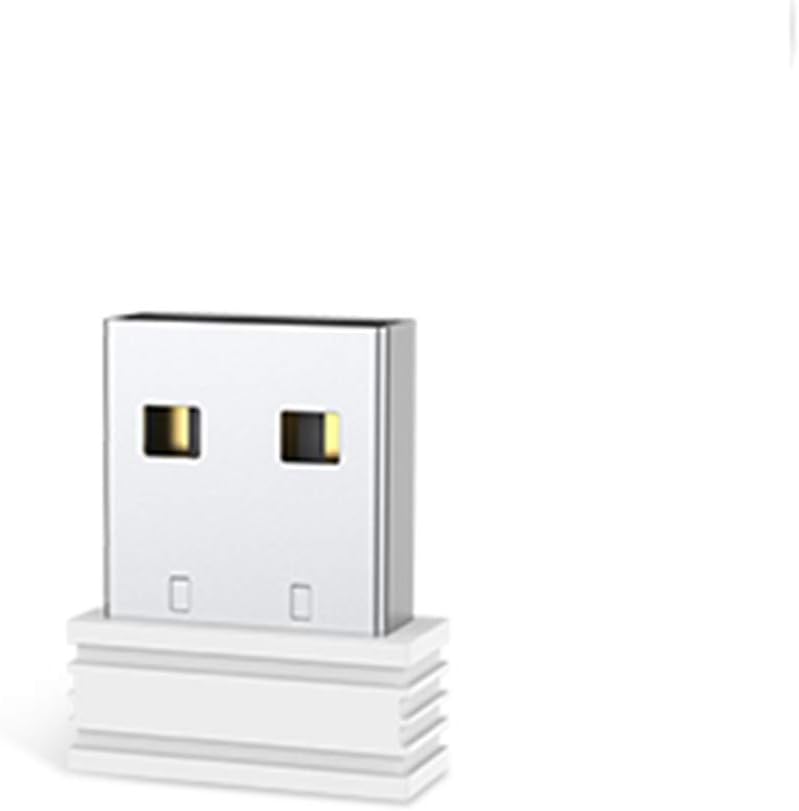
Irudiaren deskribapena: A white USB receiver, designed for wireless connectivity, is shown. It features a standard USB-A connector with gold-colored contacts visible inside the port. The receiver has a compact, rectangular shape with a textured base, indicating it is ready to be plugged into a computer's USB port. This component facilitates the wireless connection between the keyboard and the computer.
Funtzionamendu-argibideak
Once the setup is complete, your OMOTON WK002 keyboard is ready for use. It operates on a 2.4G wireless frequency, providing a stable connection up to 10 meters (33 feet) without significant obstacles.
- Konexio automatikoa: The keyboard and receiver are pre-paired at the factory. Simply plug in the receiver and turn on the keyboard.
- Energia aurrezteko modua: Bateriaren iraupena aurrezteko, teklatua automatikoki sartuko da lo moduan denbora batez inaktibo egon ondoren. Sakatu edozein tekla esnatzeko.
- Bateragarritasuna: This keyboard is compatible with laptops and desktop computers running various operating systems that support standard USB input devices.
Mantentzea
Mantentze egokiak zure teklatuaren iraupena eta errendimendu optimoa bermatzen ditu.
- Garbiketa: Erabili zapi leun eta lehor bat teklatuaren gainazala garbitzeko. Zikinkeria egoskorra bada, garbitu pixka bat.ampGarbitu zapi bat urarekin edo garbitzaile leun eta ez-urratzaile batekin. Saihestu likidoak zuzenean teklatuan ihinztatzea.
- Bateria ordezkatzea: When the keyboard's performance degrades or it stops responding, it's likely time to replace the batteries. Follow the steps in the "Setup" section to replace the AAA batteries.
- Biltegiratzea: When not in use for extended periods, turn off the keyboard and store the USB receiver in its designated compartment to prevent loss.
Arazoak konpontzea
If you encounter issues with your OMOTON WK002 keyboard, refer to the following common solutions:
- Teklatuak ez du erantzuten:
- Ziurtatu teklatua piztuta dagoela.
- Egiaztatu bateriak behar bezala sartuta dauden eta nahikoa karga duten. Beharrezkoa bada, ordezkatu itzazu.
- Egiaztatu USB hargailua ondo konektatuta dagoela ordenagailuko USB ataka funtzional batean. Saiatu beste USB ataka batekin.
- Move the keyboard closer to the USB receiver to rule out range issues or interference.
- Berrabiarazi ordenagailua.
- Giltzak ez dira behar bezala funtzionatzen:
- Garbitu teklatua teklak oztopatzen egon daitezkeen hondakinak kentzeko.
- Ensure no other software or settings are interfering with keyboard input.
- Etengabeko konexioa:
- Saihestu hartzailea interferentziak sor ditzaketen beste haririk gabeko gailu batzuen ondoan jartzea (adibidez, Wi-Fi bideratzaileak, haririk gabeko telefonoak).
- Ensure there are no large metal objects between the keyboard and the receiver.
Zehaztapenak
| Marka | OMOTON |
| Eredua | WK002 (Info-USB-White) |
| Konektibitate Teknologia | 2.4G Haririk gabekoa |
| Interfazea | USB (hartzailerako) |
| Ezaugarri Berezia | Haririk gabekoa |
| Gailu bateragarriak | Ordenagailu eramangarria, mahaigaineko ordenagailua |
Bermea eta Laguntza
OMOTON products are designed for reliability and performance. For warranty information, technical support, or customer service inquiries, please refer to the contact information provided with your product packaging or visit the official OMOTON webgunea.
Mesedez, gorde zure erosketa-froga berme-erreklamazioetarako.