
1. Sarrera
This manual provides essential information for the safe and effective operation, setup, and maintenance of your YIHUA 862BD+ Professional Soldering & Rework Station. This 2-in-1 station combines a hot air rework station and a soldering iron, designed for various electronic repair and assembly tasks. Please read this manual thoroughly before using the device.
2. Segurtasun-argibideak
To prevent injury or damage to the equipment, always observe the following safety precautions:
- Segurtasun elektrikoa: This unit is designed to operate on 110-127V US mains electricity. DO NOT use the product on mains electricity at 220V. Ensure the power outlet is properly grounded.
- Beroaren arriskua: The soldering iron tip and hot air nozzle reach very high temperatures. Always use caution and avoid direct contact with skin or flammable materials. Allow components to cool before handling.
- Aireztapena: Use the station in a well-ventilated area to avoid inhaling solder fumes, which can be harmful. Consider using a fume extractor.
- Begietako babesa: Always wear safety glasses to protect your eyes from solder splashes or flying debris.
- Lan eremua: Keep your work area clean and free of clutter. Ensure no flammable liquids or gases are near the station.
- Haurrak eta maskotak: Mantendu gailua haurren eta maskoten eskura.
- Mantentzea: Deskonektatu elikatze-kablea mantentze-lan edo garbiketa egin aurretik.
3. Paketearen edukia
Egiaztatu behean zerrendatutako elementu guztiak zure paketean sartuta daudela:
- YIHUA 862BD+ Professional Soldering & Rework Station Main Unit
- Aire beroko pistola
- Soldadura
- Soldagailuaren euskarria
- Aire beroko pistolaren euskarria
- 50g 0.8mm Lead-Free Solder Wire
- 5 x Assorted Soldering Iron Tips
- 4 x Assorted Hot Air Nozzles (#2300 bundle: 3 round-shape, 1 square-shape)
- Garbiketa belakia
- 1 x Pair ESD-Safe Tweezers
- 1 x Solder Sucker
- 1 x Cleaning Kit (Brass Ball)
- 1 x IC Extractor
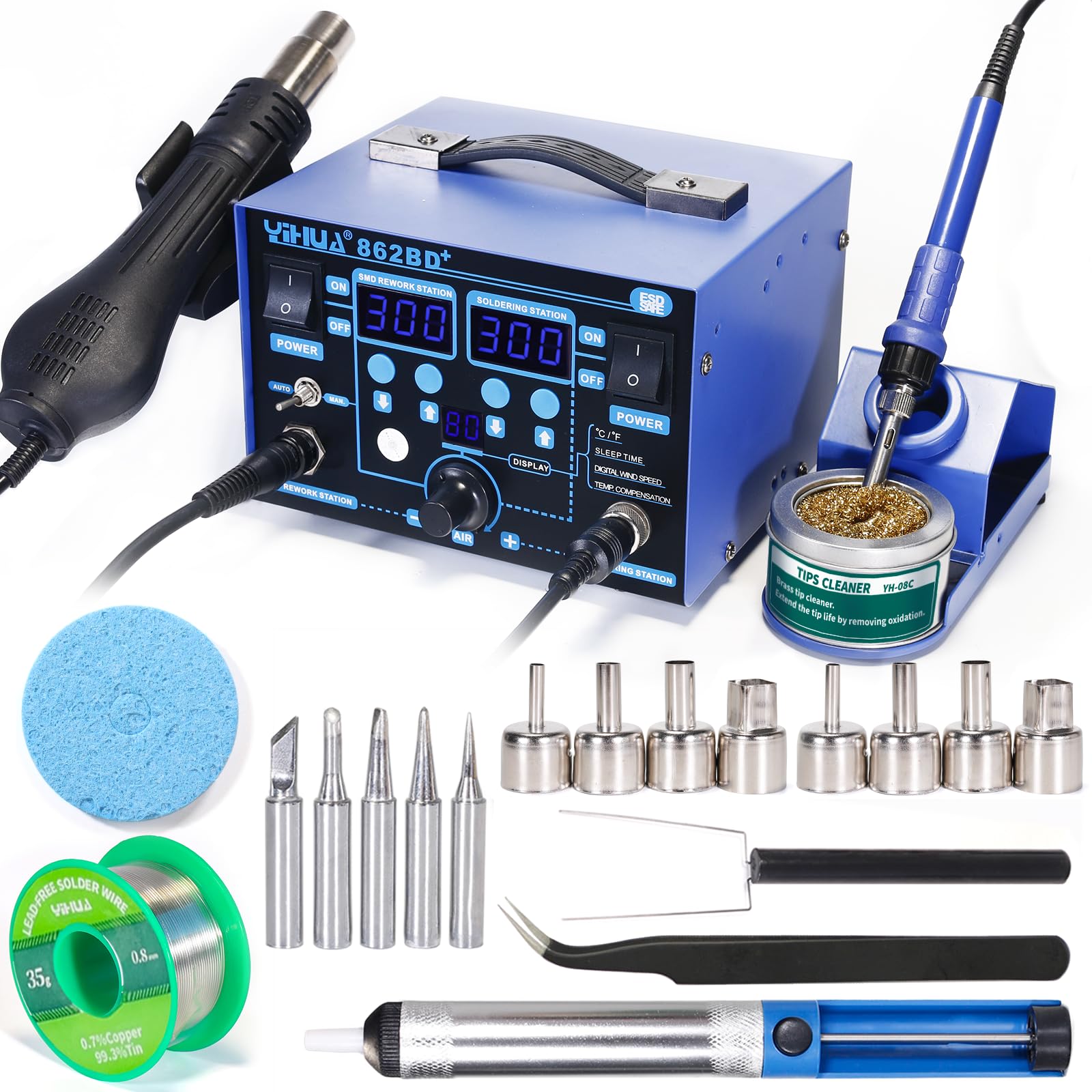
Figure 3.1: YIHUA 862BD+ Soldering & Rework Station with all included accessories.

Figure 3.2: Assorted hot air nozzles for various applications.
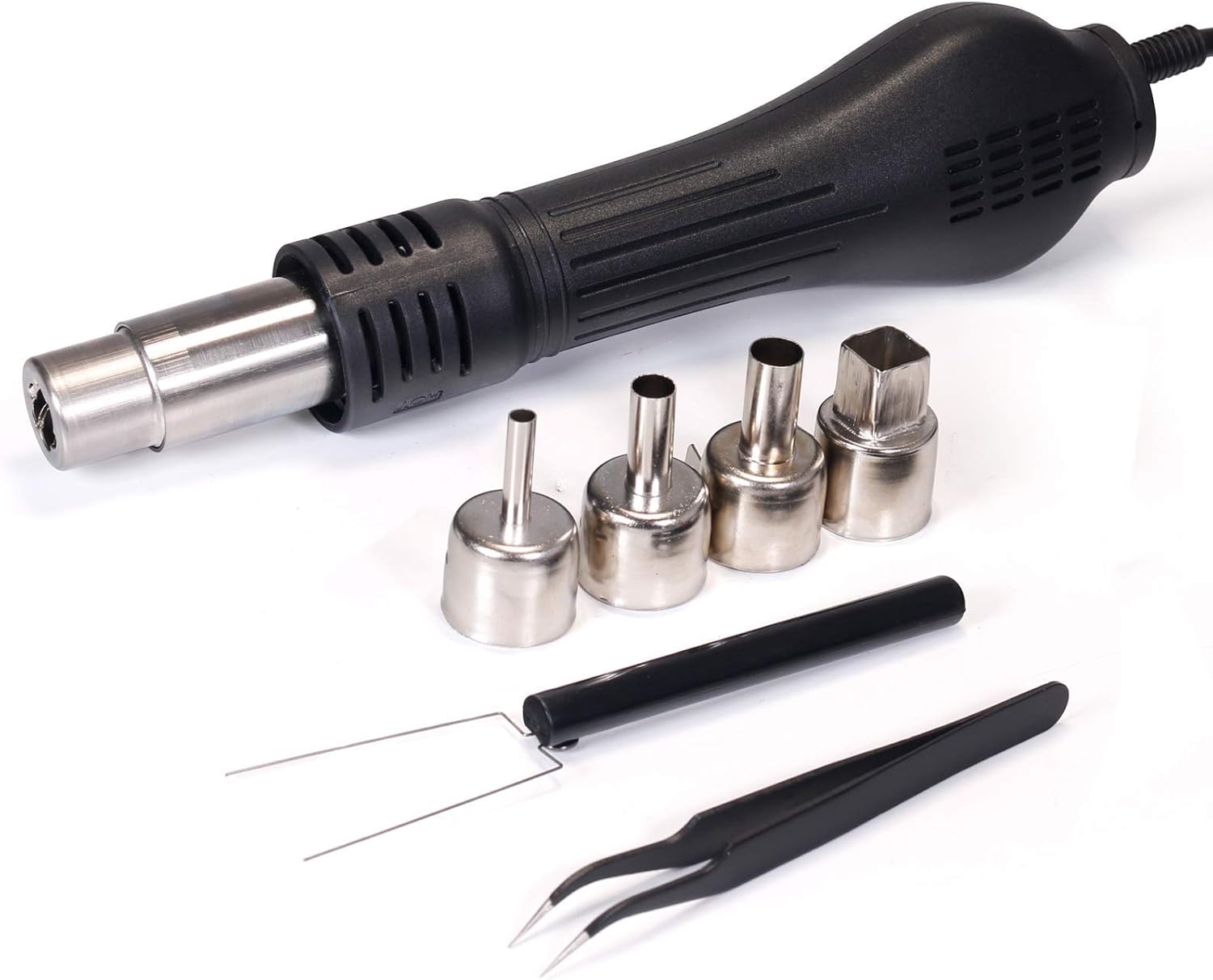
Figure 3.3: Spool of lead-free solder wire.

Figure 3.4: Soldering iron with its stand and brass tip cleaner.
4. Konfigurazioa
Jarraitu urrats hauek hasierako konfiguraziorako:
- Despaketatzea: Kontu handiz atera osagai guztiak paketetik eta egiaztatu ea kalterik dagoen.
- Lekua: Place the main unit on a stable, heat-resistant surface in a well-ventilated area. Ensure adequate space around the unit for airflow.
- Aire beroaren pistola konektatu: Plug the hot air gun connector into the designated port on the main unit. Secure it if necessary. Place the hot air gun in its holder.
- Soldatzeko burdina konektatu: Plug the soldering iron connector into the designated port on the main unit. Place the soldering iron in its stand.
- Potentzia-konexioa: Ensure both the SMD Rework Station and Soldering Station power switches are in the OFF position. Connect the power cord to the main unit and then to a 110-127V AC grounded power outlet.
5. Funtzionamendu-argibideak
5.1. Funtzionamendu Orokorra
- Piztu: Flip the respective power switches (SMD Rework Station and/or Soldering Station) to the ON position. The digital displays will illuminate.
- Tenperaturaren doikuntza: Use the temperature control knobs or buttons for each station to set the desired temperature. The unit features temperature stabilization to maintain the set temperature steadily.
- Itzali: After use, turn off both power switches and allow the hot air gun and soldering iron to cool down completely before storing.
5.2. Temperature Display Unit (°F/°C) Conversion
To switch between Fahrenheit (°F) and Celsius (°C) temperature display:
- Turn on the SMD rework station power switch only.
- Simultaneously press and hold the REWORK STATION ▲ (up) button and the SOLDERING STATION ▼ (down) button for 2 seconds.
- Press the SOLDERING STATION ▲ (up) button to display °C or ▼ (down) button to display °F.
- Stop operating for 4 seconds to exit the setting and save your selection.
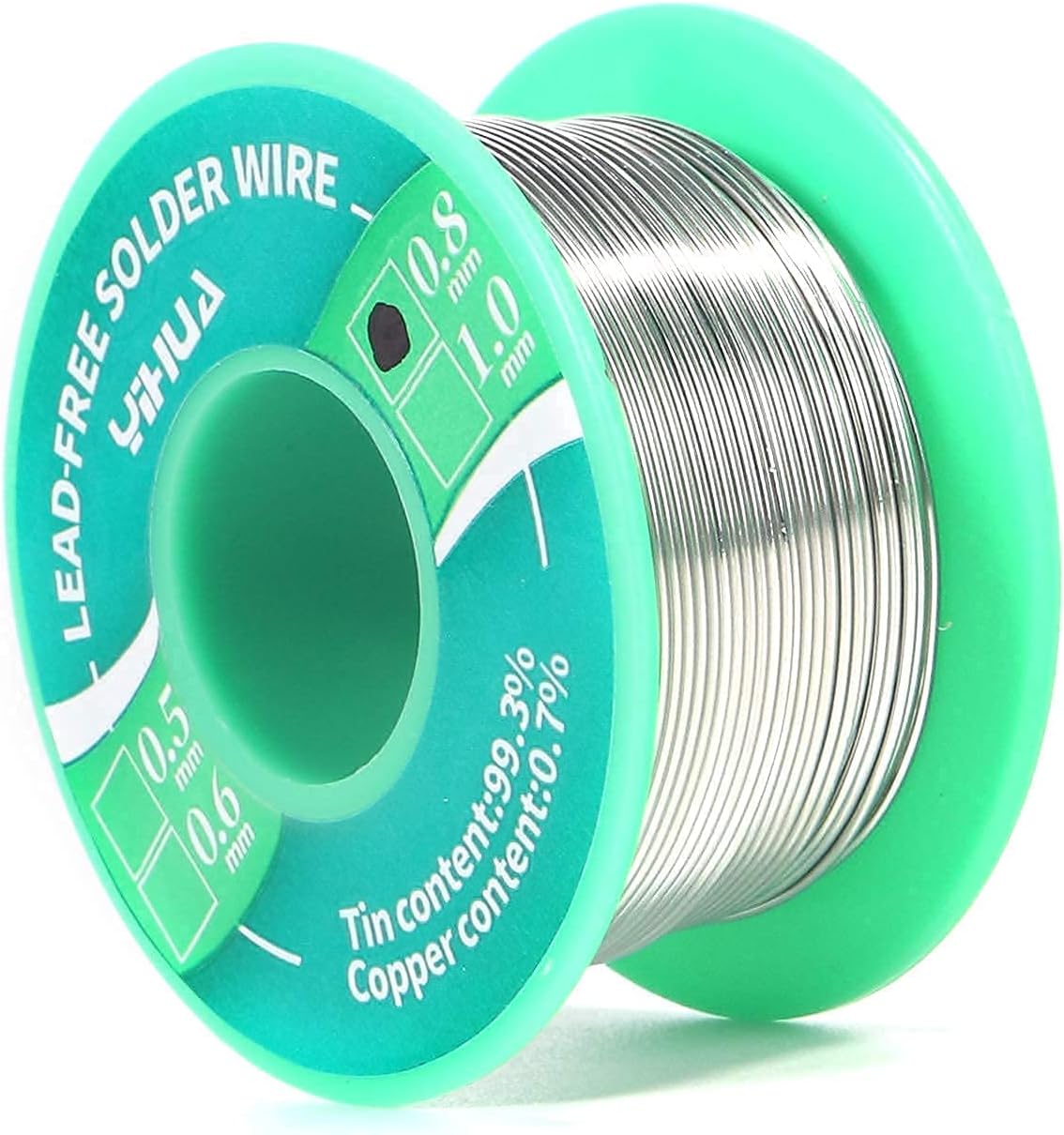
Figure 5.1: Guide for converting temperature display between Fahrenheit and Celsius.
5.3. Hot Air Rework Station
- Tenperatura tartea: 212-896 °C (100-480 °F).
- Toberaren hautaketa: Choose an appropriate nozzle from the #2300 set (round or square) for your specific component size and application. Attach it securely to the hot air gun.
- Aire-fluxuaren doikuntza: Use the airflow control knob to adjust the air volume. Start with lower airflow for delicate components and increase as needed.
- Eragiketa: Direct the hot air stream evenly over the component to be reworked. Avoid concentrating heat on one spot for too long.
5.4. Soldering Station
- Tenperatura tartea: 392-896 °C (200-480 °F).
- Aholkuen hautaketa: Select an appropriate soldering iron tip for your task. Ensure it is securely fastened.
- Aholkua landu: Before first use and periodically during operation, tin the tip by applying a small amount of solder to it. This helps prevent oxidation and improves heat transfer.
- Soldadura: Apply the heated tip to both the component lead and the PCB pad simultaneously. Feed solder onto the joint, not directly onto the iron tip. Remove the solder, then the iron, allowing the joint to cool naturally.
6. Mantentzea
Regular maintenance ensures optimal performance and longevity of your station:
- Soldering Iron Tip Cleaning: Regularly clean the soldering iron tip using the brass ball cleaner or a damp sponge. This removes oxidation and old solder, maintaining efficient heat transfer.
- Hot Air Nozzle Cleaning: Ensure hot air nozzles are free from debris or solder residue. Clean them gently with a brush or appropriate tool when cool.
- Unitatearen garbiketa: Garbitu unitate nagusia eta heldulekuak zapi leun eta lehor batekin. Ez erabili garbitzaile edo disolbatzaile urratzailerik.
- Biltegiratzea: Store the station in a dry, dust-free environment when not in use. Ensure all components are cool before storage.
7. Arazoak
Arazoak badituzu, jo ezazu honako arazo eta irtenbide ohikoenei:
| Arazoa | Kausa posiblea | Irtenbidea |
|---|---|---|
| Estazioa ez da pizten | Power cord not connected; Power switch off; Faulty outlet | Check power cord connection; Ensure power switches are ON; Test outlet with another device |
| Soldatzeko burdina ez da berotzen | Iron not connected; Heating element failure; Incorrect temperature setting | Check iron connection; Contact support if element is faulty; Verify temperature setting |
| Hot air gun not blowing air or heating | Gun not connected; Fan or heating element failure; Airflow blocked | Check gun connection; Ensure nozzle is clear; Contact support if internal components are faulty |
| Poor solder joints | Tip not clean; Incorrect temperature; Insufficient heat transfer | Clean and re-tin tip; Adjust temperature; Ensure proper contact with joint |
8. Zehaztapenak
| Ezaugarri | Zehaztapena |
|---|---|
| Eredua | YIHUA 862BD+ |
| liburukiatage | 110 Volts (US Standard) |
| Hot Air Temperature Range | 212-896 °F (100-480 °C) |
| Soldering Station Temperature Range | 392-896 °F (200-480 °C) |
| Dakarten osagaiak | Air Gun, Soldering Iron, Assorted Nozzles, Tips, Solder Wire, Cleaning Kit, etc. |
| Materiala | Copper (for certain components) |
9. Bermea eta Laguntza
YIHUA provides a 12-month US-exclusive manufacturer technical coverage for this product. For any technical assistance or support, please utilize the 24/7 professional assistance available on Amazon. Refer to your purchase documentation for specific contact details or visit the official YIHUA store on Amazon.