
Samsung WD90T734ABH/S3
Samsung AI Control Ultrawash Washer Dryer Instruction Manual
Model: WD90T734ABH/S3
Sarrera
This manual provides essential information for the safe and efficient operation of your Samsung AI Control Ultrawash Washer Dryer. Please read it thoroughly before using the appliance and keep it for future reference. This appliance combines washing and drying functions, offering advanced features like AI Control, Ecodosatore, and Steam Wash for optimal laundry care.

Irudia: Aurrealdea view of the Samsung AI Control Ultrawash Washer Dryer, showcasing its modern design with a black door and white/silver panel.
Konfigurazioa eta Instalazioa
Despaketatzea
- Kontu handiz kendu ontziratzeko material guztiak aparatutik.
- Egiaztatu garraioan zehar kalterik egon den. Kaltetuta badago, ez instalatu eta jarri harremanetan zure saltzailearekin.
- Remove all transit bolts from the rear of the appliance. Refer to the separate installation guide for detailed instructions.
Kokapena eta konexioak
Ensure the appliance is placed on a firm, level surface. Adjust the leveling feet to prevent vibration and noise during operation.

Image: A diagram illustrating the dimensions of the washer dryer: 60 cm (width), 85 cm (height), and 65 cm (depth). It also highlights key features like 1400 RPM spin speed, 9/6 kg capacity, and AI Control.
- Neurriak: 60 cm (zabalera) x 85 cm (altuera) x 65 cm (sakonera).
- Connect the water inlet hose to a cold water tap and the drain hose to a suitable drain.
- Entxufatu korronte-kablea lurreko hartune elektriko batean.
Hasierako konfigurazioa
Before the first wash, run a drum clean cycle without laundry to remove any manufacturing residues.
Funtzionamendu-argibideak
Kontrol-panela amaitu daview
The washer dryer features an intuitive AI Control panel that learns your preferences and suggests frequently used programs.

Irudia: Gertutik view of the AI Control panel, showing a list of customizable programs such as Outdoor, Wool, Hygienic Steam, Shirts, Bedding, Rinse, and Sportswear, indicating the appliance's intelligent program selection.
Washing Cycles and Features
- IA kontrola: This intelligent system adapts to your preferences, suggesting up to 27 selectable programs and options you use most frequently.
- Ecodosatore (Auto Dispense): The integrated sensor system (water, weight, detergent) calculates the precise amount of detergent and softener for each load. The auto dispense system can last up to 1 month autonomously, reducing waste.
- Lurrun-garbiketa: When activated, a powerful jet of steam is emitted from the bottom of the drum, removing stubborn dirt and 99.9% of bacteria and allergens for hygienically clean laundry.
- Turbo+: This feature reduces washing time by pre-mixing detergent with air bubbles, creating a foam that acts from the first minute of washing. The rinse phase is also faster and more effective.
- Eco Lavaggio (Eco Wash): Achieve cold washes like hot washes, saving up to 70% energy.

Irudia: Xehetasun zehatza view of the Ecodosatore (Auto Dispense) detergent and softener compartments, highlighting its function to release the correct amount of detergent for over a month of washes, minimizing waste.
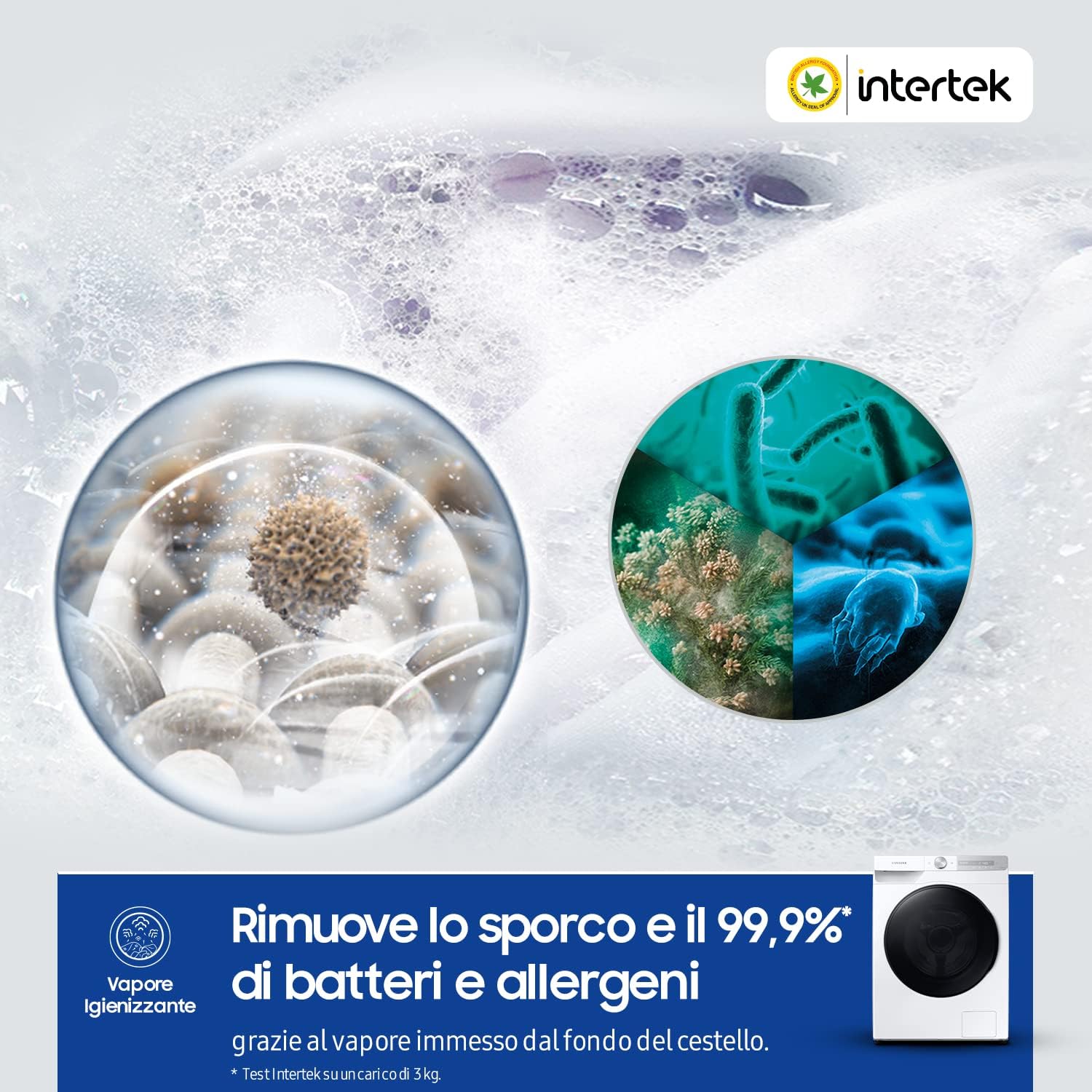
Image: An illustrative graphic demonstrating the Steam Wash function, showing how steam penetrates fabrics to remove dirt and eliminate 99.9% of bacteria and allergens.
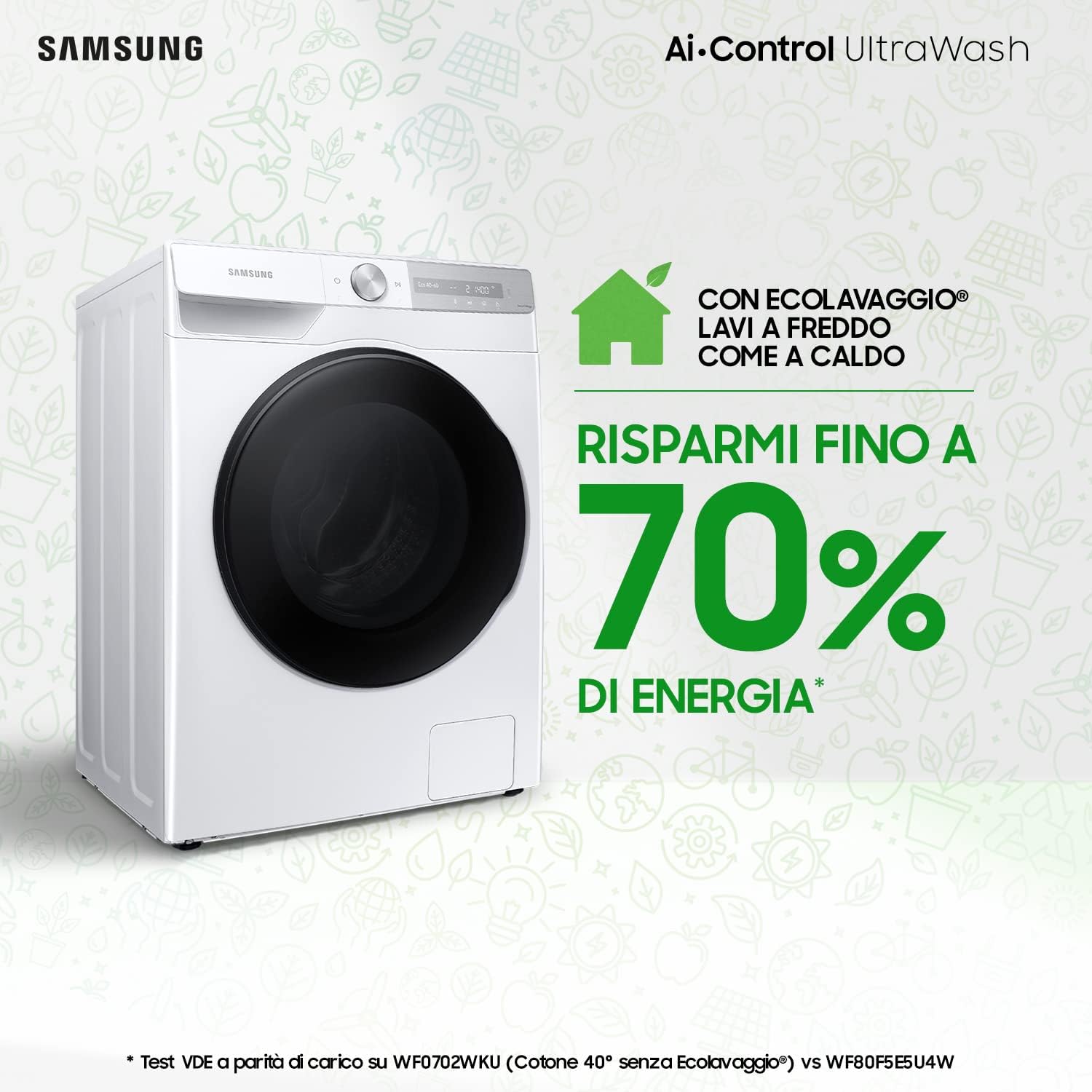
Image: A visual representation of energy savings, indicating that with Eco Wash, you can save up to 70% energy while achieving effective cold washes.
Lehortze Zikloak
Select the appropriate drying cycle based on fabric type and desired dryness level. The AI Control can also suggest optimal drying settings.
SmartThings aplikazioaren integrazioa
Control your washer dryer remotely and receive notifications via the SmartThings app. This requires a Wi-Fi connection and a Samsung account. The app allows for personalized program suggestions and monitoring.
Mantentzea
Mantentze-lan erregularrak zure etxetresna elektrikoaren iraupena eta errendimendu optimoa bermatzen ditu.
- Drum Clean Cycle: Run the Drum Clean cycle periodically (the appliance will notify you every 40 cycles) to remove 99.9% of bacteria from the inside of the washer and dirt from the rubber gasket.
- Detergent Dispenser Cleaning: Clean the detergent and softener compartments regularly to prevent residue buildup.
- Iragazkien garbiketa: Check and clean the debris filter located at the bottom front of the appliance periodically.
- Kanpoko garbiketa: Garbitu kanpoaldea leun batekin, damp oihal. Ez erabili garbitzaile urratzaileak.
Arazoak konpontzea
If you encounter issues, refer to the following common problems and solutions before contacting service.
| Arazoa | Balizko Kausa / Irtenbidea |
|---|---|
| Appliance is noisy during operation. | Ensure the appliance is level and all transit bolts have been removed. Overloading or uneven load distribution can also cause noise. |
| Etxetresna ez da martxan jartzen. | Check if the power cord is securely plugged in, the door is properly closed, and the start/pause button has been pressed. |
| Ur-ihesak. | Check the water inlet and drain hose connections for tightness. Ensure the detergent dispenser is not overfilled. |
| Poor washing/drying performance. | Ensure correct detergent dosage (Ecodosatore is active), appropriate program selection, and that the load is not excessive for the selected cycle. Clean filters and dispenser. |
Zehaztapenak
Key technical specifications for the Samsung WD90T734ABH/S3 Washer Dryer.

Image: The EU Energy Label for the Samsung WD90T734ABH/S3, showing energy efficiency class B for washing/drying and E for washing, along with consumption figures and noise levels. For more details, scan the QR code or visit eprel.ec.europa.eu/qr/262337.
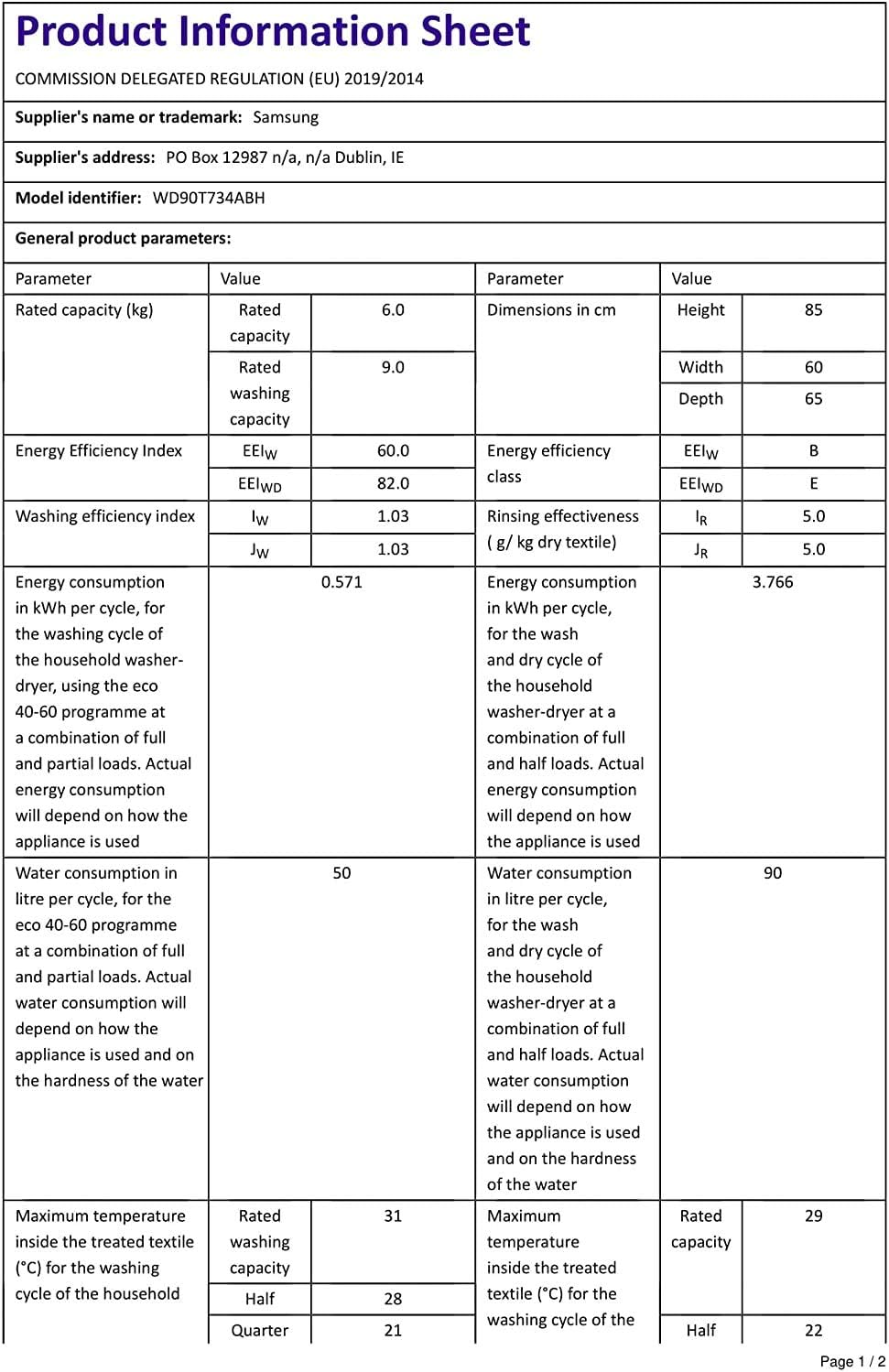
Image: The Product Information Sheet detailing general product parameters such as rated capacity, energy efficiency indices, water consumption, and dimensions for the Samsung WD90T734ABH/S3.
| Parametroa | Balioa |
|---|---|
| Modelo zenbakia | WD90T734ABH/S3 |
| Garbiketa Ahalmena | 9 kg |
| Lehortzeko Ahalmena | 6 kg |
| Biraketa-abiadura maximoa | 1400 RPM |
| Energia-eraginkortasun klasea (garbiketa/lehorketa) | B |
| Energia-eraginkortasun klasea (garbiketa) | E |
| Neurriak (W x H x D) | 60 x 85 x 65 cm |
| Urteko Energia Kontsumoa | 234 kWh/urtean |
| Danborraren materiala | Altzairu herdoilgaitza |
| Kontrol mota | Wi-Fi |
Bermea eta Laguntza
Your Samsung Washer Dryer comes with a manufacturer's warranty. For specific details regarding your warranty coverage and return policy, please refer to the terms provided at the time of purchase or consult the official Samsung support channels.

Image: A graphic highlighting the 20-year warranty on the Digital Inverter Motor, emphasizing the durability and reliability of this component.
Samsung offers a 20-year warranty on the Digital Inverter Motor, ensuring long-term reliability for a key component of your appliance.
For technical assistance, spare parts, or further information, please visit the official Samsung support website or contact their customer service. Keep your model number (WD90T734ABH/S3) and serial number ready when contacting support.
Informazio eta laguntza gehiago aurki dezakezu hemen: Samsung denda Amazonen.
Erlazionatutako dokumentuak - WD90T734ABH/S3
 |
Samsung SmartThings Wifi ET-WV525 Quick Start Guide This guide provides instructions for setting up and using the Samsung SmartThings Wifi ET-WV525, including device layout, app connection, adding devices, and safety precautions. |
 |
Samsung Galaxy A55 5G: Nola konfiguratu Wi-Fi gune pertsonala Samsung Galaxy A55 5G telefonoan Wi-Fi gune pertsonalaren funtzioa nola gaitu eta konfiguratu azaltzen duen urratsez urratseko gida, datu-konexioaren konfigurazioa barne. |
 |
Manual do Usuário e Instalação do Kit Wi-Fi Samsung MIM-H05UN Este manual fornece instruções detalhadas para a instalação e uso do Kit Wi-Fi Samsung MIM-H05UN, permitindo o controle do seu ar condicionado via smartphone. Inclui precauções de segurança, guias de instalação passo a passo, configuração do aplicativo SmartThings, solução de problemas e especificações técnicas. |
 |
Baldintzatore Manuale di Installazione AC***RN4PKG Instalazio eskuliburuatagSamsung AC***RN4PKG baldintzatzailearekin lotuta, segurtasun neurriak hartu behar ditu, instalazio-prozedura-pasoa, telekomandoaren ezarpenak eta arazoak konpontzeko. |
 |
Samsung MIM-H03UN Multi Wi-Fi Kit Erabiltzaile eta Instalazio Eskuliburua Samsung MIM-H03UN Multi Wi-Fi kitaren erabiltzaile eta instalazio eskuliburu osoa, segurtasun neurriak, instalazio urratsak, sarearen konfigurazioa, aplikazioen integrazioa eta aire girotu adimendunen arazoak konpontzea zehaztuz. |
 |
Samsung Air Conditioner Wi-Fi Kit User and Installation Manual Comprehensive user and installation manual for Samsung Air Conditioner Wi-Fi Kits, including setup, safety, troubleshooting, and SmartThings app integration. Covers models PC4NUFMAN, PC4SUFMAN, PC1MWFMAN, PC1NWFMAN, PC1BWFMAN, PC4NBNMAN, PC4NUNMAN, PC4NBDMAN, PC4NUDMAN. |
Ask a question about this manual
Ask about setup, troubleshooting, compatibility, parts, safety, or missing instructions. Manuals+ will review the question and use this page’s manual context to help answer it.