
1. Sarrera
Eskerrik asko erosketagatik.asing the JVC XS-N2239TC Wireless Stereo Speaker System. This manual provides essential information for the safe and efficient use of your new speaker system. Please read these instructions thoroughly before operating the device and retain them for future reference.
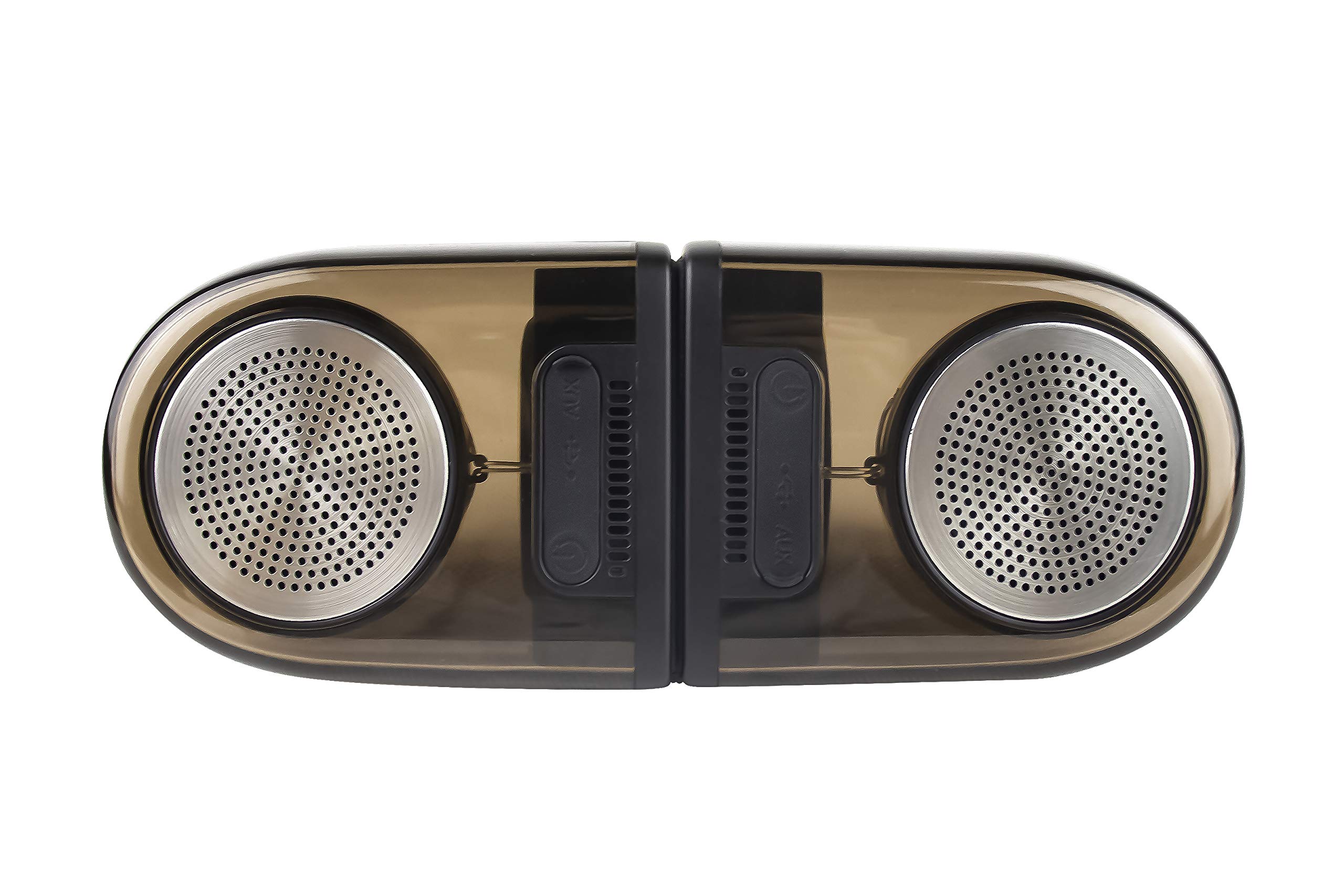
Image of the JVC XS-N2239TC speaker system, showcasinbere diseinua eta osagaiak.
2. Laukiaren edukia
Mesedez, egiaztatu ondorengo elementu guztiak zure paketean sartuta daudela:
- 1 x JVC XS-N2239TC Speaker Unit
- 1 x AUX kablea
- 1 x Erabiltzailearen eskuliburua (dokumentu hau)
- 1 x Kargatzeko kablea
- 1 x Berme Txartela
3. Konfigurazioa
3.1 Jartzea
The JVC XS-N2239TC speakers are designed for versatile placement, suitable as Bookshelf or Floor Standing units. Ensure the speakers are placed on a stable, flat surface or floor, away from direct sunlight, heat sources, and moisture. For optimal stereo sound, position the two speakers appropriately within your listening area.
3.2 Energia-konexioa
- Connect the charging cable to the speaker's power input port.
- Plug the other end of the charging cable into a suitable power outlet.
- Ensure the speaker is fully charged before initial use for optimal battery life.
4. Funtzionamendu-argibideak
4.1 Piztu/Itzaltzea
Locate the power button on the speaker unit. Press and hold the button for a few seconds to power the speaker on or off. An indicator light will typically confirm the power status.
4.2 Konektibitatea
4.2.1 Haririk gabeko konexioa
The speaker supports wireless streaming. To connect wirelessly:
- Ensure the speaker is powered on and in pairing mode (refer to the speaker's indicator lights for status).
- On your device (e.g., smartphone, tablet, television), enable wireless functionality.
- Bilatu available devices and select "JVC XS-N2239TC" from the list.
- Once connected, you can stream audio wirelessly to the speaker system.
4.2.2 USB konexioa
The speaker features a plug-and-play USB card reader. Insert a USB storage device containing audio files into the designated USB port on the speaker. The speaker will automatically detect and begin playing compatible audio files.
4.2.3 AUX konexioa
Use the provided AUX cable to connect the speaker to devices with a 3.5mm audio output jack, such as televisions or other audio sources. Plug one end of the AUX cable into the speaker's AUX input and the other end into your audio source's output.
4.3 Kontrolak
4.3.1 Multifunctional Panel Keys
The speaker unit is equipped with multifunctional panel keys. These keys allow you to:
- Adjust volume (increase/decrease).
- Erreproduzitu/pausatu audio erreprodukzioa.
- Navigate tracks (forward/backward) when playing from USB or wireless sources.
4.3.2 Urruneko kontrola
The included remote control provides convenient access to various functions from a distance. Use the remote to:
- Bozgorailua piztu/itzali.
- Egokitu bolumena.
- Control playback (play, pause, skip tracks).
- Switch input modes (e.g., Wireless, USB, AUX).
5. Mantentzea
5.1 Garbiketa
To clean the speaker, use a soft, dry cloth. Do not use abrasive cleaners, waxes, or solvents as they may damage the finish. Ensure the speaker is powered off and unplugged before cleaning.
5.2 Urarekiko erresistentzia
The JVC XS-N2239TC speaker is designed with water resistance. While it can withstand splashes, it is not intended for submersion. Avoid exposing the speaker to excessive moisture or direct water jets to prevent damage.
6. Arazoak
If you encounter issues with your speaker system, please refer to the following common solutions:
- Potentziarik gabe: Ensure the charging cable is securely connected to both the speaker and a working power outlet. Check if the power button has been pressed correctly.
- Soinurik ez: Verify the volume level on both the speaker and your connected device. Ensure the correct input mode (Wireless, USB, AUX) is selected. Check all cable connections.
- Haririk gabeko konexio arazoak: Make sure the speaker is within range of your device. Try unpairing and re-pairing the speaker with your device. Ensure no other devices are interfering with the wireless signal.
- USB erreprodukzio arazoak: Confirm the USB device is formatted correctly and contains compatible audio fileSaiatu beste USB gailu batekin.
- Urruneko kontrola ez dabil: Check the remote control's batteries and replace them if necessary. Ensure there are no obstructions between the remote and the speaker's sensor.
Arazoak jarraitzen badu, jarri harremanetan bezeroarentzako arreta-zerbitzuarekin.
7. Zehaztapenak
| Ezaugarri | Xehetasuna |
|---|---|
| Marka | JVC |
| Ereduaren izena | JVC XS-N2239TC |
| Konektibitate Teknologia | USB, Haririk gabekoa |
| Haririk gabeko Teknologia Mota | Haririk gabekoa |
| Konektibitate-protokoloa | USBa |
| Audio irteera modua | Estereoa |
| Hizlari mota | Liburu-apalategia |
| Muntatze Mota | Zutikako eserlekua |
| Produktuaren Ezaugarriak | Urruneko Kontrola |
| Kontrol-metodoa | Urrunekoa |
| Gailu bateragarriak | Telebista |
| Audio-kanal kopurua | 2.1 |
| Bozgorailuaren tamaina | 7.5 zentimetro |
| Subwoofer Speaker Diameter | 5 hazbete |
| Tweeter Driver Diameter | 1 hazbete |
| Audio kontrolatzaile mota | Gidari dinamikoa |
| Kolorea | Beltza |
| Iragazgaitza da | EGIA |
| Uraren Erresistentzia Maila | Iragazgaitza |
| Produkturako erabilera espezifikoak | Etxeko Entretenimendu Sistemak |
| Bateriaren batez besteko bizitza | 6 ordu |
| Elementuaren pisua | 0.56 kilogramo |
8. Bermea eta Laguntza
8.1 Bermearen informazioa
Produktu hau a 1 urteko bermea provided by the manufacturer from the date of purchase. Please retain your purchase receipt and warranty card for any warranty claims.
8.2 Bezeroarentzako laguntza
For any complaints, technical assistance, or support regarding your JVC XS-N2239TC speaker system, please contact JVC customer care:
- Bezeroarentzako Arreta Zenbakia: +91-9910332380
Mesedez, eduki zure produktuaren modelo zenbakia eta erosketaren xehetasunak prest laguntzarekin harremanetan jartzean.