
Sarrera
Thank you for choosing the MEDION E11909 (MD 20059) 19-inch HD TV. This television features an integrated DVD player, a 12V car adapter for mobile use, and a triple tuner for receiving cable, satellite, or DVB-T2 HD signals. This manual provides essential information for the safe and efficient use of your new device. Please read it thoroughly before operation and keep it for future reference.
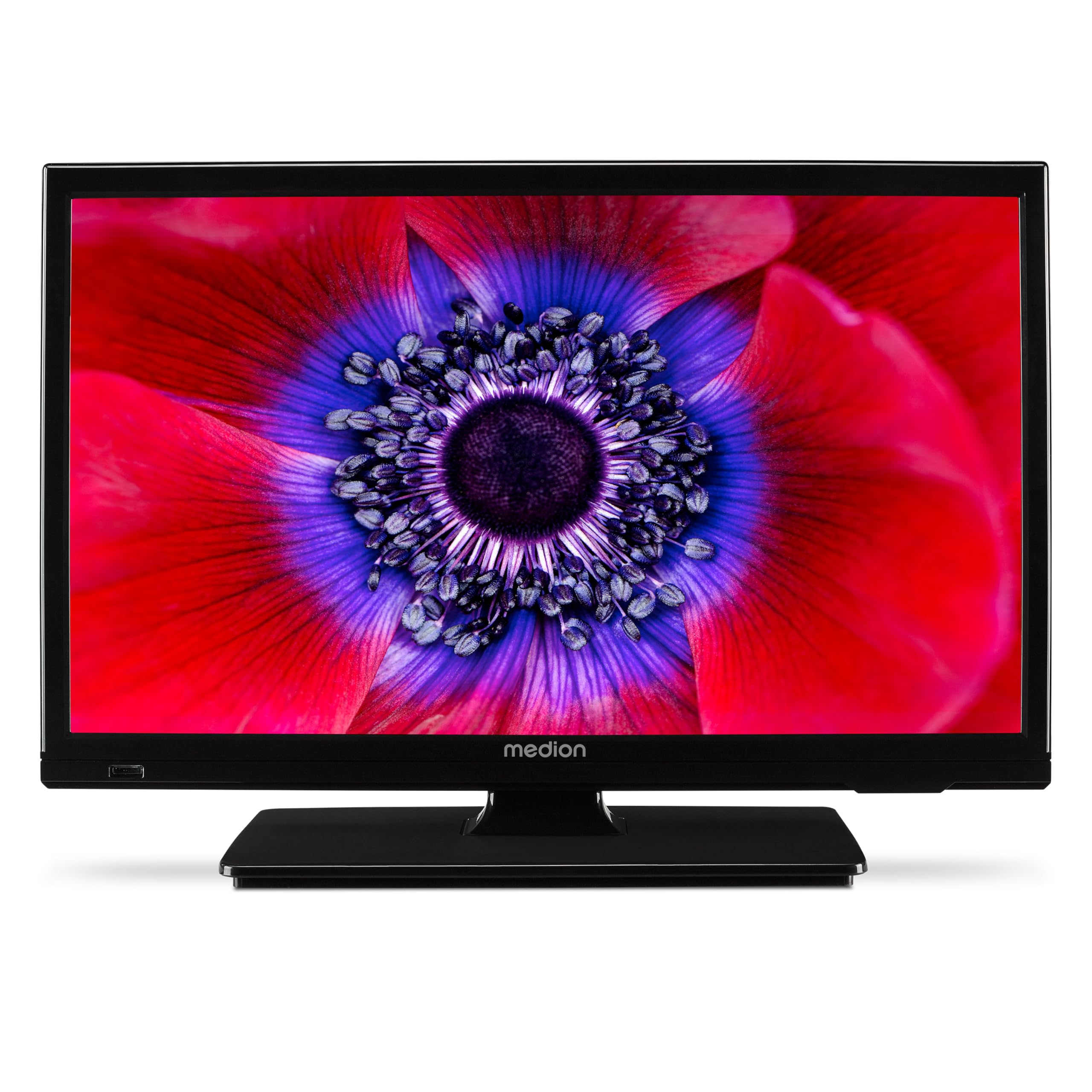
1. irudia: MEDION E11909 19-inch HD TV. This image shows the front view of the television, highlighting its compact design suitable for various environments.
Segurtasun Informazioa
Please observe the following safety instructions to prevent damage to the device or injury to yourself:
- Ez jarri telebista euri edo hezetasunera.
- Ziurtatu aireztapen egokia; ez blokeatu aireztapen-irekidurak.
- Erabili gailuarekin hornitutako korronte-egokigailua soilik.
- Ez ireki telebistaren c.asing; bidali mantentze-lan guztiak langile kualifikatuen esku.
- Mantendu telebista bero-iturrietatik eta eguzki-argitik zuzenean urrun.
- When using the 12V car adapter, ensure the vehicle's power outlet is clean and provides stable power.
Paketearen edukia
Mesedez, egiaztatu elementu guztiak paketean daudela:
- MEDION E11909 MD20059 LCD TV
- Remote control with batteries (AAA)
- Kanpoko korronte egokitzailea
- Car adapter (12V)
- DVB-T antena
- AV egokitzailea
- Zutik torlojuekin
- Erabiltzailearen eskuliburua
- Berme liburuxka
Konfigurazioa
1. Euskarria lotzea
- Kontu handiz jarri telebistaren pantaila behera begira gainazal leun eta garbi batean.
- Lerrokatu euskarria telebistaren behealdeko muntaketa-zuloekin.
- Lotu euskarria emandako torlojuak erabiliz.
2. Potentzia konektatzea
- Etxean erabiltzeko: Connect the external power adapter to the TV's DC IN port and then plug it into a standard wall outlet.
- For Mobile Use (Car/Caravan): Connect the 12V car adapter to the TV's DC IN port and then plug it into your vehicle's 12V DC power socket.
3. Connecting Antennas and External Devices
Refer to the connection diagram below for port locations.

2. irudia: Rear panel connections. This image illustrates the various input and output ports on the back of the television, including HDMI, USB, SCART, VGA, AV In, YPbPr, PC Audio In, Headphone Jack, Digital Audio Out, and the 12V DC power input.
- Antena/Kablea: Connect your DVB-T antenna (included), cable, or satellite dish to the appropriate RF IN port.
- HDMI gailuak: Connect devices like Blu-ray players or game consoles to the HDMI ports.
- USB gailuak: Sartu USB unitateak multimedia erreproduzitzeko USB atakan.
- Older Devices: Use the SCART, VGA, or AV IN ports for older equipment.
4. Hasierako konfigurazioa
After connecting power and turning on the TV for the first time, an initial setup wizard will guide you through language selection, country, and channel scanning. Follow the on-screen instructions.
Funtzionamendua
1. Piztu/Itzali
Sakatu BOTEREA button on the remote control or on the TV to turn the unit on or off.
2. Urruneko kontrol funtzioak
The remote control allows you to navigate menus, change channels, adjust volume, and select input sources. Refer to the remote control diagram in your separate warranty booklet for specific button functions.
3. Channel Selection and Volume
- Erabili CH +/- kanalak aldatzeko botoiak.
- Erabili VOL +/- bolumena doitzeko botoiak.
4. Sarrera-iturria hautatzea
Sakatu ITURRIA button on the remote control to cycle through available input sources (TV, HDMI1, HDMI2, AV, USB, DVD).
5. Using the Integrated DVD Player
- Insert a DVD disc into the disc slot on the side of the TV.
- The TV should automatically switch to DVD mode. If not, press the ITURRIA button and select DVD.
- Erabili urrutiko agintearen erreprodukzio botoiak (PLAY, PAUSE, STOP, FF, REW) DVD erreprodukzioa kontrolatzeko.

3. irudia: TV with integrated DVD player. This image shows the television screen displaying high-definition content, with a DVD disc partially visible, indicating the integrated DVD player functionality.
6. Using the Media Player (USB)
- Sartu USB biltegiratze gailu bat USB atakan.
- Sakatu ITURRIA button and select USB.
- Nabigatu zure bidez files (photos, music, videos) using the remote control and press OK jolasteko.

4. irudia: Easy playback of photos, videos, and more. This image highlights the USB port on the TV's side and icons representing music, photos, and video files, indicating the TV's multimedia playback capabilities.
Mantentzea
1. Pantaila garbitzea
Garbitu pantaila astiro-astiro zapi leun eta pelusik gabeko batekin. Orba egoskorrak izanez gero, garbitu apur batampGarbitu zapia urarekin edo pantaila-garbitzaile espezializatu batekin. Ez ihinztatu likidoa zuzenean pantailan.
2. Unitatea garbitzea
Garbitu telebista casinGarbitu zapi leun eta lehor batekin. Saihestu garbitzaile edo disolbatzaile urratzaileak erabiltzea.
3. Biltegiratzea
If storing the TV for an extended period, disconnect it from power, remove batteries from the remote, and store it in a cool, dry place, preferably in its original packaging.
Arazoak konpontzea
If you encounter problems with your TV, please refer to the following common issues and solutions:
- Potentziarik gabe:
- Check if the power adapter is securely connected to both the TV and the power outlet.
- Ziurtatu korronte-hartunea funtzionatzen duela. - Irudi/soinurik ez:
- Verify that the correct input source is selected (e.g., HDMI1, TV, DVD).
- Check all cable connections (antenna, HDMI, AV).
- Perform a channel scan if using TV mode. - DVDa ez da erreproduzitzen:
- Ensure the disc is inserted correctly with the label facing up.
- Check if the disc is clean and free from scratches.
- Try a different DVD to rule out disc issues. - Urruneko kontrola ez dabil:
- Replace the batteries (AAA).
- Ensure there are no obstructions between the remote and the TV's IR sensor.
Irtenbide hauek probatu ondoren arazoa konpontzen ez bada, jarri harremanetan bezeroarentzako arreta-zerbitzuarekin.
Zehaztapenak
- Marka: MEDION
- Eredua: E11909 (MD 20059)
- Pantailaren tamaina: 18.5 hazbete (47 cm)
- Bistaratzeko teknologia: LED LCDa
- Ebazpena: 768p (HD)
- Freskatze-tasa: 60 Hz
- Aspektu-erlazioa: 1.77:1
- Konektibitate Teknologia: HDMI, USB
- Ezaugarri bereziak: Built-in DVD player, 12V Car Adapter, Triple Tuner for HD reception (Cable, Satellite, DVB-T2)
- Dakarten osagaiak: LCD TV (MD 20059)
- Produktuaren neurriak: 16S x 44Z x 31A cm
- Audio irteera: 2 x 3 W RMS Stereo Speakers
Bermea eta Laguntza
Your MEDION E11909 (MD 20059) TV comes with a manufacturer's warranty. Please refer to the included warranty booklet for detailed terms and conditions, including the warranty period and coverage.
For technical support, service, or further inquiries, please visit the official MEDION website or contact their customer service department. Contact information can typically be found in your warranty booklet or on the MEDION support page.